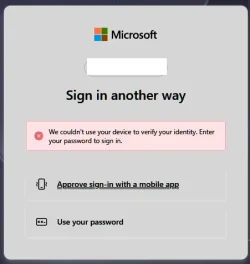
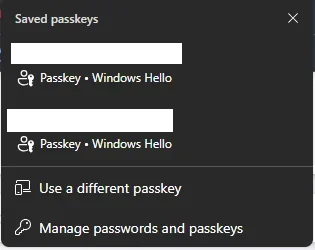
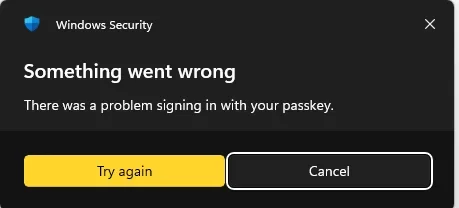
I am just getting back to correcting the Microsoft account passkeys as they stopped working in 26200.7171 (or one before). Now I cannot even create a Microsoft account passkey when using a local user account. I had to log in to my Microsoft account to delete the passkey. Each time I tried to log in with selecting the passkey, it failed. I logged in to the Microsoft account using the Password to delete the passkey. When I try to create a passkey now, it fails in error.
The screen shots the Security window in the Microsoft account after I deleted the existing passkey and tried to create it back. I keep getting "Something went wrong". Anyone else experiencing this problem? Solutions?
I cleared the Windows Hello NGC folder (C:\Windows\ServiceProfiles\LocalService\AppData\Local\Microsoft\Ngc) with no success as I use a local user account.
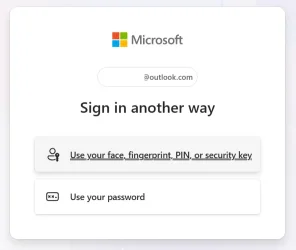
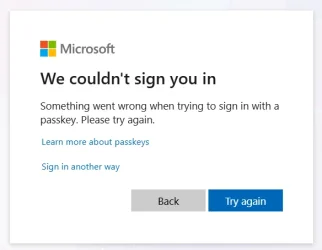
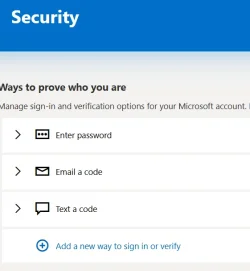
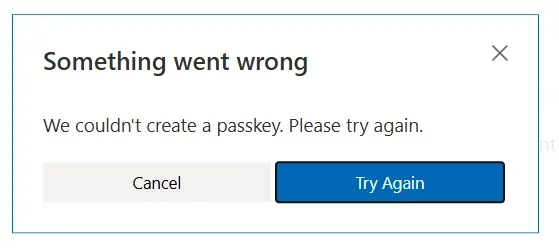
The screen shots the Security window in the Microsoft account after I deleted the existing passkey and tried to create it back. I keep getting "Something went wrong". Anyone else experiencing this problem? Solutions?
I cleared the Windows Hello NGC folder (C:\Windows\ServiceProfiles\LocalService\AppData\Local\Microsoft\Ngc) with no success as I use a local user account.
- Windows Build/Version
- Windows 11 Pro 26200.7462
My Computers
-
At a glance
Windows 11 ProAMD Ryzen AI 7 350 w/ Radeon 860M 50 TOPS32GB LPDDR5X 7500 MT/sAMD Radeon 860M integrated (shared memory)- OS
- Windows 11 Pro
- Computer type
- Laptop
- Manufacturer/Model
- Dell 16 Plus DB16255
- CPU
- AMD Ryzen AI 7 350 w/ Radeon 860M 50 TOPS
- Motherboard
- Dell 0PKMHG
- Memory
- 32GB LPDDR5X 7500 MT/s
- Graphics Card(s)
- AMD Radeon 860M integrated (shared memory)
- Sound Card
- Stereo speakers (2.5 W x 2 = 5 W total peak)/Realtek SounzReal/Dolby Atmos
- Monitor(s) Displays
- Displays: 16" 1920 x 1200 (Full HD+/WUXGA) 300 nits 60Hz *** Samsung - 27” Odyssey FHD IPS 240Hz G-Sync Gaming Monitor
- Screen Resolution
- 1920x1080 @ 60Hz
- Hard Drives
- EG6 KIOXIA 1TB NVME
- Case
- Ice Blue
- Cooling
- "dual-fan" or "enhanced" air-cooling system
- Mouse
- Logitech M650 Wireless/Bluetooth
- Internet Speed
- 800/600 Fiber
-
- Computer type
- Laptop