pinkfloyd1173
Well-known member
- Local time
- 8:56 AM
- Posts
- 12
- OS
- Win 11 pro
Hey guys do not really know where to post this.
I am running Windows Pro Ver 25H2 OS Build 26200.6901
Previous I was on the lastiest build of 24H2. I update to 25H2 about a week ago and since then have done the rcent update tha MS released yesterday, the fix for the M/K issues in safe mode, which I was having too, but all is resovled with that at the moment.
So I have an Asus Rog Strix-E Wifi II mobo. I am using the last realtek audio driver that is on my mobo's website. When I was on 24H2 I had no issues what so ever opening up the realtek app on my rig, it always worked fine no issues what so ever.
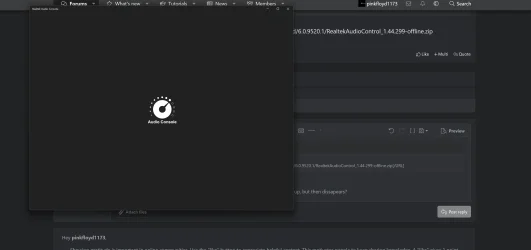
Well ever since I updated to 25H2, the realtek app will not open up at all. I have tried uninstalling, installing, running windows file check thing, you name it I have tried.
It downloads with no issues, does not give any error messages. The app will just not open up.
Like I said I have a strix mobo, and recently I uninstalled ASUS Armory Cate, I mean I did a clean uninstall of that bloatware, my rig is running so much better now, imo.
So I am trying to figure out is there a fix for this issue with the Realtek Audio Control App. I cant even download it now, it looks like it is DL, but then it says retry later?
I do not know if MS knows that the App is broken or is it my rig, or 25H2 that is messing stuff up???? It gives me that erroe message, error 0X80073CF1
Any help please.
Thanks in advance.
I am running Windows Pro Ver 25H2 OS Build 26200.6901
Previous I was on the lastiest build of 24H2. I update to 25H2 about a week ago and since then have done the rcent update tha MS released yesterday, the fix for the M/K issues in safe mode, which I was having too, but all is resovled with that at the moment.
So I have an Asus Rog Strix-E Wifi II mobo. I am using the last realtek audio driver that is on my mobo's website. When I was on 24H2 I had no issues what so ever opening up the realtek app on my rig, it always worked fine no issues what so ever.
Well ever since I updated to 25H2, the realtek app will not open up at all. I have tried uninstalling, installing, running windows file check thing, you name it I have tried.
It downloads with no issues, does not give any error messages. The app will just not open up.
Like I said I have a strix mobo, and recently I uninstalled ASUS Armory Cate, I mean I did a clean uninstall of that bloatware, my rig is running so much better now, imo.
So I am trying to figure out is there a fix for this issue with the Realtek Audio Control App. I cant even download it now, it looks like it is DL, but then it says retry later?
I do not know if MS knows that the App is broken or is it my rig, or 25H2 that is messing stuff up???? It gives me that erroe message, error 0X80073CF1
Any help please.
Thanks in advance.
Last edited:
My Computer
At a glance
Win 11 proIntel i9 14900KDOMINATOR PLATINUM RGB 32GB 5600MHz DDR5ASUS TUFF 5090 OC
- OS
- Win 11 pro
- Computer type
- PC/Desktop
- CPU
- Intel i9 14900K
- Motherboard
- ROG STRIX Z790-E GAMING WIFI II
- Memory
- DOMINATOR PLATINUM RGB 32GB 5600MHz DDR5
- Graphics Card(s)
- ASUS TUFF 5090 OC
- Monitor(s) Displays
- MSI MPG-321URX QD-OLED
- Screen Resolution
- 4K
- Hard Drives
- 1 M.2 980 PRO 2 TB
- PSU
- Corsair HX 1500i
- Case
- Corsair 7000D airflow Case
- Cooling
- iCUE LINK TITAN 360 LCD
- Internet Speed
- 2 gig up and down