Are there any solutions to the missing network icon?
I have win11 installed on a PC and a laptop. I am also running EP and Open Shell on both with identical settings for these.
On the laptop the network icon - wifi - is showing and on the PC it is missing.
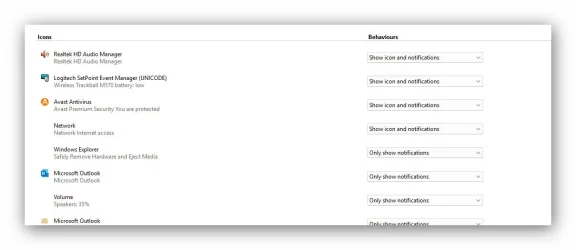
The internet icon DOES show during the UI buildup, but then disappears when more icons are added to the taskbar. There is a gap where the network icon should be sitting but nothing to click. I went into the taskbar icon settings and in there the network icon does not have an icon showing while other programms have icons displayed.
I did read through some threads where it was recommended to changge various service settings, a network reset which all did not help.