No Windows Internet Connection


Thank you.

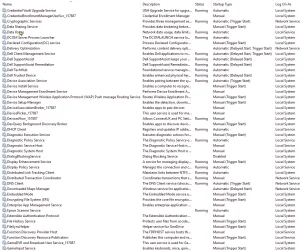
Please post screenshots of
services.msc

showing which ones.

Disabling services is very unlikely to improve performance, but is likely, if you are not very careful, to have unexpected effects.
1785100929696.webp
1785100968131.webp
1785101006029.webp
1785101024549.webp
1785101040476.webp
1785101049701.webp
1785101060130.webp
1785101068667.webp
 

Attachments

  • 1785100943474.webp
    1785100943474.webp
    179.3 KB · Views: 0

My Computers My Computers

  • At a glance

    Windows 11Intel Core Ultra 9 285HX128 GBNVIDIA RTX PRO 2000
    OS
    Windows 11
    Computer type
    Laptop
    Manufacturer/Model
    Dell Pro Max 18
    CPU
    Intel Core Ultra 9 285HX
    Memory
    128 GB
    Graphics Card(s)
    NVIDIA RTX PRO 2000
    Monitor(s) Displays
    2 x HP 24"
    Hard Drives
    3 x 4 TB
    Keyboard
    Logi
    Mouse
    MX Master 3
    Internet Speed
    1 GB per second
    Browser
    Firefox and Edge
    Antivirus
    Kaspersky
    Other Info
    Connected via Dell Pro Thunderbird 4 Dock
  • At a glance

    Windows 10
    Operating System
    Windows 10
    Computer type
    Laptop
    Manufacturer/Model
    Dell Precision 7770

My Computers My Computers

  • At a glance

    Windows 11Intel Core Ultra 9 285HX128 GBNVIDIA RTX PRO 2000
    OS
    Windows 11
    Computer type
    Laptop
    Manufacturer/Model
    Dell Pro Max 18
    CPU
    Intel Core Ultra 9 285HX
    Memory
    128 GB
    Graphics Card(s)
    NVIDIA RTX PRO 2000
    Monitor(s) Displays
    2 x HP 24"
    Hard Drives
    3 x 4 TB
    Keyboard
    Logi
    Mouse
    MX Master 3
    Internet Speed
    1 GB per second
    Browser
    Firefox and Edge
    Antivirus
    Kaspersky
    Other Info
    Connected via Dell Pro Thunderbird 4 Dock
  • At a glance

    Windows 10
    Operating System
    Windows 10
    Computer type
    Laptop
    Manufacturer/Model
    Dell Precision 7770
Open PowerShell as an administrator.
Execute:
Code:
Test-NetConnection -ComputerName displaycatalog.mp.microsoft.com -Port 443

If the test shows TcpTestSucceeded : True - the network and TLS to the Store servers are working. Then the problem is almost certainly in the application itself (cache, registration, service). If False - the problem is at the network level (proxy, blocking, DNS, filters).
 

My Computer My Computer

At a glance

Windows 11 Insider Experimental (26H2)Intel Core i5-1140032Gb (DDR4 SDRAM)Intel(R) UHD Graphics 730
OS
Windows 11 Insider Experimental (26H2)
Computer type
PC/Desktop
Manufacturer/Model
Gigabyte Technology Co., Ltd.
CPU
Intel Core i5-11400
Motherboard
Z590 AORUS PRO AX
Memory
32Gb (DDR4 SDRAM)
Graphics Card(s)
Intel(R) UHD Graphics 730
Sound Card
Realtek USB Audio
Monitor(s) Displays
LG 27US500-W 4K UHD UltraFine™
Screen Resolution
3840x2160
Hard Drives
Samsung SSD 980 PRO 1TB
WDC WD7501AALS
PSU
Montech CENTURY, 650W, 80+ Gold
Case
Cougar Airface ECO RGB
Cooling
ID-COOLING SE-224-XTS BLACK
Keyboard
Microsoft SideWinder X6 Keyboard
Mouse
Microsoft SideWinder Mouse
Internet Speed
Internet speed of 1 Gbit/s
Browser
Vivaldi browser
Antivirus
Windows Defender
Oh Oh . . .

After network settings changes and resetting to default and restarting several times, my problems have increased. What used to be my main browser page at the local weather - Ottawa, ON - 7 Day Forecast - Environment Canada - can no longer be reached on Firefox or Edge.

1785104150259.webp

Time to sign out for today. Thank you everybody for your help.

To be continued. . .
 

My Computers My Computers

  • At a glance

    Windows 11Intel Core Ultra 9 285HX128 GBNVIDIA RTX PRO 2000
    OS
    Windows 11
    Computer type
    Laptop
    Manufacturer/Model
    Dell Pro Max 18
    CPU
    Intel Core Ultra 9 285HX
    Memory
    128 GB
    Graphics Card(s)
    NVIDIA RTX PRO 2000
    Monitor(s) Displays
    2 x HP 24"
    Hard Drives
    3 x 4 TB
    Keyboard
    Logi
    Mouse
    MX Master 3
    Internet Speed
    1 GB per second
    Browser
    Firefox and Edge
    Antivirus
    Kaspersky
    Other Info
    Connected via Dell Pro Thunderbird 4 Dock
  • At a glance

    Windows 10
    Operating System
    Windows 10
    Computer type
    Laptop
    Manufacturer/Model
    Dell Precision 7770
OneDrive and browsers operate through standard web ports, while the Microsoft Store relies heavily on the Network Location Awareness (NLA) and WinHTTP system components.

1. Enable current TLS protocols (Most common cause). If TLS 1.2 or 1.3 is disabled on the system, the Store will return a network error, even if OneDrive is running.
Press Win + R, type inetcpl.cpl, and press Enter (this will open Internet Properties). Go to the Advanced tab. Make sure the following options are checked: Use TLS 1.2 and Use TLS 1.3 (if available).
Click Apply and OK.
2. Reset the system proxy server (WinHTTP).
Browsers can ignore the system proxy, but the Microsoft Store will freeze if it uses an old or broken address. Open a command prompt as Administrator
Enter the command to reset the proxy
Code:
netsh winhttp reset proxy
3. Then clear the network cache by running the following commands one by one:
Code:
ipconfig /flushdns
netsh int ip reset
netsh winsock reset

Restart your computer.

 

My Computer My Computer

At a glance

Windows 11 Insider Experimental (26H2)Intel Core i5-1140032Gb (DDR4 SDRAM)Intel(R) UHD Graphics 730
OS
Windows 11 Insider Experimental (26H2)
Computer type
PC/Desktop
Manufacturer/Model
Gigabyte Technology Co., Ltd.
CPU
Intel Core i5-11400
Motherboard
Z590 AORUS PRO AX
Memory
32Gb (DDR4 SDRAM)
Graphics Card(s)
Intel(R) UHD Graphics 730
Sound Card
Realtek USB Audio
Monitor(s) Displays
LG 27US500-W 4K UHD UltraFine™
Screen Resolution
3840x2160
Hard Drives
Samsung SSD 980 PRO 1TB
WDC WD7501AALS
PSU
Montech CENTURY, 650W, 80+ Gold
Case
Cougar Airface ECO RGB
Cooling
ID-COOLING SE-224-XTS BLACK
Keyboard
Microsoft SideWinder X6 Keyboard
Mouse
Microsoft SideWinder Mouse
Internet Speed
Internet speed of 1 Gbit/s
Browser
Vivaldi browser
Antivirus
Windows Defender
Even though some of your local times are early tomorrow morning (I am in the North American Eastern Daylight Time zone) this community is very helpful. Thank you. I am now going offline until my tomorrow morning.
 

My Computers My Computers

  • At a glance

    Windows 11Intel Core Ultra 9 285HX128 GBNVIDIA RTX PRO 2000
    OS
    Windows 11
    Computer type
    Laptop
    Manufacturer/Model
    Dell Pro Max 18
    CPU
    Intel Core Ultra 9 285HX
    Memory
    128 GB
    Graphics Card(s)
    NVIDIA RTX PRO 2000
    Monitor(s) Displays
    2 x HP 24"
    Hard Drives
    3 x 4 TB
    Keyboard
    Logi
    Mouse
    MX Master 3
    Internet Speed
    1 GB per second
    Browser
    Firefox and Edge
    Antivirus
    Kaspersky
    Other Info
    Connected via Dell Pro Thunderbird 4 Dock
  • At a glance

    Windows 10
    Operating System
    Windows 10
    Computer type
    Laptop
    Manufacturer/Model
    Dell Precision 7770
OneDrive and browsers operate through standard web ports, while the Microsoft Store relies heavily on the Network Location Awareness (NLA) and WinHTTP system components.

1. Enable current TLS protocols (Most common cause). If TLS 1.2 or 1.3 is disabled on the system, the Store will return a network error, even if OneDrive is running.
Press Win + R, type inetcpl.cpl, and press Enter (this will open Internet Properties). Go to the Advanced tab. Make sure the following options are checked: Use TLS 1.2 and Use TLS 1.3 (if available).
Click Apply and OK.
2. Reset the system proxy server (WinHTTP).
Browsers can ignore the system proxy, but the Microsoft Store will freeze if it uses an old or broken address. Open a command prompt as Administrator
Enter the command to reset the proxy
Code:
netsh winhttp reset proxy
3. Then clear the network cache by running the following commands one by one:
Code:
ipconfig /flushdns
netsh int ip reset
netsh winsock reset

Restart your computer.
This worked perfectly to fix the browser problems.

But then, after a few minutes, the browser problems came back.
 

My Computers My Computers

  • At a glance

    Windows 11Intel Core Ultra 9 285HX128 GBNVIDIA RTX PRO 2000
    OS
    Windows 11
    Computer type
    Laptop
    Manufacturer/Model
    Dell Pro Max 18
    CPU
    Intel Core Ultra 9 285HX
    Memory
    128 GB
    Graphics Card(s)
    NVIDIA RTX PRO 2000
    Monitor(s) Displays
    2 x HP 24"
    Hard Drives
    3 x 4 TB
    Keyboard
    Logi
    Mouse
    MX Master 3
    Internet Speed
    1 GB per second
    Browser
    Firefox and Edge
    Antivirus
    Kaspersky
    Other Info
    Connected via Dell Pro Thunderbird 4 Dock
  • At a glance

    Windows 10
    Operating System
    Windows 10
    Computer type
    Laptop
    Manufacturer/Model
    Dell Precision 7770
This worked perfectly to fix the browser problems.

But then, after a few minutes, the browser problems came back.
Browser access always works after a restart. But only for a few minutes. Then it stops again with the same error again.
 

My Computers My Computers

  • At a glance

    Windows 11Intel Core Ultra 9 285HX128 GBNVIDIA RTX PRO 2000
    OS
    Windows 11
    Computer type
    Laptop
    Manufacturer/Model
    Dell Pro Max 18
    CPU
    Intel Core Ultra 9 285HX
    Memory
    128 GB
    Graphics Card(s)
    NVIDIA RTX PRO 2000
    Monitor(s) Displays
    2 x HP 24"
    Hard Drives
    3 x 4 TB
    Keyboard
    Logi
    Mouse
    MX Master 3
    Internet Speed
    1 GB per second
    Browser
    Firefox and Edge
    Antivirus
    Kaspersky
    Other Info
    Connected via Dell Pro Thunderbird 4 Dock
  • At a glance

    Windows 10
    Operating System
    Windows 10
    Computer type
    Laptop
    Manufacturer/Model
    Dell Precision 7770
Browser access always works after a restart. But only for a few minutes. Then it stops again with the same error again.
EVEN BETTER - THIS ALSO FIXED THE WIDGET AND OUTLOOK CLASSIC PROBLEMS!
 

My Computers My Computers

  • At a glance

    Windows 11Intel Core Ultra 9 285HX128 GBNVIDIA RTX PRO 2000
    OS
    Windows 11
    Computer type
    Laptop
    Manufacturer/Model
    Dell Pro Max 18
    CPU
    Intel Core Ultra 9 285HX
    Memory
    128 GB
    Graphics Card(s)
    NVIDIA RTX PRO 2000
    Monitor(s) Displays
    2 x HP 24"
    Hard Drives
    3 x 4 TB
    Keyboard
    Logi
    Mouse
    MX Master 3
    Internet Speed
    1 GB per second
    Browser
    Firefox and Edge
    Antivirus
    Kaspersky
    Other Info
    Connected via Dell Pro Thunderbird 4 Dock
  • At a glance

    Windows 10
    Operating System
    Windows 10
    Computer type
    Laptop
    Manufacturer/Model
    Dell Precision 7770
This worked perfectly to fix the browser problems.

But then, after a few minutes, the browser problems came back.
This worked perfectly to fix the browser problems.

But then, after a few minutes, the browser problems came back.
OneDrive and browsers operate through standard web ports, while the Microsoft Store relies heavily on the Network Location Awareness (NLA) and WinHTTP system components.

1. Enable current TLS protocols (Most common cause). If TLS 1.2 or 1.3 is disabled on the system, the Store will return a network error, even if OneDrive is running.
Press Win + R, type inetcpl.cpl, and press Enter (this will open Internet Properties). Go to the Advanced tab. Make sure the following options are checked: Use TLS 1.2 and Use TLS 1.3 (if available).
Click Apply and OK.
2. Reset the system proxy server (WinHTTP).
Browsers can ignore the system proxy, but the Microsoft Store will freeze if it uses an old or broken address. Open a command prompt as Administrator
Enter the command to reset the proxy
Code:
netsh winhttp reset proxy
3. Then clear the network cache by running the following commands one by one:
Code:
ipconfig /flushdns
netsh int ip reset
netsh winsock reset

Restart your computer.
After more testing - THIS ALSO FIXED THE WIDGET AND OUTLOOK CLASSIC PROBLEMS.

BRAVO!!! THANK YOU VERY MUCH!
 

My Computers My Computers

  • At a glance

    Windows 11Intel Core Ultra 9 285HX128 GBNVIDIA RTX PRO 2000
    OS
    Windows 11
    Computer type
    Laptop
    Manufacturer/Model
    Dell Pro Max 18
    CPU
    Intel Core Ultra 9 285HX
    Memory
    128 GB
    Graphics Card(s)
    NVIDIA RTX PRO 2000
    Monitor(s) Displays
    2 x HP 24"
    Hard Drives
    3 x 4 TB
    Keyboard
    Logi
    Mouse
    MX Master 3
    Internet Speed
    1 GB per second
    Browser
    Firefox and Edge
    Antivirus
    Kaspersky
    Other Info
    Connected via Dell Pro Thunderbird 4 Dock
  • At a glance

    Windows 10
    Operating System
    Windows 10
    Computer type
    Laptop
    Manufacturer/Model
    Dell Precision 7770
After more testing - THIS ALSO FIXED THE WIDGET AND OUTLOOK CLASSIC PROBLEMS.

BRAVO!!! THANK YOU VERY MUCH!
But the fixes last only for a few minutes after restarting Windows.

Restart again and the fixes are back again for a few minutes again.

I am wondering what is changing over those first few minutes to bring the problems back.

I feet that we are 90% to the final solution!

Thanks again for your help.
 

My Computers My Computers

  • At a glance

    Windows 11Intel Core Ultra 9 285HX128 GBNVIDIA RTX PRO 2000
    OS
    Windows 11
    Computer type
    Laptop
    Manufacturer/Model
    Dell Pro Max 18
    CPU
    Intel Core Ultra 9 285HX
    Memory
    128 GB
    Graphics Card(s)
    NVIDIA RTX PRO 2000
    Monitor(s) Displays
    2 x HP 24"
    Hard Drives
    3 x 4 TB
    Keyboard
    Logi
    Mouse
    MX Master 3
    Internet Speed
    1 GB per second
    Browser
    Firefox and Edge
    Antivirus
    Kaspersky
    Other Info
    Connected via Dell Pro Thunderbird 4 Dock
  • At a glance

    Windows 10
    Operating System
    Windows 10
    Computer type
    Laptop
    Manufacturer/Model
    Dell Precision 7770
Did you ever install a VPN service on this PC?
 

My Computer My Computer

At a glance

Windows 7
OS
Windows 7

My Computers My Computers

  • At a glance

    Windows 11Intel Core Ultra 9 285HX128 GBNVIDIA RTX PRO 2000
    OS
    Windows 11
    Computer type
    Laptop
    Manufacturer/Model
    Dell Pro Max 18
    CPU
    Intel Core Ultra 9 285HX
    Memory
    128 GB
    Graphics Card(s)
    NVIDIA RTX PRO 2000
    Monitor(s) Displays
    2 x HP 24"
    Hard Drives
    3 x 4 TB
    Keyboard
    Logi
    Mouse
    MX Master 3
    Internet Speed
    1 GB per second
    Browser
    Firefox and Edge
    Antivirus
    Kaspersky
    Other Info
    Connected via Dell Pro Thunderbird 4 Dock
  • At a glance

    Windows 10
    Operating System
    Windows 10
    Computer type
    Laptop
    Manufacturer/Model
    Dell Precision 7770
Although I do use Kaspersky VPN from time to time.

I used Kaspersky until the USA banned it and I always uninstalled the VPN as I found it caused issues from time to time.
It will be listed in your installed apps.
 

My Computer My Computer

At a glance

Windows 11 Pro
OS
Windows 11 Pro
Based on the connection reset error, it's always a firewall or a VPN that's at fault.

If you have a misconfigured network, you would get random connection failure or time out messages. A connection reset means some process deliberately killed your network connection to an outside address, and sent a notification to the user app to alert them it was intentionally done. VPN's normally take a few minutes to start up because they have to contact outside VPN servers, so that would explain why free access works for a few minutes.

I would uninstall the VPN. Maybe after your network is restored, you can consider re-installing it at a later date or chose a different VPN product.
 

My Computer My Computer

At a glance

Windows 7
OS
Windows 7
2026-07-27_110514.webpDisable it temporarily
 

My Computer My Computer

At a glance

Windows 11 Insider Experimental (26H2)Intel Core i5-1140032Gb (DDR4 SDRAM)Intel(R) UHD Graphics 730
OS
Windows 11 Insider Experimental (26H2)
Computer type
PC/Desktop
Manufacturer/Model
Gigabyte Technology Co., Ltd.
CPU
Intel Core i5-11400
Motherboard
Z590 AORUS PRO AX
Memory
32Gb (DDR4 SDRAM)
Graphics Card(s)
Intel(R) UHD Graphics 730
Sound Card
Realtek USB Audio
Monitor(s) Displays
LG 27US500-W 4K UHD UltraFine™
Screen Resolution
3840x2160
Hard Drives
Samsung SSD 980 PRO 1TB
WDC WD7501AALS
PSU
Montech CENTURY, 650W, 80+ Gold
Case
Cougar Airface ECO RGB
Cooling
ID-COOLING SE-224-XTS BLACK
Keyboard
Microsoft SideWinder X6 Keyboard
Mouse
Microsoft SideWinder Mouse
Internet Speed
Internet speed of 1 Gbit/s
Browser
Vivaldi browser
Antivirus
Windows Defender
I'm also pretty new to troubleshooting Windows networking, but the fact that it works for a few minutes after reboot and then breaks again really does make me think something like the VPN or its network filter is kicking in. I'd try disabling or uninstalling Kaspersky VPN first and see if the problem stays gone.
 

My Computer My Computer

At a glance

Windows 11
OS
Windows 11
Computer type
Laptop
Manufacturer/Model
HP EliteBook 840 G8 Notebook PC
Disable ALL firewalls, 3rd party A/V software (particularly), ensure relevant ports open and any VPN.

If that still fails, disable every possible bit of security INCLUDING BIT LOCKER, DEVICE ENCRYPTION, SECURE BOOT ETC. and have another go.

If that STILL fails - then I'd suggest there's something a bit wrong with your Windows system - some corruption somewhere. Solution might be re-install from a Windows install iso / UUPDUMP iso.

My view is to start with minimal security and keep adding layers until you've got a secure system - then if at any stage it fails you know where the problem lies. The problem now is there's so much security right at the start which makes untangling it and sorting out errors almost impossible even for experienced Windows gurus. !!!

Cheers
jimbo
 

My Computer My Computer

At a glance

Windows XP,11 Linux Fedora Rawhide pre-releas...2 X Intel i7
OS
Windows XP,11 Linux Fedora Rawhide pre-release 46
Computer type
PC/Desktop
CPU
2 X Intel i7
Screen Resolution
4KUHD X 2

My Computers My Computers

  • At a glance

    Windows 11Intel Core Ultra 9 285HX128 GBNVIDIA RTX PRO 2000
    OS
    Windows 11
    Computer type
    Laptop
    Manufacturer/Model
    Dell Pro Max 18
    CPU
    Intel Core Ultra 9 285HX
    Memory
    128 GB
    Graphics Card(s)
    NVIDIA RTX PRO 2000
    Monitor(s) Displays
    2 x HP 24"
    Hard Drives
    3 x 4 TB
    Keyboard
    Logi
    Mouse
    MX Master 3
    Internet Speed
    1 GB per second
    Browser
    Firefox and Edge
    Antivirus
    Kaspersky
    Other Info
    Connected via Dell Pro Thunderbird 4 Dock
  • At a glance

    Windows 10
    Operating System
    Windows 10
    Computer type
    Laptop
    Manufacturer/Model
    Dell Precision 7770

Latest Support Threads

Back
Top Bottom




