NTFS formatted USB Disk Drive becomes unformatted after ejecting


stevenvh

Active member
Local time
12:51 AM
Posts
7
OS
Windows 11 Home
I have an external USB hard disk, which was NTFS formatted. I switch this drive frequently between two Windows 11 PCs.

After a couple of incidents where files were unreadable, I was advised to switch to ExFAT. But then certain files I added on PC 1 weren't shown on PC 2, and when I reconnected to PC 1 they were there again. So, ExFAT wasn't the obvious solution, and I went back to NTFS. But this time I ejected safely before disconnecting. (Previously I just disconnected after putting the PC in hibernate/shut down).

Sequence of events:
1. Format drive as NTFS on PC 1
2. Restore files from backup
3. Eject drive
4. Disconnect after USB's port LED is off
5. Connect to PC 2

PC 2 now reports the drive as unformatted ("RAW")! So does PC 1 after reconnecting there.

Questions:
1. Doesn't eject work in general for external NTFS HDDs?
2. Should I wait until the PC is shut down to disconnect? (i.e. not just wait until the port's LED is off)
3. What are the best file system and disconnecting procedure when switching a drive between PCs?
 
Windows Build/Version
Win 11 version 26H2

My Computer My Computer

At a glance

Windows 11 HomeIntel(R) Core(TM) i5-10400 CPU @ 2.90GHz 2.90...24 GB
OS
Windows 11 Home
Computer type
PC/Desktop
Manufacturer/Model
Medion
CPU
Intel(R) Core(TM) i5-10400 CPU @ 2.90GHz 2.90 GHz
Memory
24 GB
Monitor(s) Displays
Benq PD series 32"
Screen Resolution
2560x1440
Keyboard
Logitech
Mouse
Logitech M185
Internet Speed
300 Mbps
Browser
Firefox
Antivirus
Avast One
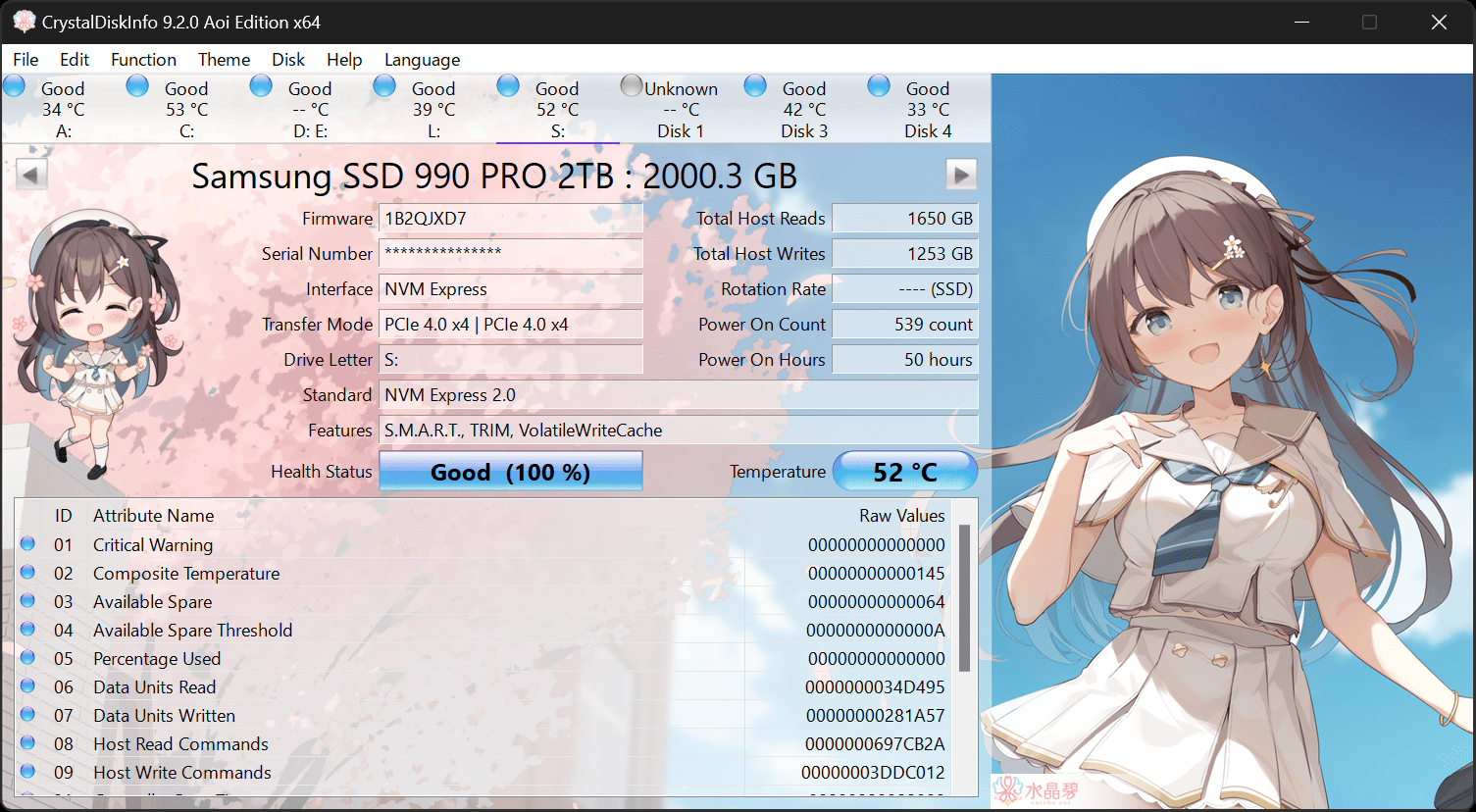
Have you checked health of the HDD using CrystalDiskInfo also post a screenshot of Disk Management.


My Computer My Computer

At a glance

Windows 11AMD Ryzen 7 5700GMicron Technology DDR4-3200 16GBNVIDIA GeForce RTX 3060
OS
Windows 11
Computer type
PC/Desktop
Manufacturer/Model
HP Pavilion
CPU
AMD Ryzen 7 5700G
Motherboard
Erica6
Memory
Micron Technology DDR4-3200 16GB
Graphics Card(s)
NVIDIA GeForce RTX 3060
Sound Card
Realtek ALC671
Monitor(s) Displays
Samsung SyncMaster U28E590
Screen Resolution
3840 x 2160
Hard Drives
SAMSUNG MZVLQ1T0HALB-000H1
Questions:
1. Doesn't eject work in general for external NTFS HDDs?
2. Should I wait until the PC is shut down to disconnect? (i.e. not just wait until the port's LED is off)
3. What are the best file system and disconnecting procedure when switching a drive between PCs?
I have used external HDDs and SSDs for many years.

1. Yes.
2. It depends on whether or not the write cache of the disk is activated. If it is activated, eject or shut down and then disconnect.
You can check the write cache status on Device Manager > Properties > Directives.
3. I always use NTFS for disks, exFAT only for Flash drives.
 

My Computer My Computer

At a glance

Windows 10
OS
Windows 10
Disk Management screenshot:

1792858880429.webp


I have since reformatted the drive and restored my files from backup, and I can access the files, so the drive seems physically OK. CrystalDiskInfo also reports a health status of "Good".
 

My Computer My Computer

At a glance

Windows 11 HomeIntel(R) Core(TM) i5-10400 CPU @ 2.90GHz 2.90...24 GB
OS
Windows 11 Home
Computer type
PC/Desktop
Manufacturer/Model
Medion
CPU
Intel(R) Core(TM) i5-10400 CPU @ 2.90GHz 2.90 GHz
Memory
24 GB
Monitor(s) Displays
Benq PD series 32"
Screen Resolution
2560x1440
Keyboard
Logitech
Mouse
Logitech M185
Internet Speed
300 Mbps
Browser
Firefox
Antivirus
Avast One
The RAW file system is a state of a storage device that has an unknown or no file system on Windows.

Whether you aim to recover important files or return the drive to a usable state, my guide provides working solution for RAW storage drive.
 

My Computer My Computer

At a glance

Windows 11AMD Ryzen 7 5700GMicron Technology DDR4-3200 16GBNVIDIA GeForce RTX 3060
OS
Windows 11
Computer type
PC/Desktop
Manufacturer/Model
HP Pavilion
CPU
AMD Ryzen 7 5700G
Motherboard
Erica6
Memory
Micron Technology DDR4-3200 16GB
Graphics Card(s)
NVIDIA GeForce RTX 3060
Sound Card
Realtek ALC671
Monitor(s) Displays
Samsung SyncMaster U28E590
Screen Resolution
3840 x 2160
Hard Drives
SAMSUNG MZVLQ1T0HALB-000H1
2. It depends on whether or not the write cache of the disk is activated. If it is activated, eject or shut down and then disconnect.
You can check the write cache status on Device Manager > Properties > Directives.

The write cache sounded promising but your path through Device Manager doesn't seem to work: I can't seem to find Directives under Properties. (That is Properties for a drive, since Properties for Device Manager doesn't seem to exist.)
 

My Computer My Computer

At a glance

Windows 11 HomeIntel(R) Core(TM) i5-10400 CPU @ 2.90GHz 2.90...24 GB
OS
Windows 11 Home
Computer type
PC/Desktop
Manufacturer/Model
Medion
CPU
Intel(R) Core(TM) i5-10400 CPU @ 2.90GHz 2.90 GHz
Memory
24 GB
Monitor(s) Displays
Benq PD series 32"
Screen Resolution
2560x1440
Keyboard
Logitech
Mouse
Logitech M185
Internet Speed
300 Mbps
Browser
Firefox
Antivirus
Avast One

My Computer My Computer

At a glance

Windows 10
OS
Windows 10
Sorry, it´s Policies.

Ah, OK.
"Quick removal (default)" is checked, so that should be OK. Thanks for the heads-up.


BTW, There are several drives listed with the same description: "WD Elements 25A3 USB Device". Is there any way to tell them apart? There doesn't seem to be anything in the properties, like for instance drive letter.
 

My Computer My Computer

At a glance

Windows 11 HomeIntel(R) Core(TM) i5-10400 CPU @ 2.90GHz 2.90...24 GB
OS
Windows 11 Home
Computer type
PC/Desktop
Manufacturer/Model
Medion
CPU
Intel(R) Core(TM) i5-10400 CPU @ 2.90GHz 2.90 GHz
Memory
24 GB
Monitor(s) Displays
Benq PD series 32"
Screen Resolution
2560x1440
Keyboard
Logitech
Mouse
Logitech M185
Internet Speed
300 Mbps
Browser
Firefox
Antivirus
Avast One
Last edited:

My Computer My Computer

At a glance

Windows 11 Home x64 Version 26H2 Build 26300....
OS
Windows 11 Home x64 Version 26H2 Build 26300.9457
Should I wait until the PC is shut down to disconnect?
Honestly, that is the safest method overall...

"Safely Remove Hardware and Eject Media" is the safest method...when the computer is running.
 

My Computer My Computer

At a glance

Windows 11 Pro 26H2
OS
Windows 11 Pro 26H2
Computer type
Laptop
Manufacturer/Model
Toshiba
Antivirus
Defender
Honestly, that is the safest method overall...

"Safely Remove Hardware and Eject Media" is the safest method...when the computer is running.
That's what I thought. I'm trying to figure out what went wrong and how to avoid it in the future. Thanks for your reply
 

My Computer My Computer

At a glance

Windows 11 HomeIntel(R) Core(TM) i5-10400 CPU @ 2.90GHz 2.90...24 GB
OS
Windows 11 Home
Computer type
PC/Desktop
Manufacturer/Model
Medion
CPU
Intel(R) Core(TM) i5-10400 CPU @ 2.90GHz 2.90 GHz
Memory
24 GB
Monitor(s) Displays
Benq PD series 32"
Screen Resolution
2560x1440
Keyboard
Logitech
Mouse
Logitech M185
Internet Speed
300 Mbps
Browser
Firefox
Antivirus
Avast One
............BTW, There are several drives listed with the same description: "WD Elements 25A3 USB Device". Is there any way to tell them apart? There doesn't seem to be anything in the properties, like for instance drive letter.
You are seeing the multiple drives listed in the Device Manager because you were pulling out the external disk without resorting to the "safely remove" procedure.

Are you still seeing multiple drives in Device Manager?

In that case you need to do a "DriveCleanup" to remove all non-present drives and registry entries pertaining to those non-present drives.

Download V1.6,5 DriveCleanup.zip from Drive Tools for Windows (Roll down on this page till you see DriveCleanup V 1.6.5)

Unzip it to a folder, say "drivecleanup" in C: drive

You will have two folders Win32 and x64 each containing DriveCleanup.exe for 32 bit and 64 bit respectively.

Safely Remove all USB storage devices from your system ( nothing plugged into the USB ports in your system except your Keyboard and mouse) and reboot. Disconnect internet/network if you have network drives.

Right click on the DriveCleanup.exe and run as administrator. (Use the DriveCleanup.exe file appropriate for your bit version of Windows.).

After the clean up act, reboot and then plugin your external disk. Now you will see only one entry for that disk in Device Manager.

( When you plug in your USB devices after this cleanup, these will be installed afresh. What you have done is to remove all non-present devices and drive letters associated with them and start with a clean slate. Hopefully that should resolve the problem.)
 
Last edited:

My Computers My Computers

  • At a glance

    Windows 11 Pro Version:25H2 OS Build: 26200.916812th Gen Intel core i5-1235U(Alder16*2 (32 GB) DDR 4-3200(1600MHz) Crucial Tech...Intel Iris Xe Graphics (Internal)
    OS
    Windows 11 Pro Version:25H2 OS Build: 26200.9168
    Computer type
    PC/Desktop
    Manufacturer/Model
    Beelink Mini PC Model: SEi12
    CPU
    12th Gen Intel core i5-1235U(Alder
    Motherboard
    SEi (manufactured by AZW)
    Memory
    16*2 (32 GB) DDR 4-3200(1600MHz) Crucial Technology
    Graphics Card(s)
    Intel Iris Xe Graphics (Internal)
    Sound Card
    Internal
    Monitor(s) Displays
    BenQ GW2283
    Screen Resolution
    1920*1080
    Hard Drives
    500GB NVME (Kingston SNV2S500G)
    1TB (Crucial CT1000BX500SSD1)
    PSU
    Power Brick 19V-6.32A , 120.08W
    Keyboard
    Dell KB3322Wi (Wireless)
    Mouse
    Dell WM118t (Wireless)
    Internet Speed
    4G/5G
    Browser
    MS Edge, Chrome
    Antivirus
    Malwarebytes Premium - Subscription
  • At a glance

    Windows 11 Home Version 25H2 Build 26200.9168Intel Core i3 8145UIntel Optane 16GB module + DDR 4 16GB (Optane...Intel UHD Graphics 620
    Operating System
    Windows 11 Home Version 25H2 Build 26200.9168
    Computer type
    PC/Desktop
    Manufacturer/Model
    Dell Inspiron 3280 AIO 22"
    CPU
    Intel Core i3 8145U
    Motherboard
    Dell inc. 027W48
    Memory
    Intel Optane 16GB module + DDR 4 16GB (Optane disabled.)
    Graphics card(s)
    Intel UHD Graphics 620
    Sound Card
    Internal
    Monitor(s) Displays
    Dell Monitor 22"
    Screen Resolution
    1920x1080
    Hard Drives
    Crucial CT1000BX500SSD1 ; 1000,2 GB
    PSU
    Power Brick
    Case
    All-in one
    Keyboard
    Dell Wireless KM636
    Mouse
    Dell Wireless KM 636
    Internet Speed
    4G
    Browser
    Edge, Chrome
    Antivirus
    Malwarebytes
    Other Info
    Upgraded from Windows 10 Home to Windows 11 Home on 28 Oct 2023
I had similar symptoms when I replaced my PCIe USB 3.0 card for a combo PCIe SATA III and USB 3.0 card. The new card didn't provide adequate power and the external USB disk would either not detect or could not open any folders and could not save any new files. This was solved by buying a powered USB 3.0 hub. The extra power makes the disk work properly and I think it even works faster than when it was connected to my old PCIe USB 3.0 card. So buy a powered USB 3.0 hub to give the missing power to the disk and operate properly.
 

My Computers My Computers

  • At a glance

    Windows 11 Pro 23H2 (7584), 26H2 (9818)Mobile DualCore Intel Core 2 Duo T7250, 2000 MHz4GBMobile Intel(R) GMA 4500M (Mobile 4 series)
    OS
    Windows 11 Pro 23H2 (7584), 26H2 (9818)
    Computer type
    Laptop
    Manufacturer/Model
    Acer Extensa 5630EZ
    CPU
    Mobile DualCore Intel Core 2 Duo T7250, 2000 MHz
    Motherboard
    Acer Extensa 5630
    Memory
    4GB
    Graphics Card(s)
    Mobile Intel(R) GMA 4500M (Mobile 4 series)
    Sound Card
    Realtek ALC268 @ Intel 82801IB ICH9 - High Definition Audio Controller
    Monitor(s) Displays
    1
    Screen Resolution
    1280x800
    Hard Drives
    Samsung SSD 850 EVO 250GB SATA Device (250 GB, SATA-III)
    Internet Speed
    802.11g wireless 54 Mbps
    Browser
    MICROSOFT EDGE
    Antivirus
    WINDOWS DEFENDER
    Other Info
    Legacy MBR installation, no TPM, no Secure Boot, no WDDM 2.0 graphics drivers, no SSE4.2, cannot get more unsupported ;) This is only my test laptop. I had installed Windows 11 here before upgrading my main PC. For my main PC I use everyday see my 2nd system specs.
  • At a glance

    Windows 11 Pro 26H2 (build 26300.9818)Intel Core-i7 3770 3.40GHz s1155 (3rd generat...2x Kingston Hyper-X Blu 8GB DDR3-1600GIGABYTE GeForce RTX 3050 WINDFORCE OC V2 6GB...
    Operating System
    Windows 11 Pro 26H2 (build 26300.9818)
    Computer type
    PC/Desktop
    Manufacturer/Model
    Custom-built PC
    CPU
    Intel Core-i7 3770 3.40GHz s1155 (3rd generation)
    Motherboard
    Asus P8H61 s1155 ATX
    Memory
    2x Kingston Hyper-X Blu 8GB DDR3-1600
    Graphics card(s)
    GIGABYTE GeForce RTX 3050 WINDFORCE OC V2 6GB (GV-N3050WF2OCV2-6GD)
    Sound Card
    Realtek HD audio (ALC887)
    Monitor(s) Displays
    Sony Bravia KDL-19L4000 19" LCD TV via VGA
    Screen Resolution
    1440x900 32-bit 60Hz
    Hard Drives
    WD Blue SA510 2.5 1000GB SSD as system disk, Western Digital Caviar Purple 4TB SATA III (WD40PURZ) as second
    PSU
    Thermaltake Litepower RGB 550W Full Wired
    Case
    SUPERCASE MIDI-TOWER
    Cooling
    Deepcool Gamma Archer CPU cooler, 1x 8cm fan at the back
    Keyboard
    Mitsumi 101-key PS/2
    Mouse
    Microsoft Compact Optical Mouse
    Internet Speed
    802.11ac 5GHz wireless 260Mpbs
    Browser
    Microsoft Edge, Mozilla Firefox
    Antivirus
    Microsoft Windows Defender
    Other Info
    Legacy BIOS (MBR) installation, no TPM, no Secure Boot, WDDM 3.0 graphics drivers, WEI score 7.4
I had similar symptoms when I replaced my PCIe USB 3.0 card for a combo PCIe SATA III and USB 3.0 card. The new card didn't provide adequate power and the external USB disk would either not detect or could not open any folders and could not save any new files. This was solved by buying a powered USB hub. The extra power makes the disk work properly and I think it even works faster than when it was connected to my old card.
Ah, that's something I haven't thought about, though it should be OK here: I'm using a powered USB hub, and have used this one for a couple of years now. Also other attached drives don't seem to be affected. Thanks for the reply, though. Kalispera!
 

My Computer My Computer

At a glance

Windows 11 HomeIntel(R) Core(TM) i5-10400 CPU @ 2.90GHz 2.90...24 GB
OS
Windows 11 Home
Computer type
PC/Desktop
Manufacturer/Model
Medion
CPU
Intel(R) Core(TM) i5-10400 CPU @ 2.90GHz 2.90 GHz
Memory
24 GB
Monitor(s) Displays
Benq PD series 32"
Screen Resolution
2560x1440
Keyboard
Logitech
Mouse
Logitech M185
Internet Speed
300 Mbps
Browser
Firefox
Antivirus
Avast One
Καλησπέρα to you too.
 

My Computers My Computers

  • At a glance

    Windows 11 Pro 23H2 (7584), 26H2 (9818)Mobile DualCore Intel Core 2 Duo T7250, 2000 MHz4GBMobile Intel(R) GMA 4500M (Mobile 4 series)
    OS
    Windows 11 Pro 23H2 (7584), 26H2 (9818)
    Computer type
    Laptop
    Manufacturer/Model
    Acer Extensa 5630EZ
    CPU
    Mobile DualCore Intel Core 2 Duo T7250, 2000 MHz
    Motherboard
    Acer Extensa 5630
    Memory
    4GB
    Graphics Card(s)
    Mobile Intel(R) GMA 4500M (Mobile 4 series)
    Sound Card
    Realtek ALC268 @ Intel 82801IB ICH9 - High Definition Audio Controller
    Monitor(s) Displays
    1
    Screen Resolution
    1280x800
    Hard Drives
    Samsung SSD 850 EVO 250GB SATA Device (250 GB, SATA-III)
    Internet Speed
    802.11g wireless 54 Mbps
    Browser
    MICROSOFT EDGE
    Antivirus
    WINDOWS DEFENDER
    Other Info
    Legacy MBR installation, no TPM, no Secure Boot, no WDDM 2.0 graphics drivers, no SSE4.2, cannot get more unsupported ;) This is only my test laptop. I had installed Windows 11 here before upgrading my main PC. For my main PC I use everyday see my 2nd system specs.
  • At a glance

    Windows 11 Pro 26H2 (build 26300.9818)Intel Core-i7 3770 3.40GHz s1155 (3rd generat...2x Kingston Hyper-X Blu 8GB DDR3-1600GIGABYTE GeForce RTX 3050 WINDFORCE OC V2 6GB...
    Operating System
    Windows 11 Pro 26H2 (build 26300.9818)
    Computer type
    PC/Desktop
    Manufacturer/Model
    Custom-built PC
    CPU
    Intel Core-i7 3770 3.40GHz s1155 (3rd generation)
    Motherboard
    Asus P8H61 s1155 ATX
    Memory
    2x Kingston Hyper-X Blu 8GB DDR3-1600
    Graphics card(s)
    GIGABYTE GeForce RTX 3050 WINDFORCE OC V2 6GB (GV-N3050WF2OCV2-6GD)
    Sound Card
    Realtek HD audio (ALC887)
    Monitor(s) Displays
    Sony Bravia KDL-19L4000 19" LCD TV via VGA
    Screen Resolution
    1440x900 32-bit 60Hz
    Hard Drives
    WD Blue SA510 2.5 1000GB SSD as system disk, Western Digital Caviar Purple 4TB SATA III (WD40PURZ) as second
    PSU
    Thermaltake Litepower RGB 550W Full Wired
    Case
    SUPERCASE MIDI-TOWER
    Cooling
    Deepcool Gamma Archer CPU cooler, 1x 8cm fan at the back
    Keyboard
    Mitsumi 101-key PS/2
    Mouse
    Microsoft Compact Optical Mouse
    Internet Speed
    802.11ac 5GHz wireless 260Mpbs
    Browser
    Microsoft Edge, Mozilla Firefox
    Antivirus
    Microsoft Windows Defender
    Other Info
    Legacy BIOS (MBR) installation, no TPM, no Secure Boot, WDDM 3.0 graphics drivers, WEI score 7.4
Honestly, that is the safest method overall...

"Safely Remove Hardware and Eject Media" is the safest method...when the computer is running.
Safely Remove and Eject perform the same task, they are functionally identical.
 

My Computers My Computers

  • At a glance

    Win 11 Pro 26H2, Build 26300.9818Intel Core i5 14500, 14th Generation64GB DDR4GeForce RTX 4060
    OS
    Win 11 Pro 26H2, Build 26300.9818
    Computer type
    PC/Desktop
    Manufacturer/Model
    Home Brew
    CPU
    Intel Core i5 14500, 14th Generation
    Motherboard
    Gigabyte B760M G P WIFI
    Memory
    64GB DDR4
    Graphics Card(s)
    GeForce RTX 4060
    Sound Card
    Chipset Realtek
    Monitor(s) Displays
    LG 45" Ultragear & Acer 24" 1080p
    Screen Resolution
    5120x1440 & 1920x1080
    Hard Drives
    Crucial P310 2TB 2280 PCIe Gen4 3D NAND NVMe M.2 SSD (O/S)
    Silicon Power 2TB US75 NVMe PCIe Gen4 M.2 2280 SSD (backup)
    Crucial BX500 2TB 3D NAND (2nd backup)
    Seagate 4TB Ironwolf, rotating HDD secondary backup
    External off-line backup Drives: 2 NVMe 4TB drives in external enclosures
    PSU
    Thermaltake Toughpower GF3 750W
    Case
    LIAN LI LANCOOL 216 E-ATX PC Case
    Cooling
    Lots of fans!
    Keyboard
    Microsoft Comfort Curve 2000
    Mouse
    Logitech G305
    Internet Speed
    Verizon FiOS 1GB
    Browser
    Firefox
    Antivirus
    MalwareBytes & Windows Defender Security
  • At a glance

    Win 11 Pro 25H2, Build 26300.9818Intel Core i5 1440032GB DDR5Intel 700 Embedded GPU
    Operating System
    Win 11 Pro 25H2, Build 26300.9818
    Computer type
    PC/Desktop
    Manufacturer/Model
    Home Brew
    CPU
    Intel Core i5 14400
    Motherboard
    Gigabyte B760M DS3H AX
    Memory
    32GB DDR5
    Graphics card(s)
    Intel 700 Embedded GPU
    Sound Card
    Realtek Embedded
    Monitor(s) Displays
    27" HP 1080p
    Screen Resolution
    1920x1080
    Hard Drives
    Crucial P310 2TB NVMe Gen4 SSD
    Samsung EVO 990 2TB NVMe Gen4 SSD
    Samsung 2TB SATA SSD
    Seagate 4TB Ironwolf, rotating HDD secondary backup
    PSU
    Thermaltake Smart BM3 650W
    Case
    Okinos Micro ATX Case
    Cooling
    Fans
    Keyboard
    Microsoft Comfort Curve 2000
    Mouse
    Logitech G305
    Internet Speed
    Verizon FiOS 1GB
    Browser
    Firefox
    Antivirus
    Malware Bytes & Windows Defender Security
  • Nimo N171 17" Laptop, (Intel i3-1215U, 16GB RAM, 2TB NVMe, Win11 Pro)
    Acemagic Vista Mini PC V1 (Intel N150, 16GB RAM, 1TB NVMe, Win11 Pro)
    HP ENVY h8-1540t, (24GB RAM, 2TB SSD, 2TB HDD, Win11 Pro)

Latest Support Threads

Back
Top Bottom