Hi folks
I'm trying to digitise some old 35 MM kodachromes and B&W film negatives.
The Agfa film scanner I still have will work with the old software on an XP VM -- but I've read that VUESCAN will supporft on at least W10 loads of old but working scanners.
Does anybody know whether this product will work on the latest W11 builds. I don't want to pay for the software if it doesn't work -- quite happy to pay for it if it does -- I've roughly 5,000 to 6000 negatives that I want to process.
Sending to a lab is also time consuming and hideously expensive.
Any photographers round here who've gone through a similar process. Note the current crop of printers with scan facility aren't nearly of the quality that the agfa film scanner can deliver.It's just a pain having to use an XP VM to do it -- since max RAM of the OS itself is only 4GB max
Cheers
jimbo
and this type of scanning could do with a load of "Scratch area RAM" so having full access to RAM on a W11 decent dual physical processor with 64 GB RAM machine makes sense.
(Note the output from the scanner produces easily good phot quality for even A3 and A3+ size prints - A3 is double the size of the standard often used A4 size for most printing jobs).
VueScan is the easiest way to get your scanner working on macOS, Windows and more. VueScan includes a driver for your scanner even though it isn't support anymore.
Does anybody know whether this product will work on the latest W11 builds. I don't want to pay for the software if it doesn't work -- quite happy to pay for it if it does --
You can try it for free for as long as you like. The only catch is that it will have a watermark.
Can I try VueScan before I purchase?
You can test the trial version of VueScan for as long as you'd like with flatbed scanning, Film/Slide scanning and ADF (Automatic Document Feeder) scanning. You can test most Professional Edition features with the trial version.
Scans from the trial version will have a watermark that can't be removed later.
1366x768 native resolution, up to 2560x1440 with Radeon Virtual Super Resolution
Hard Drives
1TB Samsung EVO 870 SSD (from April 2026: 250GB EVO 850)
Internet Speed
150 Mbps
Browser
Edge, Firefox
Antivirus
Defender
Other Info
fully 'Windows 11 ready' laptop. Windows 10 C: partition migrated from my old unsupported 'main machine' then upgraded to 11. A test migration ran Insider builds for 2 months. When 11 was released on 5th October 2021 it was re-imaged back to 10 and was offered the upgrade in Windows Update on 20th October. Windows Update offered the 22H2 Feature Update on 20th September 2022. It got the 23H2 Feature Update on 4th November 2023 through Windows Update, 24H2 on 3rd October 2024 through Windows Update by setting the Target Release Version for 24H2, and 25H2 on 30th September 2025 through Windows Update by setting the Target Release Version for 25H2.
UPDATE - 11 April 2026: due to mechanical deterioration this PC has been retired from active duty. The OS with all software and files has been migrated to my System Seven below to carry on as my general purpose 'main machine'.
My SYSTEM THREE is a Dell Latitude 5410, i7-10610U, 32GB RAM, 512GB NVMe ssd, supported device running Windows 11 Pro.
My SYSTEM FOUR is a 2-in-1 convertible Lenovo Yoga 11e 20DA, Celeron N2930, 8GB RAM, 256GB ssd. Unsupported device: currently running Win10 Pro, plus Win11 Pro RTM and Insider Dev, Beta, and RP 24H2 as native boot vhdx.
My SYSTEM FIVE is a Dell Latitude 3190 2-in-1, Pentium Silver N5030, 8GB RAM, 1TB NVMe ssd, supported device running Windows 11 Pro, plus Insider Beta, Dev, and Canary builds (and a few others) as a native boot .vhdx.
My SYSTEM SIX is a Dell Latitude 5550, Core Ultra 7 165H, 64GB RAM, 1TB NVMe SSD, supported device, Windows 11 Pro 24H2, Hyper-V host machine. Updated to 25H2 on 30th September 2025.
My SYSTEM SEVEN is a Lenovo Thinkpad T580, Intel Core i7-8650U, 16GB RAM, 512GB NVMe SSD + 2nd 512GB NVMe SSD, a supported device for Windows 11. This is my current general purpose 'main machine'. The installed Windows 11 Home from my System One has been migrated to this machine.
Operating System
Windows 11 Pro
Computer type
Laptop
Manufacturer/Model
Dell Latitude E4310
CPU
Intel® Core™ i5-520M
Motherboard
0T6M8G
Memory
8GB
Graphics card(s)
(integrated graphics) Intel HD Graphics
Screen Resolution
1366x768
Hard Drives
500GB Crucial MX500 SSD
Browser
Firefox, Edge
Antivirus
Defender
Other Info
unsupported machine: Legacy bios, MBR, TPM 1.2, upgraded from W10 to W11 using W10/W11 hybrid install media workaround. In-place upgrade to 22H2 using ISO and a workaround. Feature Update to 23H2 by manually installing the Enablement Package. In-place upgrade to 24H2 using hybrid 23H2/24H2 install media. Upgraded to 25H2 by Enablement Package. Also running Insider Dev, and Canary builds and Windows 10 as native boot .vhdx.
My SYSTEM THREE is a Dell Latitude 5410, i7-10610U, 32GB RAM, 512GB NVMe ssd, supported device running Windows 11 Pro.
My SYSTEM FOUR is a 2-in-1 convertible Lenovo Yoga 11e 20DA, Celeron N2930, 8GB RAM, 256GB ssd. Unsupported device: currently running Win10 Pro, plus Win11 Pro RTM and Insider Dev, Beta, and RP 24H2 as native boot vhdx.
My SYSTEM FIVE is a Dell Latitude 3190 2-in-1, Pentium Silver N5030, 8GB RAM, 1TB NVMe ssd, supported device running Windows 11 Pro, plus Insider Beta, Dev, and Canary builds (and a few others) as a native boot .vhdx.
My SYSTEM SIX is a Dell Latitude 5550, Core Ultra 7 165H, 64GB RAM, 1TB NVMe SSD, supported device, Windows 11 Pro 24H2, Hyper-V host machine. Updated to 25H2 on 30th September 2025.
My SYSTEM SEVEN is a Lenovo Thinkpad T580, Intel Core i7-8650U, 16GB RAM, 512GB NVMe SSD + 2nd 512GB NVMe SSD, a supported device for Windows 11. This is my current general purpose 'main machine'. The installed Windows 11 Home from my System One has been migrated to this machine.
Find many great new & used options and get the best deals for Plustek OpticFilm 8300i SE - 35mm Negative Film Stripe & Slide Scanner with 38% at the best online prices at eBay! Free delivery for many products.
www.ebay.co.uk
Not paying 600 EUR for that device -- vuescan is a lot cheaper !!!!! and my old scanner works perfectly
Will buy the license. Pro version -- 100 EUR. The Std version (50 EUR) only deals with flatbed scanners -- not what I'm using.
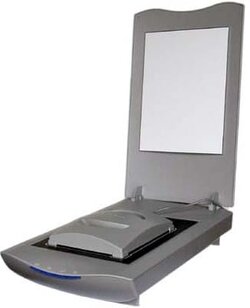
I have an old HP ScanJet 5370Cse scanner that comes with a module that I can place on top of the glass. It provides a light source when I want to scan 35mm slides or negatives. The scanner with this module look something like this:
The scanner came with drivers for Windows 98 and XP. It didn't work with Windows 7 or newer. I bought VueScan to use with a different scanner but it works great with the HP ScanJet 5370Cse scanner. A few months ago using my Windows 11 laptop I scanned some old 35mm slides with it.
I suggest you download a trial version to see if it serves your needs. If you decide to buy VueScan and want to scan slides or negatives then you need to buy the more expensive Professional Edition because it is the only edition that supports that.
You didn't give the specific model number for your Agfa scanner. Here is a screenshot from their website of the Agfa scanners they support.
AMD Ryzen 7 6800H with Radeon 680M GPU (486MB RAM)
Memory
Crucial DDR5-4800 (2400MHz) 32GB (2 x 16GB)
Graphics Card(s)
NVIDIA RTX 3060 Laptop (6GB RAM)
Sound Card
n/a
Monitor(s) Displays
15.6-inch
Screen Resolution
1920x1080 300Hz
Hard Drives
2 x Samsung 990 Evo Plus (2TB M.2 NVME SSD)
PSU
n/a
Mouse
Wireless Mouse M510
Internet Speed
2100Mbps/300Mbps
Browser
Firefox
Antivirus
Malwarebytes
Operating System
Windows 11 Pro 25H2 (26200.8246)
Computer type
PC/Desktop
Manufacturer/Model
Custom build
CPU
AMD Ryzen 7 5700X3D
Motherboard
ASUS ROG Strix B550-F Gaming WiFi II
Memory
G.SKILL Flare X 32GB (2x16GB) DDR4
Graphics card(s)
ASUS ROG-STRIX-RTX3060TI-08G-V2-GAMING (RTX 3060-Ti, 8GB RAM)
Monitor(s) Displays
Samsung G50D IPS 27"
Screen Resolution
1440p/180Hz
Hard Drives
SAMSUNG 990 EVO Plus (2TB] M.2 NVME SSD
SAMSUNG 990 EVO Plus (4TB) M.2 NVME SSD
PSU
Corsair RM750x (750 watts)
Case
Cooler Master MasterCase 5
Cooling
Scythe Mugen 6
Keyboard
Logitech K520 (MK540 keyboard/mouse combo)
Mouse
Logitech M310 (MK540 keyboard/mouse combo)
Internet Speed
2100 Mbps down / 300 Mbps up
Browser
Firefox, Edge, Chrome
Antivirus
Malwarebytes (Premium)
Other Info
ASUS Blu-ray Burner BW-16D1HT (SATA) || Western Digital Easystore 20TB USB 3.0 external hard drive used with Acronis True Image 2025 backup software || HP OfficeJet Pro 6975 Printer/Scanner