- Local time
- 10:25 PM
- Posts
- 5,473
- OS
- Windows 11 Pro Version:25H2 OS Build: 26200.8524
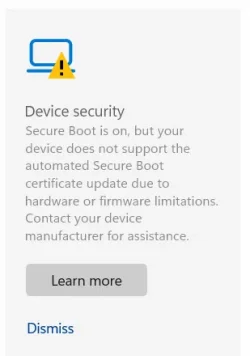
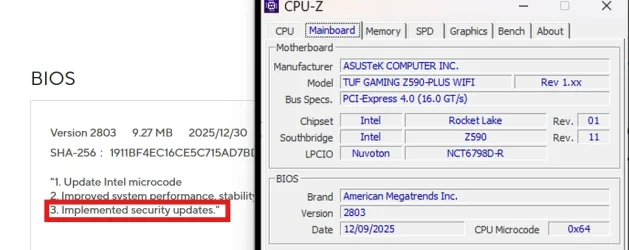
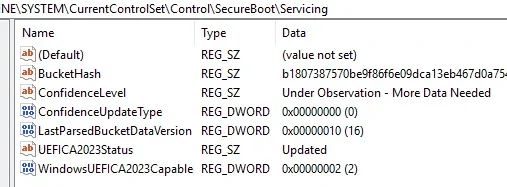
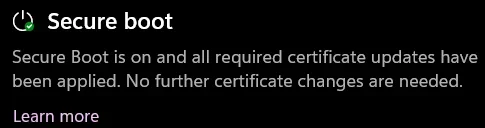
My Dell Inspiron 3280 AIO running Windows Home 25H2 Build 8437 (the latest preview) will not be getting the automatic update of CA 2023 keys.
Has any one manually updated such End of Service Life (EoSL) desktops/Laptops successfully with the following recommended PowerShell commands run as administrator? Is there any risk involved?
Copy and paste in Powershell admin
Set-ItemProperty -Path "HKLM:\SYSTEM\CurrentControlSet\Control\SecureBoot" -Name "AvailableUpdates" -Value 0x40
Trigger the update next
Start-ScheduledTask -TaskName "\Microsoft\Windows\PI\Secure-Boot-Update"
Restart your PC twice to apply the keys to your motherboard firmware.
Has any one manually updated such End of Service Life (EoSL) desktops/Laptops successfully with the following recommended PowerShell commands run as administrator? Is there any risk involved?
Copy and paste in Powershell admin
Set-ItemProperty -Path "HKLM:\SYSTEM\CurrentControlSet\Control\SecureBoot" -Name "AvailableUpdates" -Value 0x40
Trigger the update next
Start-ScheduledTask -TaskName "\Microsoft\Windows\PI\Secure-Boot-Update"
Restart your PC twice to apply the keys to your motherboard firmware.
Last edited:
My Computers
System One System Two
-
- OS
- Windows 11 Pro Version:25H2 OS Build: 26200.8524
- Computer type
- PC/Desktop
- Manufacturer/Model
- Beelink Mini PC Model: SEi12
- CPU
- 12th Gen Intel core i5-1235U(Alder
- Motherboard
- SEi (manufactured by AZW)
- Memory
- 16*2 (32 GB) DDR 4-3200(1600MHz) Crucial Technology
- Graphics Card(s)
- Intel Iris Xe Graphics (Internal)
- Sound Card
- Internal
- Monitor(s) Displays
- BenQ GW2283
- Screen Resolution
- 1920*1080
- Hard Drives
- 500GB NVME (Kingston SNV2S500G)
1TB (Crucial CT1000BX500SSD1)
- PSU
- Power Brick 19V-6.32A , 120.08W
- Keyboard
- Dell KB3322Wi (Wireless)
- Mouse
- Dell WM118t (Wireless)
- Internet Speed
- 4G/5G
- Browser
- MS Edge, Chrome
- Antivirus
- Malwarebytes Premium - Subscription
-
- Operating System
- Windows 11 Home Version 25H2 Build 26200.8524
- Computer type
- PC/Desktop
- Manufacturer/Model
- Dell Inspiron 3280 AIO 22"
- CPU
- Intel Core i3 8145U
- Motherboard
- Dell inc. 027W48
- Memory
- Intel Optane 16GB module + DDR 4 16GB (Optane disabled.)
- Graphics card(s)
- Intel UHD Graphics 620
- Sound Card
- Internal
- Monitor(s) Displays
- Dell Monitor 22"
- Screen Resolution
- 1920x1080
- Hard Drives
- Crucial CT1000BX500SSD1 ; 1000,2 GB
- PSU
- Power Brick
- Case
- All-in one
- Keyboard
- Dell Wireless KM636
- Mouse
- Dell Wireless KM 636
- Internet Speed
- 4G
- Browser
- Edge, Chrome
- Antivirus
- Malwarebytes
- Other Info
- Upgraded from Windows 10 Home to Windows 11 Home on 28 Oct 2023

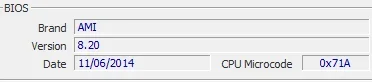
 .) In any case I will keep it in mind.