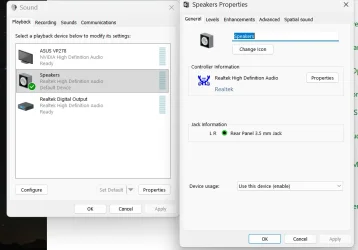
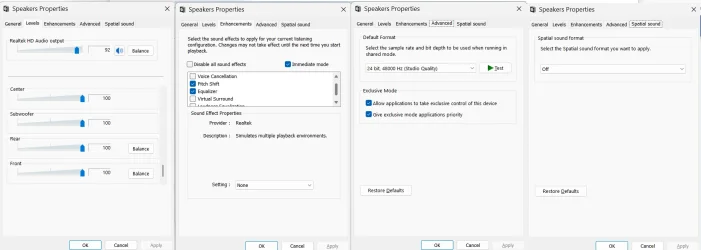
If you want sound quality you likely need a discrete sound card, although some onboard solutions are quite good. In one of these I've used XP, Vista and now Win7, there're differences among the OSs but not enough to alter the quality level. In XP I liked more the "Soft" equalizer setting, while in Vista and 7 I prefer "Rock". "Powerful" may fit for some masterings and for recordings that don't have a lot of quality, but in general it's excessive bass. These are the 3 usable equalizers of this solution, basically they go from "more treble" to "more bass" consistently. I've also tried to do a custom one between "Rock" and "Powerful" but imo a manual equalizer tends to lose consistency.
My best audio solution is a Sound Blaster Audigy FX v2. I think it competes in quality with the expensive HiFi tower I used to have. This card has a sw equalizer that I haven't touched and a preset called "Music" from where I haven't moved it. The other presets are mainly for gaming but here I've done like with my "best" speakers, bought in 1996: they have presets for "Game", "Theater" and "Music", a physical switch, but the switch has always been in "Music" although I've used them mainly for gaming (I think my most modern speakers, that are "basic" and somewhat cheap and with some hiss, compete with these b/c time has passed a lot less for them, do speakers "expire"?).
Before this card I used the onboard sound for 1 year or so (Windows 10 system, not compatible w/ 11 officially, booting in Legacy mode then). I researched the drivers versions at my disposal, I tried several and I ended up with the oldest one b/c it had a user panel to set sound options. Sound quality was too poor anyway and I purchased the discrete sound card.
To replace the onboard sound with a discrete sound card you have to:
1. Uninstall the onboard sound drivers.
2. Reboot to the BIOS.
3. Disable onboard sound.
4. Boot to Windows. Let it assume there isn't sound in the system for the moment (translated: don't try to save 5 seconds here, be patient, it's not a race that you must win and you might lose for a **** millisecond, let it boot well).
5. Shut down, install the card physically, boot up and install the drivers (the card will be detected automatically and Windows might be very avid to install the drivers of its choice, other times it might just add yellow marks to the Device Manager and you have to run an installer from the manufacturer; if you want to install a driver of your choice I believe you have to uncheck an option about Windows Update and drivers and maybe other settings, the more modern the OS the more complicated).
----------------------------------------
To recover the sound I'd do the above but adapting the step 5. Instead of installing a new card, you have to boot to the BIOS and re-enable the onboard sound. I wouldn't save the shutdown before and I'd let the computer off like one minute. You might prefer the default drivers this time, I cannot help there as I don't know the "structure" of drivers versions here. When I was a gamer and I used to update the "Catalysts" (monthly versions of drivers for ATi/AMD gfx cards many years ago) under XP or Vista32 I could uninstall, reboot, cancel the automatic prompt (not sure now if there was one) and run the new version installer.