

- Local time
- 12:52 AM
- Posts
- 5,521
- OS
- Windows 11
1. In Windows 8, 8.1, 10 and Windows 11 simply hold down the
 + X keys and select the option “Command Prompt (Admin)” from the menu.
2. Execute following command to create a folder, this folder will be use to mount Install.wim or Install.esd image file.
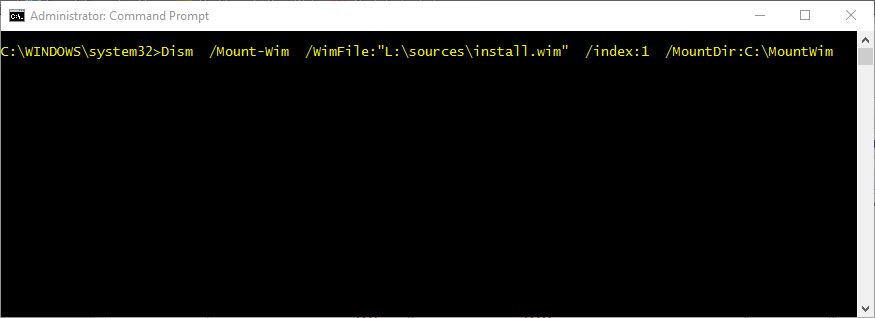
3. Execute following command to mount Install.wim image file stored at L:\sources folder path.
You can also use following variant of the previous command to accomplish the same task:
4. Execute following command to restore Windows Component Store corrupted or missing files.
5. After above command finish executing, dismount the Install.wim or Install.esd image file.
6. After above command finished, execute Sfc /scannow command to repair corrupted or missing Windows system files.
2. Execute following command to create a folder, this folder will be use to mount Install.wim or Install.esd image file.
Code:
Md C:\MountWim3. Execute following command to mount Install.wim image file stored at L:\sources folder path.
Code:
Dism /Mount-Wim /WimFile:"L:\sources\install.wim" /index:1 /MountDir:C:\MountWimYou can also use following variant of the previous command to accomplish the same task:
Code:
Dism /Mount-Wim /WimFile:"L:\sources\install.esd" /index:1 /MountDir:C:\MountWim4. Execute following command to restore Windows Component Store corrupted or missing files.
Code:
Dism /Online /Cleanup-Image /RestoreHealth /Source:"C:\MountWim\Windows" /LimitAccess5. After above command finish executing, dismount the Install.wim or Install.esd image file.
Code:
Dism /Unmount-Wim /MountDir:C:\MountWim /discard6. After above command finished, execute Sfc /scannow command to repair corrupted or missing Windows system files.
My Computer
At a glance
Windows 11AMD Ryzen 7 5700GMicron Technology DDR4-3200 16GBNVIDIA GeForce RTX 3060
- OS
- Windows 11
- Computer type
- PC/Desktop
- Manufacturer/Model
- HP Pavilion
- CPU
- AMD Ryzen 7 5700G
- Motherboard
- Erica6
- Memory
- Micron Technology DDR4-3200 16GB
- Graphics Card(s)
- NVIDIA GeForce RTX 3060
- Sound Card
- Realtek ALC671
- Monitor(s) Displays
- Samsung SyncMaster U28E590
- Screen Resolution
- 3840 x 2160
- Hard Drives
- SAMSUNG MZVLQ1T0HALB-000H1

 Apple 13" Macbook Pro 2020






