Solved Search for *.docx returns nothing


Attempting a search in the Documents folder
How? With what?
- from Start menu?
- from within Windows (File) Explorer?

have you tried 3rd party file search software (all of which are far more reliable than any built-in facility ... with NO apologies to the purists!)
- Ultrasearch
- Agent Ransack
- Everything
(all the above offer freeware versions)
 

My Computers

System One System Two

  • OS
    Windows 11 2xH2 (latest update ... forever anal)
    Computer type
    PC/Desktop
    Manufacturer/Model
    HP Slim S01
    CPU
    Intel i5-12400
    Memory
    8GB
    Graphics Card(s)
    NVIDIA GeForce GT730
    Sound Card
    OOBE
    Monitor(s) Displays
    Acer 32"
    Screen Resolution
    1920x1080
    Hard Drives
    512GB KIOXIA NVMe
    1TB SATA SSD
    PSU
    OOBE
    Case
    OOBE
    Cooling
    OOBE
    Keyboard
    BT
    Mouse
    BT
    Browser
    Brave FFox Chrome Opera
    Antivirus
    KIS
  • Operating System
    Windows 11 Pro 2xH2 (latest update ... 4ever anal)
    Computer type
    Laptop
    Manufacturer/Model
    HP Pavillion 15
    CPU
    i7-1165G7 @ 2.80GHz
    Graphics card(s)
    Intel Iris Xe Graphics
    Hard Drives
    Samsung NVMe 512GB
    + numerous/multiple SSD Type C USB enclosures
    Internet Speed
    NBN FTTN 50
    Browser
    Brave
    Antivirus
    KIS
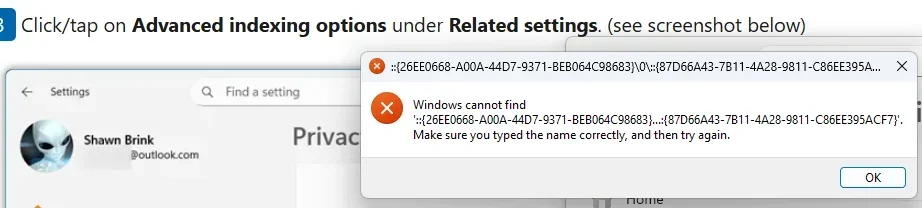
@antspants I clicked "Advanced indexing options" and received the error message shown above and here:
1763430532033.webp
 

My Computer

System One

  • OS
    Windows 11 Pro
    Computer type
    PC/Desktop
    Manufacturer/Model
    Dell Slim ECS1250
    CPU
    Intel(R) Core(TM) Ultra 7 265 2.40 GHz
    Memory
    16.0 GB
    Graphics Card(s)
    Intel Graphics
    Monitor(s) Displays
    HP Pavilion 20xi
@idgat Hey Alfred E! Long time no see.

Searching was in File Explorer. Searches have been successful in Win 11 previously.
 

My Computer

System One

  • OS
    Windows 11 Pro
    Computer type
    PC/Desktop
    Manufacturer/Model
    Dell Slim ECS1250
    CPU
    Intel(R) Core(TM) Ultra 7 265 2.40 GHz
    Memory
    16.0 GB
    Graphics Card(s)
    Intel Graphics
    Monitor(s) Displays
    HP Pavilion 20xi
Searches have been successful in Win 11 previously.
Yeh, but personal experience and plenty of anecdotal evidence, suggests it's not always that stable, particularly after (major) updates, which - intentionally or otherwise - I suspect can play silly buggers with indexing. Accuracy (i.e. all files with the targeted search criteria) can also suffer even when/if it does work.
 

My Computers

System One System Two

  • OS
    Windows 11 2xH2 (latest update ... forever anal)
    Computer type
    PC/Desktop
    Manufacturer/Model
    HP Slim S01
    CPU
    Intel i5-12400
    Memory
    8GB
    Graphics Card(s)
    NVIDIA GeForce GT730
    Sound Card
    OOBE
    Monitor(s) Displays
    Acer 32"
    Screen Resolution
    1920x1080
    Hard Drives
    512GB KIOXIA NVMe
    1TB SATA SSD
    PSU
    OOBE
    Case
    OOBE
    Cooling
    OOBE
    Keyboard
    BT
    Mouse
    BT
    Browser
    Brave FFox Chrome Opera
    Antivirus
    KIS
  • Operating System
    Windows 11 Pro 2xH2 (latest update ... 4ever anal)
    Computer type
    Laptop
    Manufacturer/Model
    HP Pavillion 15
    CPU
    i7-1165G7 @ 2.80GHz
    Graphics card(s)
    Intel Iris Xe Graphics
    Hard Drives
    Samsung NVMe 512GB
    + numerous/multiple SSD Type C USB enclosures
    Internet Speed
    NBN FTTN 50
    Browser
    Brave
    Antivirus
    KIS
@Kees Any idea of which of @glasskuter's 2,000+ Search related replies I should check out?
Sorry, but I am not responsible for what @glasskuter answers.
In the meantime she has answered herself.

BTW. In my system I have disabled the Windows Search Service via services.msc, so in my system there are no indexes.
Yet File Explorer is able to find all files that end with *.docx within a very short time.
But when I need a better and faster search, I use the freeware app 'Everything'.
 

My Computer

System One

  • OS
    Windows 11 Pro 25H2 26200.8457
    Computer type
    PC/Desktop
    Manufacturer/Model
    Build by vendor to my specs
    CPU
    AMD Ryzen 7 5700G
    Motherboard
    MSI PRO B550M-P Gen3
    Memory
    Kingston FURY Beast 2x16GB DIMM DDR4 2666 CL16
    Graphics Card(s)
    MSI GeForce GT 730 2GB LP V1
    Sound Card
    Creative Sound Blaster Audigy FX
    Monitor(s) Displays
    Samsung S24E450F 24"
    Screen Resolution
    1920 x 1080
    Hard Drives
    1. SSD Crucial P5 Plus 500GB PCIe M.2
    2. SSD-SATA Crucial MX500-2TB
    PSU
    Corsair CV650W
    Case
    Cooler Master Silencio S400
    Cooling
    Cooler Master Hyper H412R with Be Quiet Pure Wings 2 PWM BL038 fan
    Keyboard
    Cherry Stream (wired, scissor keys)
    Mouse
    Asus WT465 (wireless)
    Internet Speed
    70 Mbps down / 80 Mbps up
    Browser
    Firefox 130.0
    Antivirus
    F-Secure (Internetprovider version)
    Other Info
    Router: FRITZBox 7490
    Oracle VirtualBox 7 for testing software on Win 10 or 11
Maybe the computer just needed to simmer overnight! This morning searches behave as expected. I am grateful to all who have contributed to this adventure.
 

My Computer

System One

  • OS
    Windows 11 Pro
    Computer type
    PC/Desktop
    Manufacturer/Model
    Dell Slim ECS1250
    CPU
    Intel(R) Core(TM) Ultra 7 265 2.40 GHz
    Memory
    16.0 GB
    Graphics Card(s)
    Intel Graphics
    Monitor(s) Displays
    HP Pavilion 20xi
Maybe the computer just needed to simmer overnight!
Not necessarily, just another example of the instability and unreliability of the Windows built-in search. Even when it does work, a user can never be guaranteed of the completeness of a list from any search criteria
 

My Computers

System One System Two

  • OS
    Windows 11 2xH2 (latest update ... forever anal)
    Computer type
    PC/Desktop
    Manufacturer/Model
    HP Slim S01
    CPU
    Intel i5-12400
    Memory
    8GB
    Graphics Card(s)
    NVIDIA GeForce GT730
    Sound Card
    OOBE
    Monitor(s) Displays
    Acer 32"
    Screen Resolution
    1920x1080
    Hard Drives
    512GB KIOXIA NVMe
    1TB SATA SSD
    PSU
    OOBE
    Case
    OOBE
    Cooling
    OOBE
    Keyboard
    BT
    Mouse
    BT
    Browser
    Brave FFox Chrome Opera
    Antivirus
    KIS
  • Operating System
    Windows 11 Pro 2xH2 (latest update ... 4ever anal)
    Computer type
    Laptop
    Manufacturer/Model
    HP Pavillion 15
    CPU
    i7-1165G7 @ 2.80GHz
    Graphics card(s)
    Intel Iris Xe Graphics
    Hard Drives
    Samsung NVMe 512GB
    + numerous/multiple SSD Type C USB enclosures
    Internet Speed
    NBN FTTN 50
    Browser
    Brave
    Antivirus
    KIS
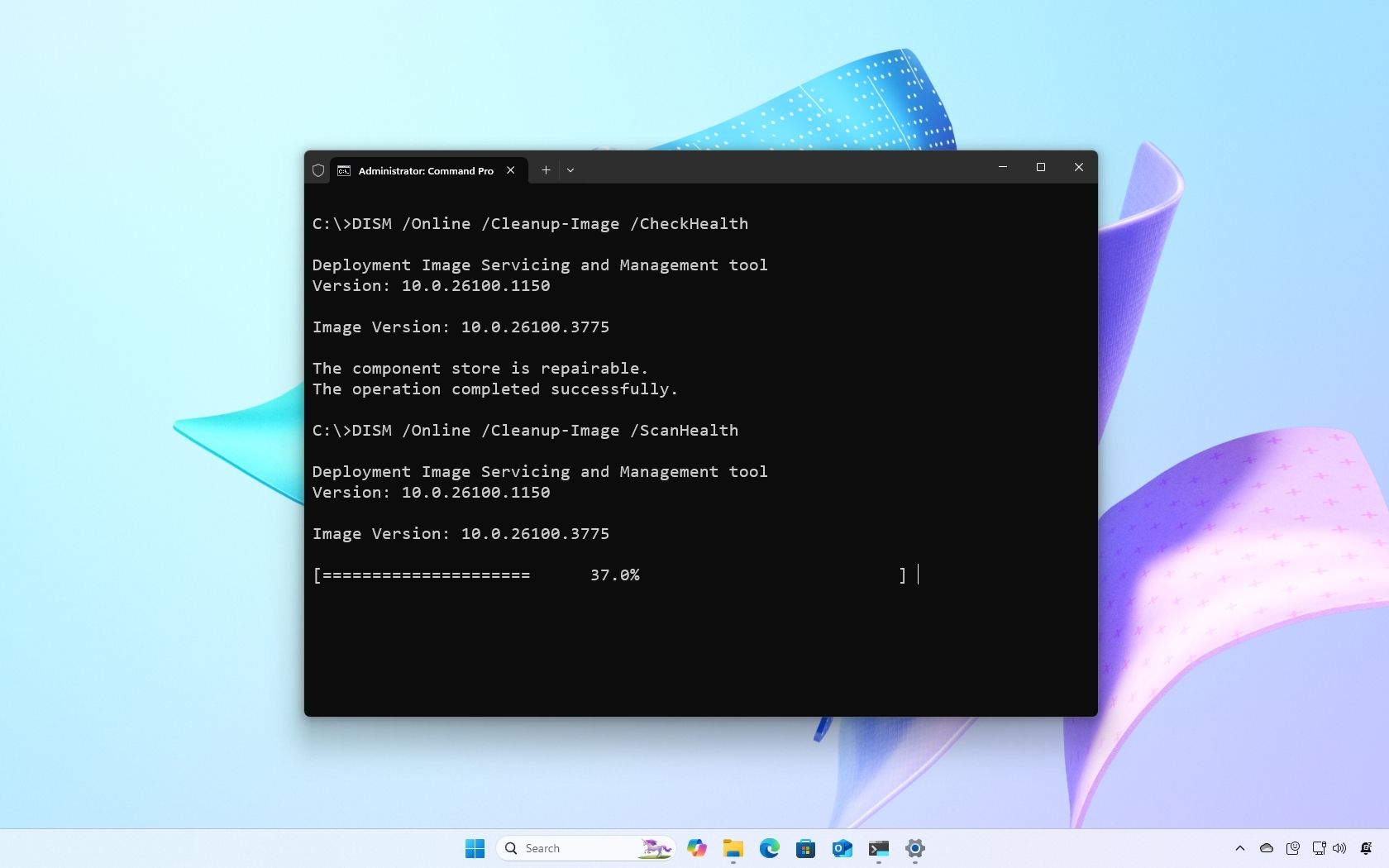
@geoB, you could also try this solution, maybe it will solve your problem:

How to use DISM to repair local image on Windows 11
How Tos
By Mauro Huculak last updated April 9, 2025
Here's how you can use the DISM and SFC tools to replace missing and corrupted system files to fix problems on Windows 11.
Edit: Sorry, I overlooked your last post @geoB :-)
 

My Computer

System One

  • OS
    Windows 11 Pro 25H2, OS build: 26200.8524
    Computer type
    Laptop
Attempting a search in the Documents folder for Word documents with search term "*.docx" returns nothing. Even when searching a single folder with 8 .docx files none are returned. Signed in as administrator still does not find any Word document. How do I get a meaningful search back? Secondarily, how did searching stop to function? Thanks.
I get search issues like that frequently, i found it's down to folder permissions, i turn off inherit permissions for that folder and it seems to work for me. There are regedits in Brink's tutorials to add Take Ownership context menus that also work well.
 

My Computers

System One System Two

  • OS
    Windows 11 Enterprise 25H2 26200 7462
    Computer type
    PC/Desktop
    Manufacturer/Model
    Custom Build
    CPU
    Intel XEON E5-2699 v3
    Motherboard
    ASUS X99-A
    Memory
    64GB Teamgroup UD4-3600
    Graphics Card(s)
    NVIDIA GeForce GTX 1080 Ti
    Sound Card
    Integrated
    Monitor(s) Displays
    ACER X34 Predator
    Screen Resolution
    3440 x 1440
    Hard Drives
    Crucial CT1000P 3P SSD8 1TB
    Crucial CT1000 BX500 SSD 1TB
    PSU
    GameMax Pro
    Case
    Fractal Design
    Cooling
    Corsair H110iGT + 6 140mm Fans
    Keyboard
    Corsair K4
    Mouse
    G-Skill G502
    Internet Speed
    300MBs
    Browser
    Chrome
    Antivirus
    OEM
    Other Info
    ASUS RT-AC87U Router
  • Operating System
    25H2 26200.5074
    Computer type
    Laptop
    Manufacturer/Model
    ASUS X555LA
    Memory
    8GB
    Browser
    Chrome
    Antivirus
    OEM
Back
Top Bottom