- Local time
- 7:35 AM
- Posts
- 53
- OS
- Windows 11
In the Windows Settings menu
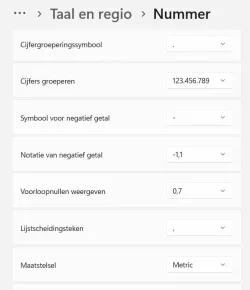
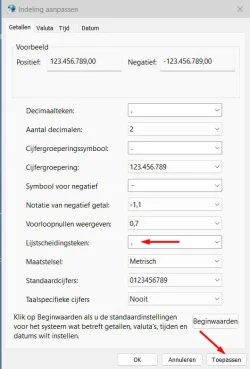
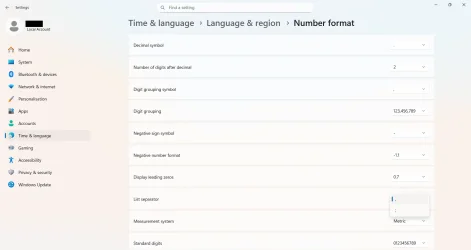
When the display language of Windows is set to English I get the choice between semicolon and comma for the list separator symbol as I'm used to (see screenshot below).
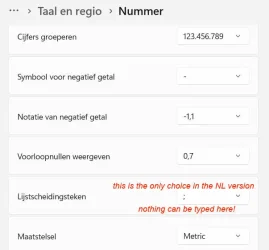
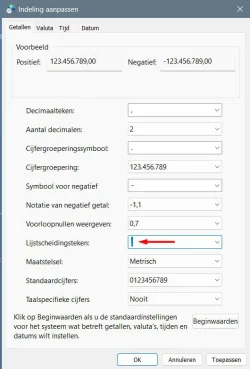
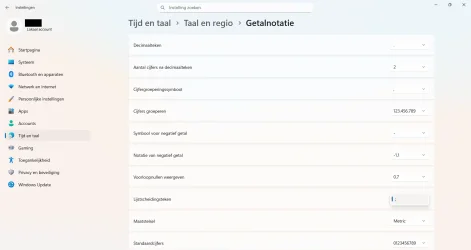
If however I switch the Windows display language to an European one that normally uses the semicolon as list separator symbol, then I get no choice anymore. The semicolon is set as list separator symbol, and this seemingly cannot be changed (see screenshot below).
I don't think it used to be like this in the past. I distinctly remember being able to set a comma as list separator also when using this display language.
What could be the solution here? How could I get the option to set a comma as list separator symbol back?
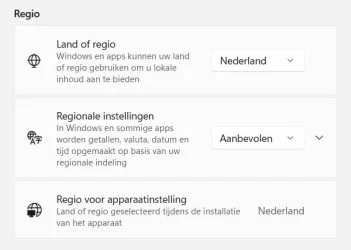
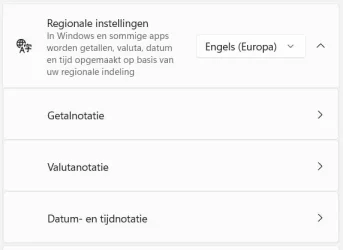
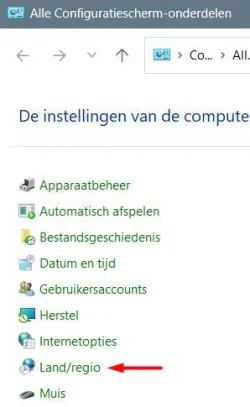
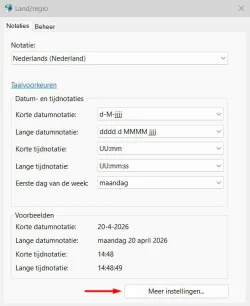
Time and Language -> Language and Region -> Number Format it is possible to change various global formatting settings. This I've known for a long time. There is one setting for the symbol that is used as list separator. Even though I make use of an European language in which officially the list separator symbol is a semicolon, I've long since always used the comma instead. It never made much sense to me to for example generate a .csv file with semicolons as list separators inside when csv literally stands Comma-Separated Values.When the display language of Windows is set to English I get the choice between semicolon and comma for the list separator symbol as I'm used to (see screenshot below).
If however I switch the Windows display language to an European one that normally uses the semicolon as list separator symbol, then I get no choice anymore. The semicolon is set as list separator symbol, and this seemingly cannot be changed (see screenshot below).
I don't think it used to be like this in the past. I distinctly remember being able to set a comma as list separator also when using this display language.
What could be the solution here? How could I get the option to set a comma as list separator symbol back?
- Windows Build/Version
- Windows 11, version 25H2, build 26200.7840
My Computer
At a glance
Windows 11
- OS
- Windows 11
- Computer type
- Laptop
- Manufacturer/Model
- Lenovo