- Local time
- 1:47 PM
- Posts
- 1,484
- OS
- Microsoft Windows 11 Home
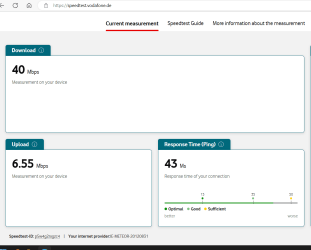
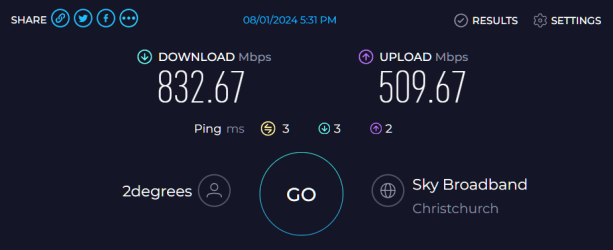
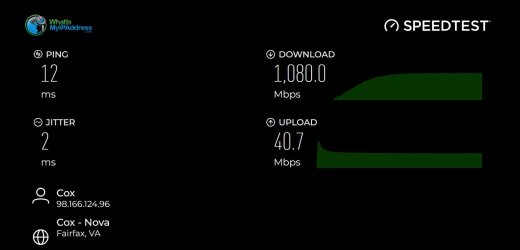
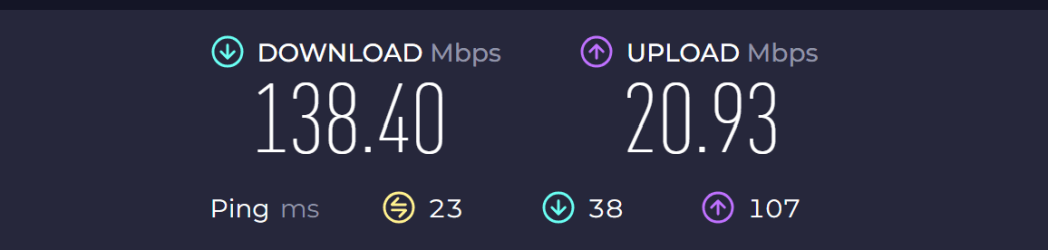
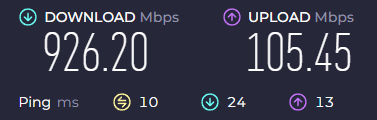
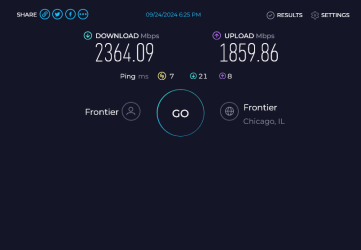
I don't think 'Speedtest by Ookla' is showing the right results.
It selects servers from a list of servers
speedtest.exe -L
And the address may not match your ISP's remote IP address.
And the data size is too small (the result may be a bit high).
At least in 'Internet Speed Test - Measure Network Performance | Cloudflare' i see the correct address.
And speed, latency, jitter from home to ISP are not involved in the measurements ?
I could be wrong about anything.
It selects servers from a list of servers
speedtest.exe -L
And the address may not match your ISP's remote IP address.
And the data size is too small (the result may be a bit high).
At least in 'Internet Speed Test - Measure Network Performance | Cloudflare' i see the correct address.
And speed, latency, jitter from home to ISP are not involved in the measurements ?
I could be wrong about anything.
My Computer
At a glance
Microsoft Windows 11 HomeIntel Core i5-13490F2 x 16 Patriot Memory (PDP Systems) PSD516G56...GIGABYTE GeForce RTX 4070 WINDFORCE OC 12G (G...
- OS
- Microsoft Windows 11 Home
- Computer type
- PC/Desktop
- Manufacturer/Model
- MSI MS-7D98
- CPU
- Intel Core i5-13490F
- Motherboard
- MSI B760 GAMING PLUS WIFI
- Memory
- 2 x 16 Patriot Memory (PDP Systems) PSD516G560081 6400MT (32-37-37-74); 1.35V)
- Graphics Card(s)
- GIGABYTE GeForce RTX 4070 WINDFORCE OC 12G (GV-N4070WF3OC-12GD)
- Sound Card
- Bluetooth Аудио
- Monitor(s) Displays
- INNOCN 15K1F
- Screen Resolution
- 1920 x 1080
- Hard Drives
- WD_BLACK SN770 250GB
KINGSTON SNV2S1000G (ELFK0S.6)
- PSU
- Thermaltake Toughpower GF3 1000W
- Case
- CG560 - DeepCool
- Cooling
- ID-COOLING SE-224-XTS / 2 x 140Mm Fan - rear and top; 3 x 120Mm - front
- Keyboard
- Corsair K70 RGB TKL
- Mouse
- Corsair KATAR PRO XT
- Internet Speed
- 100 Mbps
- Browser
- Firefox
- Antivirus
- Microsoft Defender Antivirus