StartAllBack


StartAllBack: Windows 11 from better timeline​

Get the latest version here Download

Embrace, enhance, unsweep classic UI from under the rug​

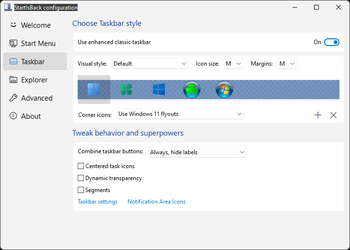
Restore and improve taskbar​

  • Show labels on task icons
  • Adjust icon size and margins
  • Move taskbar to top, left or right edges
  • Drag and drop stuff onto taskbar
  • Center task icons but keep Start button on the left
  • Split into segments, use dynamic translucency
  • Separate corner icons with Windows 7/10 UI
  • Auto-hide when covered by maximized window

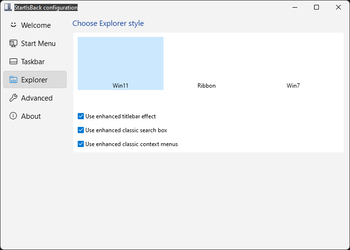
Restore and improve File Explorer and Control Panel​

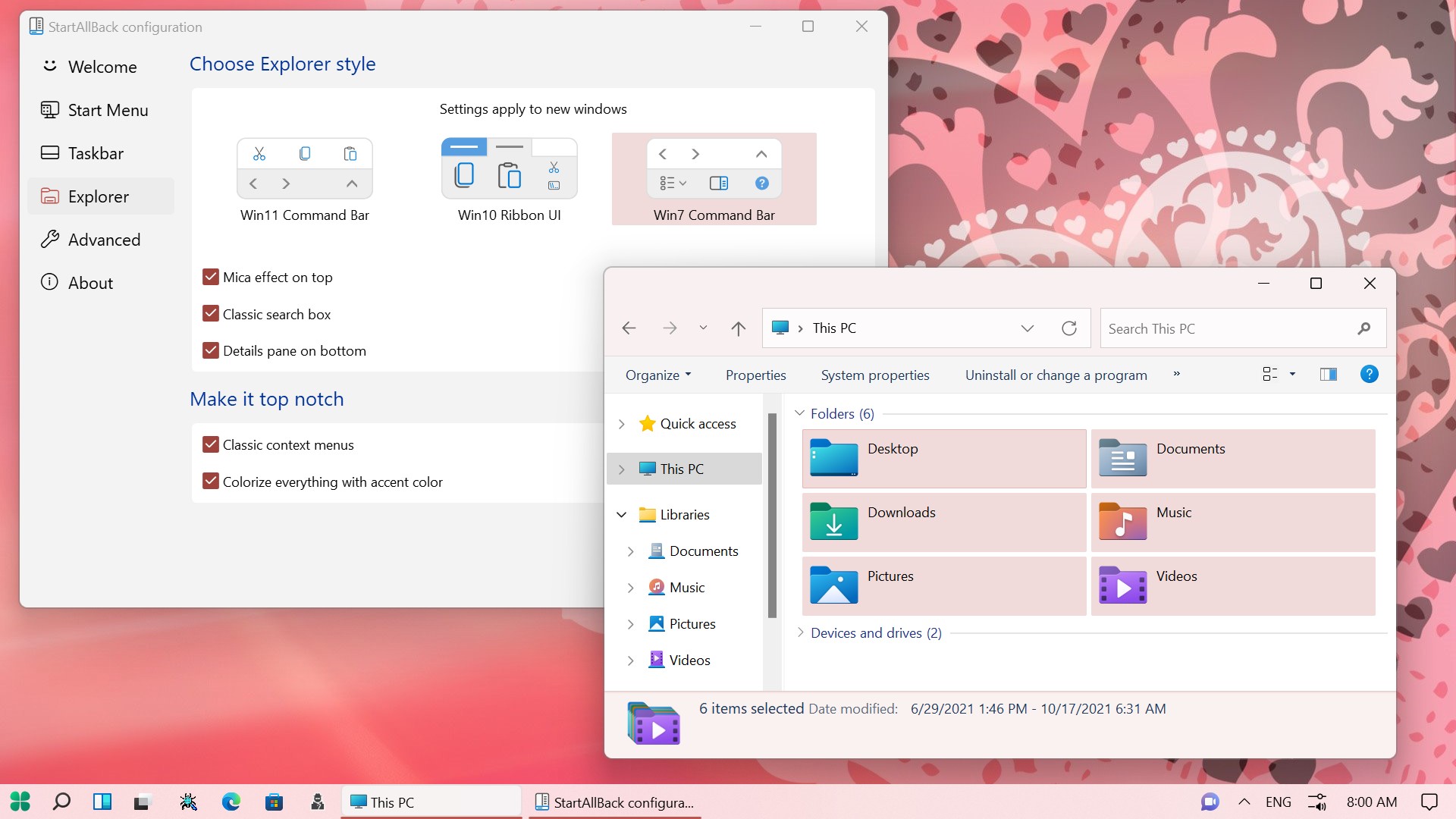
  • Ribbon and Command Bar revamped with translucent effects
  • Details pane on bottom
  • Old search box (the one which works)
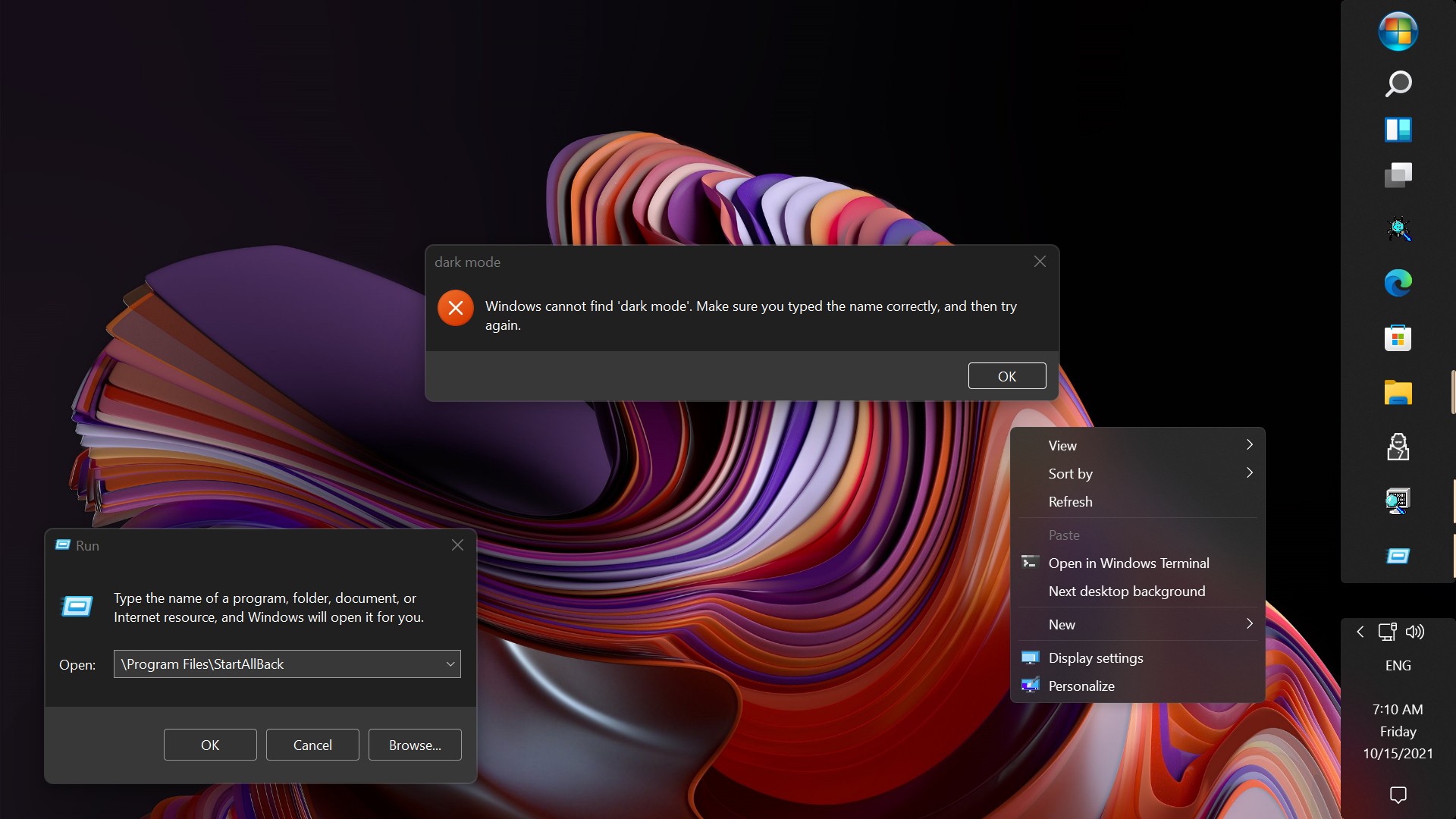
  • Dark mode support for more dialogs

Restore and improve context menus​

  • All new look with rounded acrylic menus
  • Fast and responsive taskbar menus
  • New fonts, better touch support

Restore and improve start menu​

  • Launch apps and go to system places in one click
  • Navigate dropdown menus like a boss
  • Enjoy fast and reliable search

Finally, lightweight styling and UI consistency​

  • Enjoy Windows 7, Windows 8 and third-party taskbar and start menu styles
  • Fix UI inconsistencies in Win32 apps
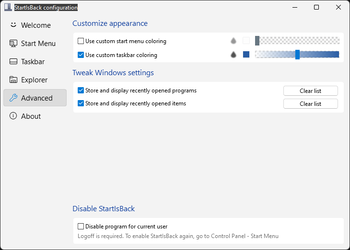
  • Don't be blue: recolor UI in all windows apps
  • Negative resource usage: fewer RAM used, fewer processes started, faster startup
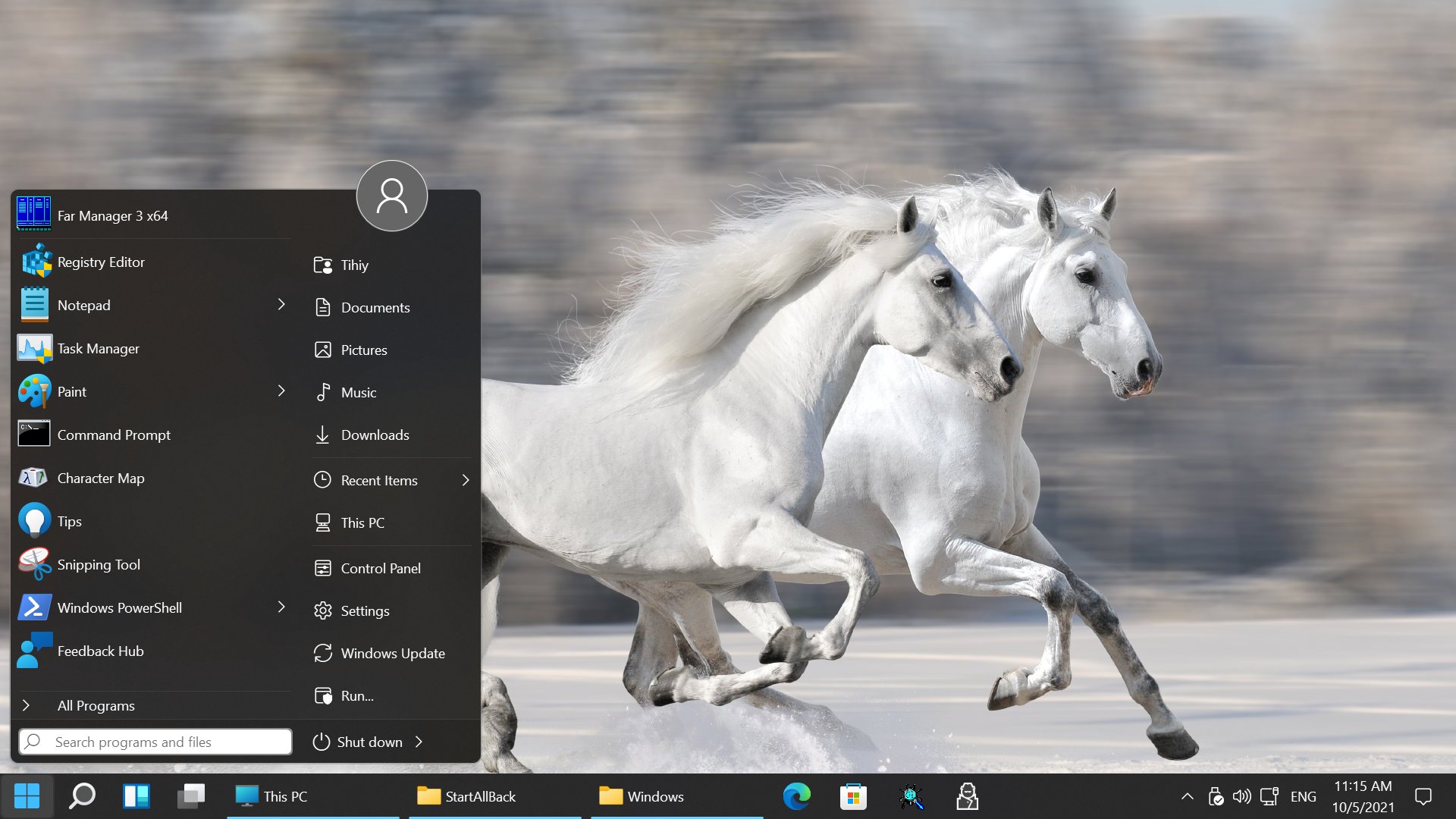


StartAllBack For Windows 11 has been released.
It's an RC release. I haven't tested it yet as I have Start11 installed.

Edit: I have now tested it. It's working quite well.
Apart from a great start menu, you can also have the Enhanced Classic Taskbar back.
This means (for example) that you can have an uncombined and unlocked Taskbar.
You will now also be able to enhance the Taskbar clock using T-Clock Redux or similar.

T-Clock Redux Tray Clock_.png

You can also change Windows Explorer to Ribbon UI or Simple UI.

You can get it Download


01 - Welcome.png
02 - Start Menu.png
04 - Taskbar.png
05 - Explorer.png
06 - Advanced.png
Get
 
now my computer screen flickers every 5 seconds, and it doesn't disappear after uninstalling startallback... good job
 

My Computer My Computer

At a glance

Windows 11i9-11900HRTX 3060 Laptop
OS
Windows 11
Computer type
Laptop
Manufacturer/Model
asus
CPU
i9-11900H
Graphics Card(s)
RTX 3060 Laptop
StartAllBack works fine here , only using the colored selected items in the contextmenus..........
All the other options are disabled. :wink:
 

My Computers My Computers

  • At a glance

    Windows11 Pro 25H2i732GBnVidia
    OS
    Windows11 Pro 25H2
    Computer type
    PC/Desktop
    Manufacturer/Model
    Asus
    CPU
    i7
    Motherboard
    z97k
    Memory
    32GB
    Graphics Card(s)
    nVidia
    Sound Card
    Realtek
    Hard Drives
    3
    Cooling
    air
    Browser
    Edge
    Antivirus
    ESET
  • At a glance

    Windows11 ProIntel i516GBIntel
    Operating System
    Windows11 Pro
    Computer type
    PC/Desktop
    Manufacturer/Model
    ASUS
    CPU
    Intel i5
    Motherboard
    ASUS Basic
    Memory
    16GB
    Graphics card(s)
    Intel
    Sound Card
    Realtek
    Monitor(s) Displays
    Samsung
    Hard Drives
    one intern , 0ne extern, OS on SSD
    Cooling
    air
    Keyboard
    wireless Logitech
    Mouse
    wireless Logitech
    Internet Speed
    1GB
    Browser
    Edge
    Antivirus
    ESET
I have everything enabled, with no issues on the latest Dev Insider (25247)
 

My Computer My Computer

At a glance

Win11 Pro 23H2 (Canary on secondary boxes)
OS
Win11 Pro 23H2 (Canary on secondary boxes)
Hi huys, have problem with startall back after latest windows 11 update, there is delay when closing windows on taskbar, like startallback is frozen for a a second or two when i close task manager or firefox or chrome or generally windows. ALso had flickering, i disable startallback everything is fine.
 
Last edited:

My Computer My Computer

At a glance

win 11i5 13600k16 gbintel uhd 770
OS
win 11
Computer type
PC/Desktop
CPU
i5 13600k
Motherboard
Gigaybte B660m ds3h
Memory
16 gb
Graphics Card(s)
intel uhd 770
On my end closing programs is instantaneous. I did however notice a slight flicker (well, more like a single blink, not a real incessant flicker), but I didn't have time to troubleshoot it, and I attributed it to the DisplayLink Graphics driver I've also updated several weeks ago.
 

My Computer My Computer

At a glance

Windows 11
OS
Windows 11
On my end closing programs is instantaneous. I did however notice a slight flicker (well, more like a single blink, not a real incessant flicker), but I didn't have time to troubleshoot it, and I attributed it to the DisplayLink Graphics driver I've also updated several weeks ago.
I returned to windows 10 and the same problems appear, startallback not displaying icons on taskbar when exiting game or alt tabbing , windows-games. Must restart windows explorer.exe in task manager to see icons again. Using integrated gpu intel uhd 770/i5 13600K, it appears that is graphic driver problem, what to do?
 

My Computer My Computer

At a glance

win 11i5 13600k16 gbintel uhd 770
OS
win 11
Computer type
PC/Desktop
CPU
i5 13600k
Motherboard
Gigaybte B660m ds3h
Memory
16 gb
Graphics Card(s)
intel uhd 770
I returned to windows 10 and the same problems appear, startallback not displaying icons on taskbar when exiting game or alt tabbing , windows-games. Must restart windows explorer.exe in task manager to see icons again. Using integrated gpu intel uhd 770/i5 13600K, it appears that is graphic driver problem, what to do?
I removed startisback and everything works, there is problem with newset update and problems mentioned.
 

My Computer My Computer

At a glance

win 11i5 13600k16 gbintel uhd 770
OS
win 11
Computer type
PC/Desktop
CPU
i5 13600k
Motherboard
Gigaybte B660m ds3h
Memory
16 gb
Graphics Card(s)
intel uhd 770
startallback and startisback have problems with win 11 22H2 and win 10 22H2. Be sure to let us know when is new update.
 

My Computer My Computer

At a glance

win 11i5 13600k16 gbintel uhd 770
OS
win 11
Computer type
PC/Desktop
CPU
i5 13600k
Motherboard
Gigaybte B660m ds3h
Memory
16 gb
Graphics Card(s)
intel uhd 770
SAB is not compatible with the Dev Insider build 25252.1000, it crashes and causes the taskbar to fail to load. Hopefully there will be a fix soon.
 

My Computer My Computer

At a glance

Win11 Pro 23H2 (Canary on secondary boxes)
OS
Win11 Pro 23H2 (Canary on secondary boxes)
SAB is not compatible with the Dev Insider build 25252.1000, it crashes and causes the taskbar to fail to load. Hopefully there will be a fix soon.
All I get is two black screens and a mouse curser. I have two monitors. Ctrl+Alt+Delete still works. I used it to open Task Manager and to shut down my desktop. I miss having the Taskbar on top the other minor changes I used it to make. I doubt I'll ever understand why MS will only allow users to either have the Taskbar on the left or centered.
 

My Computers My Computers

  • At a glance

    Windows 11 Pro 25H2Intel Core i7-10700K16GB (8GB PC4-19200 DDR4 SDRAM x2)NVIDIA GeForce GTX 1050 TI
    OS
    Windows 11 Pro 25H2
    Computer type
    PC/Desktop
    Manufacturer/Model
    PowerSpec B746
    CPU
    Intel Core i7-10700K
    Motherboard
    ASRock Z490 Phantom Gaming 4/ax
    Memory
    16GB (8GB PC4-19200 DDR4 SDRAM x2)
    Graphics Card(s)
    NVIDIA GeForce GTX 1050 TI
    Sound Card
    Realtek Audio
    Monitor(s) Displays
    #1. LG ULTRAWIDE 34" #2. AOC Q32G2WG3 32"
    Screen Resolution
    #1. 3440 X 1440 #2. 1920 x 1080
    Hard Drives
    NVMe WDC WDS100T2B0C-00PXH0 1TB
    Samsung SSD 860 EVO 1TB
    PSU
    750 Watts (62.5A)
    Case
    PowerSpec/Lian Li ATX 205
    Keyboard
    Logitech K270
    Mouse
    Logitech M185
    Browser
    Microsoft Edge and Firefox
    Antivirus
    Webroot SecureAnywhere CE 26.1
  • At a glance

    Windows 11 Canary ChannelIntel Core i5-8400 CPU @ 2.80GHz16 MB DDR 4-2666
    Operating System
    Windows 11 Canary Channel
    Computer type
    PC/Desktop
    Manufacturer/Model
    PowerSpec G156
    CPU
    Intel Core i5-8400 CPU @ 2.80GHz
    Motherboard
    AsusTeK Prime B360M-A
    Memory
    16 MB DDR 4-2666
    Monitor(s) Displays
    23" Speptre HDMI 75Hz
    Screen Resolution
    1920x1080
    Hard Drives
    Samsung 970 EVO 500GB NVMe
    Keyboard
    Logitek K270
    Mouse
    Logitek M185
    Browser
    Firefox, Edge and Edge Canary
    Antivirus
    Windows Defender
All I get is two black screens and a mouse curser. I have two monitors. Ctrl+Alt+Delete still works. I used it to open Task Manager and to shut down my desktop. I miss having the Taskbar on top the other minor changes I used it to make. I doubt I'll ever understand why MS will only allow users to either have the Taskbar on the left or centered.

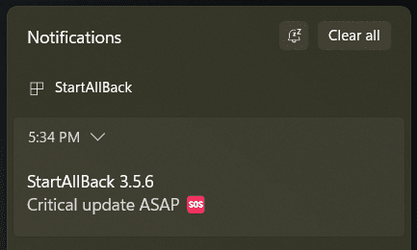
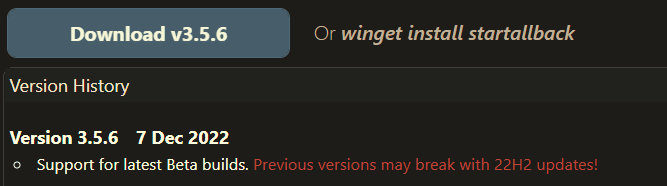
See the reply in this post: 3.5.5 appears to fix the issue
 

My Computer My Computer

At a glance

Win11 Pro 23H2 (Canary on secondary boxes)
OS
Win11 Pro 23H2 (Canary on secondary boxes)
0002067.png

0002068.png
 

My Computers My Computers

  • At a glance

    Windows 11 Pro
    OS
    Windows 11 Pro
    Computer type
    PC/Desktop
    Manufacturer/Model
    ASUS ROG Strix
  • At a glance

    Windows 11 Pro
    Operating System
    Windows 11 Pro
    Computer type
    Laptop
    Manufacturer/Model
    ASUS VivoBook
  • ASUS VivoBook 'Lite' ~ Windows 11 Home
Cool... I was wondering why my explorer was refusing to load. And now that SFC and DISM have reverted all my customizations I have to do it all over again. 😒
 

My Computer My Computer

At a glance

Windows 11
OS
Windows 11
Works fine , though ....did not encounter any difference compared with previous version ! :wink:
After every update have to uninstall first ...........
 

My Computers My Computers

  • At a glance

    Windows11 Pro 25H2i732GBnVidia
    OS
    Windows11 Pro 25H2
    Computer type
    PC/Desktop
    Manufacturer/Model
    Asus
    CPU
    i7
    Motherboard
    z97k
    Memory
    32GB
    Graphics Card(s)
    nVidia
    Sound Card
    Realtek
    Hard Drives
    3
    Cooling
    air
    Browser
    Edge
    Antivirus
    ESET
  • At a glance

    Windows11 ProIntel i516GBIntel
    Operating System
    Windows11 Pro
    Computer type
    PC/Desktop
    Manufacturer/Model
    ASUS
    CPU
    Intel i5
    Motherboard
    ASUS Basic
    Memory
    16GB
    Graphics card(s)
    Intel
    Sound Card
    Realtek
    Monitor(s) Displays
    Samsung
    Hard Drives
    one intern , 0ne extern, OS on SSD
    Cooling
    air
    Keyboard
    wireless Logitech
    Mouse
    wireless Logitech
    Internet Speed
    1GB
    Browser
    Edge
    Antivirus
    ESET
Hey! I just saw this in SAB:

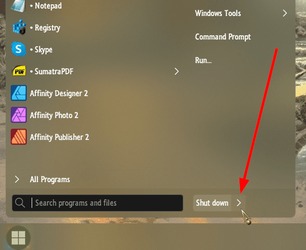
Shift+Shutdown Arrow gives you Advanced Boot Options...

0002146.png
 

My Computers My Computers

  • At a glance

    Windows 11 Pro
    OS
    Windows 11 Pro
    Computer type
    PC/Desktop
    Manufacturer/Model
    ASUS ROG Strix
  • At a glance

    Windows 11 Pro
    Operating System
    Windows 11 Pro
    Computer type
    Laptop
    Manufacturer/Model
    ASUS VivoBook
  • ASUS VivoBook 'Lite' ~ Windows 11 Home
I don't have that option.

Hmmm, really???
Hold Shift down while clicking on the arrow button to the right of Shutdown???
 

My Computers My Computers

  • At a glance

    Windows 11 Pro
    OS
    Windows 11 Pro
    Computer type
    PC/Desktop
    Manufacturer/Model
    ASUS ROG Strix
  • At a glance

    Windows 11 Pro
    Operating System
    Windows 11 Pro
    Computer type
    Laptop
    Manufacturer/Model
    ASUS VivoBook
  • ASUS VivoBook 'Lite' ~ Windows 11 Home
" the arrow button to the right of Shutdown "............cant find this button on my Logitec. :unsure:
 

My Computers My Computers

  • At a glance

    Windows11 Pro 25H2i732GBnVidia
    OS
    Windows11 Pro 25H2
    Computer type
    PC/Desktop
    Manufacturer/Model
    Asus
    CPU
    i7
    Motherboard
    z97k
    Memory
    32GB
    Graphics Card(s)
    nVidia
    Sound Card
    Realtek
    Hard Drives
    3
    Cooling
    air
    Browser
    Edge
    Antivirus
    ESET
  • At a glance

    Windows11 ProIntel i516GBIntel
    Operating System
    Windows11 Pro
    Computer type
    PC/Desktop
    Manufacturer/Model
    ASUS
    CPU
    Intel i5
    Motherboard
    ASUS Basic
    Memory
    16GB
    Graphics card(s)
    Intel
    Sound Card
    Realtek
    Monitor(s) Displays
    Samsung
    Hard Drives
    one intern , 0ne extern, OS on SSD
    Cooling
    air
    Keyboard
    wireless Logitech
    Mouse
    wireless Logitech
    Internet Speed
    1GB
    Browser
    Edge
    Antivirus
    ESET
... cant find this button...
The arrow button on the Start Menu UI.
I suppose you have to be running the Windows 7 style Start Menu!

0002148.png
 

My Computers My Computers

  • At a glance

    Windows 11 Pro
    OS
    Windows 11 Pro
    Computer type
    PC/Desktop
    Manufacturer/Model
    ASUS ROG Strix
  • At a glance

    Windows 11 Pro
    Operating System
    Windows 11 Pro
    Computer type
    Laptop
    Manufacturer/Model
    ASUS VivoBook
  • ASUS VivoBook 'Lite' ~ Windows 11 Home
Yes , but only touching the shutdown button is enough ..........
Dont need the shift-button , at least on my rig ! :wink:
 

My Computers My Computers

  • At a glance

    Windows11 Pro 25H2i732GBnVidia
    OS
    Windows11 Pro 25H2
    Computer type
    PC/Desktop
    Manufacturer/Model
    Asus
    CPU
    i7
    Motherboard
    z97k
    Memory
    32GB
    Graphics Card(s)
    nVidia
    Sound Card
    Realtek
    Hard Drives
    3
    Cooling
    air
    Browser
    Edge
    Antivirus
    ESET
  • At a glance

    Windows11 ProIntel i516GBIntel
    Operating System
    Windows11 Pro
    Computer type
    PC/Desktop
    Manufacturer/Model
    ASUS
    CPU
    Intel i5
    Motherboard
    ASUS Basic
    Memory
    16GB
    Graphics card(s)
    Intel
    Sound Card
    Realtek
    Monitor(s) Displays
    Samsung
    Hard Drives
    one intern , 0ne extern, OS on SSD
    Cooling
    air
    Keyboard
    wireless Logitech
    Mouse
    wireless Logitech
    Internet Speed
    1GB
    Browser
    Edge
    Antivirus
    ESET
Back
Top Bottom