Solved Using Customizer God to change system icons


Nobody said anything about 26H2
Yes, @MrMartin mentioned since it is 2026 it will come out some time. Obviously he thought 26H1 was a step before 26H2. No, it isn't. It is an update to 25H2 for specific computers. It's not like Windows 10 versions that were released every 6 months with xxH1 denoting the first version of the year and xxH2 denoting the second.
 

My Computers

System One System Two

  • OS
    Windows 11 Pro 23H2 (5699), 25H2 (8457)
    Computer type
    Laptop
    Manufacturer/Model
    Acer Extensa 5630EZ
    CPU
    Mobile DualCore Intel Core 2 Duo T7250, 2000 MHz
    Motherboard
    Acer Extensa 5630
    Memory
    4GB
    Graphics Card(s)
    Mobile Intel(R) GMA 4500M (Mobile 4 series)
    Sound Card
    Realtek ALC268 @ Intel 82801IB ICH9 - High Definition Audio Controller
    Monitor(s) Displays
    1
    Screen Resolution
    1280x800
    Hard Drives
    Samsung SSD 850 EVO 250GB SATA Device (250 GB, SATA-III)
    Internet Speed
    VDSL 50 Mbps
    Browser
    MICROSOFT EDGE
    Antivirus
    WINDOWS DEFENDER
    Other Info
    Legacy MBR installation, no TPM, no Secure Boot, no WDDM 2.0 graphics drivers, no SSE4.2, cannot get more unsupported ;) This is only my test laptop. I had installed Windows 11 here before upgrading my main PC. For my main PC I use everyday see my 2nd system specs.
  • Operating System
    Windows 11 Pro v25H2 (build 26200.8457)
    Computer type
    PC/Desktop
    Manufacturer/Model
    Custom-built PC
    CPU
    Intel Core-i7 3770 3.40GHz s1155 (3rd generation)
    Motherboard
    Asus P8H61 s1155 ATX
    Memory
    2x Kingston Hyper-X Blu 8GB DDR3-1600
    Graphics card(s)
    GIGABYTE GeForce RTX 3050 WINDFORCE OC V2 6GB (GV-N3050WF2OCV2-6GD)
    Sound Card
    Realtek HD audio (ALC887)
    Monitor(s) Displays
    Sony Bravia KDL-19L4000 19" LCD TV via VGA
    Screen Resolution
    1440x900 32-bit 60Hz
    Hard Drives
    WD Blue SA510 2.5 1000GB SSD as system disk, Western Digital Caviar Purple 4TB SATA III (WD40PURZ) as second
    PSU
    Thermaltake Litepower RGB 550W Full Wired
    Case
    SUPERCASE MIDI-TOWER
    Cooling
    Deepcool Gamma Archer CPU cooler, 1x 8cm fan at the back
    Keyboard
    Mitsumi 101-key PS/2
    Mouse
    Sunnyline OptiEye PS/2
    Internet Speed
    100Mbps
    Browser
    Microsoft Edge, Mozilla Firefox
    Antivirus
    Microsoft Windows Defender
    Other Info
    Legacy BIOS (MBR) installation, no TPM, no Secure Boot, WDDM 3.0 graphics drivers, WEI score 7.4
Yes, @MrMartin mentioned since it is 2026 it will come out some time. Obviously he thought 26H1 was a step before 26H2. No, it isn't. It is an update to 25H2 for specific computers. It's not like Windows 10 versions that were released every 6 months with xxH1 denoting the first version of the year and xxH2 denoting the second.
yes you get only 1 feature update in windows 11 and 2 in windows 10

anyways i put the network icon to windows 10 1809
how do we make the icons apply changes on the lock screen
1767602776513.webp
i also want the icons to be big on the login screen and show the windows 10 icons just like in windows 10 did probaly
 
Last edited:

My Computers

System One System Two

  • OS
    Windows 1125h2
    Computer type
    Laptop
    Manufacturer/Model
    HP
    CPU
    Intel(R) Pentium(R) Silver N5030 CPU @ 1.10GHz
    Motherboard
    HP 864D PCI express
    Memory
    4GB
    Graphics Card(s)
    Intel (UHD) Graphics 605
    Screen Resolution
    1920x1080
    Hard Drives
    2, A:, C:, D: (Note that A is not a hard disk)
    Cooling
    Hot
    Keyboard
    UK Keyboard layout
    Mouse
    No Mouse, compatble laptop
    Internet Speed
    500Kbps
    Browser
    Chrome
    Antivirus
    Windows Defender, Microsoft Defender
    Other Info
    Main PC
    I have 5 computers
  • Operating System
    Windows 11 24h2
    Computer type
    Laptop
    Manufacturer/Model
    DELL
    CPU
    Intel i5 processer
    Screen Resolution
    Random Screen resolution
    Hard Drives
    1 C:, cuz others are banned
    Cooling
    Fine
    Keyboard
    UK Keyboard layout
    Mouse
    Laptop mouse
    Internet Speed
    0.5Kbps
    Browser
    Edge
    Antivirus
    Windows Defender
    Other Info
    School Teacher PC
I haven't found how to apply the network icon on the lock screen and the login screen. I rarely restart or lock my screen, so I don't see these often anyway. When you login the customized icons should show in all users, since you modify global system files and not user specific files.
 

My Computers

System One System Two

  • OS
    Windows 11 Pro 23H2 (5699), 25H2 (8457)
    Computer type
    Laptop
    Manufacturer/Model
    Acer Extensa 5630EZ
    CPU
    Mobile DualCore Intel Core 2 Duo T7250, 2000 MHz
    Motherboard
    Acer Extensa 5630
    Memory
    4GB
    Graphics Card(s)
    Mobile Intel(R) GMA 4500M (Mobile 4 series)
    Sound Card
    Realtek ALC268 @ Intel 82801IB ICH9 - High Definition Audio Controller
    Monitor(s) Displays
    1
    Screen Resolution
    1280x800
    Hard Drives
    Samsung SSD 850 EVO 250GB SATA Device (250 GB, SATA-III)
    Internet Speed
    VDSL 50 Mbps
    Browser
    MICROSOFT EDGE
    Antivirus
    WINDOWS DEFENDER
    Other Info
    Legacy MBR installation, no TPM, no Secure Boot, no WDDM 2.0 graphics drivers, no SSE4.2, cannot get more unsupported ;) This is only my test laptop. I had installed Windows 11 here before upgrading my main PC. For my main PC I use everyday see my 2nd system specs.
  • Operating System
    Windows 11 Pro v25H2 (build 26200.8457)
    Computer type
    PC/Desktop
    Manufacturer/Model
    Custom-built PC
    CPU
    Intel Core-i7 3770 3.40GHz s1155 (3rd generation)
    Motherboard
    Asus P8H61 s1155 ATX
    Memory
    2x Kingston Hyper-X Blu 8GB DDR3-1600
    Graphics card(s)
    GIGABYTE GeForce RTX 3050 WINDFORCE OC V2 6GB (GV-N3050WF2OCV2-6GD)
    Sound Card
    Realtek HD audio (ALC887)
    Monitor(s) Displays
    Sony Bravia KDL-19L4000 19" LCD TV via VGA
    Screen Resolution
    1440x900 32-bit 60Hz
    Hard Drives
    WD Blue SA510 2.5 1000GB SSD as system disk, Western Digital Caviar Purple 4TB SATA III (WD40PURZ) as second
    PSU
    Thermaltake Litepower RGB 550W Full Wired
    Case
    SUPERCASE MIDI-TOWER
    Cooling
    Deepcool Gamma Archer CPU cooler, 1x 8cm fan at the back
    Keyboard
    Mitsumi 101-key PS/2
    Mouse
    Sunnyline OptiEye PS/2
    Internet Speed
    100Mbps
    Browser
    Microsoft Edge, Mozilla Firefox
    Antivirus
    Microsoft Windows Defender
    Other Info
    Legacy BIOS (MBR) installation, no TPM, no Secure Boot, WDDM 3.0 graphics drivers, WEI score 7.4
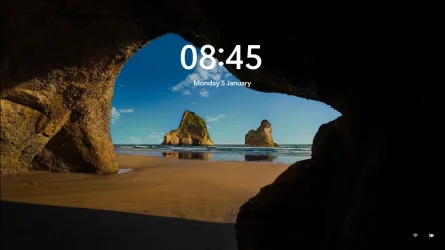
I haven't found how to apply the network icon on the lock screen and the login screen. I rarely restart or lock my screen, so I don't see these often anyway. When you login the customized icons should show in all users, since you modify global system files and not user specific files.
i researched on google it showed up revertsv, its not reccomended since it breaks your 25h2/24h2 pc, i would test it on vmware if i was you
Rich (BB code):
ALERT:
Do not open this on a host computer, do it on vmware
 
Last edited:

My Computers

System One System Two

  • OS
    Windows 1125h2
    Computer type
    Laptop
    Manufacturer/Model
    HP
    CPU
    Intel(R) Pentium(R) Silver N5030 CPU @ 1.10GHz
    Motherboard
    HP 864D PCI express
    Memory
    4GB
    Graphics Card(s)
    Intel (UHD) Graphics 605
    Screen Resolution
    1920x1080
    Hard Drives
    2, A:, C:, D: (Note that A is not a hard disk)
    Cooling
    Hot
    Keyboard
    UK Keyboard layout
    Mouse
    No Mouse, compatble laptop
    Internet Speed
    500Kbps
    Browser
    Chrome
    Antivirus
    Windows Defender, Microsoft Defender
    Other Info
    Main PC
    I have 5 computers
  • Operating System
    Windows 11 24h2
    Computer type
    Laptop
    Manufacturer/Model
    DELL
    CPU
    Intel i5 processer
    Screen Resolution
    Random Screen resolution
    Hard Drives
    1 C:, cuz others are banned
    Cooling
    Fine
    Keyboard
    UK Keyboard layout
    Mouse
    Laptop mouse
    Internet Speed
    0.5Kbps
    Browser
    Edge
    Antivirus
    Windows Defender
    Other Info
    School Teacher PC
According to this site, RevertSV is a utility to change some GUI elements in Windows 11 to make them look like Windows 10.


I don't know how that helps since the network icon for Windows 10 is the same as for Windows 11. Unless it restores icon appearance to the original file C:\Windows\System32\pnidui.dll so modifying this also affects the network icon in lock screen and login screen. Murphy's Law says it can screw your Windows 11 system, so test it on a virtual machine first. For other GUI changes, such as using the old desktop calculator instead of the huge and ugly UWP version, playing old classic Windows games, using the old Microsoft Paint etc, see the Winaero utilities (scroll down to see them all) :


My Computers

System One System Two

  • OS
    Windows 11 Pro 23H2 (5699), 25H2 (8457)
    Computer type
    Laptop
    Manufacturer/Model
    Acer Extensa 5630EZ
    CPU
    Mobile DualCore Intel Core 2 Duo T7250, 2000 MHz
    Motherboard
    Acer Extensa 5630
    Memory
    4GB
    Graphics Card(s)
    Mobile Intel(R) GMA 4500M (Mobile 4 series)
    Sound Card
    Realtek ALC268 @ Intel 82801IB ICH9 - High Definition Audio Controller
    Monitor(s) Displays
    1
    Screen Resolution
    1280x800
    Hard Drives
    Samsung SSD 850 EVO 250GB SATA Device (250 GB, SATA-III)
    Internet Speed
    VDSL 50 Mbps
    Browser
    MICROSOFT EDGE
    Antivirus
    WINDOWS DEFENDER
    Other Info
    Legacy MBR installation, no TPM, no Secure Boot, no WDDM 2.0 graphics drivers, no SSE4.2, cannot get more unsupported ;) This is only my test laptop. I had installed Windows 11 here before upgrading my main PC. For my main PC I use everyday see my 2nd system specs.
  • Operating System
    Windows 11 Pro v25H2 (build 26200.8457)
    Computer type
    PC/Desktop
    Manufacturer/Model
    Custom-built PC
    CPU
    Intel Core-i7 3770 3.40GHz s1155 (3rd generation)
    Motherboard
    Asus P8H61 s1155 ATX
    Memory
    2x Kingston Hyper-X Blu 8GB DDR3-1600
    Graphics card(s)
    GIGABYTE GeForce RTX 3050 WINDFORCE OC V2 6GB (GV-N3050WF2OCV2-6GD)
    Sound Card
    Realtek HD audio (ALC887)
    Monitor(s) Displays
    Sony Bravia KDL-19L4000 19" LCD TV via VGA
    Screen Resolution
    1440x900 32-bit 60Hz
    Hard Drives
    WD Blue SA510 2.5 1000GB SSD as system disk, Western Digital Caviar Purple 4TB SATA III (WD40PURZ) as second
    PSU
    Thermaltake Litepower RGB 550W Full Wired
    Case
    SUPERCASE MIDI-TOWER
    Cooling
    Deepcool Gamma Archer CPU cooler, 1x 8cm fan at the back
    Keyboard
    Mitsumi 101-key PS/2
    Mouse
    Sunnyline OptiEye PS/2
    Internet Speed
    100Mbps
    Browser
    Microsoft Edge, Mozilla Firefox
    Antivirus
    Microsoft Windows Defender
    Other Info
    Legacy BIOS (MBR) installation, no TPM, no Secure Boot, WDDM 3.0 graphics drivers, WEI score 7.4
i researched on google it showed up revertsv, its not reccomended since it breaks your 25h2/24h2 pc, i would test it on vmware if i was you

According to this site, RevertSV is a utility to change some GUI elements in Windows 11 to make them look like Windows 10.


I don't know how that helps since the network icon for Windows 10 is the same as for Windows 11. Unless it restores icon appearance to the original file C:\Windows\System32\pnidui.dll so modifying this also affects the network icon in lock screen and login screen. Murphy's Law says it can screw your Windows 11 system, so test it on a virtual machine first. For other GUI changes, such as using the old desktop calculator instead of the huge and ugly UWP version, playing old classic Windows games, using the old Microsoft Paint etc, see the Winaero utilities (scroll down to see them all) :

i reverted my pc to be windows 11 cuz my pc lagged

and my school banned startallback now cuz it broke 3 PCs and now me and my friends might get banned
 

My Computers

System One System Two

  • OS
    Windows 1125h2
    Computer type
    Laptop
    Manufacturer/Model
    HP
    CPU
    Intel(R) Pentium(R) Silver N5030 CPU @ 1.10GHz
    Motherboard
    HP 864D PCI express
    Memory
    4GB
    Graphics Card(s)
    Intel (UHD) Graphics 605
    Screen Resolution
    1920x1080
    Hard Drives
    2, A:, C:, D: (Note that A is not a hard disk)
    Cooling
    Hot
    Keyboard
    UK Keyboard layout
    Mouse
    No Mouse, compatble laptop
    Internet Speed
    500Kbps
    Browser
    Chrome
    Antivirus
    Windows Defender, Microsoft Defender
    Other Info
    Main PC
    I have 5 computers
  • Operating System
    Windows 11 24h2
    Computer type
    Laptop
    Manufacturer/Model
    DELL
    CPU
    Intel i5 processer
    Screen Resolution
    Random Screen resolution
    Hard Drives
    1 C:, cuz others are banned
    Cooling
    Fine
    Keyboard
    UK Keyboard layout
    Mouse
    Laptop mouse
    Internet Speed
    0.5Kbps
    Browser
    Edge
    Antivirus
    Windows Defender
    Other Info
    School Teacher PC
should show in all users, since you modify global system files and not user specific files.
ye because i am on am on one user account, it will always show my pfp
 

My Computers

System One System Two

  • OS
    Windows 1125h2
    Computer type
    Laptop
    Manufacturer/Model
    HP
    CPU
    Intel(R) Pentium(R) Silver N5030 CPU @ 1.10GHz
    Motherboard
    HP 864D PCI express
    Memory
    4GB
    Graphics Card(s)
    Intel (UHD) Graphics 605
    Screen Resolution
    1920x1080
    Hard Drives
    2, A:, C:, D: (Note that A is not a hard disk)
    Cooling
    Hot
    Keyboard
    UK Keyboard layout
    Mouse
    No Mouse, compatble laptop
    Internet Speed
    500Kbps
    Browser
    Chrome
    Antivirus
    Windows Defender, Microsoft Defender
    Other Info
    Main PC
    I have 5 computers
  • Operating System
    Windows 11 24h2
    Computer type
    Laptop
    Manufacturer/Model
    DELL
    CPU
    Intel i5 processer
    Screen Resolution
    Random Screen resolution
    Hard Drives
    1 C:, cuz others are banned
    Cooling
    Fine
    Keyboard
    UK Keyboard layout
    Mouse
    Laptop mouse
    Internet Speed
    0.5Kbps
    Browser
    Edge
    Antivirus
    Windows Defender
    Other Info
    School Teacher PC
i reverted my pc to be windows 11 cuz my pc lagged

and my school banned startallback now cuz it broke 3 PCs and now me and my friends might get banned
You should try modifications on your own computer, not on a school or work computer.

PS: In Greek we say "Teacher that you teach your students but not follow your advices", meaning that someone suggests something to others while himself doesn't do that. When at University we had some computers with Windows 95 and I secretly upgraded one to Windows 98 to see what it looked like. Never caught of course. Similarly when I served the Greek Army in the Informatics Office, I secretly upgraded one computer from Windows 2000 Professional to Windows XP Pro. Of course I switched to the "classic theme" to make it look as much as possible to Windows 2000, so nobody would notice. Unfortunately once I restarted this computer and my friend recognized the different Windows XP startup sound. They formatted it immediately and reinstalled Windows 2000 Professional... pity...
 
Last edited:

My Computers

System One System Two

  • OS
    Windows 11 Pro 23H2 (5699), 25H2 (8457)
    Computer type
    Laptop
    Manufacturer/Model
    Acer Extensa 5630EZ
    CPU
    Mobile DualCore Intel Core 2 Duo T7250, 2000 MHz
    Motherboard
    Acer Extensa 5630
    Memory
    4GB
    Graphics Card(s)
    Mobile Intel(R) GMA 4500M (Mobile 4 series)
    Sound Card
    Realtek ALC268 @ Intel 82801IB ICH9 - High Definition Audio Controller
    Monitor(s) Displays
    1
    Screen Resolution
    1280x800
    Hard Drives
    Samsung SSD 850 EVO 250GB SATA Device (250 GB, SATA-III)
    Internet Speed
    VDSL 50 Mbps
    Browser
    MICROSOFT EDGE
    Antivirus
    WINDOWS DEFENDER
    Other Info
    Legacy MBR installation, no TPM, no Secure Boot, no WDDM 2.0 graphics drivers, no SSE4.2, cannot get more unsupported ;) This is only my test laptop. I had installed Windows 11 here before upgrading my main PC. For my main PC I use everyday see my 2nd system specs.
  • Operating System
    Windows 11 Pro v25H2 (build 26200.8457)
    Computer type
    PC/Desktop
    Manufacturer/Model
    Custom-built PC
    CPU
    Intel Core-i7 3770 3.40GHz s1155 (3rd generation)
    Motherboard
    Asus P8H61 s1155 ATX
    Memory
    2x Kingston Hyper-X Blu 8GB DDR3-1600
    Graphics card(s)
    GIGABYTE GeForce RTX 3050 WINDFORCE OC V2 6GB (GV-N3050WF2OCV2-6GD)
    Sound Card
    Realtek HD audio (ALC887)
    Monitor(s) Displays
    Sony Bravia KDL-19L4000 19" LCD TV via VGA
    Screen Resolution
    1440x900 32-bit 60Hz
    Hard Drives
    WD Blue SA510 2.5 1000GB SSD as system disk, Western Digital Caviar Purple 4TB SATA III (WD40PURZ) as second
    PSU
    Thermaltake Litepower RGB 550W Full Wired
    Case
    SUPERCASE MIDI-TOWER
    Cooling
    Deepcool Gamma Archer CPU cooler, 1x 8cm fan at the back
    Keyboard
    Mitsumi 101-key PS/2
    Mouse
    Sunnyline OptiEye PS/2
    Internet Speed
    100Mbps
    Browser
    Microsoft Edge, Mozilla Firefox
    Antivirus
    Microsoft Windows Defender
    Other Info
    Legacy BIOS (MBR) installation, no TPM, no Secure Boot, WDDM 3.0 graphics drivers, WEI score 7.4
You should try modifications on your own computer, not on a school or work computer.

PS: In Greek we say "Teacher that you teach your students but not follow your advices", meaning that someone suggests something to others while himself doesn't do that. When at University we had some computers with Windows 95 and I secretly upgraded one to Windows 98 to see what it looked like. Never caught of course. Similarly when I served the Greek Army in the Informatics Office, I secretly upgraded one computer from Windows 2000 Professional to Windows XP Pro. Of course I switched to the "classic theme" to make it look as much as possible to Windows 2000, so nobody would notice. Unfortunately once I restarted this computer and my friend recognized the different Windows XP startup sound. They formatted it immediately and reinstalled Windows 2000 Professional... pity...
my dad force windows 11 and i hate it, even my mums pc is upgraded and locked with bitlocker
 

My Computers

System One System Two

  • OS
    Windows 1125h2
    Computer type
    Laptop
    Manufacturer/Model
    HP
    CPU
    Intel(R) Pentium(R) Silver N5030 CPU @ 1.10GHz
    Motherboard
    HP 864D PCI express
    Memory
    4GB
    Graphics Card(s)
    Intel (UHD) Graphics 605
    Screen Resolution
    1920x1080
    Hard Drives
    2, A:, C:, D: (Note that A is not a hard disk)
    Cooling
    Hot
    Keyboard
    UK Keyboard layout
    Mouse
    No Mouse, compatble laptop
    Internet Speed
    500Kbps
    Browser
    Chrome
    Antivirus
    Windows Defender, Microsoft Defender
    Other Info
    Main PC
    I have 5 computers
  • Operating System
    Windows 11 24h2
    Computer type
    Laptop
    Manufacturer/Model
    DELL
    CPU
    Intel i5 processer
    Screen Resolution
    Random Screen resolution
    Hard Drives
    1 C:, cuz others are banned
    Cooling
    Fine
    Keyboard
    UK Keyboard layout
    Mouse
    Laptop mouse
    Internet Speed
    0.5Kbps
    Browser
    Edge
    Antivirus
    Windows Defender
    Other Info
    School Teacher PC
my dad force windows 11 and i hate it, even my mums pc is upgraded and locked with bitlocker
When Windows XP was new, many said Windows 98 was better. Until Windows Vista was out and they would prefer Windows XP. Then they loved Windows 7 and hated Windows 8 and 10. Now they prefer Windows 10 and hate 11. Do you see a pattern? When Windows 12 or whatever new is out, everybody will prefer good old Windows 11. I am no exception, that's why I have Windows 7 start button and start menu (Open Shell), Windows 8.1 system icons (Customizer God), Windows 10 taskbar and File Explorer (Explorer Patcher), Windows classic desktop games (Winaero), old calculator, old Paint and more (Winaero), Windows 7 gadgets (8gadgetpack) and even Windows Media Center! Yes, I decide how my system looks, not Microsoft! I have even installed Windows XP Plus! and Windows XP Plus DME to have all these wallpapers and screensavers.
 

My Computers

System One System Two

  • OS
    Windows 11 Pro 23H2 (5699), 25H2 (8457)
    Computer type
    Laptop
    Manufacturer/Model
    Acer Extensa 5630EZ
    CPU
    Mobile DualCore Intel Core 2 Duo T7250, 2000 MHz
    Motherboard
    Acer Extensa 5630
    Memory
    4GB
    Graphics Card(s)
    Mobile Intel(R) GMA 4500M (Mobile 4 series)
    Sound Card
    Realtek ALC268 @ Intel 82801IB ICH9 - High Definition Audio Controller
    Monitor(s) Displays
    1
    Screen Resolution
    1280x800
    Hard Drives
    Samsung SSD 850 EVO 250GB SATA Device (250 GB, SATA-III)
    Internet Speed
    VDSL 50 Mbps
    Browser
    MICROSOFT EDGE
    Antivirus
    WINDOWS DEFENDER
    Other Info
    Legacy MBR installation, no TPM, no Secure Boot, no WDDM 2.0 graphics drivers, no SSE4.2, cannot get more unsupported ;) This is only my test laptop. I had installed Windows 11 here before upgrading my main PC. For my main PC I use everyday see my 2nd system specs.
  • Operating System
    Windows 11 Pro v25H2 (build 26200.8457)
    Computer type
    PC/Desktop
    Manufacturer/Model
    Custom-built PC
    CPU
    Intel Core-i7 3770 3.40GHz s1155 (3rd generation)
    Motherboard
    Asus P8H61 s1155 ATX
    Memory
    2x Kingston Hyper-X Blu 8GB DDR3-1600
    Graphics card(s)
    GIGABYTE GeForce RTX 3050 WINDFORCE OC V2 6GB (GV-N3050WF2OCV2-6GD)
    Sound Card
    Realtek HD audio (ALC887)
    Monitor(s) Displays
    Sony Bravia KDL-19L4000 19" LCD TV via VGA
    Screen Resolution
    1440x900 32-bit 60Hz
    Hard Drives
    WD Blue SA510 2.5 1000GB SSD as system disk, Western Digital Caviar Purple 4TB SATA III (WD40PURZ) as second
    PSU
    Thermaltake Litepower RGB 550W Full Wired
    Case
    SUPERCASE MIDI-TOWER
    Cooling
    Deepcool Gamma Archer CPU cooler, 1x 8cm fan at the back
    Keyboard
    Mitsumi 101-key PS/2
    Mouse
    Sunnyline OptiEye PS/2
    Internet Speed
    100Mbps
    Browser
    Microsoft Edge, Mozilla Firefox
    Antivirus
    Microsoft Windows Defender
    Other Info
    Legacy BIOS (MBR) installation, no TPM, no Secure Boot, WDDM 3.0 graphics drivers, WEI score 7.4

When Windows XP was new, many said Windows 98 was better. Until Windows Vista was out and they would prefer Windows XP. Then they loved Windows 7 and hated Windows 8 and 10. Now they prefer Windows 10 and hate 11. Do you see a pattern? When Windows 12 or whatever new is out, everybody will prefer good old Windows 11. I am no exception, that's why I have Windows 7 start button and start menu (Open Shell), Windows 8.1 system icons (Customizer God), Windows 10 taskbar and File Explorer (Explorer Patcher), Windows classic desktop games (Winaero), old calculator, old Paint and more (Winaero), Windows 7 gadgets (8gadgetpack) and even Windows Media Center! Yes, I decide how my system looks, not Microsoft! I have even installed Windows XP Plus! and Windows XP Plus DME to have all these wallpapers and screensavers.
yeah windows 12 is powered with ai and will be slower,
im kinda broke
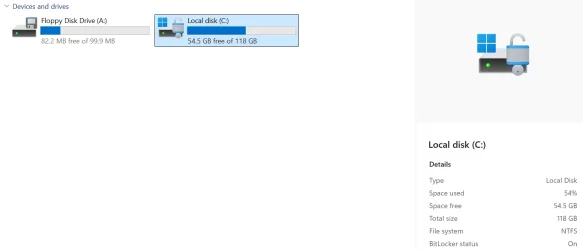
1767984126651.webp
1767984157556.webp
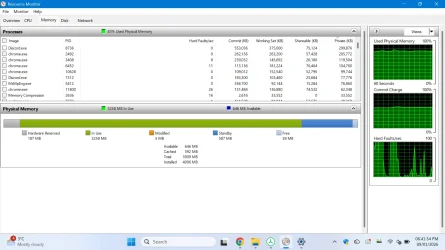
IM IN NEED OF STORAGE
Yes, I decide how my system looks, not Microsoft!
THEY ARE SO AGRESSIVE THAT EXPLORER PATCHER SLOWED MY PC DOWN
windows 11 forces us to leave the taskbar like this
1767984327980.webp
not this
1767984290455.webp
brother whaat the hec microfost i want windows 7 uac prompt

they think were stupid bro we can just use explorerpatcher pnidui
 
Last edited by a moderator:

My Computers

System One System Two

  • OS
    Windows 1125h2
    Computer type
    Laptop
    Manufacturer/Model
    HP
    CPU
    Intel(R) Pentium(R) Silver N5030 CPU @ 1.10GHz
    Motherboard
    HP 864D PCI express
    Memory
    4GB
    Graphics Card(s)
    Intel (UHD) Graphics 605
    Screen Resolution
    1920x1080
    Hard Drives
    2, A:, C:, D: (Note that A is not a hard disk)
    Cooling
    Hot
    Keyboard
    UK Keyboard layout
    Mouse
    No Mouse, compatble laptop
    Internet Speed
    500Kbps
    Browser
    Chrome
    Antivirus
    Windows Defender, Microsoft Defender
    Other Info
    Main PC
    I have 5 computers
  • Operating System
    Windows 11 24h2
    Computer type
    Laptop
    Manufacturer/Model
    DELL
    CPU
    Intel i5 processer
    Screen Resolution
    Random Screen resolution
    Hard Drives
    1 C:, cuz others are banned
    Cooling
    Fine
    Keyboard
    UK Keyboard layout
    Mouse
    Laptop mouse
    Internet Speed
    0.5Kbps
    Browser
    Edge
    Antivirus
    Windows Defender
    Other Info
    School Teacher PC
shoot forgot ENG UK icon too
 

My Computers

System One System Two

  • OS
    Windows 1125h2
    Computer type
    Laptop
    Manufacturer/Model
    HP
    CPU
    Intel(R) Pentium(R) Silver N5030 CPU @ 1.10GHz
    Motherboard
    HP 864D PCI express
    Memory
    4GB
    Graphics Card(s)
    Intel (UHD) Graphics 605
    Screen Resolution
    1920x1080
    Hard Drives
    2, A:, C:, D: (Note that A is not a hard disk)
    Cooling
    Hot
    Keyboard
    UK Keyboard layout
    Mouse
    No Mouse, compatble laptop
    Internet Speed
    500Kbps
    Browser
    Chrome
    Antivirus
    Windows Defender, Microsoft Defender
    Other Info
    Main PC
    I have 5 computers
  • Operating System
    Windows 11 24h2
    Computer type
    Laptop
    Manufacturer/Model
    DELL
    CPU
    Intel i5 processer
    Screen Resolution
    Random Screen resolution
    Hard Drives
    1 C:, cuz others are banned
    Cooling
    Fine
    Keyboard
    UK Keyboard layout
    Mouse
    Laptop mouse
    Internet Speed
    0.5Kbps
    Browser
    Edge
    Antivirus
    Windows Defender
    Other Info
    School Teacher PC
Hello.
The Microsoft Edge icon, AI-style, made by me.
 

Attachments

  • Edge ia.webp
    Edge ia.webp
    11 KB · Views: 1

My Computer

System One

  • OS
    windows 11 25H2
    Computer type
    Laptop
    Manufacturer/Model
    ASUS Vivobook 15 (X1504)
    Motherboard
    Intel Alder Lake-P PCH
    Memory
    24GB
    Graphics Card(s)
    iris xe
    Sound Card
    realtek
    Screen Resolution
    1920X1080
    Hard Drives
    Samsung SSD 990 PRO 1TB
    Browser
    edge
    Antivirus
    eset anti virus

My Computers

System One System Two

  • OS
    Windows 1125h2
    Computer type
    Laptop
    Manufacturer/Model
    HP
    CPU
    Intel(R) Pentium(R) Silver N5030 CPU @ 1.10GHz
    Motherboard
    HP 864D PCI express
    Memory
    4GB
    Graphics Card(s)
    Intel (UHD) Graphics 605
    Screen Resolution
    1920x1080
    Hard Drives
    2, A:, C:, D: (Note that A is not a hard disk)
    Cooling
    Hot
    Keyboard
    UK Keyboard layout
    Mouse
    No Mouse, compatble laptop
    Internet Speed
    500Kbps
    Browser
    Chrome
    Antivirus
    Windows Defender, Microsoft Defender
    Other Info
    Main PC
    I have 5 computers
  • Operating System
    Windows 11 24h2
    Computer type
    Laptop
    Manufacturer/Model
    DELL
    CPU
    Intel i5 processer
    Screen Resolution
    Random Screen resolution
    Hard Drives
    1 C:, cuz others are banned
    Cooling
    Fine
    Keyboard
    UK Keyboard layout
    Mouse
    Laptop mouse
    Internet Speed
    0.5Kbps
    Browser
    Edge
    Antivirus
    Windows Defender
    Other Info
    School Teacher PC
I know that's fine, but I didn't know which thread to put it in. That's all. Best regards.
 

My Computer

System One

  • OS
    windows 11 25H2
    Computer type
    Laptop
    Manufacturer/Model
    ASUS Vivobook 15 (X1504)
    Motherboard
    Intel Alder Lake-P PCH
    Memory
    24GB
    Graphics Card(s)
    iris xe
    Sound Card
    realtek
    Screen Resolution
    1920X1080
    Hard Drives
    Samsung SSD 990 PRO 1TB
    Browser
    edge
    Antivirus
    eset anti virus
I know that's fine, but I didn't know which thread to put it in. That's all. Best regards.
whoa, do you not know customizer god, read the title and youre too young to be here
 

My Computers

System One System Two

  • OS
    Windows 1125h2
    Computer type
    Laptop
    Manufacturer/Model
    HP
    CPU
    Intel(R) Pentium(R) Silver N5030 CPU @ 1.10GHz
    Motherboard
    HP 864D PCI express
    Memory
    4GB
    Graphics Card(s)
    Intel (UHD) Graphics 605
    Screen Resolution
    1920x1080
    Hard Drives
    2, A:, C:, D: (Note that A is not a hard disk)
    Cooling
    Hot
    Keyboard
    UK Keyboard layout
    Mouse
    No Mouse, compatble laptop
    Internet Speed
    500Kbps
    Browser
    Chrome
    Antivirus
    Windows Defender, Microsoft Defender
    Other Info
    Main PC
    I have 5 computers
  • Operating System
    Windows 11 24h2
    Computer type
    Laptop
    Manufacturer/Model
    DELL
    CPU
    Intel i5 processer
    Screen Resolution
    Random Screen resolution
    Hard Drives
    1 C:, cuz others are banned
    Cooling
    Fine
    Keyboard
    UK Keyboard layout
    Mouse
    Laptop mouse
    Internet Speed
    0.5Kbps
    Browser
    Edge
    Antivirus
    Windows Defender
    Other Info
    School Teacher PC
But you're too old to learn manners.
 

My Computer

System One

  • OS
    windows 11 25H2
    Computer type
    Laptop
    Manufacturer/Model
    ASUS Vivobook 15 (X1504)
    Motherboard
    Intel Alder Lake-P PCH
    Memory
    24GB
    Graphics Card(s)
    iris xe
    Sound Card
    realtek
    Screen Resolution
    1920X1080
    Hard Drives
    Samsung SSD 990 PRO 1TB
    Browser
    edge
    Antivirus
    eset anti virus

My Computers

System One System Two

  • OS
    Windows 1125h2
    Computer type
    Laptop
    Manufacturer/Model
    HP
    CPU
    Intel(R) Pentium(R) Silver N5030 CPU @ 1.10GHz
    Motherboard
    HP 864D PCI express
    Memory
    4GB
    Graphics Card(s)
    Intel (UHD) Graphics 605
    Screen Resolution
    1920x1080
    Hard Drives
    2, A:, C:, D: (Note that A is not a hard disk)
    Cooling
    Hot
    Keyboard
    UK Keyboard layout
    Mouse
    No Mouse, compatble laptop
    Internet Speed
    500Kbps
    Browser
    Chrome
    Antivirus
    Windows Defender, Microsoft Defender
    Other Info
    Main PC
    I have 5 computers
  • Operating System
    Windows 11 24h2
    Computer type
    Laptop
    Manufacturer/Model
    DELL
    CPU
    Intel i5 processer
    Screen Resolution
    Random Screen resolution
    Hard Drives
    1 C:, cuz others are banned
    Cooling
    Fine
    Keyboard
    UK Keyboard layout
    Mouse
    Laptop mouse
    Internet Speed
    0.5Kbps
    Browser
    Edge
    Antivirus
    Windows Defender
    Other Info
    School Teacher PC
Besides the standard light and dark theme "flower bloom" wallpaper of Windows 11, there are also some multicolor versions for specific Windows 11 versions. And there is a Registry hack to enable them in Windows 11 Home and Pro. It was another thread, sorry, I don't remember details right now. Just reminded it when I saw this colorful Edge icon.
 

My Computers

System One System Two

  • OS
    Windows 11 Pro 23H2 (5699), 25H2 (8457)
    Computer type
    Laptop
    Manufacturer/Model
    Acer Extensa 5630EZ
    CPU
    Mobile DualCore Intel Core 2 Duo T7250, 2000 MHz
    Motherboard
    Acer Extensa 5630
    Memory
    4GB
    Graphics Card(s)
    Mobile Intel(R) GMA 4500M (Mobile 4 series)
    Sound Card
    Realtek ALC268 @ Intel 82801IB ICH9 - High Definition Audio Controller
    Monitor(s) Displays
    1
    Screen Resolution
    1280x800
    Hard Drives
    Samsung SSD 850 EVO 250GB SATA Device (250 GB, SATA-III)
    Internet Speed
    VDSL 50 Mbps
    Browser
    MICROSOFT EDGE
    Antivirus
    WINDOWS DEFENDER
    Other Info
    Legacy MBR installation, no TPM, no Secure Boot, no WDDM 2.0 graphics drivers, no SSE4.2, cannot get more unsupported ;) This is only my test laptop. I had installed Windows 11 here before upgrading my main PC. For my main PC I use everyday see my 2nd system specs.
  • Operating System
    Windows 11 Pro v25H2 (build 26200.8457)
    Computer type
    PC/Desktop
    Manufacturer/Model
    Custom-built PC
    CPU
    Intel Core-i7 3770 3.40GHz s1155 (3rd generation)
    Motherboard
    Asus P8H61 s1155 ATX
    Memory
    2x Kingston Hyper-X Blu 8GB DDR3-1600
    Graphics card(s)
    GIGABYTE GeForce RTX 3050 WINDFORCE OC V2 6GB (GV-N3050WF2OCV2-6GD)
    Sound Card
    Realtek HD audio (ALC887)
    Monitor(s) Displays
    Sony Bravia KDL-19L4000 19" LCD TV via VGA
    Screen Resolution
    1440x900 32-bit 60Hz
    Hard Drives
    WD Blue SA510 2.5 1000GB SSD as system disk, Western Digital Caviar Purple 4TB SATA III (WD40PURZ) as second
    PSU
    Thermaltake Litepower RGB 550W Full Wired
    Case
    SUPERCASE MIDI-TOWER
    Cooling
    Deepcool Gamma Archer CPU cooler, 1x 8cm fan at the back
    Keyboard
    Mitsumi 101-key PS/2
    Mouse
    Sunnyline OptiEye PS/2
    Internet Speed
    100Mbps
    Browser
    Microsoft Edge, Mozilla Firefox
    Antivirus
    Microsoft Windows Defender
    Other Info
    Legacy BIOS (MBR) installation, no TPM, no Secure Boot, WDDM 3.0 graphics drivers, WEI score 7.4
Besides the standard light and dark theme "flower bloom" wallpaper of Windows 11, there are also some multicolor versions for specific Windows 11 versions. And there is a Registry hack to enable them in Windows 11 Home and Pro. It was another thread, sorry, I don't remember details right now. Just reminded it when I saw this colorful Edge icon.
i got it on my lock screen right now got it from a system restore
 

My Computers

System One System Two

  • OS
    Windows 1125h2
    Computer type
    Laptop
    Manufacturer/Model
    HP
    CPU
    Intel(R) Pentium(R) Silver N5030 CPU @ 1.10GHz
    Motherboard
    HP 864D PCI express
    Memory
    4GB
    Graphics Card(s)
    Intel (UHD) Graphics 605
    Screen Resolution
    1920x1080
    Hard Drives
    2, A:, C:, D: (Note that A is not a hard disk)
    Cooling
    Hot
    Keyboard
    UK Keyboard layout
    Mouse
    No Mouse, compatble laptop
    Internet Speed
    500Kbps
    Browser
    Chrome
    Antivirus
    Windows Defender, Microsoft Defender
    Other Info
    Main PC
    I have 5 computers
  • Operating System
    Windows 11 24h2
    Computer type
    Laptop
    Manufacturer/Model
    DELL
    CPU
    Intel i5 processer
    Screen Resolution
    Random Screen resolution
    Hard Drives
    1 C:, cuz others are banned
    Cooling
    Fine
    Keyboard
    UK Keyboard layout
    Mouse
    Laptop mouse
    Internet Speed
    0.5Kbps
    Browser
    Edge
    Antivirus
    Windows Defender
    Other Info
    School Teacher PC
Back
Top Bottom