- Local time
- 4:57 AM
- Posts
- 79
- OS
- Windows 11 Pro
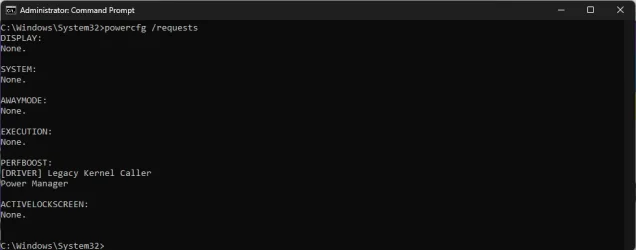
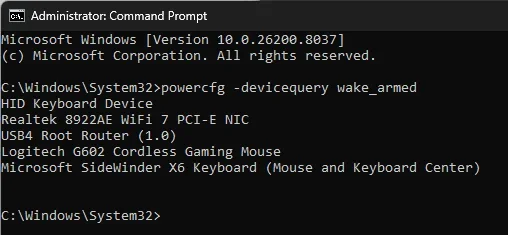
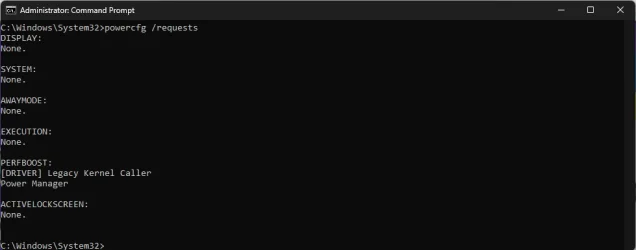
My Win11 PC will not sleep no matter what I do. If I START>POWER>SLEEP it tries to go to sleep, but immediately wakes back up. I ran CMD powercfg /requests immediately after it waking up from a SLEEP attempt
I also ran a powercfg /energy. I have attached the report if it would help diagnose this. There a many errors and findings. The thing that caught my eye was my Logitech G935 headset.
I have never run into this with any other version of Windows. Can someone point me in the right direction?
I also ran a powercfg /energy. I have attached the report if it would help diagnose this. There a many errors and findings. The thing that caught my eye was my Logitech G935 headset.
I have never run into this with any other version of Windows. Can someone point me in the right direction?
- Windows Build/Version
- Version 25H2 (OS Build 26200.8037)
Attachments
My Computer
At a glance
Windows 11 ProAMD Ryzen 7 9800X3D32GB DDR5AMD Radeon 9070 XT
- OS
- Windows 11 Pro
- Computer type
- PC/Desktop
- Manufacturer/Model
- Custom
- CPU
- AMD Ryzen 7 9800X3D
- Motherboard
- Gigabyte X870 Aorus Elite WIFI7
- Memory
- 32GB DDR5
- Graphics Card(s)
- AMD Radeon 9070 XT
- Monitor(s) Displays
- Acer Predator 27"
- Screen Resolution
- 1080P
- PSU
- Corsair HX1000
- Case
- Cooler Master HAF-X
- Cooling
- ID-Cooling A620