White horizontal line displaying at the bottom of video thumbnails


Could it possibly be the installed video codecs? Just throwing that idea out there.
 

My Computer

System One

  • OS
    Windows 11
    Computer type
    PC/Desktop
    Manufacturer/Model
    Custom Built
Could it possibly be the installed video codecs? Just throwing that idea out there.
possibility. just eliminating all of the in-house windows options before going to other software... much bigger pool
 

My Computer

System One

  • OS
    Windows 11 Pro
1761593743851.webp

click start
type "Advanced System Settings"
on the window (like what i posted here) that opens, click on "Settings" under the "Performance" category.
post a screenshot of the settings there (alt+printscreen to capture it, then just ctrl+v in the reply here will paste it)
 

My Computer

System One

  • OS
    Windows 11 Pro
yeah thats pretty well suited to avoid this issue. you can choose Best Perfomance and apply, but i'm not sure it would make a difference.

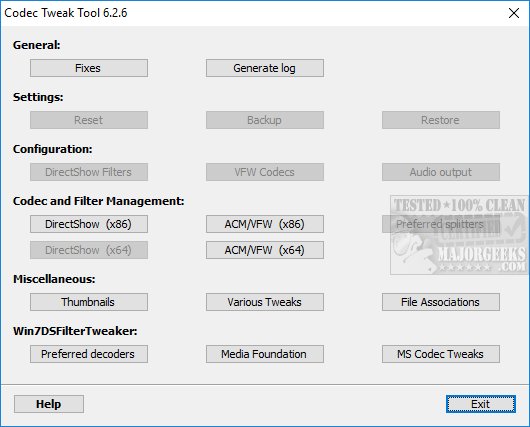
download the klite code tweak tool


and run it. then do these steps:

1761594249138.webp
1761594306851.webp
1761594332649.webp

*then after applying, go back there and uncheck hide video reel overlay*

1761594376959.webp

(or Select All if you want)

Apply and close. log off and login again.
 

My Computer

System One

  • OS
    Windows 11 Pro
ok no worries. if you change your mind or open a new thread for other issues, just tag me in them and i'll make sure i dont skip over them again. thanks
 

My Computer

System One

  • OS
    Windows 11 Pro

Latest Support Threads

Back
Top Bottom