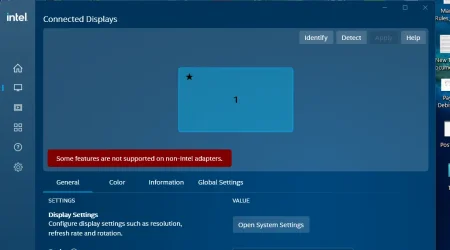
I bought my Lenovo Legion laptop on May 2025 and it has an RTX 4090 graphics card. I connected it to the tv by using an HDMI cable next month.
Yesterday morning the laptop was idle and I wasn't using it. First the TV screen became black and only the mouse pointer showed and then the laptop screen became black and then the mouse pointer showed and then the picture came back on both screens. I checked the event viewer. I found that the Desktop Window Manager has registered the session port eventid 9027 and it happened at the same time as when the flickering happened. Also I got two of these after that event:
Fault bucket , type 0 Event Name: LiveKernelEvent Response: Not available Cab Id: 0 Problem signature: P1: 117 P2: ffffb58208351010 P3: fffff802863c0a10 P4: 0 P5: 0 P6: 10_0_22631 P7: 0_0 P8: 256_1 P9: P10:
The issue happened again yesterday night when the laptop was idle. I did search for eventid 9027 in the event viewer and I saw that I got it 7 times so far:
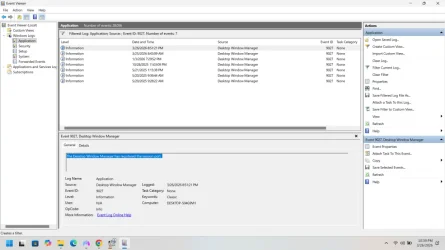
They were spread out in the past and I only noticed it when the issue happened the last two times.
Is my HDMI cable failing? Long ago when I was on my previous gaming laptop and it was connected to the TV by using an HDMI cable both the TV and the laptop screen flickered black when I was playing a game and I found that the issue happened because of the HDMI cable became bad.
Is it an Nvidia driver issue? I have been on 3 different Nvidia drivers since May 2025 and it looks like I got eventid 9027 when I was on different versions.
Is it an HDMI handshake issue? Maybe Windows tried to set the Nvida card to low power mode and that caused the Nvidia driver to freeze so the HDMI handshake needed to be reinitialized?
I did the following things:
1) I disabled MPO by setting OverlayTestMode to 5 in DWM in regedit
2) I set TdrDelay to 8 in regedit
3) I enabled maximum performance for power management mode in the 3d settings in the Nvidia control panel
Will they stop the issue from happening?
Yesterday morning the laptop was idle and I wasn't using it. First the TV screen became black and only the mouse pointer showed and then the laptop screen became black and then the mouse pointer showed and then the picture came back on both screens. I checked the event viewer. I found that the Desktop Window Manager has registered the session port eventid 9027 and it happened at the same time as when the flickering happened. Also I got two of these after that event:
Fault bucket , type 0 Event Name: LiveKernelEvent Response: Not available Cab Id: 0 Problem signature: P1: 117 P2: ffffb58208351010 P3: fffff802863c0a10 P4: 0 P5: 0 P6: 10_0_22631 P7: 0_0 P8: 256_1 P9: P10:
The issue happened again yesterday night when the laptop was idle. I did search for eventid 9027 in the event viewer and I saw that I got it 7 times so far:
They were spread out in the past and I only noticed it when the issue happened the last two times.
Is my HDMI cable failing? Long ago when I was on my previous gaming laptop and it was connected to the TV by using an HDMI cable both the TV and the laptop screen flickered black when I was playing a game and I found that the issue happened because of the HDMI cable became bad.
Is it an Nvidia driver issue? I have been on 3 different Nvidia drivers since May 2025 and it looks like I got eventid 9027 when I was on different versions.
Is it an HDMI handshake issue? Maybe Windows tried to set the Nvida card to low power mode and that caused the Nvidia driver to freeze so the HDMI handshake needed to be reinitialized?
I did the following things:
1) I disabled MPO by setting OverlayTestMode to 5 in DWM in regedit
2) I set TdrDelay to 8 in regedit
3) I enabled maximum performance for power management mode in the 3d settings in the Nvidia control panel
Will they stop the issue from happening?
My Computer
At a glance
windows 11i932GBRTX4090
- OS
- windows 11
- Computer type
- Laptop
- Manufacturer/Model
- Lenovo Legion Pro 7
- CPU
- i9
- Memory
- 32GB
- Graphics Card(s)
- RTX4090