Winaero Tweaker


Winaero Tweaker's 'Reset to Defaults' setting is corrupting Windows 11 systems

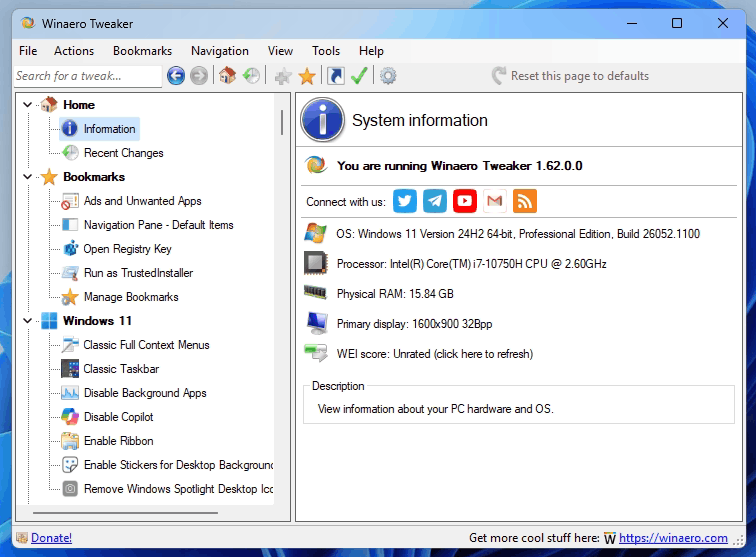
If you use the Winaero Tweaker app, a Reddit user, RemarkableOil451, has put out a warning about using the software on Windows 11 over dangerous Reset to Defaults settings that can cause system corruption on Microsoft's newest OS. According to the Redditor, pressing the "Reset this page to defaults" button in the Advanced Appearance module executes an immediate, persistent registry write without asking the user for confirmation.

The reset function in Winaero Tweaker injects legacy binary values (static 9pt Segoe UI) into the Windows 11 Registry Keys. This legacy data conflicts with Windows 11's native Accessibility subsystem by overriding the Text Size scaling and rendering the UI illegible on high-DPI displays.

If you manage to muck up your system settings, the Redditor reports that manually deleting the injected registry values does not fully resolve the issue, with the font face bring broken entirely, forcing a system-wide fallback to Arial. While unconfirmed, the Redditor thinks that the app might inject hidden dependencies elsewhere, perhaps FontSubstitutes, that survive cleanup.

To restore their Windows 11 back to a fully normal state, RemarkableOil451 had to perform a full system restore. While the OP didn't realize it at the time, as it was later mentioned in the comments, there is a way to fix the issue without a full system restore. Apparently, you can do the following steps to get your system back to normal:

Delete the HKEY_CURRENT_USER\Control Panel\Desktop\WindowMetrics key via Registry Editor.
  • Go into Windows Settings, Display, and set the scaling to an arbitrary value (e.g., 175%).
  • Sign out and sign back in to force the OS to "recompute" the default values.
  • Then restore the original scaling.
If you are using Winaero Tweaker then, be sure not to restore the defaults as you'll end up with extra work on your hands, though, it's not as catastrophic as needing to do a system restore. To be honest though, if you are not happy with your system screwing up, perhaps using a tweaker to make unofficial changes isn't the best idea.

The Reddit user claims he had comments censored from the Winaero Tweaker developer's website.
Where do I find the Winaero Tweaker comments?
 

My Computers My Computers

  • At a glance

    Windows 11 ProIntel Core i9-10900XCorsair 64 GB (4 x 16 GB) CMW64GX4M4C3000C15 ...GIGABYTE GeForce GTX 1660 Super Mini ITX 6 GB OC
    OS
    Windows 11 Pro
    Computer type
    PC/Desktop
    Manufacturer/Model
    Stigg's Build
    CPU
    Intel Core i9-10900X
    Motherboard
    GIGABYTE X299X DESIGNARE 10G
    Memory
    Corsair 64 GB (4 x 16 GB) CMW64GX4M4C3000C15 Vengeance RGB Pro 3000Mhz DDR4
    Graphics Card(s)
    GIGABYTE GeForce GTX 1660 Super Mini ITX 6 GB OC
    Sound Card
    Realtek ALC1220
    Monitor(s) Displays
    Samsung 27" FHD LED FreeSync Gaming Monitor (LS27F350FHEXXY)
    Screen Resolution
    1920 x 1080
    Hard Drives
    Samsung 970 Pro Series 1TB M.2 2280 NVMe SSD
    Western Digital Red Pro WD8003FFBX-68B9AN0 8 TB, 7200 RPM, SATA-III
    Western Digital Red Pro WD8003FFBX-68B9AN0 8 TB, 7200 RPM, SATA-III
    PSU
    Corsair HX1200 1200W 80 Plus Platinum
    Case
    Fractal Design Define 7 Black Solid Case
    Cooling
    Noctua NH-D15 Chromax Black
    Keyboard
    Razer Ornata V2
    Mouse
    Razer DeathAdder Essential
    Internet Speed
    FTTN 100Mbps / 40Mbps
    Browser
    Mozilla Firefox
    Antivirus
    N/A
    Other Info
    Logitech BRIO 4k Ultra HD USB-C Webcam
  • At a glance

    Windows 10 ProCore i7-8750HSK Hynix 32 GB (2 x 16 GB) HMA82GS6CJR8N-VK 1...NVIDIA GeForce GTX 1070
    Operating System
    Windows 10 Pro
    Computer type
    Laptop
    Manufacturer/Model
    ASUS ROG Zephyrus M GM501GS
    CPU
    Core i7-8750H
    Motherboard
    Zephyrus M GM501GS
    Memory
    SK Hynix 32 GB (2 x 16 GB) HMA82GS6CJR8N-VK 16 GB DDR4-2666 DDR4 SDRAM
    Graphics card(s)
    NVIDIA GeForce GTX 1070
    Sound Card
    Realtek ALC294
    Monitor(s) Displays
    AU Optronics B156HAN07.1 [15.6" LCD]
    Screen Resolution
    1920 x 1080
    Hard Drives
    Samsung MZVKW512HMJP-00000 512 GB, PCI-E 3.0 x4
    Samsung SSD 860 QVO 4TB 4 TB, SATA-III
    PSU
    N/A
    Case
    N/A
    Cooling
    N/A
    Keyboard
    PC/AT Enhanced PS2 Keyboard (101/102-Key)
    Mouse
    Razer DeathAdder Essential
    Internet Speed
    FTTN 100Mbps / 40Mbps
    Browser
    Mozilla Firefox
    Antivirus
    N/A
    Other Info
    USB2.0 HD UVC Webcam
The Reddit user claims he had comments censored from the Winaero Tweaker developer's website.
Where do I find the Winaero Tweaker comments?

Sounds like the developer is aware of it now.

Again, we'll see how responsive he is.... :unsure:
 

My Computers My Computers

  • At a glance

    Windows 11 Pro 25H2 build: (26200.7623)32GB
    OS
    Windows 11 Pro 25H2 build: (26200.7623)
    Computer type
    Laptop
    Manufacturer/Model
    Microsoft Surface Pro
    Memory
    32GB
  • At a glance

    Microsoft 25H2 ProIntel Core Ultra 764GBIntel Integrated Graphics
    Operating System
    Microsoft 25H2 Pro
    Computer type
    Laptop
    Manufacturer/Model
    Dell Pro 14 - PC14250
    CPU
    Intel Core Ultra 7
    Memory
    64GB
    Graphics card(s)
    Intel Integrated Graphics
    Hard Drives
    Micron 1TB SSD
The Reddit user claims he had comments censored from the Winaero Tweaker developer's website.
Where do I find the Winaero Tweaker comments?

Scroll to the bottom
 

My Computer My Computer

At a glance

Windows 11 Pro
OS
Windows 11 Pro
I only extract the files and run it as a portable, although it still adds a registry entry, which I remove manually.

and a small 20mb folder located in the program data folder as well.
 

My Computer My Computer

At a glance

windows 10 21h2
OS
windows 10 21h2
Winaero Tweaker 1.64.1

Added the ability to disable display animation when you connect a new display to your Windows 11 device. Starting in Windows 22H2, it can be disabled in the Registry, so the app now offers a GUI for that. You will find the checkbox under Appearance > Disable Display Change Animation. I say thanks to "Aerath Xlythe" for this.
 

My Computers My Computers

  • At a glance

    Windows11 Pro 26200.8894Intel Core i9 14900F (24 -Core, 68 MB Total C...32GB DDR5RTX 4080 Super w/610.74
    OS
    Windows11 Pro 26200.8894
    Computer type
    PC/Desktop
    Manufacturer/Model
    Dell Alienware Aurora R16
    CPU
    Intel Core i9 14900F (24 -Core, 68 MB Total Cache)
    Motherboard
    Dell Alienware
    Memory
    32GB DDR5
    Graphics Card(s)
    RTX 4080 Super w/610.74
    Sound Card
    Realtec
    Monitor(s) Displays
    Corsair XENEON 32QHD165
    Screen Resolution
    2560 X 1440
    Hard Drives
    1-2TB Samsung 990 Pro PCIe NVMe M2 SSD
    1-4TB Samsung 990 Pro PCIe NVMe M2 SSD
    PSU
    1000 Watt Platinum Dell
    Case
    Alienware
    Cooling
    Liquid Closed Loop
    Keyboard
    Corsair Strafe RGB
    Mouse
    Logitech MK270 Wireless
    Internet Speed
    100Gb's Down-20 Up
    Browser
    Firefox 152.0.6
    Antivirus
    Defender
    Other Info
    Very Quiet And Fast
    CyberPower UPS CP1500PFCLCD
  • At a glance

    PClinuxOS Mate (2025.7)13th Gen Inter(R) Core(TM) i3-1315U64 GB DDR4 @3200 MHz.Internal
    Operating System
    PClinuxOS Mate (2025.7)
    Computer type
    PC/Desktop
    Manufacturer/Model
    Intel
    CPU
    13th Gen Inter(R) Core(TM) i3-1315U
    Motherboard
    Intel
    Memory
    64 GB DDR4 @3200 MHz.
    Graphics card(s)
    Internal
    Sound Card
    None
    Monitor(s) Displays
    Dell 2419HGCF
    Screen Resolution
    1920 X 1080
    Hard Drives
    SAMSUNG 980 PRO SSD 2TB, PCIe 4.0 M.2 2280
    PSU
    Chicony 30 Watt
    Case
    Small
    Keyboard
    Dell
    Mouse
    Razor
    Internet Speed
    1GB
    Browser
    Slimjet
Winaero Tweaker 1.64.1

Added the ability to disable display animation when you connect a new display to your Windows 11 device. Starting in Windows 22H2, it can be disabled in the Registry, so the app now offers a GUI for that. You will find the checkbox under Appearance > Disable Display Change Animation. I say thanks to "Aerath Xlythe" for this.
Didn't see anything in the release notes about the "Reset to Defaults settings that can cause system corruption" that was posted earlier yet though. I'd say continue to avoid that for the time being.
 

My Computers My Computers

  • At a glance

    Windows 11 25H2Intel Core Ultra 9 275HX (24-Core)64GB DDR5 6400MT/sNVIDIA GeForce RTX 5080 and Intel UHD Graphics
    OS
    Windows 11 25H2
    Computer type
    Laptop
    Manufacturer/Model
    Alienware 18 Area-51
    CPU
    Intel Core Ultra 9 275HX (24-Core)
    Motherboard
    Alienware
    Memory
    64GB DDR5 6400MT/s
    Graphics Card(s)
    NVIDIA GeForce RTX 5080 and Intel UHD Graphics
    Sound Card
    Onboard, Realtek high-performance Audio chips (ALC3329 & ALC1708))
    Monitor(s) Displays
    300HZ 18-inch QHD 500 nit Comfort View+
    Screen Resolution
    2560 x 1600
    Hard Drives
    2TB NVMe M.2 PCIe Gen 5 SSD
    Case
    Magnesium Alloy
    Cooling
    Advanced Cryo-Tech Quad-Fan Cooling system & large vapor chamber
    Keyboard
    Cherry MX ultra low profile mechanical keyboard with per key AlienFX RGB lighting
    Mouse
    Logitech MX Master 4
    Browser
    Vivaldi (main), Firefox, Chrome, Edge
    Antivirus
    MS Defender and Malwarebytes Free
  • At a glance

    Windows 11 25H2Qualcomm Snapdragon X Elite (12 Core) ARM bas...16GB LPDDR5Qualcomm Adreno X1-85
    Operating System
    Windows 11 25H2
    Computer type
    Laptop
    Manufacturer/Model
    Microsoft Surface Laptop 7
    CPU
    Qualcomm Snapdragon X Elite (12 Core) ARM based CPU
    Motherboard
    Microsoft Corp.
    Memory
    16GB LPDDR5
    Graphics card(s)
    Qualcomm Adreno X1-85
    Sound Card
    Omnisonic speakers with Dolby Atmos spatial sound
    Monitor(s) Displays
    120 Hz 13.8-inch 600 nit PixelSense Flow touchscreen
    Screen Resolution
    2304x1536
    Hard Drives
    1TB NVMe Gen 4 SSD
    Case
    Anodized Aluminum
    Cooling
    Traditional active cooling fan system
    Keyboard
    Mechanical QWERTY, backlit when in use
    Mouse
    Logitech MX Master 4 and Surface Arc Mouse
    Browser
    Vivaldi (main), Firefox, Chrome, Edge
    Antivirus
    MS Defender and Malwarebytes Free
Didn't see anything in the release notes about the "Reset to Defaults settings that can cause system corruption" that was posted earlier yet though. I'd say continue to avoid that for the time being.
Delete the HKEY_CURRENT_USER\Control Panel\Desktop\WindowMetrics key via Registry Editor.
This will still work.
 

My Computers My Computers

  • At a glance

    Windows11 Pro 26200.8894Intel Core i9 14900F (24 -Core, 68 MB Total C...32GB DDR5RTX 4080 Super w/610.74
    OS
    Windows11 Pro 26200.8894
    Computer type
    PC/Desktop
    Manufacturer/Model
    Dell Alienware Aurora R16
    CPU
    Intel Core i9 14900F (24 -Core, 68 MB Total Cache)
    Motherboard
    Dell Alienware
    Memory
    32GB DDR5
    Graphics Card(s)
    RTX 4080 Super w/610.74
    Sound Card
    Realtec
    Monitor(s) Displays
    Corsair XENEON 32QHD165
    Screen Resolution
    2560 X 1440
    Hard Drives
    1-2TB Samsung 990 Pro PCIe NVMe M2 SSD
    1-4TB Samsung 990 Pro PCIe NVMe M2 SSD
    PSU
    1000 Watt Platinum Dell
    Case
    Alienware
    Cooling
    Liquid Closed Loop
    Keyboard
    Corsair Strafe RGB
    Mouse
    Logitech MK270 Wireless
    Internet Speed
    100Gb's Down-20 Up
    Browser
    Firefox 152.0.6
    Antivirus
    Defender
    Other Info
    Very Quiet And Fast
    CyberPower UPS CP1500PFCLCD
  • At a glance

    PClinuxOS Mate (2025.7)13th Gen Inter(R) Core(TM) i3-1315U64 GB DDR4 @3200 MHz.Internal
    Operating System
    PClinuxOS Mate (2025.7)
    Computer type
    PC/Desktop
    Manufacturer/Model
    Intel
    CPU
    13th Gen Inter(R) Core(TM) i3-1315U
    Motherboard
    Intel
    Memory
    64 GB DDR4 @3200 MHz.
    Graphics card(s)
    Internal
    Sound Card
    None
    Monitor(s) Displays
    Dell 2419HGCF
    Screen Resolution
    1920 X 1080
    Hard Drives
    SAMSUNG 980 PRO SSD 2TB, PCIe 4.0 M.2 2280
    PSU
    Chicony 30 Watt
    Case
    Small
    Keyboard
    Dell
    Mouse
    Razor
    Internet Speed
    1GB
    Browser
    Slimjet

Winaero Tweaker 1.64.1

Winaero Tweaker 1.64.1 key changes:

Disable Display Animation

  • Users can now disable the display animation that occurs when connecting a new monitor in Windows 11 (22H2 and later).
  • This option is available under Appearance > Disable Display Change Animation.
  • Credit for this suggestion goes to Reddit user “Aerath Xlythe.”
Dark Mode Enhancements
  • All dialog boxes now properly follow the dark mode theme, including About, Reset All Tweaks, Import/Export Tweaks, and Visible Tweaks dialogs.
  • Previously, disabled controls appeared with black text on a dark background; most of these issues have been fixed (some remain, see Known Issues
  • The search pane now also respects dark mode.
Other Updates
  • Most taskbar-related options are now hidden on Windows 11, as they no longer function.
  • Options remain for users combining Winaero Tweaker with ExplorerPatcher, though it is currently broken in Windows 11 25H2.
  • For a full classic taskbar experience, StartAllBack is recommended. It is a paid but affordable solution that restores the lost taskbar flexibility.
Xmouse
  • In version 1.64, the Xmouse feature was re-enabled after a long hiatus. However, a coding oversight accidentally removed the ability to disable it. Version 1.64.1 addresses this, restoring the option to toggle Xmouse on or off as intended.
Advanced Appearance
  • The "Advanced Appearance" section previously relied on legacy, hardcoded font values optimized for Windows 7. On newer versions of Windows, resetting these options could incorrectly apply outdated Registry values for system fonts, status bar, desktop icons, and menus.
Version 1.64.1 completely rewrites the Advanced Appearance logic:
  • Tweaks now read and operate using current Registry values.
  • Backup copies of font binary data are created automatically.
  • Resetting to defaults restores the original system fonts accurately.
  • No hardcoded font values are used, and there are no visible changes for users.
  • This issue was first reported by a Reddit user, highlighting that even minor or infrequently used tweaks can harbor hidden bugs. Importantly, claims that the software intentionally damages user systems are unfounded; any problems were easily reversible without requiring System Restore.
General Notes
  • Winaero Tweaker is a personal, community-oriented project—not a commercial product.
  • Use is voluntary, and undocumented behavior may change or cause issues unexpectedly.
  • Like any software, Winaero Tweaker may contain bugs or imperfect code, similar to Windows itself.
Known Issues

OneDrive Icon in Navigation Pane

  • Even after being disabled, the OneDrive icon may reappear. This is due to the OneDrive client restoring it automatically. A workaround is planned, and testing is underway.
Disabled Tables Displaying White
  • Some UI tables, such as the lower table in the Terminal context menu tweak, appear white when disabled. No reliable solution has been found yet.
Remaining Issues from Previous Release
  • Toolbar icons remain blurry.
  • Icons on the "Information" page are still blurry.
  • The "Disable Windows Update" page does not yet allow selection of the method to use.
  • These issues are expected to be resolved in the next app release.
 

My Computer My Computer

At a glance

Windows 11 ProIntel Core i9 12900KFCorsair 64GB DDR5 Vengeance C40 5200MhzASUS GeForce RTX 3090 ROG Strix OC 24GB
OS
Windows 11 Pro
Computer type
PC/Desktop
Manufacturer/Model
Custom Build
CPU
Intel Core i9 12900KF
Motherboard
ASUS ROG Maximus Z690 Hero
Memory
Corsair 64GB DDR5 Vengeance C40 5200Mhz
Graphics Card(s)
ASUS GeForce RTX 3090 ROG Strix OC 24GB
Sound Card
OnBoard
Monitor(s) Displays
Acer Predator XB323UGP 32" QHD G-SYNC-C 144Hz 1MS IPS LED
Screen Resolution
2560 x 1440
Hard Drives
1x Samsung 980 Pro Series Gen4 250GB M.2 NVMe
1x Samsung 980 Pro Series Gen4 500GB M.2 NVMe
2x Samsung 980 Pro Series Gen4 2TB M.2 NVMe
PSU
Corsair AX1200i 1200W 80PLUS Titanium Modular
Case
Corsair 4000D Black Case w/ Tempered Glass Side Panel
Cooling
Noctua NH-U12A Chromax Black CPU Cooler, 4x Noctua 120mm Fans
Keyboard
Logitech MK545
Mouse
Logitech MX Master 3
Internet Speed
Fixed Wireless 150mbps/75mbps
Browser
Firefox
Antivirus
Kaspersky
Other Info
Thrustmaster TS-PC RACER
Fanatec CSL Elite Pedals with the Load Cell Kit
Yamaha Amp with Bose Speakers
Version 1.64.1 completely rewrites the Advanced Appearance logic:
  • Tweaks now read and operate using current Registry values.
  • Backup copies of font binary data are created automatically.
  • Resetting to defaults restores the original system fonts accurately.
  • No hardcoded font values are used, and there are no visible changes for users.
  • This issue was first reported by a Reddit user, highlighting that even minor or infrequently used tweaks can harbor hidden bugs. Importantly, claims that the software intentionally damages user systems are unfounded; any problems were easily reversible without requiring System Restore.
Glad to see this info.
 

My Computers My Computers

  • At a glance

    Windows 11 25H2Intel Core Ultra 9 275HX (24-Core)64GB DDR5 6400MT/sNVIDIA GeForce RTX 5080 and Intel UHD Graphics
    OS
    Windows 11 25H2
    Computer type
    Laptop
    Manufacturer/Model
    Alienware 18 Area-51
    CPU
    Intel Core Ultra 9 275HX (24-Core)
    Motherboard
    Alienware
    Memory
    64GB DDR5 6400MT/s
    Graphics Card(s)
    NVIDIA GeForce RTX 5080 and Intel UHD Graphics
    Sound Card
    Onboard, Realtek high-performance Audio chips (ALC3329 & ALC1708))
    Monitor(s) Displays
    300HZ 18-inch QHD 500 nit Comfort View+
    Screen Resolution
    2560 x 1600
    Hard Drives
    2TB NVMe M.2 PCIe Gen 5 SSD
    Case
    Magnesium Alloy
    Cooling
    Advanced Cryo-Tech Quad-Fan Cooling system & large vapor chamber
    Keyboard
    Cherry MX ultra low profile mechanical keyboard with per key AlienFX RGB lighting
    Mouse
    Logitech MX Master 4
    Browser
    Vivaldi (main), Firefox, Chrome, Edge
    Antivirus
    MS Defender and Malwarebytes Free
  • At a glance

    Windows 11 25H2Qualcomm Snapdragon X Elite (12 Core) ARM bas...16GB LPDDR5Qualcomm Adreno X1-85
    Operating System
    Windows 11 25H2
    Computer type
    Laptop
    Manufacturer/Model
    Microsoft Surface Laptop 7
    CPU
    Qualcomm Snapdragon X Elite (12 Core) ARM based CPU
    Motherboard
    Microsoft Corp.
    Memory
    16GB LPDDR5
    Graphics card(s)
    Qualcomm Adreno X1-85
    Sound Card
    Omnisonic speakers with Dolby Atmos spatial sound
    Monitor(s) Displays
    120 Hz 13.8-inch 600 nit PixelSense Flow touchscreen
    Screen Resolution
    2304x1536
    Hard Drives
    1TB NVMe Gen 4 SSD
    Case
    Anodized Aluminum
    Cooling
    Traditional active cooling fan system
    Keyboard
    Mechanical QWERTY, backlit when in use
    Mouse
    Logitech MX Master 4 and Surface Arc Mouse
    Browser
    Vivaldi (main), Firefox, Chrome, Edge
    Antivirus
    MS Defender and Malwarebytes Free

Version 1.64.1 completely rewrites the Advanced Appearance logic:

  • Tweaks now read and operate using current Registry values.
  • Backup copies of font binary data are created automatically.
  • Resetting to defaults restores the original system fonts accurately.
  • No hardcoded font values are used, and there are no visible changes for users.
  • This issue was first reported by a Reddit user, highlighting that even minor or infrequently used tweaks can harbor hidden bugs. Importantly, claims that the software intentionally damages user systems are unfounded; any problems were easily reversible without requiring System Restore.

So he fixed it? I'm glad to see this if he did. :-) (y)

I like this tool. It's pretty passive and doesn't get in the way.
 

My Computers My Computers

  • At a glance

    Windows 11 Pro 25H2 build: (26200.7623)32GB
    OS
    Windows 11 Pro 25H2 build: (26200.7623)
    Computer type
    Laptop
    Manufacturer/Model
    Microsoft Surface Pro
    Memory
    32GB
  • At a glance

    Microsoft 25H2 ProIntel Core Ultra 764GBIntel Integrated Graphics
    Operating System
    Microsoft 25H2 Pro
    Computer type
    Laptop
    Manufacturer/Model
    Dell Pro 14 - PC14250
    CPU
    Intel Core Ultra 7
    Memory
    64GB
    Graphics card(s)
    Intel Integrated Graphics
    Hard Drives
    Micron 1TB SSD
Winearo Tweaker is amazing.
The right-click shortcut context menu itself is already worth having it on my pc.
 

My Computer My Computer

At a glance

Win 7,8.1,10,11, Mint, Kde Plasma, DebianIntel(R) Core(TM) i7-6500U CPU @ 2.50GHz16 GBIntel(R) HD Graphics 520/Nvidia GeForce 930M
OS
Win 7,8.1,10,11, Mint, Kde Plasma, Debian
Computer type
Laptop
Manufacturer/Model
Dell
CPU
Intel(R) Core(TM) i7-6500U CPU @ 2.50GHz
Memory
16 GB
Graphics Card(s)
Intel(R) HD Graphics 520/Nvidia GeForce 930M
Sound Card
Intel(R) Display Audio/RealtekAudio
Monitor(s) Displays
Generic Pnp Monitor
Screen Resolution
1366 X 768
Hard Drives
ST2000LM024-1EJ164
Keyboard
Eng (US)
Mouse
Sanwa Supply
Browser
Firefox
Antivirus
Avast One
Other Info
Too many laptops with different system specifications.
I've been using it for years. The only thing I've used it for however, is to set the system font weight to semibold using the default system font. It doesn't seem like much, but @ 4K it makes things just a bit easier to read with out messing up menu spacing etc.
 

My Computer My Computer

At a glance

Windows 11 25H2Broadwell-e 6850K 4.5ghz @1.36v32GB Corsair LPM 3600 C16EVGA RTX 3080Ti FTW
OS
Windows 11 25H2
Computer type
PC/Desktop
Manufacturer/Model
EVGA home brew
CPU
Broadwell-e 6850K 4.5ghz @1.36v
Motherboard
EVGA X99 FTW K
Memory
32GB Corsair LPM 3600 C16
Graphics Card(s)
EVGA RTX 3080Ti FTW
Sound Card
Asus Centurion true 7.1 headset. (5 speakers in each earpeice)
Monitor(s) Displays
LG C4 55"
Screen Resolution
4K 144hz
Hard Drives
Various models of SSDs ~10TB No HDDs installed.
PSU
be quiet! BN516 Straight Power 12-1000w 80 Plus Platinum
Case
Corsair 780T modified to dual 200mm intake fans
Cooling
Corsair H110i
Keyboard
Corsair K95 Platinum
Mouse
Corsair M65 RGB Elite
Internet Speed
50Mbs
I lost Nvidia Control Panel since updating to 591.44 and then using this new version of WAT to tweak a few things.
Nvidia Control Panel is gone from the desktop right click menu. The Nvidia tray menu is there, but that does not open Nvidia Control Panel.
Not blaming WAT. I will do a quick backup restore and see what happens.
 

My Computer My Computer

At a glance

Windows 11 Pro 25H2 Multi-BootAMD Ryzen 9 9950X3D 16 CoreTrident Z5 Neo Series DDR5 RAM XMP+EXPO 64GB ...Gigabyte GeForce RTX-5060Ti 16GB, AMD Radeon ...
OS
Windows 11 Pro 25H2 Multi-Boot
Computer type
PC/Desktop
Manufacturer/Model
Self Made
CPU
AMD Ryzen 9 9950X3D 16 Core
Motherboard
ASUS ROG Crosshair X870E Hero
Memory
Trident Z5 Neo Series DDR5 RAM XMP+EXPO 64GB (2x32GB) 6000MT/s CL36-36-36-96
Graphics Card(s)
Gigabyte GeForce RTX-5060Ti 16GB, AMD Radeon Integrated CPU
Sound Card
Denon x4200 Atmos AVR 12 speakers
Monitor(s) Displays
65" Hisense 4K and 4-27inchers
Screen Resolution
4K TV. 4 @ 1920x1080
Hard Drives
Samsung SSD 9100 PRO 2TB PCIE 5.0, Samsung 990 PRO 4TB PCIE 4.0
PSU
Lian Li Edge Series-850W Full Modular Power Supply-80 Plus Platinum-ATX 3.0, 3.1-PCIE 5.1-L-Shape Design for Dual Chamber Case-120mm FDB Fan-Supports up to 4X USB Devices-Black (EG0850BE.US)
Case
MUSETEX ATX PC Case,6 PWM ARGB Fans ,360MM RAD Support,Type-C Gaming PC Case,270° Full View Tempered Glass Mid Tower,Black ATX Computer Case,Y6 ontrolled 120mm ARGB Fans, Tempered Glass Panels G05MN6-HB)
Cooling
Thermalright FW360 SE ARGB V2 360mm CPU AIO Liquid Cooler, 2" LCD Screen, TL-M12Q 2000 RPM Daisy-Chain Fans, for AM4/AM5 & Intel LGA 1700/1851, Black
Keyboard
Corsair K57 Wireless RGB
Mouse
Logitech Couch Mouse
Internet Speed
Comcast Gigabit 2.5Gbps FIBER OPTIC Symetric 5+Gbps Soon! Cable Laid 7-13-2026
Browser
FIrefox Portable, Slimjet, or Cent Browser
Antivirus
Windows Defender
Other Info
This PC was built in November 2025.
Denon Dolby Atmosphere sound system with 7.3.2 (3subs and 9 speakers).
Storage on portable hard drive attached to USB 3.0 router port. (Movies, Music, and files)
Few other PC's, laptops, tablets, Raspberry PI's. So many other tech devices.
Everything is on a Oupes 2400 2250 watt hour power station. Champion 11,000 watt inverter Tri-Fuel generator using circuit breaker panel interlock.
My broadcastify live feed from a Beelink Mini PC.
https://www.broadcastify.com/listen/feed/34853
I lost Nvidia Control Panel since updating to 591.44 and then using this new version of WAT to tweak a few things.
Nvidia Control Panel is gone from the desktop right click menu. The Nvidia tray menu is there, but that does not open Nvidia Control Panel.
Not blaming WAT. I will do a quick backup restore and see what happens.
powershell as admin and run:

Code:
Get-AppxPackage 'NVIDIACorp.NVIDIAControlPanel' | % { Copy-Item -LiteralPath $_.InstallLocation -Destination $Env:USERPROFILE\Desktop -Recurse -Force; Invoke-Item "$Env:USERPROFILE\Desktop\NVIDIACorp.NVIDIAControlPanel_*\nvcplui.exe" }

see if you directly launch the nvidia cp exe inside the folder that shows on your desktop
 

My Computer My Computer

At a glance

Windows 11 Pro
OS
Windows 11 Pro
All I did to fix it is re-install the driver again. I did not uninstall first.
 

My Computer My Computer

At a glance

Windows 11 Pro 25H2 Multi-BootAMD Ryzen 9 9950X3D 16 CoreTrident Z5 Neo Series DDR5 RAM XMP+EXPO 64GB ...Gigabyte GeForce RTX-5060Ti 16GB, AMD Radeon ...
OS
Windows 11 Pro 25H2 Multi-Boot
Computer type
PC/Desktop
Manufacturer/Model
Self Made
CPU
AMD Ryzen 9 9950X3D 16 Core
Motherboard
ASUS ROG Crosshair X870E Hero
Memory
Trident Z5 Neo Series DDR5 RAM XMP+EXPO 64GB (2x32GB) 6000MT/s CL36-36-36-96
Graphics Card(s)
Gigabyte GeForce RTX-5060Ti 16GB, AMD Radeon Integrated CPU
Sound Card
Denon x4200 Atmos AVR 12 speakers
Monitor(s) Displays
65" Hisense 4K and 4-27inchers
Screen Resolution
4K TV. 4 @ 1920x1080
Hard Drives
Samsung SSD 9100 PRO 2TB PCIE 5.0, Samsung 990 PRO 4TB PCIE 4.0
PSU
Lian Li Edge Series-850W Full Modular Power Supply-80 Plus Platinum-ATX 3.0, 3.1-PCIE 5.1-L-Shape Design for Dual Chamber Case-120mm FDB Fan-Supports up to 4X USB Devices-Black (EG0850BE.US)
Case
MUSETEX ATX PC Case,6 PWM ARGB Fans ,360MM RAD Support,Type-C Gaming PC Case,270° Full View Tempered Glass Mid Tower,Black ATX Computer Case,Y6 ontrolled 120mm ARGB Fans, Tempered Glass Panels G05MN6-HB)
Cooling
Thermalright FW360 SE ARGB V2 360mm CPU AIO Liquid Cooler, 2" LCD Screen, TL-M12Q 2000 RPM Daisy-Chain Fans, for AM4/AM5 & Intel LGA 1700/1851, Black
Keyboard
Corsair K57 Wireless RGB
Mouse
Logitech Couch Mouse
Internet Speed
Comcast Gigabit 2.5Gbps FIBER OPTIC Symetric 5+Gbps Soon! Cable Laid 7-13-2026
Browser
FIrefox Portable, Slimjet, or Cent Browser
Antivirus
Windows Defender
Other Info
This PC was built in November 2025.
Denon Dolby Atmosphere sound system with 7.3.2 (3subs and 9 speakers).
Storage on portable hard drive attached to USB 3.0 router port. (Movies, Music, and files)
Few other PC's, laptops, tablets, Raspberry PI's. So many other tech devices.
Everything is on a Oupes 2400 2250 watt hour power station. Champion 11,000 watt inverter Tri-Fuel generator using circuit breaker panel interlock.
My broadcastify live feed from a Beelink Mini PC.
https://www.broadcastify.com/listen/feed/34853
Now just to get the NVIDIA app out of the systray .
 

My Computers My Computers

  • At a glance

    Windows11 Pro 26200.8894Intel Core i9 14900F (24 -Core, 68 MB Total C...32GB DDR5RTX 4080 Super w/610.74
    OS
    Windows11 Pro 26200.8894
    Computer type
    PC/Desktop
    Manufacturer/Model
    Dell Alienware Aurora R16
    CPU
    Intel Core i9 14900F (24 -Core, 68 MB Total Cache)
    Motherboard
    Dell Alienware
    Memory
    32GB DDR5
    Graphics Card(s)
    RTX 4080 Super w/610.74
    Sound Card
    Realtec
    Monitor(s) Displays
    Corsair XENEON 32QHD165
    Screen Resolution
    2560 X 1440
    Hard Drives
    1-2TB Samsung 990 Pro PCIe NVMe M2 SSD
    1-4TB Samsung 990 Pro PCIe NVMe M2 SSD
    PSU
    1000 Watt Platinum Dell
    Case
    Alienware
    Cooling
    Liquid Closed Loop
    Keyboard
    Corsair Strafe RGB
    Mouse
    Logitech MK270 Wireless
    Internet Speed
    100Gb's Down-20 Up
    Browser
    Firefox 152.0.6
    Antivirus
    Defender
    Other Info
    Very Quiet And Fast
    CyberPower UPS CP1500PFCLCD
  • At a glance

    PClinuxOS Mate (2025.7)13th Gen Inter(R) Core(TM) i3-1315U64 GB DDR4 @3200 MHz.Internal
    Operating System
    PClinuxOS Mate (2025.7)
    Computer type
    PC/Desktop
    Manufacturer/Model
    Intel
    CPU
    13th Gen Inter(R) Core(TM) i3-1315U
    Motherboard
    Intel
    Memory
    64 GB DDR4 @3200 MHz.
    Graphics card(s)
    Internal
    Sound Card
    None
    Monitor(s) Displays
    Dell 2419HGCF
    Screen Resolution
    1920 X 1080
    Hard Drives
    SAMSUNG 980 PRO SSD 2TB, PCIe 4.0 M.2 2280
    PSU
    Chicony 30 Watt
    Case
    Small
    Keyboard
    Dell
    Mouse
    Razor
    Internet Speed
    1GB
    Browser
    Slimjet
it was most likely only gone from your context menu. dont need tor reinstall for that... just for future reference

Now just to get the NVIDIA app out of the systray .
you dont want it showing in the tray?
 

My Computer My Computer

At a glance

Windows 11 Pro
OS
Windows 11 Pro
It did not work from the start menu either.
 

My Computer My Computer

At a glance

Windows 11 Pro 25H2 Multi-BootAMD Ryzen 9 9950X3D 16 CoreTrident Z5 Neo Series DDR5 RAM XMP+EXPO 64GB ...Gigabyte GeForce RTX-5060Ti 16GB, AMD Radeon ...
OS
Windows 11 Pro 25H2 Multi-Boot
Computer type
PC/Desktop
Manufacturer/Model
Self Made
CPU
AMD Ryzen 9 9950X3D 16 Core
Motherboard
ASUS ROG Crosshair X870E Hero
Memory
Trident Z5 Neo Series DDR5 RAM XMP+EXPO 64GB (2x32GB) 6000MT/s CL36-36-36-96
Graphics Card(s)
Gigabyte GeForce RTX-5060Ti 16GB, AMD Radeon Integrated CPU
Sound Card
Denon x4200 Atmos AVR 12 speakers
Monitor(s) Displays
65" Hisense 4K and 4-27inchers
Screen Resolution
4K TV. 4 @ 1920x1080
Hard Drives
Samsung SSD 9100 PRO 2TB PCIE 5.0, Samsung 990 PRO 4TB PCIE 4.0
PSU
Lian Li Edge Series-850W Full Modular Power Supply-80 Plus Platinum-ATX 3.0, 3.1-PCIE 5.1-L-Shape Design for Dual Chamber Case-120mm FDB Fan-Supports up to 4X USB Devices-Black (EG0850BE.US)
Case
MUSETEX ATX PC Case,6 PWM ARGB Fans ,360MM RAD Support,Type-C Gaming PC Case,270° Full View Tempered Glass Mid Tower,Black ATX Computer Case,Y6 ontrolled 120mm ARGB Fans, Tempered Glass Panels G05MN6-HB)
Cooling
Thermalright FW360 SE ARGB V2 360mm CPU AIO Liquid Cooler, 2" LCD Screen, TL-M12Q 2000 RPM Daisy-Chain Fans, for AM4/AM5 & Intel LGA 1700/1851, Black
Keyboard
Corsair K57 Wireless RGB
Mouse
Logitech Couch Mouse
Internet Speed
Comcast Gigabit 2.5Gbps FIBER OPTIC Symetric 5+Gbps Soon! Cable Laid 7-13-2026
Browser
FIrefox Portable, Slimjet, or Cent Browser
Antivirus
Windows Defender
Other Info
This PC was built in November 2025.
Denon Dolby Atmosphere sound system with 7.3.2 (3subs and 9 speakers).
Storage on portable hard drive attached to USB 3.0 router port. (Movies, Music, and files)
Few other PC's, laptops, tablets, Raspberry PI's. So many other tech devices.
Everything is on a Oupes 2400 2250 watt hour power station. Champion 11,000 watt inverter Tri-Fuel generator using circuit breaker panel interlock.
My broadcastify live feed from a Beelink Mini PC.
https://www.broadcastify.com/listen/feed/34853
it was most likely only gone from your context menu. dont need tor reinstall for that... just for future reference


you dont want it showing in the tray?
No I do not. It seems to be a bug in 591.44.
 

My Computers My Computers

  • At a glance

    Windows11 Pro 26200.8894Intel Core i9 14900F (24 -Core, 68 MB Total C...32GB DDR5RTX 4080 Super w/610.74
    OS
    Windows11 Pro 26200.8894
    Computer type
    PC/Desktop
    Manufacturer/Model
    Dell Alienware Aurora R16
    CPU
    Intel Core i9 14900F (24 -Core, 68 MB Total Cache)
    Motherboard
    Dell Alienware
    Memory
    32GB DDR5
    Graphics Card(s)
    RTX 4080 Super w/610.74
    Sound Card
    Realtec
    Monitor(s) Displays
    Corsair XENEON 32QHD165
    Screen Resolution
    2560 X 1440
    Hard Drives
    1-2TB Samsung 990 Pro PCIe NVMe M2 SSD
    1-4TB Samsung 990 Pro PCIe NVMe M2 SSD
    PSU
    1000 Watt Platinum Dell
    Case
    Alienware
    Cooling
    Liquid Closed Loop
    Keyboard
    Corsair Strafe RGB
    Mouse
    Logitech MK270 Wireless
    Internet Speed
    100Gb's Down-20 Up
    Browser
    Firefox 152.0.6
    Antivirus
    Defender
    Other Info
    Very Quiet And Fast
    CyberPower UPS CP1500PFCLCD
  • At a glance

    PClinuxOS Mate (2025.7)13th Gen Inter(R) Core(TM) i3-1315U64 GB DDR4 @3200 MHz.Internal
    Operating System
    PClinuxOS Mate (2025.7)
    Computer type
    PC/Desktop
    Manufacturer/Model
    Intel
    CPU
    13th Gen Inter(R) Core(TM) i3-1315U
    Motherboard
    Intel
    Memory
    64 GB DDR4 @3200 MHz.
    Graphics card(s)
    Internal
    Sound Card
    None
    Monitor(s) Displays
    Dell 2419HGCF
    Screen Resolution
    1920 X 1080
    Hard Drives
    SAMSUNG 980 PRO SSD 2TB, PCIe 4.0 M.2 2280
    PSU
    Chicony 30 Watt
    Case
    Small
    Keyboard
    Dell
    Mouse
    Razor
    Internet Speed
    1GB
    Browser
    Slimjet
Gonna restore a backup with the broken cpl and test more.
 

My Computer My Computer

At a glance

Windows 11 Pro 25H2 Multi-BootAMD Ryzen 9 9950X3D 16 CoreTrident Z5 Neo Series DDR5 RAM XMP+EXPO 64GB ...Gigabyte GeForce RTX-5060Ti 16GB, AMD Radeon ...
OS
Windows 11 Pro 25H2 Multi-Boot
Computer type
PC/Desktop
Manufacturer/Model
Self Made
CPU
AMD Ryzen 9 9950X3D 16 Core
Motherboard
ASUS ROG Crosshair X870E Hero
Memory
Trident Z5 Neo Series DDR5 RAM XMP+EXPO 64GB (2x32GB) 6000MT/s CL36-36-36-96
Graphics Card(s)
Gigabyte GeForce RTX-5060Ti 16GB, AMD Radeon Integrated CPU
Sound Card
Denon x4200 Atmos AVR 12 speakers
Monitor(s) Displays
65" Hisense 4K and 4-27inchers
Screen Resolution
4K TV. 4 @ 1920x1080
Hard Drives
Samsung SSD 9100 PRO 2TB PCIE 5.0, Samsung 990 PRO 4TB PCIE 4.0
PSU
Lian Li Edge Series-850W Full Modular Power Supply-80 Plus Platinum-ATX 3.0, 3.1-PCIE 5.1-L-Shape Design for Dual Chamber Case-120mm FDB Fan-Supports up to 4X USB Devices-Black (EG0850BE.US)
Case
MUSETEX ATX PC Case,6 PWM ARGB Fans ,360MM RAD Support,Type-C Gaming PC Case,270° Full View Tempered Glass Mid Tower,Black ATX Computer Case,Y6 ontrolled 120mm ARGB Fans, Tempered Glass Panels G05MN6-HB)
Cooling
Thermalright FW360 SE ARGB V2 360mm CPU AIO Liquid Cooler, 2" LCD Screen, TL-M12Q 2000 RPM Daisy-Chain Fans, for AM4/AM5 & Intel LGA 1700/1851, Black
Keyboard
Corsair K57 Wireless RGB
Mouse
Logitech Couch Mouse
Internet Speed
Comcast Gigabit 2.5Gbps FIBER OPTIC Symetric 5+Gbps Soon! Cable Laid 7-13-2026
Browser
FIrefox Portable, Slimjet, or Cent Browser
Antivirus
Windows Defender
Other Info
This PC was built in November 2025.
Denon Dolby Atmosphere sound system with 7.3.2 (3subs and 9 speakers).
Storage on portable hard drive attached to USB 3.0 router port. (Movies, Music, and files)
Few other PC's, laptops, tablets, Raspberry PI's. So many other tech devices.
Everything is on a Oupes 2400 2250 watt hour power station. Champion 11,000 watt inverter Tri-Fuel generator using circuit breaker panel interlock.
My broadcastify live feed from a Beelink Mini PC.
https://www.broadcastify.com/listen/feed/34853
Back
Top Bottom