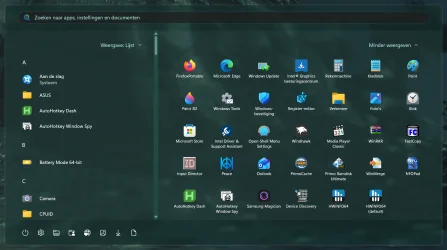
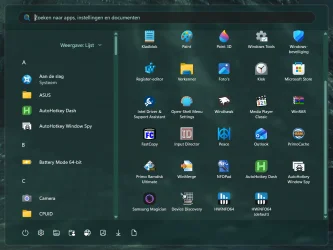
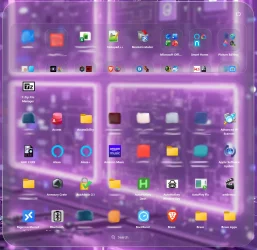
Were you trying to use it on the old Start menu? They disabled it for the old start menu cause the old start menu causes the start menu to crash or fail to open. It works great for me on the new menu with the latest Beta and RP builds.After the latest Windows 11 update, (KB5089573) Windows 11 Start Menu Styler 1.5.2 Windhawk does not work

My Computers
-
At a glance
Windows 11 25H2Intel Core Ultra 9 275HX (24-Core)64GB DDR5 6400MT/sNVIDIA GeForce RTX 5080 and Intel UHD Graphics- OS
- Windows 11 25H2
- Computer type
- Laptop
- Manufacturer/Model
- Alienware 18 Area-51
- CPU
- Intel Core Ultra 9 275HX (24-Core)
- Motherboard
- Alienware
- Memory
- 64GB DDR5 6400MT/s
- Graphics Card(s)
- NVIDIA GeForce RTX 5080 and Intel UHD Graphics
- Sound Card
- Onboard, Realtek high-performance Audio chips (ALC3329 & ALC1708))
- Monitor(s) Displays
- 300HZ 18-inch QHD 500 nit Comfort View+
- Screen Resolution
- 2560 x 1600
- Hard Drives
- 2TB NVMe M.2 PCIe Gen 5 SSD
- Case
- Magnesium Alloy
- Cooling
- Advanced Cryo-Tech Quad-Fan Cooling system & large vapor chamber
- Keyboard
- Cherry MX ultra low profile mechanical keyboard with per key AlienFX RGB lighting
- Mouse
- Logitech MX Master 4
- Browser
- Vivaldi (main), Firefox, Chrome, Edge
- Antivirus
- MS Defender and Malwarebytes Free
-
At a glance
Windows 11 26H2Qualcomm Snapdragon X Elite (12 Core) ARM bas...16GB LPDDR5Qualcomm Adreno X1-85- Operating System
- Windows 11 26H2
- Computer type
- Laptop
- Manufacturer/Model
- Microsoft Surface Laptop 7
- CPU
- Qualcomm Snapdragon X Elite (12 Core) ARM based CPU
- Motherboard
- Microsoft Corp.
- Memory
- 16GB LPDDR5
- Graphics card(s)
- Qualcomm Adreno X1-85
- Sound Card
- Omnisonic speakers with Dolby Atmos spatial sound
- Monitor(s) Displays
- 120 Hz 13.8-inch 600 nit PixelSense Flow touchscreen
- Screen Resolution
- 2304x1536
- Hard Drives
- 1TB NVMe Gen 4 SSD
- Case
- Anodized Aluminum
- Cooling
- Traditional active cooling fan system
- Keyboard
- Mechanical QWERTY, backlit when in use
- Mouse
- Logitech MX Master 4 and Surface Arc Mouse
- Browser
- Vivaldi (main), Firefox, Chrome, Edge
- Antivirus
- MS Defender and Malwarebytes Free

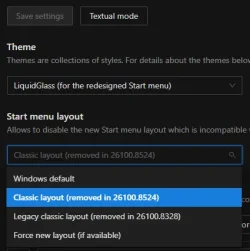


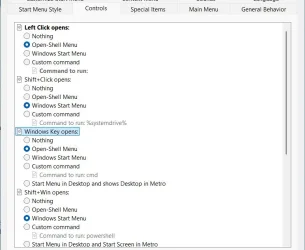
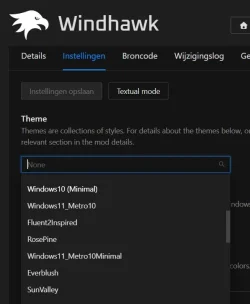
 Important: Fixed 10 taskbar and 10 Start menu crashing on 26220.8474 (Beta) and 26300.8493 (Experimental).