Solved Windowed game not loading graphics


golfergrrl

Active member
Local time
5:54 AM
Posts
13
Location
San Francisco
OS
windows 11
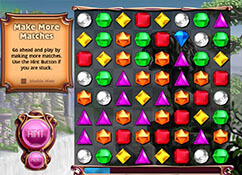
I've had a windowed Bejeweled game from Big Fish for years. All of a sudden it opens to a blank square with the name Bejeweled in the top banner. See screenshot below. I've downloaded the game from EA and bought a CD which I installed. Both open the same way....blank box. The CD version will play if I maximize the game. The driver hasn't changed. Windows 11. Any ideas? Thanks
Bejeweled blank screen.webp
 
Last edited:

My Computer My Computer

At a glance

windows 11
OS
windows 11
Computer type
PC/Desktop
Manufacturer/Model
Dell
Monitor(s) Displays
2
Internet Speed
max 3
Browser
Edge
Antivirus
Defender
Do you use with your dual monitor 1 video card and one from the mainboard.

System-> Display -> Graphics -> Select the game from the list, or press "add an app"->browse. Then Go to the options ->instead of "let windows decide (power saving) use the High perfomace option. (your video card)

Hope this works.
 

My Computer My Computer

At a glance

Windows 11
OS
Windows 11
Computer type
PC/Desktop
There is a browser version.


My Computer My Computer

At a glance

Microsoft Windows 11 HomeIntel Core i5-13490F2 x 16 Patriot Memory (PDP Systems) PSD516G56...GIGABYTE GeForce RTX 4070 WINDFORCE OC 12G (G...
OS
Microsoft Windows 11 Home
Computer type
PC/Desktop
Manufacturer/Model
MSI MS-7D98
CPU
Intel Core i5-13490F
Motherboard
MSI B760 GAMING PLUS WIFI
Memory
2 x 16 Patriot Memory (PDP Systems) PSD516G560081 6400MT (32-37-37-74); 1.35V)
Graphics Card(s)
GIGABYTE GeForce RTX 4070 WINDFORCE OC 12G (GV-N4070WF3OC-12GD)
Sound Card
Bluetooth Аудио
Monitor(s) Displays
INNOCN 15K1F
Screen Resolution
1920 x 1080
Hard Drives
WD_BLACK SN770 250GB
KINGSTON SNV2S1000G (ELFK0S.6)
PSU
Thermaltake Toughpower GF3 1000W
Case
CG560 - DeepCool
Cooling
ID-COOLING SE-224-XTS / 2 x 140Mm Fan - rear and top; 3 x 120Mm - front
Keyboard
Corsair K70 RGB TKL
Mouse
Corsair KATAR PRO XT
Internet Speed
100 Mbps
Browser
Firefox
Antivirus
Microsoft Defender Antivirus
Other Info
https://www.userbenchmark.com/UserRun/66553205
Do you use with your dual monitor 1 video card and one from the mainboard.

System-> Display -> Graphics -> Select the game from the list, or press "add an app"->browse. Then Go to the options ->instead of "let windows decide (power saving) use the High perfomace option. (your video card)

Hope this works.
It's set for High Performance.
 

My Computer My Computer

At a glance

windows 11
OS
windows 11
Computer type
PC/Desktop
Manufacturer/Model
Dell
Monitor(s) Displays
2
Internet Speed
max 3
Browser
Edge
Antivirus
Defender
There is a browser version.

Yes, we're using an online version, but it's missing some main features of the complete game.
 

My Computer My Computer

At a glance

windows 11
OS
windows 11
Computer type
PC/Desktop
Manufacturer/Model
Dell
Monitor(s) Displays
2
Internet Speed
max 3
Browser
Edge
Antivirus
Defender
Bejeweled is an old, non-graphics intensive game. I do not have it installed on my Windows 11 computer but do on my Windows 10. If you have 2 graphics outputs, I would try is runnng it using your integrated graphics and running it in compatibility mode. (right click on its exe file or its shortcut, select properties, compatibility tab, check the box to run in compatibility mode, use the drop arrow to select windows version) first try it in widows 7 compatibility mode to see if it will run. If it won't then try windows 8.
 

My Computers My Computers

  • At a glance

    Windows 11 Pro 25H2 26200.9457i9-10900 10 core 20 threads32 gbnone-Intel UHD Graphics 630
    OS
    Windows 11 Pro 25H2 26200.9457
    Computer type
    PC/Desktop
    Manufacturer/Model
    Dell Optiplex 7080
    CPU
    i9-10900 10 core 20 threads
    Motherboard
    DELL 0J37VM
    Memory
    32 gb
    Graphics Card(s)
    none-Intel UHD Graphics 630
    Sound Card
    Integrated Realtek
    Monitor(s) Displays
    Benq 27
    Screen Resolution
    2560x1440
    Hard Drives
    2x1tb Solidigm m.2 nvme /External drives 512gb Samsung m.2 sata+2tb Kingston m2.nvme
    PSU
    500w
    Case
    MT
    Cooling
    Dell Premium
    Keyboard
    Logitech wired
    Mouse
    Logitech wireless
    Internet Speed
    so slow I'm too embarrassed to tell
    Browser
    #1 Edge #2 Firefox
    Antivirus
    Defender+MWB Premium
  • At a glance

    Windows 11 Pro 24H2 26200.9457AMD Ryzen 7 6800U32 gbintegrated
    Operating System
    Windows 11 Pro 24H2 26200.9457
    Computer type
    PC/Desktop
    Manufacturer/Model
    Beelink Mini PC SER5
    CPU
    AMD Ryzen 7 6800U
    Memory
    32 gb
    Graphics card(s)
    integrated
    Sound Card
    integrated
    Monitor(s) Displays
    Benq 27
    Screen Resolution
    2560x1440
    Hard Drives
    1TB Crucial nvme
    Keyboard
    Logitech wired
    Mouse
    Logitech wireless
    Internet Speed
    still too embarrassed to tell
    Browser
    Firefox
    Antivirus
    Defender
  • System 3 is non compliant Dell 9020 i7-4770/24gb ram Win11 PRO 26200.9457
Bejeweled is an old, non-graphics intensive game. I do not have it installed on my Windows 11 computer but do on my Windows 10. If you have 2 graphics outputs, I would try is runnng it using your integrated graphics and running it in compatibility mode. (right click on its exe file or its shortcut, select properties, compatibility tab, check the box to run in compatibility mode, use the drop arrow to select windows version) first try it in widows 7 compatibility mode to see if it will run. If it won't then try windows 8.
Thank you. I only have 1 graphics card. It's been running fine with Win11...until it just stopped. I've tried different compatibility modes with no success.
I can't seem to edit my original post, so I'll mention here that there's a windowed Scrabble game that's playing just fine.
 

My Computer My Computer

At a glance

windows 11
OS
windows 11
Computer type
PC/Desktop
Manufacturer/Model
Dell
Monitor(s) Displays
2
Internet Speed
max 3
Browser
Edge
Antivirus
Defender
I've had a windowed Bejeweled game from Big Fish for years. All of a sudden it opens to a blank square with the name Bejeweled in the top banner. See screenshot below. I've downloaded the game from EA and bought a CD which I installed. Both open the same way....blank box. The CD version will play if I maximize the game. The driver hasn't changed. Windows 11. Any ideas? Thanks
View attachment 124960
I did the following in the "Compatibility" settings to get the game to play again in windowed mode:
1 Check Reduced color mode.
2 Change from 8 bit to 16 bit color mode.
3 Check Disable full screen
4 Change high DPI
5 Check Use this setting to fix scaling problems.....
6 Check Override high DPI scaling performed by "application"

I hope this helps someone else with the same problem.
 

My Computer My Computer

At a glance

windows 11
OS
windows 11
Computer type
PC/Desktop
Manufacturer/Model
Dell
Monitor(s) Displays
2
Internet Speed
max 3
Browser
Edge
Antivirus
Defender
Back
Top Bottom