- Local time
- 5:54 PM
- Posts
- 226
- OS
- Fedora/KDE Plasma F43
Using this page : Append, apply, and export volume images with a Windows Image (.wim) file
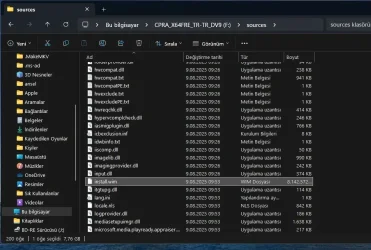
Figured out the 2x "dism commands". to extract the 2x following wims, creating new install.wim:
May as well just stick with, splitting install.wim on 3.8GB boundary, WMCT does similar, and Linux script for it, is easy.
Figured out the 2x "dism commands". to extract the 2x following wims, creating new install.wim:
- Windows 11 Pro
- Windows 11 Pro for Workstations
May as well just stick with, splitting install.wim on 3.8GB boundary, WMCT does similar, and Linux script for it, is easy.
Last edited:
My Computers
-
At a glance
Fedora/KDE Plasma F43Xeon 2667 v448GB ECC DDR4nVidia GTX 1650- OS
- Fedora/KDE Plasma F43
- Computer type
- PC/Desktop
- Manufacturer/Model
- HP Z640
- CPU
- Xeon 2667 v4
- Motherboard
- Xeon V4 Motherboard
- Memory
- 48GB ECC DDR4
- Graphics Card(s)
- nVidia GTX 1650
- Monitor(s) Displays
- LG 27"
- Screen Resolution
- 1920x1080@144hz
- Hard Drives
- NVME, SSD
- PSU
- 850W
-
At a glance
Windows 11 IOT Enterprise LTSC/RHEL 10.1 KDE ...Intel Xeom 2680 V464gb DDR4 ECCAMD RX560- Operating System
- Windows 11 IOT Enterprise LTSC/RHEL 10.1 KDE Plasma
- Computer type
- PC/Desktop
- Manufacturer/Model
- HP Z440
- CPU
- Intel Xeom 2680 V4
- Motherboard
- HP Z440
- Memory
- 64gb DDR4 ECC
- Graphics card(s)
- AMD RX560
- Monitor(s) Displays
- LG Gsync 27" 144hz
- Screen Resolution
- 1920x1080@144hz
- Hard Drives
- SSD/nVme/HDD
- PSU
- standard 700W
- Case
- standard
- Cooling
- Standard
- Browser
- MS Edge
- Antivirus
- BitDefender