Please perform the following steps: (
in sequence)
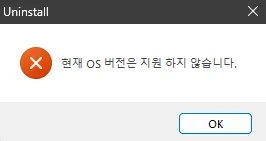
1) Uninstall Avast using the applicable uninstall tool

www.avast.com
2) Make sure that defender is on and updated
3) Make sure that disk cleanup, Ccleaner, Glary utilities, Wise cleaner and other cleaning software are not used during the troubleshooting
4) Open administrative command prompt and copy and paste:
dism /online /get-drivers /format:table >c:\drivers.txt
Find the new file on the desktop > post a share link
5) Open administrative command prompt and copy and paste:
chkdsk /b /v
Run these chkdsk switches on all drives using the syntax: chkdsk /b /v C: or chkdsk /b /v D: or chkdsk /b /v E: etc.
Make sure that the windows drive runs overnight while sleeping.
C:\WINDOWS\system32>chkdsk /b /v
The type of the file system is NTFS.
Cannot lock current drive.
Chkdsk cannot run because the volume is in use by another
process. Would you like to schedule this volume to be
checked the next time the system restarts? (Y/N)
Type: Y
Reboot as needed.
6) After completing all chkdsk /b /v run:
https://www.tenforums.com/attachmen...-files-use-bsod-debugging-chkdskfromevent.bat
Batch files for use in BSOD debugging - Windows 10 Help Forums
Batch files for use in BSOD debugging - Windows 10 Help Forums
7) Download and install:
https://live.sysinternals.com/autoruns.exe
(this may be used later in the thread)
8) Download to a new desktop folder: (if not already completed)
This tutorial will show you how to download an official Windows Server or Windows 11 64-bit or ARM64 ISO file from Microsoft. Microsoft provides ISO files for Windows Server and Windows 11 to download. You can use these ISO files to clean install or in-place upgrade Windows 11. The Flight Hub...

www.elevenforum.com
9) Open administrative command prompt and copy and paste:
reagentc /info
reagentc /disable
reagentc /info
diskpart
sel dis 1
sel par 5
det par
delete partition override
lis par
lis vol
Post a share link.
10) Open device manager > click view > click show hidden devices > manually expand all rows > post images or share links
11) Uninstall:
SAMSUNG USB Driver for Mobile Phones 1.5.45.0 SAMSUNG Electronics Co., Ltd.
12) Using Everything search > search for each:
ssdudfu.sys
ssuddmgr.sys
ssudobex.sys
ssudserd.sys
Confirm that these drivers were not found.
13) Open administrative command prompt and copy and paste:
rundll32.exe pnpclean.dll,RunDLL_PnpClean /DRIVERS /MAXCLEAN
Post a share link
14) After the above results are checked plan to uninstall all incompatible drivers > recheck hvciscan
Code:
Windows 11 Pro

Version: 10.0.22631

23H2


BIOS 3621
Code:
ssdudfu.sys" failed with compliance failure mask 00000202

ssuddmgr.sys" failed with compliance failure mask 00000202

ssudobex.sys" failed with compliance failure mask 00000202

ssudserd.sys" failed with compliance failure mask 00000202

mbtusbser.sys" failed with compliance failure mask 00000202

PxHlpa64.sys" failed with compliance failure mask 00000202
Code:
pxhlpa64 PxHlpa64 c:\windows\system32\drivers\pxhlpa64.sys
Code:
Partition 5 Recovery 528 MB 237 GB
Code:
Event[1758]
  Log Name: System
  Source: Microsoft-Windows-TPM-WMI
  Date: 2025-12-07T20:10:54.6590000Z
  Event ID: 1796
  Task: N/A
  Level: Error
  Opcode: Info

  Keyword: N/A
  User: S-1-5-18
  User Name: NT AUTHORITY\SYSTEM
  Computer: RackMount
  Description:
The Secure Boot update failed to update a Secure Boot variable with error Secure Boot is not enabled on this machine.. For more information, please see https://go.microsoft.com/fwlink/?linkid=2169931
Code:
Event[1756]
  Log Name: System
  Source: Microsoft-Windows-TPM-WMI
  Date: 2025-12-07T20:10:54.6580000Z
  Event ID: 1801
  Task: N/A
  Level: Error
  Opcode: Info

  Keyword: N/A
  User: S-1-5-18
  User Name: NT AUTHORITY\SYSTEM
  Computer: RackMount
  Description:
Secure Boot CA/keys need to be updated. This device signature information is included here.
DeviceAttributes: BaseBoardManufacturer:ASUSTeK COMPUTER INC.;FirmwareManufacturer:American Megatrends Inc.;FirmwareVersion:3621;OEMModelBaseBoard:TUF GAMING B550-PLUS;OEMManufacturerName:ASUS;OSArchitecture:amd64;
BucketId: 9e0cca494862a2dec441819e67d80b17e91ccc62839566296ffb1502b0474db5
BucketConfidenceLevel:
UpdateType: 0
HResult: The operation completed successfully.
Code:
Event[5170]
  Log Name: Application
  Source: Chkdsk
  Date: 2025-12-07T20:16:02.4640000Z
  Event ID: 26226
  Task: N/A
  Level: Information
  Opcode: Info  a
  Keyword: Classic,
  User: N/A
  User Name: N/A
  Computer: RackMount
  Description:
Chkdsk was executed in scan mode on a volume snapshot.

Checking file system on C:
The type of the file system is NTFS.
The shadow copy provider had an error. Check the System and Application event logs for more information.

A snapshot error occured while scanning this drive. You can try again, but if this problem persists, run an offline scan and fix.