

- Local time
- 10:56 AM
- Posts
- 12
- OS
- Windows 11 Pro
Windows 11, version 24h2...
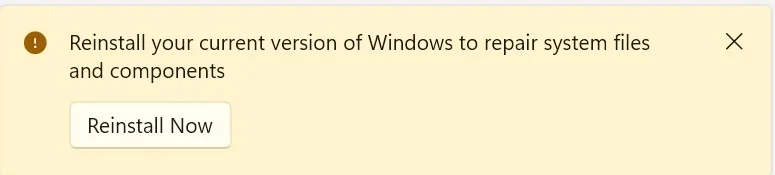
This desktop had some issues with installing update and as of today, this is the message displayed:
The SFC /Scannow did not find any issues, while DISM did:
The command of Dism /Online /Cleanup-Image /ScanHealth had not been issued as of yet, couple of questions...
It does not seem that both options would be required the resolve the issue at hand.
Dism should be able to repair the component store, will the "repair install" Windows disappear?
If it doesn't, can the system be just updated to W11, version 25H2 instead of running a "repair install" for the current version?
TIA...
This desktop had some issues with installing update and as of today, this is the message displayed:
The SFC /Scannow did not find any issues, while DISM did:
Code:
Microsoft Windows [Version 10.0.26100.6899]
(c) Microsoft Corporation. All rights reserved.

C:\Windows\System32>sfc /scannow

Beginning system scan.  This process will take some time.

Beginning verification phase of system scan.
Verification 100% complete.

Windows Resource Protection did not find any integrity violations.

C:\Windows\System32>Dism /Online /Cleanup-Image /CheckHealth

Deployment Image Servicing and Management tool
Version: 10.0.26100.5074

Image Version: 10.0.26100.6899

The component store is repairable.
The operation completed successfully.

C:\Windows\System32>Dism /Online /Cleanup-Image /ScanHealth

Deployment Image Servicing and Management tool
Version: 10.0.26100.5074

Image Version: 10.0.26100.6899

[==========================100.0%==========================] The component store is repairable.
The operation completed successfully.
The command of Dism /Online /Cleanup-Image /ScanHealth had not been issued as of yet, couple of questions...
It does not seem that both options would be required the resolve the issue at hand.
Dism should be able to repair the component store, will the "repair install" Windows disappear?
If it doesn't, can the system be just updated to W11, version 25H2 instead of running a "repair install" for the current version?
TIA...
- Windows Build/Version
- Windows 11, 24H2
My Computer
At a glance
Windows 11 Pro
- OS
- Windows 11 Pro
- Computer type
- PC/Desktop
- Manufacturer/Model
- Self-built








