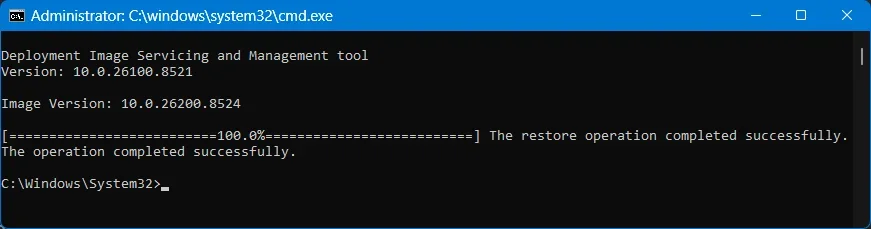
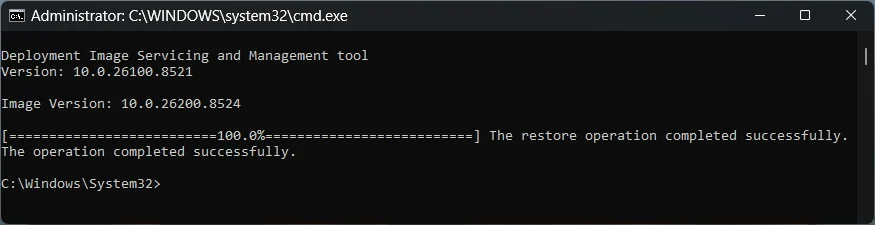
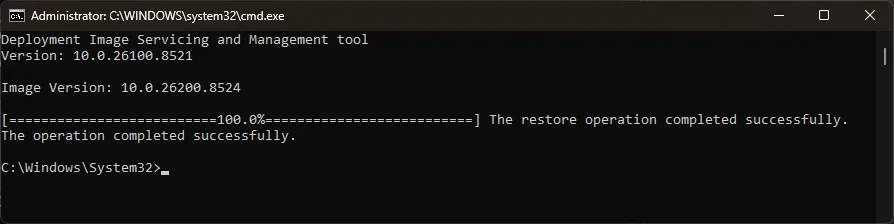
0x800f0915 DISM Error


Not to go off-topic, but this has be discussed before. 28000 (26H1) is considered a "dead end" until 27H2 arrives. MS carefully chooses all of the Windows branch numbers, because you can only perform in-place upgrades to a higher branch.

26H1 was always intended to be an one-off branch for ARM PC's, to help showcase their AI features. While MS maintains the 28000 build pipeline for all architectures (ARM, x64), it was never intended for public release on x64.

Because 26H2 will be an Enablement Package release, it was always designed on top of 26100. Installing the 26H2 EP, just like the 25H2 EP before it, bumps up the virtual version to 26030. But the entire tree (24H2/25H2/26H2) was planned years in advance to be based on 26100.

You cannot downgrade from 28000 to 26030. Going backwards is forbidden, it requires a clean install.

The only logical path for 26H1 to converge with 26H2 is a future (so far unnamed) branch higher than 28000. Expert speculation is this will be 27H2. 25H1 was also an ARM special release, but the difference was Windows didn't chose to switch to a single-purpose branch.
 
Last edited:

My Computer

System One

  • OS
    Windows 7
there is not a fix its know bug at this version..... 26200.8457 works all dism comands perfect

I concur, I started getting this error after updating to 26200.8524 preview update from 26200.8457 regular release.
Furthermore the 26200.8524 has additional stability issues, if you haven't updated yet stay away, and wait for regular update.
A few people or reddit also mention this.
 

My Computer

System One

  • OS
    Windows 11
Hello! After the latest May windows updates 05-2026 I am also facing the same bug error to both of my machines (to dell alienware ac16250 fully updated and to my PC desktop, WIN 1125H2 AMD RYZEN 5800X, ASUS ROG STRIX X570F GAMING AND NVIDIA GEFORCE RTX3080, fully updated of course including BIOS as well):.
dism restore health command which ends up at 100% but failing "the repair content couldn't be found anywhere".. I did not realize it in first place to my PC desktop (i ran normally sfc and the dism scan check and restore health) but I faced this error to my laptop.. So, just out of curiosity I reran the aforementioned commands to my desktop PC again and till now I am facing the same error to both of my machines!! SO YES it's a bug and I believe that the best choice is to wait for a fix via the next windows update... Never ever, I had faced these errors (before this update KB5089573) to my machines...
 

My Computer

System One

  • OS
    win 11 pro 25 h2
    Computer type
    PC/Desktop
DISM RestoreHealth is working on my system 1, but took 15 minutes.

On my system 3, DISM took one hour and fifteen minutes and then failed with 0x800f0915
ScanHealth said the component store was repairable.
 
Last edited:

My Computers

System One System Two

  • OS
    Windows 11 Pro 25H2 26200.8524
    Computer type
    Laptop
    Manufacturer/Model
    Acemagic LX15PRO
    CPU
    AMD Ryzen 7 5825U with Radeon Graphics
    Memory
    16GB
    Screen Resolution
    1920 x 1080
    Hard Drives
    SSD 2TB
    Internet Speed
    30 Mbps
    Browser
    Brave
    Antivirus
    Webroot Secure Anywhere
    Other Info
    System 3

    Acer Swift SF114-34 laptop
    OS Windows 11 Pro 26200.8524
    CPU Pentium Silver N6000
    RAM 4GB
    SSD Samsung 970 EVO Plus SSD 2TB (an upgrade)
  • Operating System
    Windows 11 Pro 23H2 22631.2506
    Computer type
    Laptop
    Manufacturer/Model
    HP Mini 210-1090NR PC (bought in late 2009!)
    CPU
    Atom N450 1.66GHz
    Memory
    2GB
    Browser
    Brave
    Antivirus
    Webroot
Not to go off-topic, but this has be discussed before. 28000 (26H1) is considered a "dead end" until 27H2 arrives. MS carefully chooses all of the Windows branch numbers, because you can only perform in-place upgrades to a higher branch.

26H1 was always intended to be an one-off branch for ARM PC's, to help showcase their AI features. While MS maintains the 28000 build pipeline for all architectures (ARM, x64), it was never intended for public release on x64.

Because 26H2 will be an Enablement Package release, it was always designed on top of 26100. Installing the 26H2 EP, just like the 25H2 EP before it, bumps up the virtual version to 26030. But the entire tree (24H2/25H2/26H2) was planned years in advance to be based on 26100.

You cannot downgrade from 28000 to 26030. Going backwards is forbidden, it requires a clean install.

The only logical path for 26H1 to converge with 26H2 is a future (so far unnamed) branch higher than 28000. Expert speculation is this will be 27H2. 25H1 was also an ARM special release, but the difference was Windows didn't chose to switch to a single-purpose branch.
Thanks for the additional info.

So 28000 was released as a showcase. It seems that 26030 has more improvements inside it than 28000 has. (movable taskbar) A worthless showcase then. They probably not getting 26H2 right, let alone 27H2.
If looks we have to deal with the next foul-up after 24H2, 25H2 (worst to date. Bugs are crawling around in each update. So also in this preview.) and now 26H2. If hope they will renumber everything to a new baseline instead of keeping 26100.1742 stuff inside. A legacy that started with 24H2 and was continued inside 25H2.

Note; hackers seems by misusing the WinRE environment to get to Defender and let install malicious programs inside the system32 directory with the highest privileges (The TrustedInstaller = basically root like inside Linux) So hold on to your hats...
 

My Computer

System One

  • OS
    Win 11 Pro "25H2" Build 26200.8524, Zorin OS Pro
    Computer type
    PC/Desktop
    Manufacturer/Model
    Self built
    CPU
    Intel® Core™ i7-12700KF 12th Gen.
    Motherboard
    ASUS Prime Z690-A, BIOS v4505
    Memory
    32GB DDR5 5600-36 Vengeance
    Graphics Card(s)
    PCIe4.0 Asus NVIDIA RTX3060Ti
    Sound Card
    Onboard; Realtek
    Monitor(s) Displays
    34" LG 34UC79G-B Curved 21:9 144Hz
    Screen Resolution
    2560x1080 (No HDR)
    Hard Drives
    250Gb Samsung 870PRO NVMe (Win 11 Pro)
    1Tb Samsung 980PRO NVMe
    1Tb Samsung 970EVO NVMe
    2Tb Samsung 990PRO NVMe with heatsink.
    4Tb WDC WD40EZRZ Blue SATA (Int.)
    4Tb WDC WD40EZRZ Blue SATA (Int.)
    3Tb WDC WD30EFRZ Red SATA (Int.)
    256Gb Samsung 840PRO SSD (RHEL 9,5)
    256Gb Samsung 850PRO SSD (Zorin OS Pro 18)
    PSU
    Coolermaster 850W V2 Gold with internal 12cm exaust fan
    Case
    Be-Quiet Pure Base 600.
    Cooling
    3x Be-Quiet! 12/14cm "Silent Wings 4" casefans, 1x Arctic Freezer i35 CPU towerblock with fan.
    Keyboard
    Steelseries APEX 7 keyboard.
    Mouse
    Logitech G-502 Hero
    Internet Speed
    1Gb
    Browser
    Brave
    Antivirus
    F-Secure
    Other Info
    No Noise system.
    256Gb Kingston Travler USB 3.0 drive.
    64Gb Sandisk USB 3.2 drive. (Ventoy)
    8Gb Philips USB 3.0 drive. (Win. Inst.)
    8Gb Philips USB 3.0 drive. (Rescue disk)
    2Tb WD USB 3.0 Passport drive.
    USB Ext. 500Gb WD SATA drive.
    External USB 3.0 C.A. CD/DVD* burner.
@garlin "The insider version (haven't one) looks more like an extension (as you already mentioned) of 25H2."

Got an insider release of 26300 through UUP and installed it in a VM. This version has also trouble with DISM and stays a long time around 64%. Eventually it ended with succes. Unfortunately it also contains 2 non cleanupable packages also now called 26100.1743 (Previous it was 26100.1742)
When I look at WinSxS it contains 16.567 (10,7Gb) directory's (new install) but if you have an installation that has not been "repaired" or underwent an "Inplace-installment" it can grow to (looking at my PC) to 24.636 (12.15Gb) It is only an indication because we are talking over 2 different versions.

I suspect that Windows is not fully cleaning up after it self. I found out that the cleanmanager says it can cleanup some 380Mb of old update stuff. (With the warning that some updates can not be uninstalled anymore) OK. Clean those systemfiles then. It refused to do so. I ran to this issue a while back. The only solution was to do an Inplace-Installment. That got rid of that old stuff. Deleted the Windows.old by the cleanmanager and updated to that latest version and everything was OK again.

With this update DISM "thinks" that a file is missing; smbwmiv2.mfl It then tries to download it from MS and finds... That is not there also. (Because in every version it is not there on that location) This is a part of a component that has something to do with an SMB package. It has been there since 19-10-2025. It was not a problem in previous updates, now suddenly it is. Maybe it's looking at its manifest... But that has not been changed since 19-10-2025 also.

It is strange that some people has this problems while other don't. It seems that if you didn't repaired your PC, did a Inplace-Installement for a long while you more likely to run into this issue. Will undergo a Inplace-installment (to get rid of that 380Mb and other older Windows stuff) and check if this will resolve this issue. For others; just wait until the final update comes along. Begin June.
 

My Computer

System One

  • OS
    Win 11 Pro "25H2" Build 26200.8524, Zorin OS Pro
    Computer type
    PC/Desktop
    Manufacturer/Model
    Self built
    CPU
    Intel® Core™ i7-12700KF 12th Gen.
    Motherboard
    ASUS Prime Z690-A, BIOS v4505
    Memory
    32GB DDR5 5600-36 Vengeance
    Graphics Card(s)
    PCIe4.0 Asus NVIDIA RTX3060Ti
    Sound Card
    Onboard; Realtek
    Monitor(s) Displays
    34" LG 34UC79G-B Curved 21:9 144Hz
    Screen Resolution
    2560x1080 (No HDR)
    Hard Drives
    250Gb Samsung 870PRO NVMe (Win 11 Pro)
    1Tb Samsung 980PRO NVMe
    1Tb Samsung 970EVO NVMe
    2Tb Samsung 990PRO NVMe with heatsink.
    4Tb WDC WD40EZRZ Blue SATA (Int.)
    4Tb WDC WD40EZRZ Blue SATA (Int.)
    3Tb WDC WD30EFRZ Red SATA (Int.)
    256Gb Samsung 840PRO SSD (RHEL 9,5)
    256Gb Samsung 850PRO SSD (Zorin OS Pro 18)
    PSU
    Coolermaster 850W V2 Gold with internal 12cm exaust fan
    Case
    Be-Quiet Pure Base 600.
    Cooling
    3x Be-Quiet! 12/14cm "Silent Wings 4" casefans, 1x Arctic Freezer i35 CPU towerblock with fan.
    Keyboard
    Steelseries APEX 7 keyboard.
    Mouse
    Logitech G-502 Hero
    Internet Speed
    1Gb
    Browser
    Brave
    Antivirus
    F-Secure
    Other Info
    No Noise system.
    256Gb Kingston Travler USB 3.0 drive.
    64Gb Sandisk USB 3.2 drive. (Ventoy)
    8Gb Philips USB 3.0 drive. (Win. Inst.)
    8Gb Philips USB 3.0 drive. (Rescue disk)
    2Tb WD USB 3.0 Passport drive.
    USB Ext. 500Gb WD SATA drive.
    External USB 3.0 C.A. CD/DVD* burner.
@kelper is that with the preview update or the regular May update?
 

My Computer

System One

  • OS
    Windows 11 Pro 25H2
    Computer type
    PC/Desktop
    Manufacturer/Model
    Intel NUC12WSHi7
    CPU
    12th Gen Core i7-1260P
    Motherboard
    NUC12WSBi7
    Memory
    64 GB Micron PC4-25600
    Graphics Card(s)
    Intel Iris Xe Graphics
    Sound Card
    on-board Realtek HD Audio
    Monitor(s) Displays
    Dell U3219Q
    Screen Resolution
    3840 x 2160
    Hard Drives
    Samsung SSD 990 PRO 1TB
    Crucial MX500 2 TB
    Antivirus
    Microsoft Defender
I think it is the preview update. I have 'get the latest updates as soon as they're available' selected.
 

My Computers

System One System Two

  • OS
    Windows 11 Pro 25H2 26200.8524
    Computer type
    Laptop
    Manufacturer/Model
    Acemagic LX15PRO
    CPU
    AMD Ryzen 7 5825U with Radeon Graphics
    Memory
    16GB
    Screen Resolution
    1920 x 1080
    Hard Drives
    SSD 2TB
    Internet Speed
    30 Mbps
    Browser
    Brave
    Antivirus
    Webroot Secure Anywhere
    Other Info
    System 3

    Acer Swift SF114-34 laptop
    OS Windows 11 Pro 26200.8524
    CPU Pentium Silver N6000
    RAM 4GB
    SSD Samsung 970 EVO Plus SSD 2TB (an upgrade)
  • Operating System
    Windows 11 Pro 23H2 22631.2506
    Computer type
    Laptop
    Manufacturer/Model
    HP Mini 210-1090NR PC (bought in late 2009!)
    CPU
    Atom N450 1.66GHz
    Memory
    2GB
    Browser
    Brave
    Antivirus
    Webroot
@kelper, @pseymour
We are talking about 26200.8524 that is the latest preview update to date. The final one is expected to be released begin June.
The previous update 26200.8457 did not have this problem.

Yet again a bugged preview release. This is not the first one. Seen it all before with 8116 etc.
Start to wonder are we all guineapigs? What's up with all those pre-release channels? This issue should popup there also before a preview update is released to the general public.....
 

My Computer

System One

  • OS
    Win 11 Pro "25H2" Build 26200.8524, Zorin OS Pro
    Computer type
    PC/Desktop
    Manufacturer/Model
    Self built
    CPU
    Intel® Core™ i7-12700KF 12th Gen.
    Motherboard
    ASUS Prime Z690-A, BIOS v4505
    Memory
    32GB DDR5 5600-36 Vengeance
    Graphics Card(s)
    PCIe4.0 Asus NVIDIA RTX3060Ti
    Sound Card
    Onboard; Realtek
    Monitor(s) Displays
    34" LG 34UC79G-B Curved 21:9 144Hz
    Screen Resolution
    2560x1080 (No HDR)
    Hard Drives
    250Gb Samsung 870PRO NVMe (Win 11 Pro)
    1Tb Samsung 980PRO NVMe
    1Tb Samsung 970EVO NVMe
    2Tb Samsung 990PRO NVMe with heatsink.
    4Tb WDC WD40EZRZ Blue SATA (Int.)
    4Tb WDC WD40EZRZ Blue SATA (Int.)
    3Tb WDC WD30EFRZ Red SATA (Int.)
    256Gb Samsung 840PRO SSD (RHEL 9,5)
    256Gb Samsung 850PRO SSD (Zorin OS Pro 18)
    PSU
    Coolermaster 850W V2 Gold with internal 12cm exaust fan
    Case
    Be-Quiet Pure Base 600.
    Cooling
    3x Be-Quiet! 12/14cm "Silent Wings 4" casefans, 1x Arctic Freezer i35 CPU towerblock with fan.
    Keyboard
    Steelseries APEX 7 keyboard.
    Mouse
    Logitech G-502 Hero
    Internet Speed
    1Gb
    Browser
    Brave
    Antivirus
    F-Secure
    Other Info
    No Noise system.
    256Gb Kingston Travler USB 3.0 drive.
    64Gb Sandisk USB 3.2 drive. (Ventoy)
    8Gb Philips USB 3.0 drive. (Win. Inst.)
    8Gb Philips USB 3.0 drive. (Rescue disk)
    2Tb WD USB 3.0 Passport drive.
    USB Ext. 500Gb WD SATA drive.
    External USB 3.0 C.A. CD/DVD* burner.
This version has also trouble with DISM and stays a long time around 64%.

Seeming like it is stuck around 62.3% or 64% has always been the case when using restore health .

Most likely reason is the restore is downloading large repair packages or updates.

Can go faster or slower depending on your internet speed.

Does not mean anything is wrong.
 

My Computer

System One

  • OS
    Windows 11 Pro
I hope it's a coincidence, but since running DISM and EasyBCD to investigate this problem I have had a heap of trouble. The OS boot menu does not show or shows without the Metro GUI. Menu selection is ignored, boot is painfully slow. I have spent all morning trying to fix. I have even recreated the EFI partition with no effect. I restored from a very recent Macrium X backup and still have the same problems. I will now try a reinstall of Windows and will use Macrium to reinstall all but the EFI partition. I have run chkdsk, SFC, DISM etc.
 

My Computers

System One System Two

  • OS
    Windows 11 Pro 25H2 26200.8524
    Computer type
    Laptop
    Manufacturer/Model
    Acemagic LX15PRO
    CPU
    AMD Ryzen 7 5825U with Radeon Graphics
    Memory
    16GB
    Screen Resolution
    1920 x 1080
    Hard Drives
    SSD 2TB
    Internet Speed
    30 Mbps
    Browser
    Brave
    Antivirus
    Webroot Secure Anywhere
    Other Info
    System 3

    Acer Swift SF114-34 laptop
    OS Windows 11 Pro 26200.8524
    CPU Pentium Silver N6000
    RAM 4GB
    SSD Samsung 970 EVO Plus SSD 2TB (an upgrade)
  • Operating System
    Windows 11 Pro 23H2 22631.2506
    Computer type
    Laptop
    Manufacturer/Model
    HP Mini 210-1090NR PC (bought in late 2009!)
    CPU
    Atom N450 1.66GHz
    Memory
    2GB
    Browser
    Brave
    Antivirus
    Webroot
We are talking about 26200.8524 that is the latest preview update to date. The final one is expected to be released begin June.
The previous update 26200.8457 did not have this problem.

The conversation is mostly about the preview update, but OP says in post 30 that they rolled back to 8457 and still have the same issue. Meanwhile, you're prattling on about 26H2, 27H2, and who knows what else that has nothing to do with the preview update.

Yet again a bugged preview release. This is not the first one. Seen it all before with 8116 etc.
Start to wonder are we all guineapigs? What's up with all those pre-release channels? This issue should popup there also before a preview update is released to the general public

It's a Preview update. No one says you have to install it.
 

My Computer

System One

  • OS
    Windows 11 Pro 25H2
    Computer type
    PC/Desktop
    Manufacturer/Model
    Intel NUC12WSHi7
    CPU
    12th Gen Core i7-1260P
    Motherboard
    NUC12WSBi7
    Memory
    64 GB Micron PC4-25600
    Graphics Card(s)
    Intel Iris Xe Graphics
    Sound Card
    on-board Realtek HD Audio
    Monitor(s) Displays
    Dell U3219Q
    Screen Resolution
    3840 x 2160
    Hard Drives
    Samsung SSD 990 PRO 1TB
    Crucial MX500 2 TB
    Antivirus
    Microsoft Defender
Last edited:

My Computers

System One System Two

  • OS
    Win 11 Pro 25H2 26200.8524
    Computer type
    PC/Desktop
    Manufacturer/Model
    Self Built
    CPU
    Intel® Core™ i7-14700K
    Motherboard
    ASUS TUF Z690-PLUS WIFI BIOS 4505 11/29/25
    Memory
    G.SKILL Ripjaws S5 Series 64GB (2 x 32GB) DDR5
    Graphics Card(s)
    ASUS GeForce RTX 4070 Super 12GB
    Sound Card
    Sound Blaster AE-5 Plus
    Monitor(s) Displays
    ASUS TUF Gaming 27" 2K HDR Gaming
    Screen Resolution
    2560 x 1440
    Hard Drives
    Samsung 990 Pro 1TB NVMe (Win 11 25H2)
    SK hynix P41 500GB NVMe 25H2 DEV/Games
    SK hynix P41 2TB NVMe (x3)
    Crucial P3 Plus 4TB
    PSU
    Corsair RM850x Shift
    Case
    Antec Dark Phantom DP502 FLUX
    Cooling
    Corsair Nautilus 360 RS AIO
    Keyboard
    Logitech MK 320
    Mouse
    Razer Basilisk V3
    Internet Speed
    350Mbs
    Browser
    Firefox
    Antivirus
    Winows Security
    Other Info
    MR 8.1 Home

    System 3 Specs
    Win 11 Pro 25H2 26200.8524
    ASUS PRIME Z370-P II BIOS 3004 7/12/21
    Intel Core i7-8700 CPU @ 3.20GHz
    32GB DDR4 RAM (4x8)
    iGPU Intel UHD Graphics 630
  • Operating System
    Win 11 Pro 25H2 26200.8524
    Computer type
    PC/Desktop
    Manufacturer/Model
    Self Built
    CPU
    Intel Core i7-11700F
    Motherboard
    Asus TUF Gaming Z590 Plus WiFi (BIOS 2803)
    Memory
    64 GB DDR4
    Graphics card(s)
    MSI GeForce RTX 3060 Ventus 2X 12GB
    Sound Card
    SoundBlaster Audigy Fx V2
    Monitor(s) Displays
    Samsung F27T350
    Screen Resolution
    1920x1080
    Hard Drives
    Samsung 980 Pro 1TB
    Samsung 970 EVO Plus 2TB
    Samsung 870 EVO 500GB SSD
    PSU
    Corsair HX750
    Case
    Cougar MX330-G Window
    Cooling
    Thermalright Frozen Edge 240 Black AIO
    Internet Speed
    350Mbps
    Browser
    Firefox
    Antivirus
    Windows Security
Don't be so sure about it! My pc desktop had the same success message written after installing this preview update, but after rerunning it 2 days before, the dism scan and check health said that the store is repairable and dism restore health failed with the error bug described above. I own 2 machines and they face exactly the same error. Not to mention that search indexer has about 400MBs to restore and it takes much time to finish... Never ever have I seen error to dism restore health..
So just wait for the next update so as to rerun these dism commands. Should they fail again, then I will format both of my machines.
 

My Computer

System One

  • OS
    win 11 pro 25 h2
    Computer type
    PC/Desktop
In the CBS log file I could see what is wrong: "CSI Payload Corrupt: 1" It's pointing to a package and it says that is missing a file inside the ComponentStore (C:\Windows\WinSxS) called "amd64_microsoft-windows-s..rver-apis.resources_31bf3856ad364e35_10.0.26100.2161_nl-nl_b443d00bdbef7989\r\smbwmiv2.mfl"
Hi @hader

Attached you will find a copy of the Dutch (NL) component including the reverse differential.

If someone have the same component including the (R) differential for the following languages, please share.... 🙏
Code:
amd64_microsoft-windows-s..rver-apis.resources_31bf3856ad364e35_10.0.26100.2161_en-gb_f3af238f57bec9bd
amd64_microsoft-windows-s..rver-apis.resources_31bf3856ad364e35_10.0.26100.2161_ja-jp_2a0826e4102d7ce2
amd64_microsoft-windows-s..rver-apis.resources_31bf3856ad364e35_10.0.26100.2161_zh-cn_5abe491b3a095794
 

Attachments

My Computer

System One

  • OS
    Windows 10
Hi @hader

Attached you will find a copy of the Dutch (NL) component including the reverse differential.

If someone have the same component including the (R) differential for the following languages, please share.... 🙏
Code:
amd64_microsoft-windows-s..rver-apis.resources_31bf3856ad364e35_10.0.26100.2161_en-gb_f3af238f57bec9bd
amd64_microsoft-windows-s..rver-apis.resources_31bf3856ad364e35_10.0.26100.2161_ja-jp_2a0826e4102d7ce2
amd64_microsoft-windows-s..rver-apis.resources_31bf3856ad364e35_10.0.26100.2161_zh-cn_5abe491b3a095794

I initially got 6 packages corrupted after the preview update, now I got only 1 and it is the same as yours but different language.
I was looking into Offline DISM repair with Win11 ISO, but that ISO is on build 8037 for my main language.

So I guess I will just wait till MS fixes the package on the server side or release new patch sooner.
Either way the file is not critical for my usage. The file contains language translation strings that is used mostly for file transfers on local network.
WMI services might be problematic though, but so far my PC is working fine. I got only problems with audio device service.

The file smbwmiv2.mfl (often accompanied by smbwmiv2.dll) is a core Windows system file. It acts as a WMI (Windows Management Instrumentation) provider for the SMB (Server Message Block) protocol. It is responsible for allowing Windows to monitor and manage file sharing and networking.How Critical Is It?It is moderately critical to the underlying operating system. While it won't stop your PC from booting or browsing the web, its absence or corruption will cause issues related to network shares, file transfers, and WMI services.

PS. I ran DISM twice today and it still is not fixed on MS server side.
 

My Computer

System One

  • OS
    Windows 11
Have experienced the same today after the update.
Also on my rig , went back with Macrium to 25 Mai ( before latest previeuw !) , problems are solved !
Will not install this latest previeuw , and wait untill next week , tuesday............ :wink:

btw; thinking of skipping these buggy previeuws !
costed me ( again) a lot of time to fix it............ 🛠️
 
Last edited:

My Computer

System One

  • OS
    Windows11 Pro 25H2
    Computer type
    PC/Desktop
    Manufacturer/Model
    Asus
    CPU
    i7
    Motherboard
    z97k
    Memory
    32GB
    Graphics Card(s)
    nVidia
    Sound Card
    Realtek
    Hard Drives
    3
    Cooling
    air
    Browser
    Edge
    Antivirus
    ESET
Back
Top Bottom