
After DoD Wipe Cannot Install OS


I did exactly as instructed. Now, when I run the Media Creation Tool, I get an error: There was a problem running this tool. We're not sure what happened, but we're unable to run this tool on your PC. If you continue experiencing problems, reference the error code when contacting customer support. Error code: 0x9031004A - 0xA001B.

Do you think this is because it is formatted as FAT32? I've tried this using 2 different thumb drives and am getting the same results.
Interesting. I ran into the same error when I tried it, but I tried it again and it worked fine. The only difference is that when I got the error I had unchecked the box that says to use options best for my PC (wording may be slightly different). I tried it again with that selected and it worked fine. I was using FAT32 and it was fine.
 

My Computers My Computers

  • At a glance

    Win11 Pro 25H2 (RTM+)Intel i7-14650HX32 GBNo GPU - Built-in Intel Graphics
    OS
    Win11 Pro 25H2 (RTM+)
    Computer type
    PC/Desktop
    Manufacturer/Model
    Acemagic
    CPU
    Intel i7-14650HX
    Memory
    32 GB
    Graphics Card(s)
    No GPU - Built-in Intel Graphics
    Sound Card
    Integrated
    Monitor(s) Displays
    Varies as machine will often be moved to locations with different monitors
    Screen Resolution
    Varies
    Hard Drives
    1 x 1TB Gen 4 NVMe SSD
    PSU
    120W Power Brick
    Keyboard
    Corsair K70 Max RGB Magnetic Keyboard
    Mouse
    Logitech MX Master 3
    Internet Speed
    1Gb Up / 1 Gb Down
    Browser
    Edge
    Antivirus
    Windows Defender
  • At a glance

    Win11 Pro 25H2 (RTM+)Intel i7-1255U16 GBIntel Iris Xe Graphics
    Operating System
    Win11 Pro 25H2 (RTM+)
    Computer type
    Laptop
    Manufacturer/Model
    Lenovo ThinkBook 13x Gen 2
    CPU
    Intel i7-1255U
    Memory
    16 GB
    Graphics card(s)
    Intel Iris Xe Graphics
    Sound Card
    Realtek® ALC3306-CG codec
    Monitor(s) Displays
    13.3-inch IPS Display
    Screen Resolution
    WQXGA (2560 x 1600)
    Hard Drives
    2 TB 4 x 4 NVMe SSD
    PSU
    USB-C / Thunderbolt 4 Power / Charging
    Keyboard
    Backlit, spill resistant keyboard
    Mouse
    Buttonless Glass Precision Touchpad
    Internet Speed
    1Gb Up / 1Gb Down
    Browser
    Edge
    Antivirus
    Windows Defender
    Other Info
    WiFi 6e / Bluetooth 5.1 / Facial Recognition / Fingerprint Sensor / ToF (Time of Flight) Human Presence Sensor
My take is to perform a "clean; convert" or "clean; convert gpt" and resume Setup so it creates all the partitions like a blank disk.
If that works, I'll provide the explanation why.
Garlin, I would be interested in knowing why you elect to use GPT. I typically prefer MBR for removable media, in fact, that is what is most often suggested, but I am curious to know if you have a specific reason for electing to use GPT. Only reason I can think of off the top of my head is if you want to use media over 2TB in size, such as a large external HDD, but then you need to use NTFS or a hybrid FAT32 / NTFS configuration. You also loose compatibility with legacy BIOS based systems in that case.
 

My Computers My Computers

  • At a glance

    Win11 Pro 25H2 (RTM+)Intel i7-14650HX32 GBNo GPU - Built-in Intel Graphics
    OS
    Win11 Pro 25H2 (RTM+)
    Computer type
    PC/Desktop
    Manufacturer/Model
    Acemagic
    CPU
    Intel i7-14650HX
    Memory
    32 GB
    Graphics Card(s)
    No GPU - Built-in Intel Graphics
    Sound Card
    Integrated
    Monitor(s) Displays
    Varies as machine will often be moved to locations with different monitors
    Screen Resolution
    Varies
    Hard Drives
    1 x 1TB Gen 4 NVMe SSD
    PSU
    120W Power Brick
    Keyboard
    Corsair K70 Max RGB Magnetic Keyboard
    Mouse
    Logitech MX Master 3
    Internet Speed
    1Gb Up / 1 Gb Down
    Browser
    Edge
    Antivirus
    Windows Defender
  • At a glance

    Win11 Pro 25H2 (RTM+)Intel i7-1255U16 GBIntel Iris Xe Graphics
    Operating System
    Win11 Pro 25H2 (RTM+)
    Computer type
    Laptop
    Manufacturer/Model
    Lenovo ThinkBook 13x Gen 2
    CPU
    Intel i7-1255U
    Memory
    16 GB
    Graphics card(s)
    Intel Iris Xe Graphics
    Sound Card
    Realtek® ALC3306-CG codec
    Monitor(s) Displays
    13.3-inch IPS Display
    Screen Resolution
    WQXGA (2560 x 1600)
    Hard Drives
    2 TB 4 x 4 NVMe SSD
    PSU
    USB-C / Thunderbolt 4 Power / Charging
    Keyboard
    Backlit, spill resistant keyboard
    Mouse
    Buttonless Glass Precision Touchpad
    Internet Speed
    1Gb Up / 1Gb Down
    Browser
    Edge
    Antivirus
    Windows Defender
    Other Info
    WiFi 6e / Bluetooth 5.1 / Facial Recognition / Fingerprint Sensor / ToF (Time of Flight) Human Presence Sensor
Sorry for the confusion. I'm very used to replying "convert or convert gpt" since I provide answers to both W10 & 11 users on several forums. Good catch.

I still believe my answer should work "clean; convert gpt" -> Setup -> New -> Accept
 

My Computer My Computer

At a glance

Windows 7
OS
Windows 7
Sorry for the confusion. I'm very used to replying "convert or convert gpt" since I provide answers to both W10 & 11 users on several forums. Good catch.

I still believe my answer should work "clean; convert gpt" -> Setup -> New -> Accept
No worries, but yes, GPT works. I've tested this extensivly. It only won't work on Legacy BIOS based systems whereas the MBR media works on both.
 

My Computers My Computers

  • At a glance

    Win11 Pro 25H2 (RTM+)Intel i7-14650HX32 GBNo GPU - Built-in Intel Graphics
    OS
    Win11 Pro 25H2 (RTM+)
    Computer type
    PC/Desktop
    Manufacturer/Model
    Acemagic
    CPU
    Intel i7-14650HX
    Memory
    32 GB
    Graphics Card(s)
    No GPU - Built-in Intel Graphics
    Sound Card
    Integrated
    Monitor(s) Displays
    Varies as machine will often be moved to locations with different monitors
    Screen Resolution
    Varies
    Hard Drives
    1 x 1TB Gen 4 NVMe SSD
    PSU
    120W Power Brick
    Keyboard
    Corsair K70 Max RGB Magnetic Keyboard
    Mouse
    Logitech MX Master 3
    Internet Speed
    1Gb Up / 1 Gb Down
    Browser
    Edge
    Antivirus
    Windows Defender
  • At a glance

    Win11 Pro 25H2 (RTM+)Intel i7-1255U16 GBIntel Iris Xe Graphics
    Operating System
    Win11 Pro 25H2 (RTM+)
    Computer type
    Laptop
    Manufacturer/Model
    Lenovo ThinkBook 13x Gen 2
    CPU
    Intel i7-1255U
    Memory
    16 GB
    Graphics card(s)
    Intel Iris Xe Graphics
    Sound Card
    Realtek® ALC3306-CG codec
    Monitor(s) Displays
    13.3-inch IPS Display
    Screen Resolution
    WQXGA (2560 x 1600)
    Hard Drives
    2 TB 4 x 4 NVMe SSD
    PSU
    USB-C / Thunderbolt 4 Power / Charging
    Keyboard
    Backlit, spill resistant keyboard
    Mouse
    Buttonless Glass Precision Touchpad
    Internet Speed
    1Gb Up / 1Gb Down
    Browser
    Edge
    Antivirus
    Windows Defender
    Other Info
    WiFi 6e / Bluetooth 5.1 / Facial Recognition / Fingerprint Sensor / ToF (Time of Flight) Human Presence Sensor
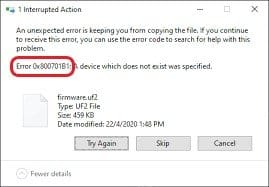
OK, I tried a THIRD thumb drive (smh) and this time, I was able to get the Media Creation Tool to finish, again following the same instructions hsehestedt provided in preparing it. I then put it into the computer, booted, and it made it to 100% of the "Copying Windows files" and then it just stopped. After about 5m, it says "Windows cannot install required files. Make sure all files required for installation are available and restart the installation. Error code: 0x800701B1.
 

My Computer My Computer

At a glance

Windows 10Intel®Core™i7-6700K Quad Core Processor24GB DDR4-2133 DIMM (3x8GB) RAM4GB NVIDIA GeForce GTX 970
OS
Windows 10
Computer type
PC/Desktop
Manufacturer/Model
HP ENVY Phoenix 860-180st Desktop
CPU
Intel®Core™i7-6700K Quad Core Processor
Memory
24GB DDR4-2133 DIMM (3x8GB) RAM
Graphics Card(s)
4GB NVIDIA GeForce GTX 970
Hard Drives
512GB SATA 2.5 3D SSD
8TB Seagate IronWolf Internal Hard Drive – 3.5 Inch SATA 6Gb/s 7200RPM 256MB Cache
4TB Seagate IronWolf Internal Hard Drive – 3.5 Inch SATA 6Gb/s 5900RPM 64MB Cache
Cooling
Liquid Cooling System
Again, I'll ask you do the "diskpart / clean / convert gpt" and allow Setup to think it's a blank disk. The problem isn't your Primary partition.
 

My Computer My Computer

At a glance

Windows 7
OS
Windows 7
Garlin, I have done that several times. I boot from the USB drive then go to a command prompt to do the diskpart /clean /convert gpt. I then exit back into the setup. It sees the drive. I select it, Windows copies the files, then after it gets to 100%, it just hangs there until this message appears: "Windows cannot install required files. Make sure all files required for installation are available and restart the installation. Error code: 0x800701B1".
 

My Computer My Computer

At a glance

Windows 10Intel®Core™i7-6700K Quad Core Processor24GB DDR4-2133 DIMM (3x8GB) RAM4GB NVIDIA GeForce GTX 970
OS
Windows 10
Computer type
PC/Desktop
Manufacturer/Model
HP ENVY Phoenix 860-180st Desktop
CPU
Intel®Core™i7-6700K Quad Core Processor
Memory
24GB DDR4-2133 DIMM (3x8GB) RAM
Graphics Card(s)
4GB NVIDIA GeForce GTX 970
Hard Drives
512GB SATA 2.5 3D SSD
8TB Seagate IronWolf Internal Hard Drive – 3.5 Inch SATA 6Gb/s 7200RPM 256MB Cache
4TB Seagate IronWolf Internal Hard Drive – 3.5 Inch SATA 6Gb/s 5900RPM 64MB Cache
Cooling
Liquid Cooling System
One more idea:

I know that you are installing Windows to the SSD, but I believe that you mentioned that you have other disks in the system. I realize that what I am asking may be a little bit of a pain, but could you try one of the following:

1) If the BIOS of your system always you to disable the other drives, temporarily disable them
2) As an alternative, temporarily disconnect the other drives. If they are SATA drives, just disconnect the SATA cable.

I apologize for the hassle, but there is logic behind this madness :-)
 

My Computers My Computers

  • At a glance

    Win11 Pro 25H2 (RTM+)Intel i7-14650HX32 GBNo GPU - Built-in Intel Graphics
    OS
    Win11 Pro 25H2 (RTM+)
    Computer type
    PC/Desktop
    Manufacturer/Model
    Acemagic
    CPU
    Intel i7-14650HX
    Memory
    32 GB
    Graphics Card(s)
    No GPU - Built-in Intel Graphics
    Sound Card
    Integrated
    Monitor(s) Displays
    Varies as machine will often be moved to locations with different monitors
    Screen Resolution
    Varies
    Hard Drives
    1 x 1TB Gen 4 NVMe SSD
    PSU
    120W Power Brick
    Keyboard
    Corsair K70 Max RGB Magnetic Keyboard
    Mouse
    Logitech MX Master 3
    Internet Speed
    1Gb Up / 1 Gb Down
    Browser
    Edge
    Antivirus
    Windows Defender
  • At a glance

    Win11 Pro 25H2 (RTM+)Intel i7-1255U16 GBIntel Iris Xe Graphics
    Operating System
    Win11 Pro 25H2 (RTM+)
    Computer type
    Laptop
    Manufacturer/Model
    Lenovo ThinkBook 13x Gen 2
    CPU
    Intel i7-1255U
    Memory
    16 GB
    Graphics card(s)
    Intel Iris Xe Graphics
    Sound Card
    Realtek® ALC3306-CG codec
    Monitor(s) Displays
    13.3-inch IPS Display
    Screen Resolution
    WQXGA (2560 x 1600)
    Hard Drives
    2 TB 4 x 4 NVMe SSD
    PSU
    USB-C / Thunderbolt 4 Power / Charging
    Keyboard
    Backlit, spill resistant keyboard
    Mouse
    Buttonless Glass Precision Touchpad
    Internet Speed
    1Gb Up / 1Gb Down
    Browser
    Edge
    Antivirus
    Windows Defender
    Other Info
    WiFi 6e / Bluetooth 5.1 / Facial Recognition / Fingerprint Sensor / ToF (Time of Flight) Human Presence Sensor
Yes, the other drives are already disconnected from both the power and the SATA cables.
 

My Computer My Computer

At a glance

Windows 10Intel®Core™i7-6700K Quad Core Processor24GB DDR4-2133 DIMM (3x8GB) RAM4GB NVIDIA GeForce GTX 970
OS
Windows 10
Computer type
PC/Desktop
Manufacturer/Model
HP ENVY Phoenix 860-180st Desktop
CPU
Intel®Core™i7-6700K Quad Core Processor
Memory
24GB DDR4-2133 DIMM (3x8GB) RAM
Graphics Card(s)
4GB NVIDIA GeForce GTX 970
Hard Drives
512GB SATA 2.5 3D SSD
8TB Seagate IronWolf Internal Hard Drive – 3.5 Inch SATA 6Gb/s 7200RPM 256MB Cache
4TB Seagate IronWolf Internal Hard Drive – 3.5 Inch SATA 6Gb/s 5900RPM 64MB Cache
Cooling
Liquid Cooling System
Hmm, starting to reach a little bit more here, but I am not yet 100% exhausted on ideas...

Your SSD, is it a SATA SSD or an NVMe SSD? Please note that M.2 SSDs can be either.

If your SSD is a SATA based SSD (either M.2 form factor or a 2.5" drive), is it specifically configured as "AHCI" in the BIOS and not some sort of RAID?
 

My Computers My Computers

  • At a glance

    Win11 Pro 25H2 (RTM+)Intel i7-14650HX32 GBNo GPU - Built-in Intel Graphics
    OS
    Win11 Pro 25H2 (RTM+)
    Computer type
    PC/Desktop
    Manufacturer/Model
    Acemagic
    CPU
    Intel i7-14650HX
    Memory
    32 GB
    Graphics Card(s)
    No GPU - Built-in Intel Graphics
    Sound Card
    Integrated
    Monitor(s) Displays
    Varies as machine will often be moved to locations with different monitors
    Screen Resolution
    Varies
    Hard Drives
    1 x 1TB Gen 4 NVMe SSD
    PSU
    120W Power Brick
    Keyboard
    Corsair K70 Max RGB Magnetic Keyboard
    Mouse
    Logitech MX Master 3
    Internet Speed
    1Gb Up / 1 Gb Down
    Browser
    Edge
    Antivirus
    Windows Defender
  • At a glance

    Win11 Pro 25H2 (RTM+)Intel i7-1255U16 GBIntel Iris Xe Graphics
    Operating System
    Win11 Pro 25H2 (RTM+)
    Computer type
    Laptop
    Manufacturer/Model
    Lenovo ThinkBook 13x Gen 2
    CPU
    Intel i7-1255U
    Memory
    16 GB
    Graphics card(s)
    Intel Iris Xe Graphics
    Sound Card
    Realtek® ALC3306-CG codec
    Monitor(s) Displays
    13.3-inch IPS Display
    Screen Resolution
    WQXGA (2560 x 1600)
    Hard Drives
    2 TB 4 x 4 NVMe SSD
    PSU
    USB-C / Thunderbolt 4 Power / Charging
    Keyboard
    Backlit, spill resistant keyboard
    Mouse
    Buttonless Glass Precision Touchpad
    Internet Speed
    1Gb Up / 1Gb Down
    Browser
    Edge
    Antivirus
    Windows Defender
    Other Info
    WiFi 6e / Bluetooth 5.1 / Facial Recognition / Fingerprint Sensor / ToF (Time of Flight) Human Presence Sensor
To add, last week I obtained a 1TB NVMe drive and put it in a Sabrent USB 3 case, formatted it to NTFS to be used for portable storage [less bulky than My Passport]. I chose the GPT versus MBR and so far the only downside is that does not, as expected, work with Win7. Works fine on Win10 and Win11, don't have access to a Win8/8.1 to try it on. It also works fine on Linux Mint 21.
 

My Computers My Computers

  • At a glance

    Win11 Pro RTM Version 24H2 Build 26100.4202Intel Core i5 11th Gen. 2.40GHz12GB
    OS
    Win11 Pro RTM Version 24H2 Build 26100.4202
    Computer type
    Laptop
    Manufacturer/Model
    Dell Vostro 3400
    CPU
    Intel Core i5 11th Gen. 2.40GHz
    Memory
    12GB
    Hard Drives
    256GB SSD NVMe M.2
  • At a glance

    Win11 Pro RTM Version 24H2 Build 26100.4202Intel Core i5 10th Gen. 2.90GHz16GBOnboard, no VGA, using a DisplayPort-to-VGA a...
    Operating System
    Win11 Pro RTM Version 24H2 Build 26100.4202
    Computer type
    PC/Desktop
    Manufacturer/Model
    Dell Vostro 5890
    CPU
    Intel Core i5 10th Gen. 2.90GHz
    Memory
    16GB
    Graphics card(s)
    Onboard, no VGA, using a DisplayPort-to-VGA adapter
    Monitor(s) Displays
    24" Dell
    Hard Drives
    512GB SSD NVMe, 4TB Seagate HDD
    Browser
    Firefox, Edge
    Antivirus
    Windows Defender/Microsoft Security
According to the manual, it is a 256 GB SATA Solid State Drive. I also set the BIOS to the default (did that yesterday). I really appreciate your help with this. I am wondering if the DoD program did something to the drive rendering it useless.
 

My Computer My Computer

At a glance

Windows 10Intel®Core™i7-6700K Quad Core Processor24GB DDR4-2133 DIMM (3x8GB) RAM4GB NVIDIA GeForce GTX 970
OS
Windows 10
Computer type
PC/Desktop
Manufacturer/Model
HP ENVY Phoenix 860-180st Desktop
CPU
Intel®Core™i7-6700K Quad Core Processor
Memory
24GB DDR4-2133 DIMM (3x8GB) RAM
Graphics Card(s)
4GB NVIDIA GeForce GTX 970
Hard Drives
512GB SATA 2.5 3D SSD
8TB Seagate IronWolf Internal Hard Drive – 3.5 Inch SATA 6Gb/s 7200RPM 256MB Cache
4TB Seagate IronWolf Internal Hard Drive – 3.5 Inch SATA 6Gb/s 5900RPM 64MB Cache
Cooling
Liquid Cooling System
1704484110003.png


can try to see if works
 

My Computer My Computer

At a glance

Windows 7/11Intel i7-11800H32GB DDR4 3200MHzNVIDIA GeForce RTX 3070
OS
Windows 7/11
Computer type
PC/Desktop
Manufacturer/Model
HP/Lenovo/Asus
CPU
Intel i7-11800H
Motherboard
Lenovo Legion 5i Pro Gen 6
Memory
32GB DDR4 3200MHz
Graphics Card(s)
NVIDIA GeForce RTX 3070
Monitor(s) Displays
LG 35WN65C-B
Screen Resolution
3440 x 1440
Hard Drives
1TB PCIe SSD
Other Info
Edition Windows 11 Pro
Version 25H2
Installed on ‎12/‎12/‎2025
OS build 26200.7462
Do you mean a warranty with the purchase of the software? The computer is 8 years old and its warranty has long expired. I contacted the maker of the DoD software but they have yet to write me back :(
 

My Computer My Computer

At a glance

Windows 10Intel®Core™i7-6700K Quad Core Processor24GB DDR4-2133 DIMM (3x8GB) RAM4GB NVIDIA GeForce GTX 970
OS
Windows 10
Computer type
PC/Desktop
Manufacturer/Model
HP ENVY Phoenix 860-180st Desktop
CPU
Intel®Core™i7-6700K Quad Core Processor
Memory
24GB DDR4-2133 DIMM (3x8GB) RAM
Graphics Card(s)
4GB NVIDIA GeForce GTX 970
Hard Drives
512GB SATA 2.5 3D SSD
8TB Seagate IronWolf Internal Hard Drive – 3.5 Inch SATA 6Gb/s 7200RPM 256MB Cache
4TB Seagate IronWolf Internal Hard Drive – 3.5 Inch SATA 6Gb/s 5900RPM 64MB Cache
Cooling
Liquid Cooling System
my guess, his saying, DOD wipe out means data permanent destruction by media disk damage.
 

My Computer My Computer

At a glance

Windows 7/11Intel i7-11800H32GB DDR4 3200MHzNVIDIA GeForce RTX 3070
OS
Windows 7/11
Computer type
PC/Desktop
Manufacturer/Model
HP/Lenovo/Asus
CPU
Intel i7-11800H
Motherboard
Lenovo Legion 5i Pro Gen 6
Memory
32GB DDR4 3200MHz
Graphics Card(s)
NVIDIA GeForce RTX 3070
Monitor(s) Displays
LG 35WN65C-B
Screen Resolution
3440 x 1440
Hard Drives
1TB PCIe SSD
Other Info
Edition Windows 11 Pro
Version 25H2
Installed on ‎12/‎12/‎2025
OS build 26200.7462
I tried to edit my reply and somehow got it deleted.
 

My Computers My Computers

  • At a glance

    Win11 Pro RTM Version 24H2 Build 26100.4202Intel Core i5 11th Gen. 2.40GHz12GB
    OS
    Win11 Pro RTM Version 24H2 Build 26100.4202
    Computer type
    Laptop
    Manufacturer/Model
    Dell Vostro 3400
    CPU
    Intel Core i5 11th Gen. 2.40GHz
    Memory
    12GB
    Hard Drives
    256GB SSD NVMe M.2
  • At a glance

    Win11 Pro RTM Version 24H2 Build 26100.4202Intel Core i5 10th Gen. 2.90GHz16GBOnboard, no VGA, using a DisplayPort-to-VGA a...
    Operating System
    Win11 Pro RTM Version 24H2 Build 26100.4202
    Computer type
    PC/Desktop
    Manufacturer/Model
    Dell Vostro 5890
    CPU
    Intel Core i5 10th Gen. 2.90GHz
    Memory
    16GB
    Graphics card(s)
    Onboard, no VGA, using a DisplayPort-to-VGA adapter
    Monitor(s) Displays
    24" Dell
    Hard Drives
    512GB SSD NVMe, 4TB Seagate HDD
    Browser
    Firefox, Edge
    Antivirus
    Windows Defender/Microsoft Security
Oops, his post already gone. ;-)
 

My Computer My Computer

At a glance

Windows 7/11Intel i7-11800H32GB DDR4 3200MHzNVIDIA GeForce RTX 3070
OS
Windows 7/11
Computer type
PC/Desktop
Manufacturer/Model
HP/Lenovo/Asus
CPU
Intel i7-11800H
Motherboard
Lenovo Legion 5i Pro Gen 6
Memory
32GB DDR4 3200MHz
Graphics Card(s)
NVIDIA GeForce RTX 3070
Monitor(s) Displays
LG 35WN65C-B
Screen Resolution
3440 x 1440
Hard Drives
1TB PCIe SSD
Other Info
Edition Windows 11 Pro
Version 25H2
Installed on ‎12/‎12/‎2025
OS build 26200.7462
That was why I was trying to edit, mistakenly thought it was a newer device.
 

My Computers My Computers

  • At a glance

    Win11 Pro RTM Version 24H2 Build 26100.4202Intel Core i5 11th Gen. 2.40GHz12GB
    OS
    Win11 Pro RTM Version 24H2 Build 26100.4202
    Computer type
    Laptop
    Manufacturer/Model
    Dell Vostro 3400
    CPU
    Intel Core i5 11th Gen. 2.40GHz
    Memory
    12GB
    Hard Drives
    256GB SSD NVMe M.2
  • At a glance

    Win11 Pro RTM Version 24H2 Build 26100.4202Intel Core i5 10th Gen. 2.90GHz16GBOnboard, no VGA, using a DisplayPort-to-VGA a...
    Operating System
    Win11 Pro RTM Version 24H2 Build 26100.4202
    Computer type
    PC/Desktop
    Manufacturer/Model
    Dell Vostro 5890
    CPU
    Intel Core i5 10th Gen. 2.90GHz
    Memory
    16GB
    Graphics card(s)
    Onboard, no VGA, using a DisplayPort-to-VGA adapter
    Monitor(s) Displays
    24" Dell
    Hard Drives
    512GB SSD NVMe, 4TB Seagate HDD
    Browser
    Firefox, Edge
    Antivirus
    Windows Defender/Microsoft Security
I have a feeling we have to be getting close. When you get to 100% of copying files, Windows should now be setting the BCD and preparing to boot from the SSD. It sounds like something about that is going wonky.

As noted before, since this is a SATA drive, make sure that the BIOS has it configured as an AHCI drive:

1.jpg

Also, I don't think that this is likely to be an issue, but double-check to make sure that the boot device is configured to use Windows Boot Manager:

2.jpg
 

My Computers My Computers

  • At a glance

    Win11 Pro 25H2 (RTM+)Intel i7-14650HX32 GBNo GPU - Built-in Intel Graphics
    OS
    Win11 Pro 25H2 (RTM+)
    Computer type
    PC/Desktop
    Manufacturer/Model
    Acemagic
    CPU
    Intel i7-14650HX
    Memory
    32 GB
    Graphics Card(s)
    No GPU - Built-in Intel Graphics
    Sound Card
    Integrated
    Monitor(s) Displays
    Varies as machine will often be moved to locations with different monitors
    Screen Resolution
    Varies
    Hard Drives
    1 x 1TB Gen 4 NVMe SSD
    PSU
    120W Power Brick
    Keyboard
    Corsair K70 Max RGB Magnetic Keyboard
    Mouse
    Logitech MX Master 3
    Internet Speed
    1Gb Up / 1 Gb Down
    Browser
    Edge
    Antivirus
    Windows Defender
  • At a glance

    Win11 Pro 25H2 (RTM+)Intel i7-1255U16 GBIntel Iris Xe Graphics
    Operating System
    Win11 Pro 25H2 (RTM+)
    Computer type
    Laptop
    Manufacturer/Model
    Lenovo ThinkBook 13x Gen 2
    CPU
    Intel i7-1255U
    Memory
    16 GB
    Graphics card(s)
    Intel Iris Xe Graphics
    Sound Card
    Realtek® ALC3306-CG codec
    Monitor(s) Displays
    13.3-inch IPS Display
    Screen Resolution
    WQXGA (2560 x 1600)
    Hard Drives
    2 TB 4 x 4 NVMe SSD
    PSU
    USB-C / Thunderbolt 4 Power / Charging
    Keyboard
    Backlit, spill resistant keyboard
    Mouse
    Buttonless Glass Precision Touchpad
    Internet Speed
    1Gb Up / 1Gb Down
    Browser
    Edge
    Antivirus
    Windows Defender
    Other Info
    WiFi 6e / Bluetooth 5.1 / Facial Recognition / Fingerprint Sensor / ToF (Time of Flight) Human Presence Sensor
One more thing: Do you have the make and model of the PC? If home built, do you have the make and model of the motherboard?
 

My Computers My Computers

  • At a glance

    Win11 Pro 25H2 (RTM+)Intel i7-14650HX32 GBNo GPU - Built-in Intel Graphics
    OS
    Win11 Pro 25H2 (RTM+)
    Computer type
    PC/Desktop
    Manufacturer/Model
    Acemagic
    CPU
    Intel i7-14650HX
    Memory
    32 GB
    Graphics Card(s)
    No GPU - Built-in Intel Graphics
    Sound Card
    Integrated
    Monitor(s) Displays
    Varies as machine will often be moved to locations with different monitors
    Screen Resolution
    Varies
    Hard Drives
    1 x 1TB Gen 4 NVMe SSD
    PSU
    120W Power Brick
    Keyboard
    Corsair K70 Max RGB Magnetic Keyboard
    Mouse
    Logitech MX Master 3
    Internet Speed
    1Gb Up / 1 Gb Down
    Browser
    Edge
    Antivirus
    Windows Defender
  • At a glance

    Win11 Pro 25H2 (RTM+)Intel i7-1255U16 GBIntel Iris Xe Graphics
    Operating System
    Win11 Pro 25H2 (RTM+)
    Computer type
    Laptop
    Manufacturer/Model
    Lenovo ThinkBook 13x Gen 2
    CPU
    Intel i7-1255U
    Memory
    16 GB
    Graphics card(s)
    Intel Iris Xe Graphics
    Sound Card
    Realtek® ALC3306-CG codec
    Monitor(s) Displays
    13.3-inch IPS Display
    Screen Resolution
    WQXGA (2560 x 1600)
    Hard Drives
    2 TB 4 x 4 NVMe SSD
    PSU
    USB-C / Thunderbolt 4 Power / Charging
    Keyboard
    Backlit, spill resistant keyboard
    Mouse
    Buttonless Glass Precision Touchpad
    Internet Speed
    1Gb Up / 1Gb Down
    Browser
    Edge
    Antivirus
    Windows Defender
    Other Info
    WiFi 6e / Bluetooth 5.1 / Facial Recognition / Fingerprint Sensor / ToF (Time of Flight) Human Presence Sensor
Back
Top Bottom




