- Local time
- 8:05 AM
- Posts
- 166
- OS
- Windows 11 25H2 Pro Build 26200
There are items arriving in the 'new' Windows 11 context menu which don't conform to the old rules. Most I've seen come with store apps, but some. such as the new Context menu item for Notepad++ are provided in special installers. I do know that this site has tutorials for blocking context menu items from bundled store apps such as Photos and Clip Champ. I'm looking for a generalised method for finding them.
As far as I can tell, available context menu editors only work with traditional context menu items found in HKEY_CLASSES_ROOT under shell, or shellex\ContextMenuHandlers keys for some specific type(s) of object. This makes it reaasonably straightforward to find, and block them, Some type specific menu items such as the Windows provided image verbs such as rotatet90 and rotate270 (Rotate Right and Rotate Left context menu items) seem to be whitelisted, and appear in the 'new' context menu, but can be blocked, in the same way as in the old context menu,
'new' items such as 'edit with clipchamp' which are associated with store apps don't appear under the registry keys for the type(s) they affect. However, as with shellex\ContextMenuHandlers items they seem to be Com objects. I've been loooking for ways of finding them, and the best way I've found so far is to search under
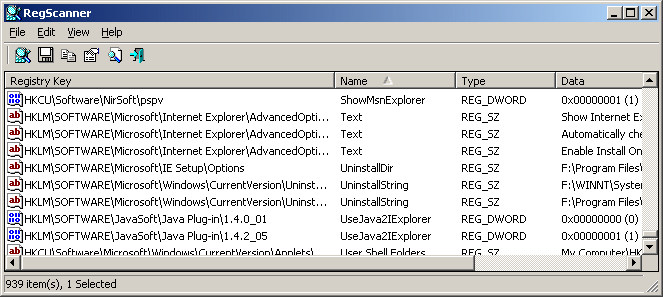
Under 24H2 regedit allows you to confine a search under a specific key which helps, Alternatively, and more conveniently, Nirsoft's' RegScanner will create a list. The data for those SurrogateAppId values are the GUIDs for the Com objects. You can expect to find other values in the same keys that confirm that this is a context menu item.
Having found them, you can block them by creating REG_SZ values using the GUIDs under
What I don't know is how reliable the registry search is for finding Store App and other third party 'new' context menu items.
As far as I can tell, available context menu editors only work with traditional context menu items found in HKEY_CLASSES_ROOT under shell, or shellex\ContextMenuHandlers keys for some specific type(s) of object. This makes it reaasonably straightforward to find, and block them, Some type specific menu items such as the Windows provided image verbs such as rotatet90 and rotate270 (Rotate Right and Rotate Left context menu items) seem to be whitelisted, and appear in the 'new' context menu, but can be blocked, in the same way as in the old context menu,
'new' items such as 'edit with clipchamp' which are associated with store apps don't appear under the registry keys for the type(s) they affect. However, as with shellex\ContextMenuHandlers items they seem to be Com objects. I've been loooking for ways of finding them, and the best way I've found so far is to search under
HKEY_CLASSES_ROOT\PackagedCom\Package for the value SurrogateAppId .Under 24H2 regedit allows you to confine a search under a specific key which helps, Alternatively, and more conveniently, Nirsoft's' RegScanner will create a list. The data for those SurrogateAppId values are the GUIDs for the Com objects. You can expect to find other values in the same keys that confirm that this is a context menu item.
Having found them, you can block them by creating REG_SZ values using the GUIDs under
HKEY_CURRENT_USER\Software\Microsoft\Windows\CurrentVersion\Shell Extensions\Blocked . The data doesn't matter, so using the DisplayName is convenient as it helps to identify what's being blocked.What I don't know is how reliable the registry search is for finding Store App and other third party 'new' context menu items.
- Windows Build/Version
- 23H2 - 22631.4890
My Computers
-
At a glance
Windows 11 25H2 Pro Build 26200i3-1215U8GB- OS
- Windows 11 25H2 Pro Build 26200
- Computer type
- PC/Desktop
- Manufacturer/Model
- MSI PRO ADL-U Cubi 5 (MS-B0A8)
- CPU
- i3-1215U
- Memory
- 8GB
- Monitor(s) Displays
- Sony 43" 4k TV
- Screen Resolution
- 3840x2160
- Hard Drives
- 250GB NVMe M.2 PCIe Gen 3 SSD
- PSU
- External 65W
- Case
- Mini PC
- Browser
- FireFox
- Antivirus
- MS
-
At a glance
Windows 11 Pro 25H2Intel i3-910016GB DDR4- Operating System
- Windows 11 Pro 25H2
- Computer type
- PC/Desktop
- Manufacturer/Model
- Dell Optiplex 3070 SFF
- CPU
- Intel i3-9100
- Memory
- 16GB DDR4
- Monitor(s) Displays
- Dell S2721
- Screen Resolution
- 3840 x 2160
- Hard Drives
- Samsung 500GB nvMe
- Case
- Dell small form factor
- Keyboard
- Cherry mechanical (Blue)
- Mouse
- Microsoft
- Antivirus
- MS Defender