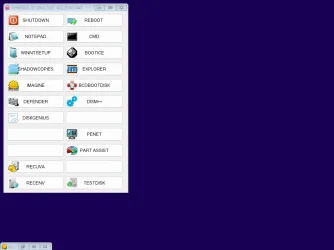
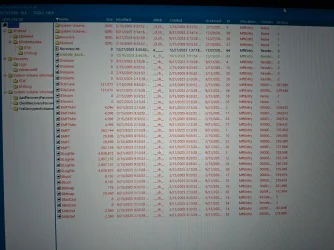
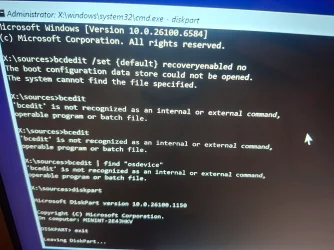
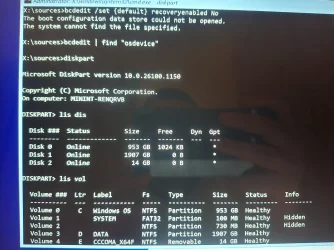
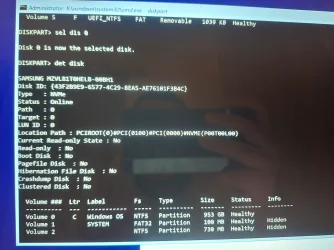
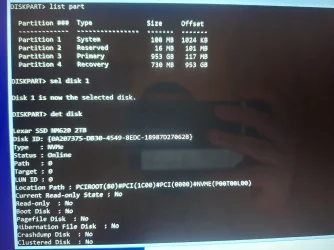
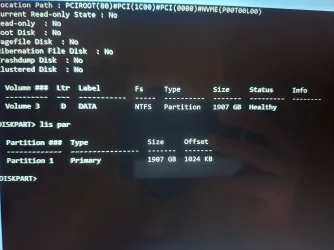
Please find a camera or smartphone camera > take pictures > post images or share links
1) Boot to Windows RE > run startup repair > search for srttrail.txt > post a share link
(c:\windows\system32\logfiles\srt\srttrail.txt)
2) Boot to Windows RE > open system restore > post images or share links displaying available restore points
3) Boot to Windows RE > command prompt > type:
notepad
notepad
notepad
(Save these commands with results to notepad > save to a flash drive > move to a working computer > post a share link)
bcdedit /set {default} recoveryenabled No
bcdedit | find "osdevice"
diskpart
lis dis
lis vol
sel dis 0
det dis
lis par
sel dis 1
det dis
lis par
4) Run overnight while sleeping HP UEFI Hardware diagnostics: system > extensive > take pictures > post images or share links displaying the tests performed with results
Learn how to isolate and identity hardware issues on your computer by running HP PC Hardware Diagnostics. Download HP PC Hardware Diagnostics today!

support.hp.com
HP PC Hardware Diagnostics UEFI – v10.8.3.0
Code:
TITLE:  HP PC Hardware Diagnostics UEFI (Win10/11 32/64-bit)
VERSION: 10.8.3.0
DESCRIPTION:
This package provides the HP PC Hardware Diagnostics UEFI version 10.8.3.0 in supported models that are running a supported operating systems.

PURPOSE: Routine
SoftPaq NUMBER: sp165721
EFFECTIVE DATE:  11/06/2025
CATEGORY:  Diagnostic
SSM SUPPORTED:  No
DEVICES SUPPORTED: N/A
PREREQUISITES: None
LANGUAGE(S):
English (US)


ENHANCEMENTS:
- Improves Audio Test.
- Improves Memory Test.
- Adds new Qualcomm processor support.
- Improves the HP BIOS Update utility.
FIXES:
- Various bug fixes.
HOW TO USE:
1. Download the file by clicking the Download or Obtain Software button and saving the file to a folder on your hard drive (make a note of the folder where the downloaded file is saved).

2. Double-click the downloaded file and follow the on-screen instructions to unpack the files to C:\SWSETUP\SP165721 or another directory of your choice.

3. Run the setup program from the directory that contains the unpacked softpaq files. Use the -? to list the command line options for the setup program.

NOTE: After double-clicking the downloaded file, select "This program installed correctly" on the Program Compatibility Assistant screen. This message is provided by the protection mechanism of Microsoft Windows.

This installer provides users the option to install to the HDD or a USB drive.
The HP PC Hardware Diagnostics UEFI must be run from a FAT or FAT32 partition with a partition name of "HP_TOOLS" or "EFI".

- If installed to the HDD and the HP_TOOLS or EFI partition is not present, the installer will prompt the user to create the partition.
- If installed to a USB drive, the installer will rename the partition on the USB drive to "HP_TOOLS"
- If installed with a custom image, the user can create the HP_TOOLS partition manually with type FAT32 and name the partition "HP_TOOLS"

Caution
- The HP_TOOLS partition is not protected and can therefore be deleted.
- Backing up the computer using the Windows Complete PC Restore and other backup software does not back up the HP_TOOLS partition.

HP recommends users not place additional data on the HP_TOOLS or EFI partition. Because the partition is not backed up, corruption or failure of the partition will result in loss of all data on the partition, plus loss of UEFI functionality.

For more information, see www.hp.com/go/techcenter/startup

Copyright (c) 2025 HP Development Company, L.P.