HP Envy 17t-cr100 not turning on


Baeolophus

Well-known member
Member
Local time
8:21 PM
Posts
162
OS
macOS Sequoia
I have an HP Envy 17t-cr100 that is not turning on. When I hit the power button, the LED lights up for ~5 s, towards the end of that the Caps Lock LED lights up briefly, and they both turn off. Nothing else happens.

I have tried the power reset by holding down the power button for 15 s. It has not helped. I have tried an alternative power adapter, and that did not do anything.

What else should I try?
 
Windows Build/Version
I would have to turn it on to check…

My Computer

System One

  • OS
    macOS Sequoia
    Computer type
    Laptop
    Manufacturer/Model
    Apple
    CPU
    M1 Max Apple Silicon
    Memory
    32 GB
I would try removing the battery from the laptop. That is the only way to remove power completely. Leave the battery out for at least 5 minutes. Then reinstall and try again. Here is a link on how to remove your battery:

Hope this helps.
 

My Computer

System One

  • OS
    Windows 11 Pro
    Computer type
    PC/Desktop
    Manufacturer/Model
    Home Built
    CPU
    AMD Ryzen 7 5800X
    Motherboard
    GIGABYTE B550 AORUS ELITE AX V2
    Memory
    32GB
    Graphics Card(s)
    Nvidea??
    Sound Card
    MB Sound only
    Hard Drives
    m2.nvme
    PSU
    Seasonic Focus
    Case
    Cougar
    Cooling
    Enermax Liquid CPU
    Keyboard
    Logitech K800
    Mouse
    Logitech MX Master 3
    Internet Speed
    2.5 GB
    Browser
    BRAVE
    Antivirus
    Windows Defender
I would try removing the battery from the laptop. That is the only way to remove power completely. Leave the battery out for at least 5 minutes. Then reinstall and try again. Here is a link on how to remove your battery…
I did that, and it also did not help.
 

My Computer

System One

  • OS
    macOS Sequoia
    Computer type
    Laptop
    Manufacturer/Model
    Apple
    CPU
    M1 Max Apple Silicon
    Memory
    32 GB
I would create a bootable usb of linux and see if it will boot. If it does, then there is something in the OS that is not working properly.

OR you can try the following:
You might not be able to do the below as I don't know how the inside of your laptop looks like. But is is worth a shot.
I would try leaving the battery out and turning the laptop on without the battery and see if it will boot up. If so, then your battery is the root of your problem.
 

My Computer

System One

  • OS
    Windows 11 Pro
    Computer type
    PC/Desktop
    Manufacturer/Model
    Home Built
    CPU
    AMD Ryzen 7 5800X
    Motherboard
    GIGABYTE B550 AORUS ELITE AX V2
    Memory
    32GB
    Graphics Card(s)
    Nvidea??
    Sound Card
    MB Sound only
    Hard Drives
    m2.nvme
    PSU
    Seasonic Focus
    Case
    Cougar
    Cooling
    Enermax Liquid CPU
    Keyboard
    Logitech K800
    Mouse
    Logitech MX Master 3
    Internet Speed
    2.5 GB
    Browser
    BRAVE
    Antivirus
    Windows Defender
Agree about disconnecting the battery, this may be a point of failure. However, more often a problem with a battery looks like inability to charge it, but a device can work anyway. Usually laptops may work even without a battery, using only a power supply.
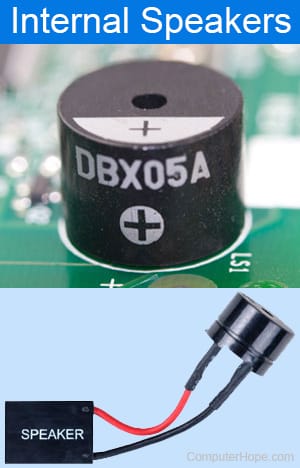
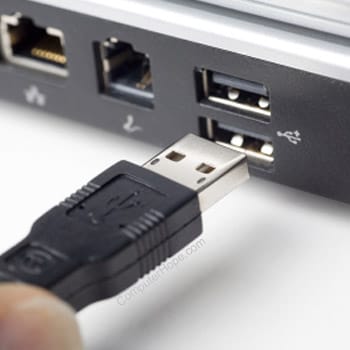
Besides the battery, the problem may have numerous causes, but first you need to check the warranty of this laptop, and if it doesn't expire, it would be better not to disassemble the device but send it to a service point. Anyway you can test whether the power is delivered to USB ports using any device like a USB lamp, fan or something similar. Next action may be the RAM test, you can remove one of modules if you have two, or replace with another, but RAM failure usually produces a specific sound signal. Lack of any sound may happen because of power or battery problems, CPU failure or internal short circuit.
 

My Computer

System One

  • OS
    Windows 11 Pro 25H2
    Computer type
    Laptop
    Manufacturer/Model
    Lenovo Legion 5-15ARH05
    CPU
    AMD Rysen 5 4600H
    Memory
    32 GB (2 x 16 GB Samsung SO-DIMM DDR4-3200)
    Graphics Card(s)
    GeForce GTX 1650 Ti, 4 GB GDDR6
    Screen Resolution
    1920x1080
    Hard Drives
    SSD M.2 512 GB SAMSUNG MZALQ512; SSD M.2 1 TB Seagate FireCuda 530
    Mouse
    Logitech M650L in Bluetooth mode
Power on the computer and repetitively click F2 or F10 > run the on board HP UEFI hardware diagnostics: system > extensive >

take pictures > post share links displaying the tests performed with results.


If available, find a bootable flash drive with free space and find a working Windows computer.

Download to the bootable flash drive:


Run the newest version of the HP PC Hardware Diagnostics UEFI – v10.8.4.0:

system > extensive > take pictures > post share links displaying the tests performed with results.


What Is POST?


My Computer

System One

  • OS
    Windows 10
    Computer type
    Laptop
    Manufacturer/Model
    HP
    CPU
    Intel(R) Core(TM) i7-4800MQ CPU @ 2.70GHz
    Motherboard
    Product : 190A Version : KBC Version 94.56
    Memory
    16 GB Total: Manufacturer : Samsung MemoryType : DDR3 FormFactor : SODIMM Capacity : 8GB Speed : 1600
    Graphics Card(s)
    NVIDIA Quadro K3100M; Intel(R) HD Graphics 4600
    Sound Card
    IDT High Definition Audio CODEC; PNP Device ID HDAUDIO\FUNC_01&VEN_111D&DEV_76E0
    Hard Drives
    Model Hitachi HTS727575A9E364
    Antivirus
    Microsoft Defender
    Other Info
    Mobile Workstation
For a laptop to momentarily power on then immediately off, causes can be basically anything - battery, motherboard, any board connected to the motherboard or component connected externally if it has a short, RAM, power adapter or even house circuit if on AC, a defective CPU (known as a "power-on-self-test" (POST) fatal CPU failure).
 

My Computers

System One System Two

  • OS
    Windows 11 Pro 25H2
    Computer type
    PC/Desktop
    Manufacturer/Model
    Dell Optiplex 7080
    CPU
    i9-10900 10 core 20 threads
    Motherboard
    DELL 0J37VM
    Memory
    32 gb
    Graphics Card(s)
    none-Intel UHD Graphics 630
    Sound Card
    Integrated Realtek
    Monitor(s) Displays
    Benq 27
    Screen Resolution
    2560x1440
    Hard Drives
    2x1tb Solidigm m.2 nvme /External drives 512gb Samsung m.2 sata+2tb Kingston m2.nvme
    PSU
    500w
    Case
    MT
    Cooling
    Dell Premium
    Keyboard
    Logitech wired
    Mouse
    Logitech wireless
    Internet Speed
    so slow I'm too embarrassed to tell
    Browser
    #1 Edge #2 Firefox
    Antivirus
    Defender+MWB Premium
  • Operating System
    Windows 11 Pro 24H2 26200.8457
    Computer type
    PC/Desktop
    Manufacturer/Model
    Beelink Mini PC SER5
    CPU
    AMD Ryzen 7 6800U
    Memory
    32 gb
    Graphics card(s)
    integrated
    Sound Card
    integrated
    Monitor(s) Displays
    Benq 27
    Screen Resolution
    2560x1440
    Hard Drives
    1TB Crucial nvme
    Keyboard
    Logitech wired
    Mouse
    Logitech wireless
    Internet Speed
    still too embarrassed to tell
    Browser
    Firefox
    Antivirus
    Defender
    Other Info
    System 3 is non compliant Dell 9020 i7-4770/24gb ram Win11 PRO 26200.8457

My Computer

System One

  • OS
    Windows 11 Pro Insider 64 bit 25H2 26200.5742
    Computer type
    PC/Desktop
    Manufacturer/Model
    Gigabyte Z390 UD
    CPU
    Intel Core i7 9700K 3.60
    Motherboard
    Gigabyte Z390 UD
    Memory
    16 GB
    Graphics Card(s)
    nVidia GEForce RTX 2060 Super
    Sound Card
    onboard
    Monitor(s) Displays
    Two 27" Dell 4K monitors
    Screen Resolution
    3840 x 2160
    Hard Drives
    M.2 NVME SSD, 500 GB; Two 2TB Mechanical HDD's
    PSU
    850w PSU
    Case
    Cyberpower PC
    Cooling
    Water cooled
    Keyboard
    Backlit Cyberpower gaming keyboard
    Mouse
    Backlit Cyberpower gaming mouse
    Internet Speed
    1 GB mbps
    Browser
    Brave
    Antivirus
    Windows Security

Latest Support Threads

Back
Top Bottom