issue copying or moving large files win 11


needlenoses

Well-known member
Member
Local time
5:00 PM
Posts
261
Location
British columbia Canada
OS
windows 11 up tp date.
Probably something silly on my part, but here goes. Example; I will have a 22-meg video file residing on a 1 T SSD and I want to copy or move it to a folder on the same drive or my other 2 T SSD. So, I go through the normal right click steps and sent it......... Win just sits there saying "Calculating" for like 12 to 15 minutes after which it might finish the job or just quit back to the desktop. Does the same to or from a 4 T HHD to another 4 T HHD.

So, what do I have going on here. Maybe just too big a file for Win 11.2025-12-07_23-28-49.webp
 

My Computer

System One

  • OS
    windows 11 up tp date.
    Computer type
    PC/Desktop
    Manufacturer/Model
    Self Built on ASUS board
    CPU
    AMD Rysen 5 5600 G
    Motherboard
    ASUS Prime B360-Plus
    Memory
    32 gig
    Graphics Card(s)
    Nvidia GEFORCE RTX 2060 6 gig
    Sound Card
    NVIDIA
    Monitor(s) Displays
    Samsung Odyssey CG560 43 inch
    Screen Resolution
    1920 X 1080
    Hard Drives
    Samsung 2T SSD Primary/ Samsung 1T SSD secondary; WD 4T for PLEX Storage; WD 4T external also for Plex . Also 3 HDD drives for PLEX backup.
    Case
    Deepcool CG560
    Keyboard
    Logitech
    Mouse
    Logitech
    Internet Speed
    500 down/500 up 3 ms ping
    Browser
    Edge
    Antivirus
    Defender
    Other Info
    Building a new desktop on the horizon; this was definitely a budget build based on circumstances at the time.
As a temporary work around > create a share link to move the files
 

My Computer

System One

  • OS
    Windows 10
    Computer type
    Laptop
    Manufacturer/Model
    HP
    CPU
    Intel(R) Core(TM) i7-4800MQ CPU @ 2.70GHz
    Motherboard
    Product : 190A Version : KBC Version 94.56
    Memory
    16 GB Total: Manufacturer : Samsung MemoryType : DDR3 FormFactor : SODIMM Capacity : 8GB Speed : 1600
    Graphics Card(s)
    NVIDIA Quadro K3100M; Intel(R) HD Graphics 4600
    Sound Card
    IDT High Definition Audio CODEC; PNP Device ID HDAUDIO\FUNC_01&VEN_111D&DEV_76E0
    Hard Drives
    Model Hitachi HTS727575A9E364
    Antivirus
    Microsoft Defender
    Other Info
    Mobile Workstation
Just for the heck of it, as a troubleshooting step try disabling Windows Search in services and try again. Let's see if that's the culprit.
 

My Computer

System One

  • OS
    W11
    Computer type
    PC/Desktop
    Manufacturer/Model
    2 HP Desktops, 1 Dell Desktop, 2 Dell XPS Laptops, 1 HP Laptop
    Keyboard
    Logitech
    Mouse
    Logitech MX Master 4 & 3
    Internet Speed
    500 mps
    Browser
    Firefox
    Antivirus
    Bitdefender
Maybe I'm being too literal-minded, but moving a file to another drive isn't an option under "send to" in my Win11 25H2 (26200.7309). 22MB isn't a large file for the normal cut/paste operation.
 

My Computers

System One System Two

  • OS
    Windows 11 26200.8116
    Computer type
    PC/Desktop
    Manufacturer/Model
    homebuilt
    CPU
    Amd Threadripper 7970X
    Motherboard
    Gigabyte TRX50 Aero D Rev. 1.0
    Memory
    128GB (4 X 32) G.Skill DDR5 6400 (RDIMM)
    Graphics Card(s)
    Gigabyte RTX 4090 OC
    Sound Card
    none (USB to speakers), Realtek
    Monitor(s) Displays
    Innocn 32" OLED
    Screen Resolution
    3840 X 2160 @ 60Hz
    Hard Drives
    Crucial T700 2TB M.2 NVME SSD
    WD 4TB Blue SATA SSD
    Seagate 18TB IronWolf Pro
    PSU
    BeQuiet! Straight Power 12 1500W
    Case
    Lian Li 011 Dynamic Evo XL
    Cooling
    SilverStone Technology XE360-TR5, with 3 Phanteks T30 fans
    Keyboard
    Cherry KC 500 MX LP (mechanical)
    Mouse
    Logitech M500s (wired)
    Internet Speed
    2000/250 Mbps (down/up)
    Other Info
    xFinity gateway
  • Operating System
    windows 11 26200.8116
    Computer type
    PC/Desktop
    Manufacturer/Model
    homebuilt
    CPU
    Intel I9-13900K
    Motherboard
    Asus RoG Strix Z690-E
    Memory
    64GB G.Skill DDR5-6000
    Graphics card(s)
    Gigabyte RTX 3090 ti
    Sound Card
    built in Realtek
    Monitor(s) Displays
    Philips 27E1N8900 27" OLED
    Screen Resolution
    3840 X 2160 @60Hz
    Hard Drives
    WDC SN850 1TB
    8TB Seagate Ironwolf
    4TB Seagate Ironwolf
    PSU
    eVGA SuperNOVA 1300 GT
    Case
    Lian Li 011 Dynamic Evo
    Cooling
    Corsair iCUE H150i ELITE CAPELLIX Liquid CPU Cooler
    Keyboard
    Cherry Streaming (wired)
    Mouse
    Logitech M500s (wired)
I concur with @bobkn : I routinely drag and drop (copy) 165 GB to 182 GB full image backup files to an external drive every Friday. I don't use "Send To." I can't remember why anymore, but apparently it annoyed me, so I switched to using File Explorer to drag and drop many years ago.

That is just my experience. I hope it helps. Have a great day.

Regards,
Phil
 

My Computers

System One System Two

  • OS
    Windows 11 Pro Version 25H2 (Build 26200.8457
    Computer type
    PC/Desktop
    Manufacturer/Model
    Dell XPS8930 SE
    CPU
    Intel i7-9700K 4700 MHz
    Motherboard
    Dell XPS 8930
    Memory
    32 GB (4 x 8GB SK Hynix DDR4 @1333 MHz) (2666 MHz)
    Graphics Card(s)
    NVIDIA GeForce RTX 2060 (6 GB) GDDR6 300 MHz
    Sound Card
    None
    Monitor(s) Displays
    Dell UltraSharp U2518D 25"
    Screen Resolution
    2560 x 1440
    Hard Drives
    NVMe Intel 1024 TB
    Seagate 2 TB, SATA-III
    Western Digital Black 4TB
    PSU
    850 W Gold Standard
    Case
    Dell XPS 8930 Base (Special Edition)
    Cooling
    Air
    Keyboard
    Dell 0G4D2W
    Mouse
    Dell MOCZUL
    Internet Speed
    Download 553 Mbps, Upload 686 Mbps
    Browser
    Google Chrome
    Antivirus
    ESET Smart Security Premium, plus Malwarebytes Premium
    Other Info
    BIOS Version 1.1.31
  • Operating System
    Windows 11 Pro Version 25H2 (Build 26200.8457)
    Computer type
    Laptop
    Manufacturer/Model
    Dell XPS 15 7590
    CPU
    i7-9750H 4.5 GHz
    Motherboard
    Dell XPS 15 7590
    Memory
    16 GB (2 x 8GB @ 1333 MHz) DDR4-2666 MHz
    Graphics card(s)
    NVIDIA GeForce 1650 4 GB GDDR5
    Sound Card
    None
    Monitor(s) Displays
    Dell XPS 15 7590, 15.6" InfinityEdge Anti-Glare, Non-Touch
    Screen Resolution
    1920 x 1080
    Hard Drives
    512 GB M.2 PCle NVMe SK Hynix
    PSU
    130W Power Adapter
    Case
    Dell XPS 15 7590
    Cooling
    Air
    Keyboard
    Laptop
    Mouse
    Logitech M510
    Internet Speed
    Download: 400 Mbps, Upload: 203 Mbps
    Browser
    Google Chrome
    Antivirus
    ESET Smart Security Premium, plus Malwarebytes Premium
    Other Info
    BIOS Version 1.35.0

My Computer

System One

  • OS
    Windows 11
    Computer type
    PC/Desktop
    Manufacturer/Model
    HP Pavilion
    CPU
    AMD Ryzen 7 5700G
    Motherboard
    Erica6
    Memory
    Micron Technology DDR4-3200 16GB
    Graphics Card(s)
    NVIDIA GeForce RTX 3060
    Sound Card
    Realtek ALC671
    Monitor(s) Displays
    Samsung SyncMaster U28E590
    Screen Resolution
    3840 x 2160
    Hard Drives
    SAMSUNG MZVLQ1T0HALB-000H1
Sorry team; had a family crisis; just got back in and will go over everything said. For the record I don't use "sent to" in this situation at all; copy to "2" separate drives (one for backup) followed by delete of original.
 

My Computer

System One

  • OS
    windows 11 up tp date.
    Computer type
    PC/Desktop
    Manufacturer/Model
    Self Built on ASUS board
    CPU
    AMD Rysen 5 5600 G
    Motherboard
    ASUS Prime B360-Plus
    Memory
    32 gig
    Graphics Card(s)
    Nvidia GEFORCE RTX 2060 6 gig
    Sound Card
    NVIDIA
    Monitor(s) Displays
    Samsung Odyssey CG560 43 inch
    Screen Resolution
    1920 X 1080
    Hard Drives
    Samsung 2T SSD Primary/ Samsung 1T SSD secondary; WD 4T for PLEX Storage; WD 4T external also for Plex . Also 3 HDD drives for PLEX backup.
    Case
    Deepcool CG560
    Keyboard
    Logitech
    Mouse
    Logitech
    Internet Speed
    500 down/500 up 3 ms ping
    Browser
    Edge
    Antivirus
    Defender
    Other Info
    Building a new desktop on the horizon; this was definitely a budget build based on circumstances at the time.
not getting emails from forum: probably forgot o tag it; any way of doing it on an existing post??
 

My Computer

System One

  • OS
    windows 11 up tp date.
    Computer type
    PC/Desktop
    Manufacturer/Model
    Self Built on ASUS board
    CPU
    AMD Rysen 5 5600 G
    Motherboard
    ASUS Prime B360-Plus
    Memory
    32 gig
    Graphics Card(s)
    Nvidia GEFORCE RTX 2060 6 gig
    Sound Card
    NVIDIA
    Monitor(s) Displays
    Samsung Odyssey CG560 43 inch
    Screen Resolution
    1920 X 1080
    Hard Drives
    Samsung 2T SSD Primary/ Samsung 1T SSD secondary; WD 4T for PLEX Storage; WD 4T external also for Plex . Also 3 HDD drives for PLEX backup.
    Case
    Deepcool CG560
    Keyboard
    Logitech
    Mouse
    Logitech
    Internet Speed
    500 down/500 up 3 ms ping
    Browser
    Edge
    Antivirus
    Defender
    Other Info
    Building a new desktop on the horizon; this was definitely a budget build based on circumstances at the time.
The simplest thing to try first is disabling windows search service. It may not help, but it's worth a shot. It does sometimes cause this issue.
 

My Computer

System One

  • OS
    W11
    Computer type
    PC/Desktop
    Manufacturer/Model
    2 HP Desktops, 1 Dell Desktop, 2 Dell XPS Laptops, 1 HP Laptop
    Keyboard
    Logitech
    Mouse
    Logitech MX Master 4 & 3
    Internet Speed
    500 mps
    Browser
    Firefox
    Antivirus
    Bitdefender
Getting emails now; Who knows!!!
Will try disabling search services too. One thing that crossed my old mind it that maybe it is " one drive" wasting time (see image) but I checked and it is turned off at startup. So why the reference to OneDrive on image. Taken from Recycle Bin content. Odd to me.
 

My Computer

System One

  • OS
    windows 11 up tp date.
    Computer type
    PC/Desktop
    Manufacturer/Model
    Self Built on ASUS board
    CPU
    AMD Rysen 5 5600 G
    Motherboard
    ASUS Prime B360-Plus
    Memory
    32 gig
    Graphics Card(s)
    Nvidia GEFORCE RTX 2060 6 gig
    Sound Card
    NVIDIA
    Monitor(s) Displays
    Samsung Odyssey CG560 43 inch
    Screen Resolution
    1920 X 1080
    Hard Drives
    Samsung 2T SSD Primary/ Samsung 1T SSD secondary; WD 4T for PLEX Storage; WD 4T external also for Plex . Also 3 HDD drives for PLEX backup.
    Case
    Deepcool CG560
    Keyboard
    Logitech
    Mouse
    Logitech
    Internet Speed
    500 down/500 up 3 ms ping
    Browser
    Edge
    Antivirus
    Defender
    Other Info
    Building a new desktop on the horizon; this was definitely a budget build based on circumstances at the time.
2025-12-14_09-28-28.webp
 

My Computer

System One

  • OS
    windows 11 up tp date.
    Computer type
    PC/Desktop
    Manufacturer/Model
    Self Built on ASUS board
    CPU
    AMD Rysen 5 5600 G
    Motherboard
    ASUS Prime B360-Plus
    Memory
    32 gig
    Graphics Card(s)
    Nvidia GEFORCE RTX 2060 6 gig
    Sound Card
    NVIDIA
    Monitor(s) Displays
    Samsung Odyssey CG560 43 inch
    Screen Resolution
    1920 X 1080
    Hard Drives
    Samsung 2T SSD Primary/ Samsung 1T SSD secondary; WD 4T for PLEX Storage; WD 4T external also for Plex . Also 3 HDD drives for PLEX backup.
    Case
    Deepcool CG560
    Keyboard
    Logitech
    Mouse
    Logitech
    Internet Speed
    500 down/500 up 3 ms ping
    Browser
    Edge
    Antivirus
    Defender
    Other Info
    Building a new desktop on the horizon; this was definitely a budget build based on circumstances at the time.
Option in search is to END TASK is that what I should try Task manager?? Creating a share link next.
 

My Computer

System One

  • OS
    windows 11 up tp date.
    Computer type
    PC/Desktop
    Manufacturer/Model
    Self Built on ASUS board
    CPU
    AMD Rysen 5 5600 G
    Motherboard
    ASUS Prime B360-Plus
    Memory
    32 gig
    Graphics Card(s)
    Nvidia GEFORCE RTX 2060 6 gig
    Sound Card
    NVIDIA
    Monitor(s) Displays
    Samsung Odyssey CG560 43 inch
    Screen Resolution
    1920 X 1080
    Hard Drives
    Samsung 2T SSD Primary/ Samsung 1T SSD secondary; WD 4T for PLEX Storage; WD 4T external also for Plex . Also 3 HDD drives for PLEX backup.
    Case
    Deepcool CG560
    Keyboard
    Logitech
    Mouse
    Logitech
    Internet Speed
    500 down/500 up 3 ms ping
    Browser
    Edge
    Antivirus
    Defender
    Other Info
    Building a new desktop on the horizon; this was definitely a budget build based on circumstances at the time.
Sorry, I should not have assumed you know how to disable the service. Go to start, run and type services.msc (ENTER). Then scroll down to Windows Search, stop the service, and then disable. Reboot.

If this does help, you can then download and use EVERYTHING (Downloads - voidtools), which is a far superior search utility than anything Windows provides anyway - and it's free.
 

My Computer

System One

  • OS
    W11
    Computer type
    PC/Desktop
    Manufacturer/Model
    2 HP Desktops, 1 Dell Desktop, 2 Dell XPS Laptops, 1 HP Laptop
    Keyboard
    Logitech
    Mouse
    Logitech MX Master 4 & 3
    Internet Speed
    500 mps
    Browser
    Firefox
    Antivirus
    Bitdefender
did as suggested and paused search services. tried moving another large file, same issue. Tried deleting same file 2025-12-14_20-10-37.webpand same issue; I have to let the file sit, and I do a hands-off procedure for near 10 minutes before the file will delete. Fun huh! Above is a file I pulled down for the experiment. Note it says above from www.ui..... don't know why it says that as the file is in a folder on my primary ssd drive.
 

My Computer

System One

  • OS
    windows 11 up tp date.
    Computer type
    PC/Desktop
    Manufacturer/Model
    Self Built on ASUS board
    CPU
    AMD Rysen 5 5600 G
    Motherboard
    ASUS Prime B360-Plus
    Memory
    32 gig
    Graphics Card(s)
    Nvidia GEFORCE RTX 2060 6 gig
    Sound Card
    NVIDIA
    Monitor(s) Displays
    Samsung Odyssey CG560 43 inch
    Screen Resolution
    1920 X 1080
    Hard Drives
    Samsung 2T SSD Primary/ Samsung 1T SSD secondary; WD 4T for PLEX Storage; WD 4T external also for Plex . Also 3 HDD drives for PLEX backup.
    Case
    Deepcool CG560
    Keyboard
    Logitech
    Mouse
    Logitech
    Internet Speed
    500 down/500 up 3 ms ping
    Browser
    Edge
    Antivirus
    Defender
    Other Info
    Building a new desktop on the horizon; this was definitely a budget build based on circumstances at the time.
Start Windows 11 on safe mode and try copying and moving files to check if it still goes so slow.


My Computer

System One

  • OS
    Windows 11 Pro
    Computer type
    PC/Desktop
    CPU
    13900K
    Graphics Card(s)
    RTX 4090
    Screen Resolution
    4K
    PSU
    Corsair 2500 W
New endeavor for me; will think on it overnight.
 

My Computer

System One

  • OS
    windows 11 up tp date.
    Computer type
    PC/Desktop
    Manufacturer/Model
    Self Built on ASUS board
    CPU
    AMD Rysen 5 5600 G
    Motherboard
    ASUS Prime B360-Plus
    Memory
    32 gig
    Graphics Card(s)
    Nvidia GEFORCE RTX 2060 6 gig
    Sound Card
    NVIDIA
    Monitor(s) Displays
    Samsung Odyssey CG560 43 inch
    Screen Resolution
    1920 X 1080
    Hard Drives
    Samsung 2T SSD Primary/ Samsung 1T SSD secondary; WD 4T for PLEX Storage; WD 4T external also for Plex . Also 3 HDD drives for PLEX backup.
    Case
    Deepcool CG560
    Keyboard
    Logitech
    Mouse
    Logitech
    Internet Speed
    500 down/500 up 3 ms ping
    Browser
    Edge
    Antivirus
    Defender
    Other Info
    Building a new desktop on the horizon; this was definitely a budget build based on circumstances at the time.
There may be something wrong with the drive/file system.
Formally, the fastest command is xcopy

xcopy E:\4.mkv F:\

Next up is robocopy

robocopy E:\ F:\ 4.mkv /V /R:3 /W:1 /A-:SH
 

My Computer

System One

  • OS
    Microsoft Windows 11 Home
    Computer type
    PC/Desktop
    Manufacturer/Model
    MSI MS-7D98
    CPU
    Intel Core i5-13490F
    Motherboard
    MSI B760 GAMING PLUS WIFI
    Memory
    2 x 16 Patriot Memory (PDP Systems) PSD516G560081 6400MT (32-37-37-74); 1.35V)
    Graphics Card(s)
    GIGABYTE GeForce RTX 4070 WINDFORCE OC 12G (GV-N4070WF3OC-12GD)
    Sound Card
    Bluetooth Аудио
    Monitor(s) Displays
    INNOCN 15K1F
    Screen Resolution
    1920 x 1080
    Hard Drives
    WD_BLACK SN770 250GB
    KINGSTON SNV2S1000G (ELFK0S.6)
    PSU
    Thermaltake Toughpower GF3 1000W
    Case
    CG560 - DeepCool
    Cooling
    ID-COOLING SE-224-XTS / 2 x 140Mm Fan - rear and top; 3 x 120Mm - front
    Keyboard
    Corsair K70 RGB TKL
    Mouse
    Corsair KATAR PRO XT
    Internet Speed
    100 Mbps
    Browser
    Firefox
    Antivirus
    Microsoft Defender Antivirus
    Other Info
    https://www.userbenchmark.com/UserRun/66553205
Yeah. Had this also sometimes (in rare occasions). Before copying a virusscanner may look inside that file first it seems. I can transfer many Gb without any problems. So it seems odd. It's like something is inspecting it's content first. That may explain the delay. As experiment shutdown any external virusscanner and defender. Try again. If it goes much faster maybe this could be an explanation. No matter which extension a file has; the virusscanner looks inside each file movement or startup for viruses, trojans etc.

Other explanation; there maybe some conflicts laying behind that all. Run Start - Device Management to see if there are yellow exclamation marks visible. Run also msinfo32 to see if there are conflicts under conflicts/sharing. Normally you should see only shared IRQ's and Memory addresses because they are closely related to each other. If there is a conflict it will say so.

If you want to move files fast without the use of file explorer (and skip the ETA part); use robocopy (what user @abactuon also pointed out) Still the most fast and reliable copy/move/etc. You can even make a script that move, copy, backup files. I made a script that copy's all OneDrive's data to a save location once a week. Scheduled this task and I don't have to worry about missing things. It's capable of verifying and mirror files. Mirroring: In that cases it only copy files that are changed so you don't have to copy each file all the time. A powerful command. It will also gives you an extensive report how it did the last time. Depending on the data size of the whole copy will be very quick and it transfers only files that are changed. It's only takes a the first time the longest time once. If there are a few changes it will finish within a second. The big advantage I find of this command; It don't calculate things first to give you some ETA. Nope. It start immediately without any fuzz. Great if you want to move or copy a complete directory from one location to an other. This command was there with every Windows version in the past and it is still here today with Windows 11 (or 12).... Just make a .cmd file once. Make a shortcut on the desktop to it (run as admin if it's needed) Doubleclick on the shortcut and it runs.... (Make sure it's piping (">") it's output to a logfile where you can see if everything went OK for later inspection.) Just open a CMD box as admin; run robocopy /? and it shows it's capability's. The possibility's are far above of what a simple file explorer can do. (you can even exclude files according on some criteria)

This is just an copy/purge/mirror example what you can do within a CMD file;

Set SDir="<Drive>:\<Path Source Dir>"
Set DDir="<Drive>:\<Path Destination Dir>"
Set LDir="<Drive>:\<Path Log Dir>"

Robocopy %SDir% %DDir% /S /E /COPYALL /PURGE /MIR /XA:SH /R:0 /W:0 /XJD /XD > %LDir%\<Filename>.log

(Note xDir: " if paths has spaces inside their name. /PURGE means if the file in the source dir is gone, than delete if it exists in the destination dir. Robocopy "lives" inside the C:\Windows\System32 dir.)

 

My Computer

System One

  • OS
    Win 11 Pro "25H2" Build 26200.8524, Zorin OS Pro
    Computer type
    PC/Desktop
    Manufacturer/Model
    Self built
    CPU
    Intel® Core™ i7-12700KF 12th Gen.
    Motherboard
    ASUS Prime Z690-A, BIOS v4505
    Memory
    32GB DDR5 5600-36 Vengeance
    Graphics Card(s)
    PCIe4.0 Asus NVIDIA RTX3060Ti
    Sound Card
    Onboard; Realtek
    Monitor(s) Displays
    34" LG 34UC79G-B Curved 21:9 144Hz
    Screen Resolution
    2560x1080 (No HDR)
    Hard Drives
    250Gb Samsung 870PRO NVMe (Win 11 Pro)
    1Tb Samsung 980PRO NVMe
    1Tb Samsung 970EVO NVMe
    2Tb Samsung 990PRO NVMe with heatsink.
    4Tb WDC WD40EZRZ Blue SATA (Int.)
    4Tb WDC WD40EZRZ Blue SATA (Int.)
    3Tb WDC WD30EFRZ Red SATA (Int.)
    256Gb Samsung 840PRO SSD (RHEL 9,5)
    256Gb Samsung 850PRO SSD (Zorin OS Pro 18)
    PSU
    Coolermaster 850W V2 Gold with internal 12cm exaust fan
    Case
    Be-Quiet Pure Base 600.
    Cooling
    3x Be-Quiet! 12/14cm "Silent Wings 4" casefans, 1x Arctic Freezer i35 CPU towerblock with fan.
    Keyboard
    Steelseries APEX 7 keyboard.
    Mouse
    Logitech G-502 Hero
    Internet Speed
    1Gb
    Browser
    Brave
    Antivirus
    F-Secure
    Other Info
    No Noise system.
    256Gb Kingston Travler USB 3.0 drive.
    64Gb Sandisk USB 3.2 drive. (Ventoy)
    8Gb Philips USB 3.0 drive. (Win. Inst.)
    8Gb Philips USB 3.0 drive. (Rescue disk)
    2Tb WD USB 3.0 Passport drive.
    USB Ext. 500Gb WD SATA drive.
    External USB 3.0 C.A. CD/DVD* burner.
Probably something silly on my part, but here goes. Example; I will have a 22-meg video file residing on a 1 T SSD and I want to copy or move it to a folder on the same drive or my other 2 T SSD. So, I go through the normal right click steps and sent it......... Win just sits there saying "Calculating" for like 12 to 15 minutes after which it might finish the job or just quit back to the desktop. Does the same to or from a 4 T HHD to another 4 T HHD.

So, what do I have going on here. Maybe just too big a file for Win 11.View attachment 156074
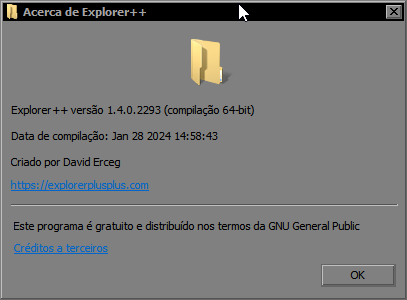
replace explorer to explorer++
btcRC2.png
 

My Computer

System One

  • OS
    Windows 11 Iot Enterprise 21h2 22000.3260
    Computer type
    PC/Desktop
    Manufacturer/Model
    Asus
    CPU
    xeon E5-2697v2
    Motherboard
    rampage iv extreme
    Memory
    32gb 8x4gb ddr3 1333 mhz
    Graphics Card(s)
    gtx 570 poit of view
    Sound Card
    realtek HD (ALC898)
    Monitor(s) Displays
    samsung b2030
    Screen Resolution
    1600x900
    Hard Drives
    2tb hd 5400 rpm
    3tb hd 5400 rpm
    1tb nvme pcie 3.0
    PSU
    hx850w
    Keyboard
    mtek
    Internet Speed
    500/250 gpon
    Browser
    r3dfox 146.0
    Antivirus
    none
replace explorer to explorer++
btcRC2.png
A very nice alternative. Didn't know it existed. Thanks. Is there a way that explorer++ follows the theme (dark in my case) of Windows? Could not find a setting in it's options.....
 

My Computer

System One

  • OS
    Win 11 Pro "25H2" Build 26200.8524, Zorin OS Pro
    Computer type
    PC/Desktop
    Manufacturer/Model
    Self built
    CPU
    Intel® Core™ i7-12700KF 12th Gen.
    Motherboard
    ASUS Prime Z690-A, BIOS v4505
    Memory
    32GB DDR5 5600-36 Vengeance
    Graphics Card(s)
    PCIe4.0 Asus NVIDIA RTX3060Ti
    Sound Card
    Onboard; Realtek
    Monitor(s) Displays
    34" LG 34UC79G-B Curved 21:9 144Hz
    Screen Resolution
    2560x1080 (No HDR)
    Hard Drives
    250Gb Samsung 870PRO NVMe (Win 11 Pro)
    1Tb Samsung 980PRO NVMe
    1Tb Samsung 970EVO NVMe
    2Tb Samsung 990PRO NVMe with heatsink.
    4Tb WDC WD40EZRZ Blue SATA (Int.)
    4Tb WDC WD40EZRZ Blue SATA (Int.)
    3Tb WDC WD30EFRZ Red SATA (Int.)
    256Gb Samsung 840PRO SSD (RHEL 9,5)
    256Gb Samsung 850PRO SSD (Zorin OS Pro 18)
    PSU
    Coolermaster 850W V2 Gold with internal 12cm exaust fan
    Case
    Be-Quiet Pure Base 600.
    Cooling
    3x Be-Quiet! 12/14cm "Silent Wings 4" casefans, 1x Arctic Freezer i35 CPU towerblock with fan.
    Keyboard
    Steelseries APEX 7 keyboard.
    Mouse
    Logitech G-502 Hero
    Internet Speed
    1Gb
    Browser
    Brave
    Antivirus
    F-Secure
    Other Info
    No Noise system.
    256Gb Kingston Travler USB 3.0 drive.
    64Gb Sandisk USB 3.2 drive. (Ventoy)
    8Gb Philips USB 3.0 drive. (Win. Inst.)
    8Gb Philips USB 3.0 drive. (Rescue disk)
    2Tb WD USB 3.0 Passport drive.
    USB Ext. 500Gb WD SATA drive.
    External USB 3.0 C.A. CD/DVD* burner.
Back
Top Bottom