Win Update KB5086672 Windows 11 Out-of-band Update build 26100.8117 (24H2) and 26200.8117 (25H2) - March 31


UPDATE 4/14:


 Microsoft Support:

March 31, 2026 - KB5086672 (OS Builds 26200.8117 and 26100.8117) Out-of-band​

This out-of-band update for Windows 11, version 25H2 and 24H2 (KB5086672) is cumulative and includes updates from previous security and non-security releases.

This update includes the improvements and features that were introduced in the March 26, 2026 non-security preview update (KB5079391), along with a fix for an installation issue that affected some devices attempting to install that update.

Improvements

This out-of-band update contains quality improvements from KB5079473 (released March 10, 2026), KB5085516 (released March 21, 2026), and KB5079391 (released March 26, 2026 - no longer offered). The following summary outlines key issues addressed by this out-of-band update. The bold text within the brackets indicates the item or area of the change.
  • [Setup] Fixed: While installing the March 2026 Windows preview update (KB5079391), some devices running Windows 11, version 25H2 or 24H2, might encounter the following error:

    Some update files are missing or have problems. We'll try to download the update again later. Error code: (0x80073712)
This out-of-band update is offered through Windows Update for devices running Windows 11 that have already installed KB5079473 or a later update. It is also available for manual download from the Microsoft Update Catalog.

Devices that have Get the latest updates as soon as they’re available turned on may see this update offered automatically through Windows Update when it becomes available for their device. If this setting is turned off, you can install the update manually by going to Settings > Windows Update and selecting Download & install.

Note: IT administrators using Microsoft Intune or Windows Autopatch should follow the guidance below for installing the out-of-band update via Windows Update.

AI Components

This release updates the following AI components:

AI Component​
Version​
Image Search1.2603.377.0
Content Extraction1.2603.377.0
Semantic Analysis1.2603.377.0
Settings Model1.2603.377.0

Windows 11 servicing stack update (KB5079387)- 26100.8112

This update makes quality improvements to the servicing stack, which is the component that installs Windows updates. Servicing stack updates (SSU) ensure that you have a robust and reliable servicing stack so that your devices can receive and install Microsoft updates. To learn more about SSUs, see Simplifying on-premises deployment of servicing stack updates.

Known issues in this update

Microsoft is not currently aware of any issues with this update.

How to get this update

Before you install this update

Microsoft combines the latest servicing stack update (SSU) for your operating system with the latest cumulative update (LCU). For general information about SSUs, see Servicing stack updates.

Install this update

To install this update, use one of the following Windows and Microsoft release channels.

Available​
Next Step​
Included
Open Start > Settings > Windows Update. > Advanced options > Optional updates. In the Optional updates available area, you will find the link to download and install available updates.

Check for optional updates
Included
To install this release from the Microsoft Update Catalog, select the option that matches your device architecture (arm64 or x64), and then follow the instructions.

If you want to remove the LCU

Before you decide to remove the LCU, see Understanding the risks: Why you should not uninstall security updates.

To remove the LCU after installing the combined SSU and LCU package, use the DISM/Remove-Package command line option with the LCU package name as the argument. You can find the package name by using this command: DISM /online /get-packages.

Running Windows Update Standalone Installer (wusa.exe) with the /uninstall switch on the combined package will not work because the combined package contains the SSU. You cannot remove the SSU from the system after installation.

File information

For a list of the files provided in this update, download the file information for out-of-band update 5086672.

For a list of the files provided in the servicing stack update, download the file information for the SSU (KB5079387) - version 26100.8112.


 Source:


Check Windows Updates


UUP Dump:

64-bit ISO download:

ARM64 ISO download:

 
Last edited:
1774999126436.webp
 

My Computer

System One

  • OS
    W11 Pro and Insider Dev
    Computer type
    PC/Desktop
    Manufacturer/Model
    Home brewed
    CPU
    AMD Ryzen 9 7900x
    Motherboard
    ASROCK b650 PRO RS
    Memory
    2x16GB Kingston 6000MHz, Cl 32 @ 6200MHz Cl30
    Graphics Card(s)
    Gigabyte Rx 6600XT Gaming OC 8G Pro
    Sound Card
    MB, Realtek Ac1220p
    Monitor(s) Displays
    3 x 27"
    Screen Resolution
    1080p
    Hard Drives
    Kingston KC3000. 1TBSamsung 970 evo Plus 500GB, Crucial P1 NVMe 1TB, Lexar NVMe 2 TB, Silicon Power M.2 SATA 500GB
    PSU
    Seasonic 750W
    Case
    Custom Raidmax
    Cooling
    Arctic Liquid Freezer III 360mm
    Internet Speed
    20/19 mbps
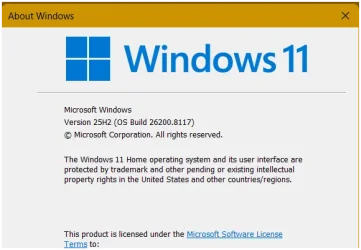
Just updated my Microsoft uncertified crash & burn system from
Win 11 Professional v25H2 b,26200.8039
(KB5079391 not previously installed)

took ~5mins to d/l
~15mins to install +3 x restarts to apply associated updates

Now running Win 11 Professional v25H2 b,26200.8117

No issues with installation at all - no testing of changes carried out at this stage however.

sfc /scannow showed 100% complete, No Integrity Errors found.

Hopefully others will have same experience.
 

My Computers

System One System Two

  • OS
    Windows 10 Pro 22H2
    Computer type
    Laptop
    Manufacturer/Model
    HP EliteBook 840 G6
    CPU
    Intel Core i7-8565U
    Memory
    16GB
    Graphics Card(s)
    Integrated
    Sound Card
    Integrated
    Screen Resolution
    1920 x 1080
    Hard Drives
    SSD NVMe
    Other Info
    Win 11 Upgrade compatible.
  • Operating System
    Win 11 Pro 25H2
    Computer type
    Laptop
    Manufacturer/Model
    HP eliteBook 840 G4
    CPU
    Intel Core i7-7600U
    Memory
    8GB
    Graphics card(s)
    Integrated
    Sound Card
    Integrated
    Screen Resolution
    1920 x 1080
    Hard Drives
    SSD
    Other Info
    My Crash&Burn system.
    Initially clean installed to Win 11 for testing of the new OS.
    TPM 2.0 Installed.
    CPU does not pass the MS Health Check.
Getting now...

1774999520793.webp
 

My Computer

System One

  • OS
    Windows 11
    Computer type
    PC/Desktop
    Manufacturer/Model
    Asus/Custom Build
    CPU
    Intel® Xeon® X5690 3.47GHz Six-Core
    Motherboard
    Asus P6T Deluxe v2
    Memory
    G.Skill PC3-12800 1600MHz 24GB
    Graphics Card(s)
    NVIDIA GeForce GTX 1050
    Sound Card
    SoundMAX ADI AD2000B HD Audio
    Monitor(s) Displays
    Acer T232HL Touch Screen
    Screen Resolution
    1920 x 1080 @ 60Hz
    Hard Drives
    6 Crucial MX500 SSD 1TB each.
    PSU
    Thermaltake Toughpower Gold 850W
    Case
    Thermaltake Armor VA8000SWA
    Cooling
    Thermaltake Air Cooling System
    Keyboard
    Illuminated Multimedia LED Keyboard
    Mouse
    M16 Dual Mode Illuminated Mouse - Bluetooth / 2.4 GHz Mode
    Internet Speed
    800 Mbps
    Browser
    Edge / Opera / Vivaldi / Chrome / Firefox / Brave
    Antivirus
    Windows Defender Security
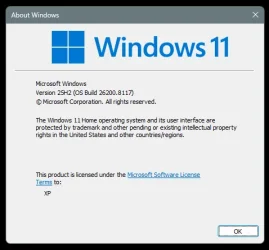
Installed okay with two reboots...

1775000945926.webp
 

My Computer

System One

  • OS
    Windows 11
    Computer type
    PC/Desktop
    Manufacturer/Model
    Asus/Custom Build
    CPU
    Intel® Xeon® X5690 3.47GHz Six-Core
    Motherboard
    Asus P6T Deluxe v2
    Memory
    G.Skill PC3-12800 1600MHz 24GB
    Graphics Card(s)
    NVIDIA GeForce GTX 1050
    Sound Card
    SoundMAX ADI AD2000B HD Audio
    Monitor(s) Displays
    Acer T232HL Touch Screen
    Screen Resolution
    1920 x 1080 @ 60Hz
    Hard Drives
    6 Crucial MX500 SSD 1TB each.
    PSU
    Thermaltake Toughpower Gold 850W
    Case
    Thermaltake Armor VA8000SWA
    Cooling
    Thermaltake Air Cooling System
    Keyboard
    Illuminated Multimedia LED Keyboard
    Mouse
    M16 Dual Mode Illuminated Mouse - Bluetooth / 2.4 GHz Mode
    Internet Speed
    800 Mbps
    Browser
    Edge / Opera / Vivaldi / Chrome / Firefox / Brave
    Antivirus
    Windows Defender Security
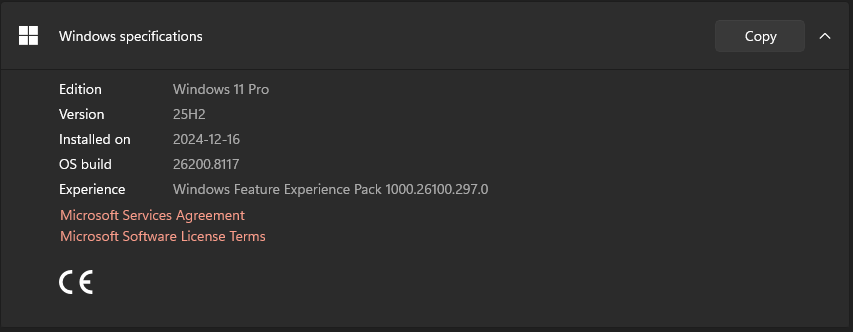
Edition Windows 11 Pro
Version 25H2
Installed on ‎20.‎9.‎2025.
OS build 26200.8117
Experience Windows Feature Experience Pack 1000.26100.297.0
 

My Computer

System One

  • OS
    W11 Pro and Insider Dev
    Computer type
    PC/Desktop
    Manufacturer/Model
    Home brewed
    CPU
    AMD Ryzen 9 7900x
    Motherboard
    ASROCK b650 PRO RS
    Memory
    2x16GB Kingston 6000MHz, Cl 32 @ 6200MHz Cl30
    Graphics Card(s)
    Gigabyte Rx 6600XT Gaming OC 8G Pro
    Sound Card
    MB, Realtek Ac1220p
    Monitor(s) Displays
    3 x 27"
    Screen Resolution
    1080p
    Hard Drives
    Kingston KC3000. 1TBSamsung 970 evo Plus 500GB, Crucial P1 NVMe 1TB, Lexar NVMe 2 TB, Silicon Power M.2 SATA 500GB
    PSU
    Seasonic 750W
    Case
    Custom Raidmax
    Cooling
    Arctic Liquid Freezer III 360mm
    Internet Speed
    20/19 mbps
I didn't have any problem with previous update and not having problems with this.
Yep, same for me, no problems with either.
 

My Computer

System One

  • OS
    Windows 11 Pro 25H2
    Computer type
    Laptop
    Manufacturer/Model
    HP 15s-fq5xxx
    CPU
    12th Gen Intel(R) Core(TM) i7-1255U (1.70 GHz
    Memory
    16.0 GB
    Graphics Card(s)
    Intel iRIS Xe
    Screen Resolution
    1920 x 1080
    Hard Drives
    Samsung SSD 512 GB
    Mouse
    Logitech Pebble
    Internet Speed
    500/50 Mb/sec
    Browser
    Chrome
    Antivirus
    Defender
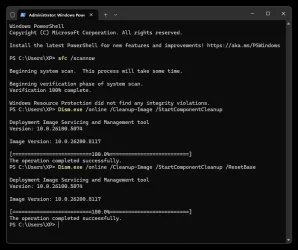
KB5086672, smooth & fast - 1 reboot 3 DISM's are ok, reboot - SFC is Clean
 

Attachments

  • Screenshot 2026-03-31 161809.webp
    Screenshot 2026-03-31 161809.webp
    23.9 KB · Views: 1

My Computer

System One

  • OS
    Windows 11 25H2 (OS Build 26200.8524)
    Computer type
    Laptop
    Manufacturer/Model
    Dell
    CPU
    Processor: 11th Gen Intel(R) Core(TM) i5-1135G7 @ 2.40G
    Motherboard
    64-bit operating system Dell 0XMF7W
    Memory
    12GB
    Graphics Card(s)
    Intel R Iris R XE Graphics family
    Sound Card
    Cirrus Speakers High Definition Audio
    Monitor(s) Displays
    Generic PnP monitor
    Screen Resolution
    1920 x 1080
    Hard Drives
    NVMe 670p SSDPEKNU512GZ NVMe I NTEL 512GB
    Case
    cheap
    Mouse
    Logitech wireless mouse
    Internet Speed
    16 Mps download
    Browser
    Google Chrome
    Antivirus
    Security: Microsoft Defender & Malwarebytes Premium (with browser guard)
    Other Info
    Dell model: Inspiron 15 3511
I've had to restart my PC three times now with this update.. I have no idea why it keeps doing that.. Hopefully no more notifications for a restart after this one.
 

My Computer

System One

  • OS
    Windows 11 Pro x64 25H2
    Computer type
    PC/Desktop
    CPU
    i9 14900k
    Motherboard
    MSI Z790 Gaming Plus WiFi-AMZ Gaming Motherboard
    Memory
    G.SKILL Ripjaws S5 Series DDR5 64gb 6400MT/s
    Graphics Card(s)
    NVIDIA Geforce RTX 5070 Ti OC 16gb
    Sound Card
    HyperX Cloud 3 Wireless Headset , Astro A50 Gen 5 Wireless Gaming Headset
    Monitor(s) Displays
    Acer Prediator x34 X5 QD-OLED Ultrawide 240hz, Portable Monitor 1920x1080p 60hz
    Screen Resolution
    3440x1440p , 1920x1080p
    Hard Drives
    Crucial P3 Plus 500gb NVMe M.2
    WD Black SN750 NVMe SSD 1TB
    WD Black SN7100 NVMe SSD 2TB
    Crucial MX500 1TB
    PSU
    Corsair RMx Series RM1000x ATX 3.1 PCIe 5.1
    Case
    MSI MAG PANO 100L PZ
    Cooling
    ID-COOLING FX360 Pro Liquid CPU Cooler
    Keyboard
    CORSAIR - K70 PRO TKL RGB Hall Effect Gaming Keyboard
    Mouse
    Glorious Model O 2 Pro Wireless Gaming Mouse
    Internet Speed
    https://www.speedtest.net/result/19091168380.png
    Browser
    Firefox
    Antivirus
    Windows Security
12867.webp 🤷‍♂️
 

My Computers

System One System Two

  • OS
    Windows 11 Pro
    Computer type
    PC/Desktop
    Manufacturer/Model
    ASUS ROG Strix
  • Operating System
    Windows 11 Pro
    Computer type
    Laptop
    Manufacturer/Model
    ASUS VivoBook
25H2 26200.8117
Both System One and System Two updated with no issues.
DISM/SFC were run with no issues.
 

My Computers

System One System Two

  • OS
    Windows 11 Pro
    Computer type
    Laptop
    Manufacturer/Model
    Dell XPS 16 DA16260
    CPU
    Intel Series 3 Core Ultra X9 388H
    Memory
    64GB LPDDR5x 9600 MT/s
    Graphics Card(s)
    Intel Arc graphics B390 Panther Lake
    Monitor(s) Displays
    16" 3.2K Tandem OLED Infinity Edge
    Screen Resolution
    3200 x 2000 16:10 236 PPI
    Hard Drives
    1 Terabyte M.2 PCIe NVMe SSD
    Case
    Black Anodized Aluminum
    Cooling
    Vapor Chamber Cooling
    Mouse
    None
    Internet Speed
    942 Mbps Netgear Mesh + 2 Satellites
    Browser
    Microsoft Edge (Chromium)
    Antivirus
    Windows Security (Defender)
    Other Info
    NPU delivering 67 TOPS
    Microsoft 365 subscription
    Microsoft OneDrive 1TB Cloud
    Microsoft Visual Studio
    Microsoft Visual Studio Code
    Microsoft Sysinternals Suite
    Microsoft BitLocker
    Microsoft Copilot
    Dell Support Assist
    Dell Command | Update
    Macrium Reflect X subscription
    1Password Password Manager
    Amazon Kindle for PC
    Lightroom/Photoshop subscription
    Interactive Brokers Trader Workstation
  • Operating System
    Windows 11 Pro
    Computer type
    Laptop
    Manufacturer/Model
    Microsoft Surface Laptop 7
    CPU
    Snapdragon® X Elite (12 Core) with Hexagon NPU delivering 45 TOPS
    Memory
    32GB LPDDR5x 8448 MT/s
    Graphics card(s)
    Integrated Adreno GPU
    Sound Card
    Omnisonic speakers with Dolby Atmos spatial sound
    Monitor(s) Displays
    13.8″ PixelSense Flow touchscreen 120 Hz 600 NIT
    Screen Resolution
    2304 × 1536 (201 PPI), 3:2 aspect ratio
    Hard Drives
    1 TB PCIe NVMe Gen 4 SSD
    Case
    Black Anodized Aluminum
    Cooling
    Vapor Chamber Cooling
    Mouse
    None
    Internet Speed
    942 Mbps Netgear Mesh + 2 Satellites
    Browser
    Microsoft Edge (Chromium)
    Antivirus
    Windows Security (Defender)
    Other Info
    Microsoft 365 subscription (Office)
    Microsoft OneDrive 1TB Cloud
    Microsoft Visual Studio 2026
    Microsoft Visual Studio Code
    Interactive Brokers Trader Workstation
    Lightroom/Photoshop subscription
    1Password Password Manager
    Microsoft Sysinternals
    Amazon Kindle for PC
    Microsoft BitLocker
    Microsoft Copilot

My Computers

System One System Two

  • OS
    Windows 11 Pro 25H2
    Computer type
    PC/Desktop
    Manufacturer/Model
    Homebuilt
    CPU
    Intel Core i9 13900K
    Motherboard
    Asus ProArt Z790 Creator WiFi - Bios 3107
    Memory
    Corsair Dominator Platinum 64gb 5600MT/s DDR5 Dual Channel
    Graphics Card(s)
    Sapphire NITRO+ AMD Radeon RX 7900 XTX Vapor-X 24GB
    Sound Card
    External DAC: Cambridge Audio DACMagic200M - Headphone Amp: Topping L50
    Monitor(s) Displays
    Panasonic MX950 Mini LED 55" TV 120hz
    Screen Resolution
    3840 x 2160 120hz
    Hard Drives
    Samsung 980 Pro 2TB (OS)
    Samsung 980 Pro 1TB (Files)
    Lexar NZ790 4TB
    LaCie d2 Professional 6TB external - USB 3.1
    Seagate Expansion 16TB external - USB 3.2
    Seagate One Touch 18TB external HD - USB 3.0
    PSU
    Corsair RM1200x Shift
    Case
    Corsair RGB Smart Case 5000x (white)
    Cooling
    Corsair iCue H150i Elite Capellix XT
    Keyboard
    Incase Ergonomic USB (Microsoft clone)
    Mouse
    Logitech MX Master 3S
    Internet Speed
    Fibre 900/500 Mbps
    Browser
    Microsoft Edge Chromium
    Antivirus
    Bitdefender Total Security
    Other Info
    AMD Radeon Software & Drivers 26.1.1
    Hasleo Backup Suite
    Dashlane password manager
    Kensington Verimark fingerprint reader
    Logitech Brio 4K webcam
    Orico 10-port powered USB 3.0 hub
  • Operating System
    Windows 11 Pro 25H2
    Computer type
    Laptop
    Manufacturer/Model
    Asus Vivobook X1605VA
    CPU
    Intel® Core™ i9-13900H
    Motherboard
    Asus X1605VA bios 309
    Memory
    32GB DDR4-3200 Dual channel
    Graphics card(s)
    *Intel Iris Xᵉ Graphics G7
    Sound Card
    Realtek | Intel SST Bluetooth & USB
    Monitor(s) Displays
    16.0-inch, WUXGA 16:10 aspect ratio, IPS-level Panel
    Screen Resolution
    1920 x 1200 60hz
    Hard Drives
    512GB M.2 NVMe™ PCIe® 3.0 SSD
    Mouse
    Logitech MX Ergo Trackball
    Antivirus
    Bitdefender Total Security
    Other Info
    720p Webcam
    WiFi & USB to ethernet
Just downloaded and installed. Working ok and SFC ran clean.
 

My Computer

System One

  • OS
    Windows 11
    Computer type
    PC/Desktop
    Manufacturer/Model
    Home built
    CPU
    Intel i5 9400
    Motherboard
    Gigabyte B365M D3SH WIFI
    Memory
    16GB tforce
    Graphics Card(s)
    GeForce GTX950 SSC
    Monitor(s) Displays
    View Sonic VX 3216 32" curved screen
    Screen Resolution
    1920 x 1080
    Hard Drives
    Crucial 250GB, Western Digital 6TB
    PSU
    MSI MAG A1000GL PCIE5
    Cooling
    standard Intel fan
    Keyboard
    Microsoft 3000 version 2
    Mouse
    Microsoft 3000
    Internet Speed
    symmetrical 50Mb fiber feed
    Browser
    Edge and Chrome
    Antivirus
    using Windows Defender
All 3 systems updated without issues.

1775005777341.webp
 

My Computers

System One System Two

  • OS
    Win 11 Pro 25H2 26200.8524
    Computer type
    PC/Desktop
    Manufacturer/Model
    Self Built
    CPU
    Intel® Core™ i7-14700K
    Motherboard
    ASUS TUF Z690-PLUS WIFI BIOS 4505 11/29/25
    Memory
    G.SKILL Ripjaws S5 Series 64GB (2 x 32GB) DDR5
    Graphics Card(s)
    ASUS GeForce RTX 4070 Super 12GB
    Sound Card
    Sound Blaster AE-5 Plus
    Monitor(s) Displays
    ASUS TUF Gaming 27" 2K HDR Gaming
    Screen Resolution
    2560 x 1440
    Hard Drives
    Samsung 990 Pro 1TB NVMe (Win 11 25H2)
    SK hynix P41 500GB NVMe 25H2 DEV/Games
    SK hynix P41 2TB NVMe (x3)
    Crucial P3 Plus 4TB
    PSU
    Corsair RM850x Shift
    Case
    Antec Dark Phantom DP502 FLUX
    Cooling
    Corsair Nautilus 360 RS AIO
    Keyboard
    Logitech MK 320
    Mouse
    Razer Basilisk V3
    Internet Speed
    350Mbs
    Browser
    Firefox
    Antivirus
    Winows Security
    Other Info
    MR 8.1 Home

    System 3 Specs
    Win 11 Pro 25H2 26200.8524
    ASUS PRIME Z370-P II BIOS 3004 7/12/21
    Intel Core i7-8700 CPU @ 3.20GHz
    32GB DDR4 RAM (4x8)
    iGPU Intel UHD Graphics 630
  • Operating System
    Win 11 Pro 25H2 26200.8524
    Computer type
    PC/Desktop
    Manufacturer/Model
    Self Built
    CPU
    Intel Core i7-11700F
    Motherboard
    Asus TUF Gaming Z590 Plus WiFi (BIOS 2803)
    Memory
    64 GB DDR4
    Graphics card(s)
    MSI GeForce RTX 3060 Ventus 2X 12GB
    Sound Card
    SoundBlaster Audigy Fx V2
    Monitor(s) Displays
    Samsung F27T350
    Screen Resolution
    1920x1080
    Hard Drives
    Samsung 980 Pro 1TB
    Samsung 970 EVO Plus 2TB
    Samsung 870 EVO 500GB SSD
    PSU
    Corsair HX750
    Case
    Cougar MX330-G Window
    Cooling
    Thermalright Frozen Edge 240 Black AIO
    Internet Speed
    350Mbps
    Browser
    Firefox
    Antivirus
    Windows Security
I think what would be nice, given the amount of telemetry Windows collects, if non Copilot PCs did not have to download the AI components. From what I've read, it can add up to a couple of GB to the download. Updated from 26200.8116 to 26200.8117 with no issues.
 

My Computer

System One

  • OS
    Windows 11 25H2
    Computer type
    PC/Desktop
    Manufacturer/Model
    EVGA home brew
    CPU
    Broadwell-e 6850K 4.5ghz @1.36v
    Motherboard
    EVGA X99 FTW K
    Memory
    32GB Corsair LPM 3600 C16
    Graphics Card(s)
    EVGA RTX 3080Ti FTW
    Sound Card
    Asus Centurion true 7.1 headset. (5 speakers in each earpeice)
    Monitor(s) Displays
    LG C4 55"
    Screen Resolution
    4K 144hz
    Hard Drives
    Various models of SSDs ~10TB No HDDs installed.
    PSU
    be quiet! BN516 Straight Power 12-1000w 80 Plus Platinum
    Case
    Corsair 780T modified to dual 200mm intake fans
    Cooling
    Corsair H110i
    Keyboard
    Corsair K95 Platinum
    Mouse
    Corsair M65 RGB Elite
    Internet Speed
    50Mbs
Done. Two restarts...

Image1.webp Image1.webp


It's called Quality Control, Microsoft.
 

My Computers

System One System Two

  • OS
    Win 11 Home ♦♦♦26200.8457 ♦♦♦♦♦♦♦25H2
    Computer type
    PC/Desktop
    Manufacturer/Model
    Built by Ghot® [May 2020]
    CPU
    AMD Ryzen 7 3700X
    Motherboard
    Asus Pro WS X570-ACE (BIOS 5302)
    Memory
    G.Skill (F4-3200C14D-16GTZKW)
    Graphics Card(s)
    EVGA RTX 2070 (08G-P4-2171-KR)
    Sound Card
    Realtek ALC1220P / ALC S1220A
    Monitor(s) Displays
    Dell U3011 30"
    Screen Resolution
    2560 x 1600
    Hard Drives
    2x Samsung 860 EVO 500GB,
    WD 4TB Black FZBX - SATA III,
    WD 8TB Black FZBX - SATA III,
    DRW-24B1ST CD/DVD Burner
    PSU
    PC Power & Cooling 750W Quad EPS12V
    Case
    Cooler Master ATCS 840 Tower
    Cooling
    CM Hyper 212 EVO (push/pull)
    Keyboard
    Ducky DK9008 Shine II Blue LED
    Mouse
    Logitech Optical M-100
    Internet Speed
    300/300
    Browser
    Firefox (latest)
    Antivirus
    Bitdefender Total Security
    Other Info
    Speakers: Klipsch Pro Media 2.1
  • Operating System
    Windows XP Pro 32bit w/SP3
    Computer type
    PC/Desktop
    Manufacturer/Model
    Built by Ghot® (not in use)
    CPU
    AMD Athlon 64 X2 5000+ (OC'd @ 3.2Ghz)
    Motherboard
    ASUS M2N32-SLI Deluxe Wireless Edition
    Memory
    TWIN2X2048-6400C4DHX (2 x 1GB, DDR2 800)
    Graphics card(s)
    EVGA 256-P2-N758-TR GeForce 8600GT SSC
    Sound Card
    Onboard
    Monitor(s) Displays
    ViewSonic G90FB Black 19" Professional (CRT)
    Screen Resolution
    up to 2048 x 1536
    Hard Drives
    WD 36GB 10,000rpm Raptor SATA
    Seagate 80GB 7200rpm SATA
    Lite-On LTR-52246S CD/RW
    Lite-On LH-18A1P CD/DVD Burner
    PSU
    PC Power & Cooling Silencer 750 Quad EPS12V
    Case
    Generic Beige case, 80mm fans
    Cooling
    ZALMAN 9500A 92mm CPU Cooler
    Keyboard
    Logitech Classic Keybooard 200
    Mouse
    Logitech Optical M-BT96a
    Internet Speed
    300/300
    Browser
    Firefox 3.x ??
    Antivirus
    Symantec (Norton)
    Other Info
    Still assembled, still runs. Haven't turned it on for 15 years?
Two reboots later, 8039 -> 8117. Process was completely uneventful, as it should be.

X5LiHdl.png
 

My Computer

System One

  • OS
    Windows 11 Pro 25H2
    Computer type
    PC/Desktop
    Manufacturer/Model
    custom
    CPU
    AMD Ryzen 9 3950X
    Motherboard
    ASUS ROG Strix X570-E (first gen)
    Memory
    64 GB DDR4-3600 CL18 (2x32 GB)
    Graphics Card(s)
    MSI Ventus RTX 2060 Super
    Sound Card
    Audient iD4 Mk.I
    Monitor(s) Displays
    2x AOC 24G1 / 1x XP-Pen Artist Pro 16 Gen 2 2.5K
    Screen Resolution
    1080p / 2560x1600
    Hard Drives
    1TB WD/SanDisk SN850X (main) / 2TB Sabrent Rocket 4 / 6TB WD MyBook EE
    PSU
    Corsair RM850X 850W Gold (2019)
    Case
    Lian-Li O11-D
    Cooling
    EKWB EK-AIO 360 RGB
    Keyboard
    wooting Two HE fullsize
    Mouse
    some old mouse from an older PC
    Internet Speed
    Gigabit symmetric (fibre); Bell Fibe
    Browser
    Firefox
    Antivirus
    ol' reliable Windows Defender
    Other Info
    Other peripherals:

    - Shure SM7B (Mexico)
    - AKG K 240 Studio (calibrated flat)
    - PDP FaceOff wired Switch gamepad
After completely reinstalling Windows 11 Pro back on the Dell laptop and running a SFC /scannow after 26200.8117, these two files are in error:

Code:
2026-03-31 21:31:16, Info                  DEPLOY [Pnp] Corrupt file: C:\WINDOWS\System32\drivers\BthA2dp.sys
2026-03-31 21:31:16, Info                  DEPLOY [Pnp] Corrupt file: C:\WINDOWS\System32\drivers\BthHfEnum.sys

I kept running "SFC /scannow" and just now they are no longer corrupt.

Something from this update causing these problems. I have more systems to correct from this update.
 

My Computer

System One

  • OS
    Windows 11 Pro
    Computer type
    Laptop
    Manufacturer/Model
    Dell 16 Plus DB16255
    CPU
    AMD Ryzen AI 7 350 w/ Radeon 860M 50 TOPS
    Motherboard
    Dell 0PKMHG
    Memory
    32GB LPDDR5X 7500 MT/s
    Graphics Card(s)
    AMD Radeon 860M integrated (shared memory)
    Sound Card
    Stereo speakers (2.5 W x 2 = 5 W total peak)/Realtek SounzReal/Dolby Atmos
    Monitor(s) Displays
    Displays: 16" 1920 x 1200 (Full HD+/WUXGA) 300 nits 60Hz *** Samsung - 27” Odyssey FHD IPS 240Hz G-Sync Gaming Monitor
    Screen Resolution
    1920x1080 @ 60Hz
    Hard Drives
    EG6 KIOXIA 1TB NVME
    Case
    Ice Blue
    Cooling
    "dual-fan" or "enhanced" air-cooling system
    Mouse
    Logitech M650 Wireless/Bluetooth
    Internet Speed
    800/600 Fiber
After completely reinstalling Windows 11 Pro back on the Dell laptop and running a SFC /scannow after 26200.8117, these two files are in error:

Code:
2026-03-31 21:31:16, Info                  DEPLOY [Pnp] Corrupt file: C:\WINDOWS\System32\drivers\BthA2dp.sys
2026-03-31 21:31:16, Info                  DEPLOY [Pnp] Corrupt file: C:\WINDOWS\System32\drivers\BthHfEnum.sys

I kept running "SFC /scannow" and just now they are no longer corrupt.

Something from this update causing these problems. I have more systems to correct from this update.
Think those are the Bluetooth file errors another member here gets every update. He still hasn't found a fix.
 

My Computers

System One System Two

  • OS
    Windows 11 25H2
    Computer type
    Laptop
    Manufacturer/Model
    Alienware 18 Area-51
    CPU
    Intel Core Ultra 9 275HX (24-Core)
    Motherboard
    Alienware
    Memory
    64GB DDR5 6400MT/s
    Graphics Card(s)
    NVIDIA GeForce RTX 5080 and Intel UHD Graphics
    Sound Card
    Onboard, Realtek high-performance Audio chips (ALC3329 & ALC1708))
    Monitor(s) Displays
    300HZ 18-inch QHD 500 nit Comfort View+
    Screen Resolution
    2560 x 1600
    Hard Drives
    2TB NVMe M.2 PCIe Gen 5 SSD
    Case
    Magnesium Alloy
    Cooling
    Advanced Cryo-Tech Quad-Fan Cooling system & large vapor chamber
    Keyboard
    Cherry MX ultra low profile mechanical keyboard with per key AlienFX RGB lighting
    Mouse
    Logitech MX Master 4
    Browser
    Vivaldi (main), Firefox, Chrome, Edge
    Antivirus
    MS Defender and Malwarebytes Free
  • Operating System
    Windows 11 25H2
    Computer type
    Laptop
    Manufacturer/Model
    Microsoft Surface Laptop 7
    CPU
    Qualcomm Snapdragon X Elite (12 Core) ARM based CPU
    Motherboard
    Microsoft Corp.
    Memory
    16GB LPDDR5
    Graphics card(s)
    Qualcomm Adreno X1-85
    Sound Card
    Omnisonic speakers with Dolby Atmos spatial sound
    Monitor(s) Displays
    120 Hz 13.8-inch 600 nit PixelSense Flow touchscreen
    Screen Resolution
    2304x1536
    Hard Drives
    1TB NVMe Gen 4 SSD
    Case
    Anodized Aluminum
    Cooling
    Traditional active cooling fan system
    Keyboard
    Mechanical QWERTY, backlit when in use
    Mouse
    Logitech MX Master 4 and Surface Arc Mouse
    Browser
    Vivaldi (main), Firefox, Chrome, Edge
    Antivirus
    MS Defender and Malwarebytes Free
After completely reinstalling Windows 11 Pro back on the Dell laptop and running a SFC /scannow after 26200.8117, these two files are in error:

Code:
2026-03-31 21:31:16, Info                  DEPLOY [Pnp] Corrupt file: C:\WINDOWS\System32\drivers\BthA2dp.sys
2026-03-31 21:31:16, Info                  DEPLOY [Pnp] Corrupt file: C:\WINDOWS\System32\drivers\BthHfEnum.sys

I kept running "SFC /scannow" and just now they are no longer corrupt.

Something from this update causing these problems. I have more systems to correct from this update.
It isn't really a problem problem, as most systems run fine without these Bluetooth drivers, but it's certainly weird that it's these drivers this consistently.
 

My Computer

System One

  • OS
    Windows 11 Pro 25H2
    Computer type
    PC/Desktop
    Manufacturer/Model
    custom
    CPU
    AMD Ryzen 9 3950X
    Motherboard
    ASUS ROG Strix X570-E (first gen)
    Memory
    64 GB DDR4-3600 CL18 (2x32 GB)
    Graphics Card(s)
    MSI Ventus RTX 2060 Super
    Sound Card
    Audient iD4 Mk.I
    Monitor(s) Displays
    2x AOC 24G1 / 1x XP-Pen Artist Pro 16 Gen 2 2.5K
    Screen Resolution
    1080p / 2560x1600
    Hard Drives
    1TB WD/SanDisk SN850X (main) / 2TB Sabrent Rocket 4 / 6TB WD MyBook EE
    PSU
    Corsair RM850X 850W Gold (2019)
    Case
    Lian-Li O11-D
    Cooling
    EKWB EK-AIO 360 RGB
    Keyboard
    wooting Two HE fullsize
    Mouse
    some old mouse from an older PC
    Internet Speed
    Gigabit symmetric (fibre); Bell Fibe
    Browser
    Firefox
    Antivirus
    ol' reliable Windows Defender
    Other Info
    Other peripherals:

    - Shure SM7B (Mexico)
    - AKG K 240 Studio (calibrated flat)
    - PDP FaceOff wired Switch gamepad
Back
Top Bottom