Microsoft Support:
Changes and improvements gradually being rolled out
[Unicode]
- We've updated Windows text shaping support for Unicode 17.0, helping Windows correctly display and shape newly encoded characters and scripts. Unicode 17.0 added 4,803 characters, including support for four newly encoded scripts: Beria Erfe, Sidetic, Tai Yo, and Tolong Siki.
- These updates help keep Windows text support current as the Unicode Standard evolves and improve support for languages and writing systems used by people around the world.
[File Explorer]
- Address Bar now supports '~' , making it quicker to navigate directly to your user profile folder and subfolders (e.g., "~\AppData").

Show Full Path in File Explorer Address Bar in Windows 11
This tutorial will show you how to see the full path in the address bar of File Explorer on demand in Windows 10 and Windows 11. File Explorer shows breadcrumbs in the address bar by default. Breadcrumbs display the hierarchy path of folders that were navigated to for the current folder... www.elevenforum.com
[Settings]
- We're making performance improvements to the Settings home page, which should result in reduced loading times in certain scenarios.
[Recovery]
- We're adding a new entry point for Cloud Rebuild under Settings > System > Recovery, making it easier to access the feature from Settings.

Cloud Rebuild Windows 11
This tutorial will show you how to use Cloud rebuild to perform a full clean reinstall of Windows 11 from Windows Recovery (WinRE). Starting with Windows 11 build 26300.8772 (Experimental 26H2), build 26220.9343 (Beta 25H2), and build 28120.3032 (Experimental 26H1) for Insiders, Microsoft is...
www.elevenforum.com
Known issues
- We're investigating an issue causing some Insiders to be unable to install the latest updates and see error 0x80073712. We believe this issue is related to having Windows Sandbox installed. As a workaround, try disabling Windows Sandbox.

Enable or Disable Windows Sandbox in Windows 11
This tutorial will show you how to enable or disable the Windows Sandbox feature for all users in Windows 11 Pro, Enterprise, or Education. Windows Sandbox provides a lightweight desktop environment to safely run applications in isolation. Software installed inside the Windows Sandbox...
www.elevenforum.com
Reminders for Windows Insiders in the Experimental channel
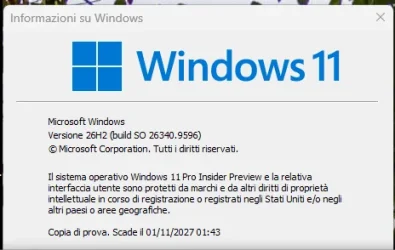
- Updates are based on Windows 11, version 26H2 via an enablement package (Build 26340.9596).
- Many features are rolled out using Controlled Feature Rollout technology, starting with a subset of Insiders and ramping up over time. We monitor feedback to see how they land before pushing them out to everyone in this channel.
- The desktop watermark shown at the lower right corner of the desktop is normal for Windows Insider pre-release builds.
- Features and experiences included in these builds might never get released as we try out different concepts and get feedback. Features might change over time, be removed, or replaced and never get released beyond Windows Insiders. Some of these features and experiences could show up in future Windows releases when they're ready.
- Some features in active development we preview with Windows Insiders might not be fully localized, and localization will happen over time as features are finalized. As you see issues with localization in your language, report those issues to us via Feedback Hub.
- Check out Flight Hub for a complete look at what build is in which Insider channel.
Source:

Windows 11 Insider Experimental Preview Build 26340.9596 - Windows Insider Program
Release notes for Windows 11 Insider Experimental Preview Build 26340.9596
learn.microsoft.com

Announcing new builds for 2 October 2026
Hello Windows Insiders, Today, we’re releasing new Windows 11 Insider Preview builds to the Beta and Experimental channels. New builds this week Select your channel below to view its release notes: Beta:
 blogs.windows.com
Check Windows Updates
UUP Dump:
64-bit ISO download:

Select language for Windows 11 Insider Preview Feature Update (26340.9596) amd64
Select language for Windows 11 Insider Preview Feature Update (26340.9596) amd64 on UUP dump. UUP dump lets you download Unified Update Platform files, like Windows Insider updates, directly from Windows Update.
uupdump.net
ARM64 ISO download:
Select language for Windows 11 Insider Preview Feature Update (26340.9596) arm64
Select language for Windows 11 Insider Preview Feature Update (26340.9596) arm64 on UUP dump. UUP dump lets you download Unified Update Platform files, like Windows Insider updates, directly from Windows Update.
uupdump.net

UUP Dump - Download Windows Insider ISO
UUP Dump is the most practical and easy way to get ISO images of any Insider Windows 10 or Windows 11 version, as soon as Microsoft has released a new build. UUP Dump creates a download configuration file according to your choices, downloads necessary files directly from Microsoft servers, and...
www.elevenforum.com
Last edited:


 '
'