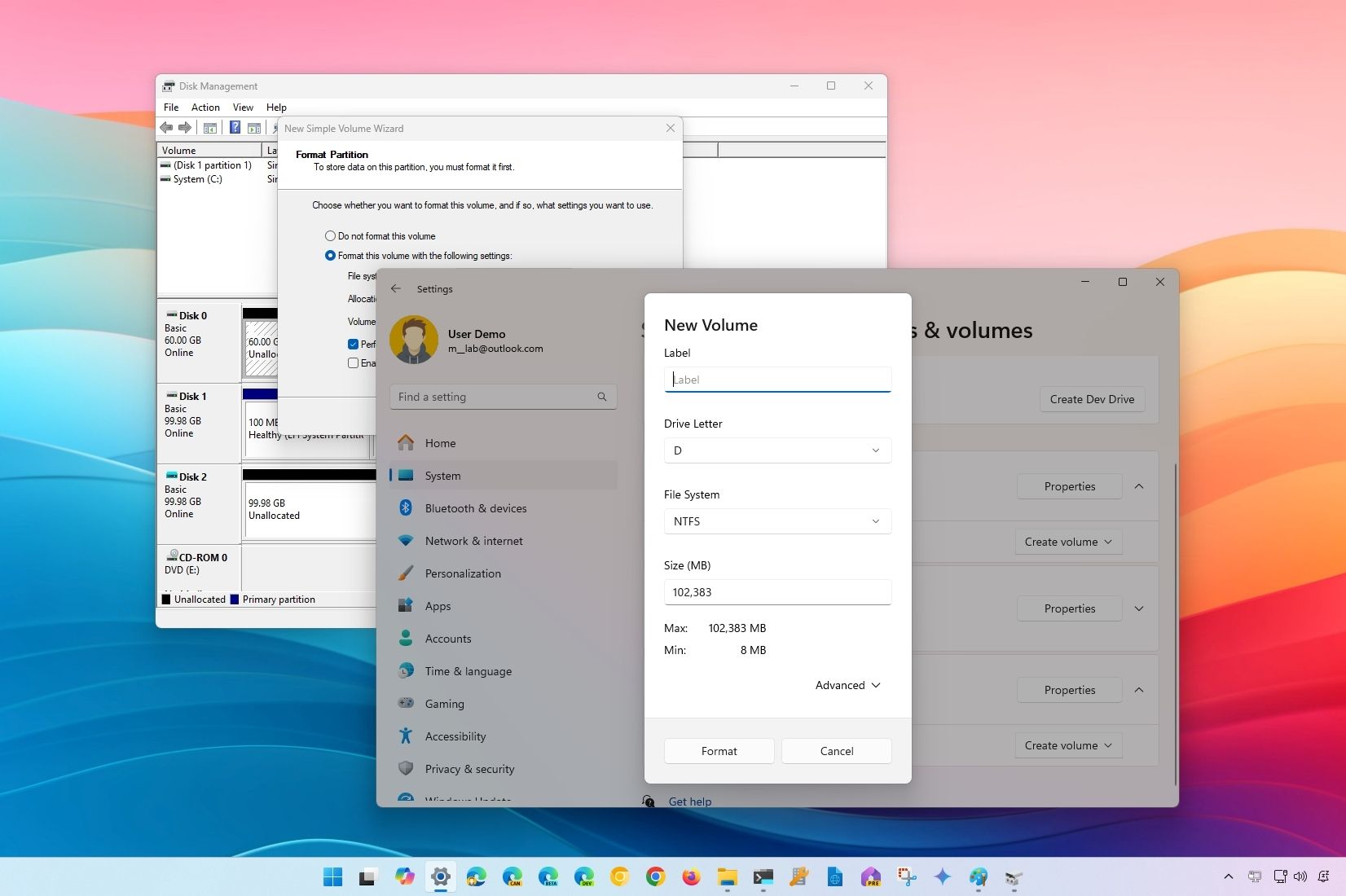
Solved Laptop does not recognize 2TB Flash Drive


anken

Member
Local time
2:36 PM
Posts
6
Location
California
OS
Windows 11 Home, version: 22H2
Hi I am new to Windows11 (Home) and am so glad to have found this forum.

Have purchased the Sandisk Extreme 2 TB Flash Drive to create a system image of my new laptop, which has 2 large Hard Drives. After using the Flash Drive once, I deleted the contents. This has created a partition and made it unusable for the large image backup. Finally, I was able to delete the partition via command prompt.

Now, I have the original storage space back. All of the space shows as “unallocated” now in Disk Management also shows in Control Panel and Device Manager.

My problem now is that this Flash Drive does not show up anymore in “This PC” “Devices and Drives” with the other drives like Hard Drive, Google Drive, etc.
I plugged in other Flash drives are working well and this 2TB Flash drive also shows as working well and so is laptop.

I have tried other USB ports uninstalled /reinstalled driver,,ran trouble shooter, etc.

Nothing seems to help. If anybody has any suggestion, I would very much appreciate it.

Thank you very much in advance for any suggestion. Ann
 
Windows Build/Version
Win 11 Home version 22H2

My Computer My Computer

At a glance

Windows 11 Home, version: 22H2Intel 12.Gen. Core i732 GBIntel (R) UHD Graphics Display adapter
OS
Windows 11 Home, version: 22H2
Computer type
Laptop
Manufacturer/Model
HP Laptop 17-cn2xx
CPU
Intel 12.Gen. Core i7
Motherboard
HP 899B 06.27
Memory
32 GB
Graphics Card(s)
Intel (R) UHD Graphics Display adapter
Sound Card
Realtech (R) Audio, Intel Smart Sound Technology
Monitor(s) Displays
Integrated Monitor 17.3 (Intel UHD Graphics
Hard Drives
Intel 1.02 TB + SSD 1.00 TB
Keyboard
Integrated
Mouse
Logitech wireless Trackball
Internet Speed
Varies
Browser
Google Chrome
Antivirus
Bitdefender + Windows Defender
Hello @anken and welcome to Eleven Forum. :-)
The drive needs a partition, to show up in ThisPC

In Disk Management, right click it and create an NTFS partition, and give it a drive letter, like W or something far down in the alphabet.


On a side note, you might want to grab some partitioning software for future needs.
Something like Minitool Partition Wizard (free)
It's like Disk Management on steroids. :-)

 
Last edited:

My Computers My Computers

  • At a glance

    Win 11 Home ♦♦♦26200.8655 ♦♦♦♦♦♦♦25H2AMD Ryzen 7 3700XG.Skill (F4-3200C14D-16GTZKW)EVGA RTX 2070 (08G-P4-2171-KR)
    OS
    Win 11 Home ♦♦♦26200.8655 ♦♦♦♦♦♦♦25H2
    Computer type
    PC/Desktop
    Manufacturer/Model
    Built by Ghot® [May 2020]
    CPU
    AMD Ryzen 7 3700X
    Motherboard
    Asus Pro WS X570-ACE (BIOS 5302)
    Memory
    G.Skill (F4-3200C14D-16GTZKW)
    Graphics Card(s)
    EVGA RTX 2070 (08G-P4-2171-KR)
    Sound Card
    Realtek ALC1220P / ALC S1220A
    Monitor(s) Displays
    Dell U3011 30"
    Screen Resolution
    2560 x 1600
    Hard Drives
    2x Samsung 860 EVO 500GB,
    WD 4TB Black FZBX - SATA III,
    WD 8TB Black FZBX - SATA III,
    DRW-24B1ST CD/DVD Burner
    PSU
    PC Power & Cooling 750W Quad EPS12V
    Case
    Cooler Master ATCS 840 Tower
    Cooling
    CM Hyper 212 EVO (push/pull)
    Keyboard
    Ducky DK9008 Shine II Blue LED
    Mouse
    Logitech Optical M-100
    Internet Speed
    300/300
    Browser
    Firefox (latest)
    Antivirus
    Bitdefender Total Security
    Other Info
    Speakers: Klipsch Pro Media 2.1
  • At a glance

    Windows XP Pro 32bit w/SP3AMD Athlon 64 X2 5000+ (OC'd @ 3.2Ghz)TWIN2X2048-6400C4DHX (2 x 1GB, DDR2 800)EVGA 256-P2-N758-TR GeForce 8600GT SSC
    Operating System
    Windows XP Pro 32bit w/SP3
    Computer type
    PC/Desktop
    Manufacturer/Model
    Built by Ghot® (not in use)
    CPU
    AMD Athlon 64 X2 5000+ (OC'd @ 3.2Ghz)
    Motherboard
    ASUS M2N32-SLI Deluxe Wireless Edition
    Memory
    TWIN2X2048-6400C4DHX (2 x 1GB, DDR2 800)
    Graphics card(s)
    EVGA 256-P2-N758-TR GeForce 8600GT SSC
    Sound Card
    Onboard
    Monitor(s) Displays
    ViewSonic G90FB Black 19" Professional (CRT)
    Screen Resolution
    up to 2048 x 1536
    Hard Drives
    WD 36GB 10,000rpm Raptor SATA
    Seagate 80GB 7200rpm SATA
    Lite-On LTR-52246S CD/RW
    Lite-On LH-18A1P CD/DVD Burner
    PSU
    PC Power & Cooling Silencer 750 Quad EPS12V
    Case
    Generic Beige case, 80mm fans
    Cooling
    ZALMAN 9500A 92mm CPU Cooler
    Keyboard
    Logitech Classic Keybooard 200
    Mouse
    Logitech Optical M-BT96a
    Internet Speed
    300/300
    Browser
    Firefox 3.x ??
    Antivirus
    Symantec (Norton)
    Other Info
    Still assembled, still runs. Haven't turned it on for 15 years?

My Computers My Computers

  • At a glance

    Win 11 ProAMD Ryzen™ 7 7730U24GB Dual-Channel DDR4 @ 1596MHz (22-22-22-52)512MB ATI AMD Radeon Graphics (ASUStek Comput...
    OS
    Win 11 Pro
    Computer type
    Laptop
    Manufacturer/Model
    ASUS Vivobook
    CPU
    AMD Ryzen™ 7 7730U
    Motherboard
    M1605YA
    Memory
    24GB Dual-Channel DDR4 @ 1596MHz (22-22-22-52)
    Graphics Card(s)
    512MB ATI AMD Radeon Graphics (ASUStek Computer Inc)
    Monitor(s) Displays
    Generic PnP Monitor (1920x1200@60Hz) - P1 PLUS (1920x1080@59Hz)
    Screen Resolution
    1920 X 1200
    Hard Drives
    953GB Western Digital WD
    PSU
    45 Watts
    Mouse
    Lenovo Bluetooth.
    Internet Speed
    500 Mbps
    Browser
    Edge
    Antivirus
    Defender
  • At a glance

    Windows 11AMD Ryzen 7 5800H / 3.2 GHz32 GB DDR4 SDRAM 3200 MHzNVIDIA GeForce RTX 3060 6 GB GDDR6 SDRAM
    Operating System
    Windows 11
    Computer type
    Laptop
    Manufacturer/Model
    ACER NITRO
    CPU
    AMD Ryzen 7 5800H / 3.2 GHz
    Motherboard
    CZ Scala_CAS (FP6)
    Memory
    32 GB DDR4 SDRAM 3200 MHz
    Graphics card(s)
    NVIDIA GeForce RTX 3060 6 GB GDDR6 SDRAM
    Sound Card
    Realtek Audio. NVIDIA High Definition Audio
    Monitor(s) Displays
    15.6" LED backlight 1920 x 1080 (Full HD) 144 Hz
    Screen Resolution
    1920 x 1080 (Full HD)
    Hard Drives
    Samsung 970 Evo Plus 2TB NVMe M.2
    PSU
    180 Watt, 19.5 V
    Mouse
    Lenovo Bluetooth
    Internet Speed
    500 Mbps
    Browser
    Edge
    Antivirus
    Defender

My Computers My Computers

  • At a glance

    Win 11 Pro 25H2 26200.8655Intel® Core™ i7-14700KG.SKILL Ripjaws S5 Series 64GB (2 x 32GB) DDR5ASUS GeForce RTX 4070 Super 12GB
    OS
    Win 11 Pro 25H2 26200.8655
    Computer type
    PC/Desktop
    Manufacturer/Model
    Self Built
    CPU
    Intel® Core™ i7-14700K
    Motherboard
    ASUS TUF Z690-PLUS WIFI BIOS 4505 11/29/25
    Memory
    G.SKILL Ripjaws S5 Series 64GB (2 x 32GB) DDR5
    Graphics Card(s)
    ASUS GeForce RTX 4070 Super 12GB
    Sound Card
    Sound Blaster AE-5 Plus
    Monitor(s) Displays
    ASUS TUF Gaming 27" 2K HDR Gaming
    Screen Resolution
    2560 x 1440
    Hard Drives
    Samsung 990 Pro 1TB NVMe (Win 11 25H2)
    SK hynix P41 500GB NVMe 25H2 DEV/Games
    SK hynix P41 2TB NVMe (x3)
    Crucial P3 Plus 4TB
    PSU
    Corsair RM850x Shift
    Case
    Antec Dark Phantom DP502 FLUX
    Cooling
    Corsair Nautilus 360 RS AIO
    Keyboard
    Logitech MK 320
    Mouse
    Razer Basilisk V3
    Internet Speed
    750Mbs
    Browser
    Firefox
    Antivirus
    Winows Security
    Other Info
    MR 8.1 Home
  • At a glance

    Win 11 Pro 25H2 26200.8655Intel Core i7-11700F64 GB DDR4MSI GeForce RTX 3060 Ventus 2X 12GB
    Operating System
    Win 11 Pro 25H2 26200.8655
    Computer type
    PC/Desktop
    Manufacturer/Model
    Self Built
    CPU
    Intel Core i7-11700F
    Motherboard
    Asus TUF Gaming Z590 Plus WiFi (BIOS 2803)
    Memory
    64 GB DDR4
    Graphics card(s)
    MSI GeForce RTX 3060 Ventus 2X 12GB
    Sound Card
    SoundBlaster Audigy Fx V2
    Monitor(s) Displays
    Samsung F27T350
    Screen Resolution
    1920x1080
    Hard Drives
    Samsung 980 Pro 1TB
    Samsung 970 EVO Plus 2TB
    Samsung 870 EVO 500GB SSD
    PSU
    Corsair HX750
    Case
    Cougar MX330-G Window
    Cooling
    Thermalright Frozen Edge 240 Black AIO
    Internet Speed
    350Mbps
    Browser
    Firefox
    Antivirus
    Windows Security
  • System Three
    Win 11 Pro 25H2 26200.8655
    ASUS PRIME Z370-P II BIOS 3004 7/12/21
    Intel Core i7-8700 CPU @ 3.20GHz
    32GB DDR4 RAM (4x8)
    iGPU Intel UHD Graphics 630
    Mid-Tower Desktop
Thank you so much for your help, Ghot! I installed "Mini Tool Partition". What a great and easy progam to have for future uses!
Everything is working well now. Also, a thank you to Fabler2 and Scott for taking the time to answer my questions!
I'm so happy to have found this forum!! Thank you!
 

My Computer My Computer

At a glance

Windows 11 Home, version: 22H2Intel 12.Gen. Core i732 GBIntel (R) UHD Graphics Display adapter
OS
Windows 11 Home, version: 22H2
Computer type
Laptop
Manufacturer/Model
HP Laptop 17-cn2xx
CPU
Intel 12.Gen. Core i7
Motherboard
HP 899B 06.27
Memory
32 GB
Graphics Card(s)
Intel (R) UHD Graphics Display adapter
Sound Card
Realtech (R) Audio, Intel Smart Sound Technology
Monitor(s) Displays
Integrated Monitor 17.3 (Intel UHD Graphics
Hard Drives
Intel 1.02 TB + SSD 1.00 TB
Keyboard
Integrated
Mouse
Logitech wireless Trackball
Internet Speed
Varies
Browser
Google Chrome
Antivirus
Bitdefender + Windows Defender
Thank you very much for your previous help. As you can see, I’m new at this... Now I have some other questions:

I have splurged and have the “Sandisk Extreme SSD 2 TB”. I have also downloaded “MiniTool partition Maker”which is great, and would like to “Create a Recovery Drive” on the first partition (currently 32 GB Fat32).
The rest of the Sandisk is currently unallocated. On this partition I would like load the “System Image backup”. There will probably some extra space. Can I use it to make incremental backups?
Do both partitions have to be NFTS?
Do both partitions show up as separate drives?
If I have to use the Recover Drive to get Windows running again, can I then use the other partition and recover the System Image if necessary?
Again, I would appreciate your suggestions. Thanks in advance,
 

My Computer My Computer

At a glance

Windows 11 Home, version: 22H2Intel 12.Gen. Core i732 GBIntel (R) UHD Graphics Display adapter
OS
Windows 11 Home, version: 22H2
Computer type
Laptop
Manufacturer/Model
HP Laptop 17-cn2xx
CPU
Intel 12.Gen. Core i7
Motherboard
HP 899B 06.27
Memory
32 GB
Graphics Card(s)
Intel (R) UHD Graphics Display adapter
Sound Card
Realtech (R) Audio, Intel Smart Sound Technology
Monitor(s) Displays
Integrated Monitor 17.3 (Intel UHD Graphics
Hard Drives
Intel 1.02 TB + SSD 1.00 TB
Keyboard
Integrated
Mouse
Logitech wireless Trackball
Internet Speed
Varies
Browser
Google Chrome
Antivirus
Bitdefender + Windows Defender

Latest Support Threads

Back
Top Bottom