Hi
@Xplorer4x4 
I see that
@jimbo45 has some good suggestions
...... just a tiny mention, another cross platform remote desktop solution is Rustdesk
RustDesk: Open-Source Remote Desktop with Self-Hosted Server Solutions This one runs on Windows, Linux, MacOS, Android and iOS
I might have misunderstood your initial question
So are you dualbooting Windows and CatchyOS? .... and you want a hypervisor that you can run both from Windows and from Linux on the same computer so you dont have to boot in to the other OS to start up your VMs?
Or.. You only booting Windows and using WSL to run CatchyOS and then want to use other VM's?
Here is my solution/setup
If i start with ignore my server as that is another thing that dont fit in this discussion....
I have one laptop and one desktop where i often run several VM's to test different OS's or tweaks.
Those two machines is kind of dualboot, the laptop has a Windows OEM install i never have used or even sat up an user account on, and the desktop do have a win10 version i only installed, but never used....
but i still keep those just in case it can be good to have in the future....
Then i have Linux Debian 12 Xfce as my Daily driver OS on all my machines.
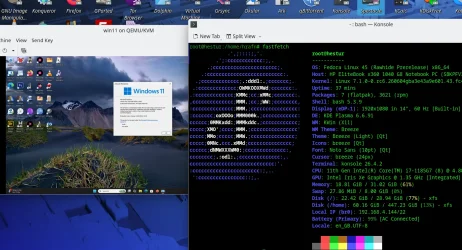
So I'm using QEMU and virt-manager as my Host OS is Linux... In that i run several different Windows VM's. and i run several Linux VM's and some.
But even if i would start to use my dualboot windows, i would not set up them to run my VM's, as i would only boot in to windows for a specific purposes.
As this is a Windows forum, then lets make it the other way around.. If i had Windows as my main daily driver system, and Linux as a second system i only need for a few things.. Then i would only set up all my VM's in Windows and not have access to those VM's from Linux dualboot.
But here is my opinion that can seem a bit biased..
My Linux Debian 12 Xfce install has a memory footprint of 890MB RAM
(say 1GB) usage on boot, Windows 11 has around 2-3GB in Ram on boot
(I'm guessing a bit here as i dont run win11, but i have seen people post printscreens)
So what i would do is to use Linux as Host system instead of Windows
(1GB VS 2-3GB) .... and then you run your Windows as a VM to make life simpler to avoid constant dualbooting.... and if you are a gamer.. have a dualboot with a minimized install of Windows for gaming only and nothing else.. and use the Windows VM for the more daily stuff where you need software that is Windows-only....
Then you can also use the Linux Host system for daily browsing, email stuff etc that you dont need windows for
(and also get both a bit better security and privacy as a bonus if you visit less trustworthy websites.)
I started with ignoring my server setup....
When it comes to my server that run both VM's and docker containers...
When i want to interact with those VM's I'm using X2Go for remote interaction instead of SSH as I'm no real fan of the Terminal.. i get to much of the late 80's feeling looking/interacting with a terminal.... Retro is fun, but not to often. *LOL*

.... So i prefer GUI solutions when i can.

Or if needed i walk in to the server and power up the screen for maintaining the server OS as i have blocked remote access to the host OS for security reasons.
So the real question is.
What solution do you want.