Silencious
Well-known member
My Computer
At a glance
windows 11
- OS
- windows 11
Follow along with the video below to see how to install our site as a web app on your home screen.
Note: This feature may not be available in some browsers.
Found Sysinternals Suite [Microsoft.Sysinternals.Suite] Version 2026-07-09
This application is licensed to you by its owner.
Microsoft is not responsible for, nor does it grant any licenses to, third-party packages.
Downloading https://download.sysinternals.com/files/SysinternalsSuite.zip
██████████████████████████████ 192 MB / 192 MB
Installer hash does not match; this cannot be overridden when running as admin
InstallerUrl: https://download.sysinternals.com/files/SysinternalsSuite.zip
InstallerSha256: 9012AA4D47692054CCCA7D03A4375F4AD8C48A2941085F9435CE375A47986C80
PS C:\Users\GARLIN\Downloads> Get-FileHash .\SysinternalsSuite.zip
SHA256 EC1C22581518E5A8661EC26886BC2EAEFE9E59CF2AD7FBA41926C19D356DE169 C:\Users\GARLIN\Downloads\SysinternalsSuite.zip
Thank you all for your inputs and thoughts. I posted my issue, but I forgot to say I did use PowerShell as admin and used the Winget commands, but it reported my same issue. Today, when I reviewed the replies, I followed the person who posted the YouTube video and now. All I have to report is that Windows Edge was the only app that needed upgrading, and the issue I had is no longer there. I wonder if MS has corrected their problem? Once again, thank you for your input.We have two separate problems.
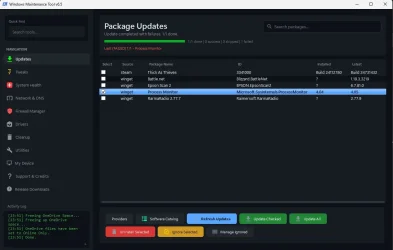
1. The original poster is using a 3rd-party utility (Windows Maintenance Tool), and not the winget command.
2. MS pushed out a different version of the full Sysinternals Suite for download, but forgot to update the current SHA256 hash on the winget repo:
Code:InstallerUrl: https://download.sysinternals.com/files/SysinternalsSuite.zip InstallerSha256: 9012AA4D47692054CCCA7D03A4375F4AD8C48A2941085F9435CE375A47986C80
But the current ZIP file has a different SHA256 hash:
Code:PS C:\Users\GARLIN\Downloads> Get-FileHash .\SysinternalsSuite.zip SHA256 EC1C22581518E5A8661EC26886BC2EAEFE9E59CF2AD7FBA41926C19D356DE169 C:\Users\GARLIN\Downloads\SysinternalsSuite.zip
Which means someone at MS forgot to update the installer config on GitHub. And you'll have to wait.
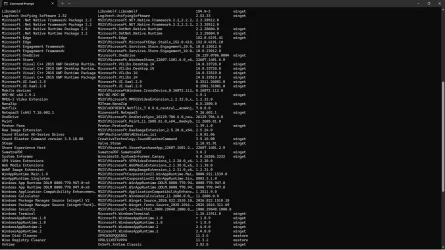
winget upgradecommand to update all installed apps with available updates.
Sysinternals is provided in 3 different formats: winget package, Store app, and direct download.Thank you all for your inputs and thoughts. I posted my issue, but I forgot to say I did use PowerShell as admin and used the Winget commands, but it reported my same issue. Today, when I reviewed the replies, I followed the person who posted the YouTube video and now. All I have to report is that Windows Edge was the only app that needed upgrading, and the issue I had is no longer there. I wonder if MS has corrected their problem? Once again, thank you for your input.
A lot of malware uses lolbins like psexec, so not a good idea, just install tools you need. Then again, I use Nirsoft suite, so ...Same error - I'm not fussed, it would be nice to have sysinternals installed natively
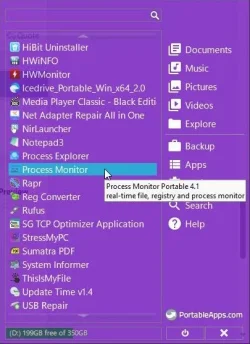
It looks that WMT uses it's own update database, since process monitor was updated to 4.05 weeks ago.1. The original poster is using a 3rd-party utility (Windows Maintenance Tool), and not the winget command.
winget upgrade --all -h -u --accept-package-agreements --accept-source-agreements