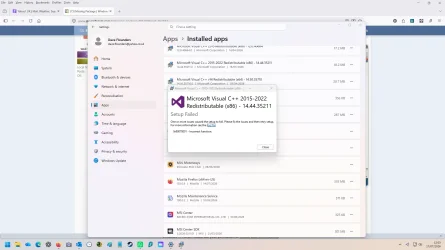
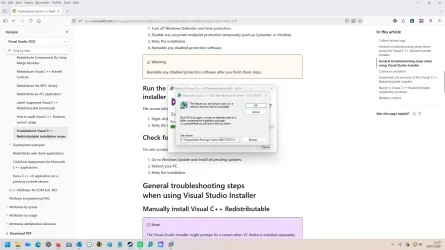
I am repeatedly getting an error message on an app startup . The message is asking for an alternative location for a Virtual C++ package location. I have tried searching but cannot locate where the original package should be. The identified location does not contain a .msi file. I have tried downloading installation packages but am not allowed to remove the original installation for a reinstall. The missing files does not appear to have an adverse effect on my PC, it's just a bit irritating. Anyone any suggestions, please?.
Windows 11 Pro 64 bit. Version: 25H2 Build: 26200.8655
Windows 11 Pro 64 bit. Version: 25H2 Build: 26200.8655
Attachments
My Computer
At a glance
Windows 11Intel i7 3.2MHz24GbNVIDIA GeForce GTX 1060 6GB
- OS
- Windows 11
- Computer type
- PC/Desktop
- Manufacturer/Model
- ASUS
- CPU
- Intel i7 3.2MHz
- Motherboard
- Gigabyte Technology Co. Ltd. B360M DS3H (U3E1)
- Memory
- 24Gb
- Graphics Card(s)
- NVIDIA GeForce GTX 1060 6GB
- Sound Card
- Sound Blaster Audigy Fx
- Monitor(s) Displays
- BenQ GC2870
- Screen Resolution
- 1920x1080@60Hz
- Hard Drives
- 447GB KINGSTON SA1000M8480G
1863GB Seagate ST2000DX002-2DV164
- Cooling
- Water
- Antivirus
- Norton 360