My 13700KF is getting murderously hot


I just lowered my Vcore to 1.15 Volts. The temps are way better, but my Passmark test fell 30,000 ponts on the CPU. I went from 93rd percentile to 55th percentile. So I guess it's back to auto Voltage.

I am going to try one of the CPU brackets that MysteriousBox recommended and see what happens.
I just looked up the ideal voltage for your CPU. You may have lowered the voltage too much.

Gemini pulled this information together:

Stock / Auto Load: 1.35V – 1.45V+ (often runs too hot and hits thermal limits easily)
Optimized / Light Undervolt: 1.28V – 1.33V (ideal for lowering temperatures while keeping full multi-core boost performance
 

My Computers My Computers

  • At a glance

    Windows 11 Pro 25H2 RP channelRyzen 9 5900XCorsair Vengeance RGB PRO 64GB (2x32GB) DDR4 ...ASUS GeForce RTX 4070 Super OC 12GB DDR6 / ZO...
    OS
    Windows 11 Pro 25H2 RP channel
    Computer type
    PC/Desktop
    Manufacturer/Model
    Home built
    CPU
    Ryzen 9 5900X
    Motherboard
    MSI MPG X570S Edge Max WiFi
    Memory
    Corsair Vengeance RGB PRO 64GB (2x32GB) DDR4 3600 (PC4-28800) C18
    Graphics Card(s)
    ASUS GeForce RTX 4070 Super OC 12GB DDR6 / ZOTAC RTX 3060 Twin Edge OC 12GB GDDR6
    Sound Card
    Proprietary on MB / FiiO K5Pro DAC
    Monitor(s) Displays
    ViewSonic XG2530 25"/Benq XL2411P 24"/ ASUS VA24DQSB) 23.8"
    Screen Resolution
    1920x1080 240Hz/144Hz/60Hz (based on monitor setup above)
    Hard Drives
    SK hynix Gold P31 1TB PCIe NVMe Gen3 M.2 2280 Internal SSD
    ADATA XPG SX8200 Pro 1TB
    Samsung SSD 860 EVO 1TB 2.5 Inch SATA III Internal SSD
    PSU
    Corsair RM1000e
    Case
    Phanteks Enthoo Pro Full Tower Chassis with Window
    Cooling
    Corsair iCUE H60i RGB PRO XT Liquid CPU Cooler
    Keyboard
    Corsair K70
    Mouse
    Logitech MX Master 3
    Internet Speed
    ~950Mb/s download / ~700Mb/s upload
    Browser
    Edge (Chromium)
    Antivirus
    Norton 360
  • At a glance

    Windows 11 ProRyzen 7 3700X32MB DDR4I forget, but it's old. I can't see the need ...
    Operating System
    Windows 11 Pro
    Computer type
    PC/Desktop
    Manufacturer/Model
    Home Built
    CPU
    Ryzen 7 3700X
    Motherboard
    MSI B550 Gaming GEN3 Gaming Motherboard
    Memory
    32MB DDR4
    Graphics card(s)
    I forget, but it's old. I can't see the need to upgrade it.
    Sound Card
    Propietary
    Monitor(s) Displays
    ACER LED 24" (dual monitor setup)
    Screen Resolution
    1920X1080
    Hard Drives
    1TB Samsung SSD 3.5"
    Case
    Corsair
    Cooling
    Stock
    Keyboard
    Logitech
    Mouse
    Logitech
    Internet Speed
    ~750Mb/s download / ~750Mb/s upload
    Browser
    Edge
    Antivirus
    Defender and Malware Bytes
  • ASUS Vivobook 16X, 16" WUXGA(1920x1200) Business Laptop Computer, AMD Ryzen 7, 16GB DDR4 RAM, 1TB SSD, Windows 11 Pro, Wi-Fi 6, USB-C, Full-Sized Keyboard, Webcam, HDMI
Good plan.
If the heat sink is full of dust, clean that first.

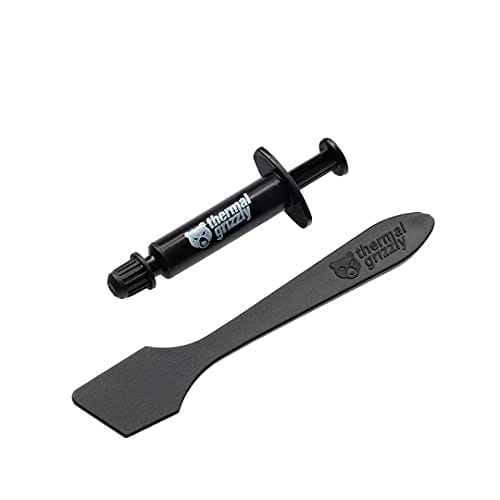
The following is one of, if not the best thermal compound...

Thermal Grizzly Kryonaut has great reviews as well.

It is very good performing paste but it pumps out pretty fastfast (the paste migrates from the middle to the sides) so it needs replaced yearly, maybe less. I switched to Noctua NT-H2 (which comes with that cooler) which performs a little bit less but doesn't pump out fast. I eventually moved to Thermal Grizzly Kryosheet, which doesn't pump out at all. It performs well and is very easy to apply (just drop it in).
 

My Computers My Computers

  • At a glance

    Windows 11 ProIntel Core i9 14900K 5800/4500 P/E all core96GB (2x48) G.skill Ripjaws 6800 MT/s DDR5Asus ROG Strix 4070 Ti OC
    OS
    Windows 11 Pro
    Computer type
    PC/Desktop
    Manufacturer/Model
    DIY Photoshop/Audio/Game/tinker
    CPU
    Intel Core i9 14900K 5800/4500 P/E all core
    Motherboard
    Asus ROG Maximus Z790 Dark Hero
    Memory
    96GB (2x48) G.skill Ripjaws 6800 MT/s DDR5
    Graphics Card(s)
    Asus ROG Strix 4070 Ti OC
    Sound Card
    Bowers & Wilkins 606 S3 speakers; Audiolabs 7000a integrated amp; RSL 10S Mk2 sub; Creative Pebble Pro Minimilist
    Monitor(s) Displays
    Eizo CG2730 ColorEdge, ViewSonic VP2768, i1 Display Pro calibration puck
    Screen Resolution
    2560 x 1440p x 2
    Hard Drives
    WDC SN850X 4TB nvme, SN850 1TB nvme, SK-Hynix 2 TB P41 nvme,. Sabrent USB-C DS-SC5B 5-bay docking station: 6TB WDC Black, 6TB Ironwolf Pro; 2x 2TB WDC Black HDD
    PSU
    850W Seasonic Vertex PX-850 ATX 3.0/PCI-E 5.0
    Case
    Fractal Design North XL Mesh, Black Walnut
    Cooling
    EK Nucleus black 360 AIO w/Phanteks T30-120 fans, 2 Noctua NF-A14 Chromax case fan, 1 T30-120 fan cooling memory
    Keyboard
    Keychron Q3 Max TKL with custom GMK Redsuns Red Samuri keycaps, TX Stabs
    Mouse
    Logitech G305 wireless gaming
    Internet Speed
    575 Mb/s down | 25 Mb/s up
    Browser
    Firefox
    Antivirus
    Defender, Macrium Reflect X
    Other Info
    Phangkey Amaterasu V2 Desk Mat
  • At a glance

    Apple M1
    Computer type
    Laptop
    Manufacturer/Model
    💻 Apple 13" Macbook Pro 2020 (m1)
    CPU
    Apple M1
    Screen Resolution
    2560x1600
    Browser
    Firefox
The CPU fans are set at full speed. I am not partial to fiddling with fan curves. I just leave it running full blast. I can't hear it anyway.

I am using the original retention frame. I had an AIO, but it really underperformed and I got rid of it. I am going to try adjusting the voltages and see if that helps.

Funny thing is, I rattled the heatsink this morning and now my temps are lower. I checked yesterday and I thought it was solid (and it still is), but my idle temp has dropped 10 degrees. I'm going to tear it apart again. :(


That's the plan. If this cooler can't handle it, I guesss I'll have to get another AIO

I was using an old version of Passmark. The CPU test was the one that caused the high temps and throttling. The others were fine.


Thank you for all of the advice, everyone. A big hug to all. It's very much appreciated. Here is my plan of attack:

1. Redo the TIM material on the heatsink and reseat the cooler
2. Re-run the Passmark test and verify temps
3. If necessary, start the undervolt tuning
4. Repeat #2
5. If I can't resolve this, an AIO is in my future.

I presume you are using the Intel profile. Undervolting by offset to the core voltage works well with that profile. Other methods faslsely trigger some of the other Intel protection methods like CEP, and can kill performance.

Once you tame the temperature a little, you can throttle your processor at a specific temperature in the in the BIOS. I have mine set to 85c. This is the Asus board so I am not sure the Gigabyte board has such a setting, but I bet it does. My 13900ks rarely reaches that temp on the latest passmark test or others and does not affect performance foe me. YMMV.

Good luck.
 

My Computers My Computers

  • At a glance

    Windows 11 ProIntel Core i9 14900K 5800/4500 P/E all core96GB (2x48) G.skill Ripjaws 6800 MT/s DDR5Asus ROG Strix 4070 Ti OC
    OS
    Windows 11 Pro
    Computer type
    PC/Desktop
    Manufacturer/Model
    DIY Photoshop/Audio/Game/tinker
    CPU
    Intel Core i9 14900K 5800/4500 P/E all core
    Motherboard
    Asus ROG Maximus Z790 Dark Hero
    Memory
    96GB (2x48) G.skill Ripjaws 6800 MT/s DDR5
    Graphics Card(s)
    Asus ROG Strix 4070 Ti OC
    Sound Card
    Bowers & Wilkins 606 S3 speakers; Audiolabs 7000a integrated amp; RSL 10S Mk2 sub; Creative Pebble Pro Minimilist
    Monitor(s) Displays
    Eizo CG2730 ColorEdge, ViewSonic VP2768, i1 Display Pro calibration puck
    Screen Resolution
    2560 x 1440p x 2
    Hard Drives
    WDC SN850X 4TB nvme, SN850 1TB nvme, SK-Hynix 2 TB P41 nvme,. Sabrent USB-C DS-SC5B 5-bay docking station: 6TB WDC Black, 6TB Ironwolf Pro; 2x 2TB WDC Black HDD
    PSU
    850W Seasonic Vertex PX-850 ATX 3.0/PCI-E 5.0
    Case
    Fractal Design North XL Mesh, Black Walnut
    Cooling
    EK Nucleus black 360 AIO w/Phanteks T30-120 fans, 2 Noctua NF-A14 Chromax case fan, 1 T30-120 fan cooling memory
    Keyboard
    Keychron Q3 Max TKL with custom GMK Redsuns Red Samuri keycaps, TX Stabs
    Mouse
    Logitech G305 wireless gaming
    Internet Speed
    575 Mb/s down | 25 Mb/s up
    Browser
    Firefox
    Antivirus
    Defender, Macrium Reflect X
    Other Info
    Phangkey Amaterasu V2 Desk Mat
  • At a glance

    Apple M1
    Computer type
    Laptop
    Manufacturer/Model
    💻 Apple 13" Macbook Pro 2020 (m1)
    CPU
    Apple M1
    Screen Resolution
    2560x1600
    Browser
    Firefox
It is very good performing paste but it pumps out pretty fastfast (the paste migrates from the middle to the sides) so it needs replaced yearly, maybe less. I switched to Noctua NT-H2 (which comes with that cooler) which performs a little bit less but doesn't pump out fast. I eventually moved to Thermal Grizzly Kryosheet, which doesn't pump out at all. It performs well and is very easy to apply (just drop it in).

Pumpout does not really occur on desktop type CPUs because the mounting pressure is high enough to keep it where it needs to be. It's more an issue for GPU or laptop where the mounting pressure is significantly lower.

Desktop CPUs are hardy, and I come from the Arctic Silver 5 days where repasting was practically unheard of unless you were one of the niche groups squeezing every last bit of OC. Noctua's paste is fine.
 

My Computer My Computer

At a glance

Windows 11 Pro 25H2i7 12700k64GB DDR5 [CMK64GX5M2B5200C40]MSI 4060
OS
Windows 11 Pro 25H2
Computer type
PC/Desktop
Manufacturer/Model
DIY
CPU
i7 12700k
Motherboard
7E07vM9 [Z790 Pro Max Wifi]
Memory
64GB DDR5 [CMK64GX5M2B5200C40]
Graphics Card(s)
MSI 4060
Monitor(s) Displays
ASUS VA24DQSB
Screen Resolution
1920x1080
Hard Drives
Samsung 980 Pro 1TB (OS Drive)
Samsung 980 Pro 1TB (Other)
Samsung 980 Pro 2TB (Secondary Drive)
Samsung 860 Pro 512 (Other)
WD Caviar Blue 640 (Other)
PSU
Corsair 850x
Cooling
Noctua NH-D15
Mouse
G502 X Lightspeed
Browser
Chrome, Firefox
Antivirus
Malwarebytes Premium, Defender
It certainly is an issue with desktop coolers, but it depends on the paste and mounting plates, and the amount of heat. With processors that run hot, the diffusion is accelerated. That is why I gave up on thermal grizzly on my nh-d15. Other pastes do not pumpout as much as the TG.

Pumpout does not really occur on desktop type CPUs because the mounting pressure is high enough to keep it where it needs to be. It's more an issue for GPU or laptop where the mounting pressure is significantly lower.

Desktop CPUs are hardy, and I come from the Arctic Silver 5 days where repasting was practically unheard of unless you were one of the niche groups squeezing every last bit of OC. Noctua's paste is fine.
 

My Computers My Computers

  • At a glance

    Windows 11 ProIntel Core i9 14900K 5800/4500 P/E all core96GB (2x48) G.skill Ripjaws 6800 MT/s DDR5Asus ROG Strix 4070 Ti OC
    OS
    Windows 11 Pro
    Computer type
    PC/Desktop
    Manufacturer/Model
    DIY Photoshop/Audio/Game/tinker
    CPU
    Intel Core i9 14900K 5800/4500 P/E all core
    Motherboard
    Asus ROG Maximus Z790 Dark Hero
    Memory
    96GB (2x48) G.skill Ripjaws 6800 MT/s DDR5
    Graphics Card(s)
    Asus ROG Strix 4070 Ti OC
    Sound Card
    Bowers & Wilkins 606 S3 speakers; Audiolabs 7000a integrated amp; RSL 10S Mk2 sub; Creative Pebble Pro Minimilist
    Monitor(s) Displays
    Eizo CG2730 ColorEdge, ViewSonic VP2768, i1 Display Pro calibration puck
    Screen Resolution
    2560 x 1440p x 2
    Hard Drives
    WDC SN850X 4TB nvme, SN850 1TB nvme, SK-Hynix 2 TB P41 nvme,. Sabrent USB-C DS-SC5B 5-bay docking station: 6TB WDC Black, 6TB Ironwolf Pro; 2x 2TB WDC Black HDD
    PSU
    850W Seasonic Vertex PX-850 ATX 3.0/PCI-E 5.0
    Case
    Fractal Design North XL Mesh, Black Walnut
    Cooling
    EK Nucleus black 360 AIO w/Phanteks T30-120 fans, 2 Noctua NF-A14 Chromax case fan, 1 T30-120 fan cooling memory
    Keyboard
    Keychron Q3 Max TKL with custom GMK Redsuns Red Samuri keycaps, TX Stabs
    Mouse
    Logitech G305 wireless gaming
    Internet Speed
    575 Mb/s down | 25 Mb/s up
    Browser
    Firefox
    Antivirus
    Defender, Macrium Reflect X
    Other Info
    Phangkey Amaterasu V2 Desk Mat
  • At a glance

    Apple M1
    Computer type
    Laptop
    Manufacturer/Model
    💻 Apple 13" Macbook Pro 2020 (m1)
    CPU
    Apple M1
    Screen Resolution
    2560x1600
    Browser
    Firefox
I am going to try one of the CPU brackets that MysteriousBox recommended and see what happens.

I went with the contact frame as well. Here's the issue with the stock 1700 retention bracket:


My Computers My Computers

  • At a glance

    Win 11 Pro 25H2 26200.8973Intel® Core™ i7-14700KG.SKILL Ripjaws S5 Series 64GB (2 x 32GB) DDR5ASUS GeForce RTX 4070 Super 12GB
    OS
    Win 11 Pro 25H2 26200.8973
    Computer type
    PC/Desktop
    Manufacturer/Model
    Self Built
    CPU
    Intel® Core™ i7-14700K
    Motherboard
    ASUS TUF Z690-PLUS WIFI (BIOS 4505)
    Memory
    G.SKILL Ripjaws S5 Series 64GB (2 x 32GB) DDR5
    Graphics Card(s)
    ASUS GeForce RTX 4070 Super 12GB
    Sound Card
    Sound Blaster AE-5 Plus
    Monitor(s) Displays
    ASUS TUF Gaming 27" 2K HDR Gaming
    Screen Resolution
    2560 x 1440
    Hard Drives
    Samsung 990 Pro 1TB NVMe (Win 11 25H2)
    SK hynix P41 500GB NVMe
    SK hynix P41 2TB NVMe (x3)
    Crucial P3 Plus 4TB
    PSU
    Corsair RM850x Shift
    Case
    Antec Dark Phantom DP502 FLUX
    Cooling
    Corsair Nautilus 360 RS AIO
    Keyboard
    Logitech MK 320
    Mouse
    Razer Basilisk V3
    Internet Speed
    750Mbs
    Browser
    Firefox
    Antivirus
    Winows Security
    Other Info
    MR 8.1 Home
  • At a glance

    Win 11 Pro 25H2 26200.8973Intel Core i5-1140064 GB DDR4MSI GeForce RTX 3060 Ventus 2X 12GB
    Operating System
    Win 11 Pro 25H2 26200.8973
    Computer type
    PC/Desktop
    Manufacturer/Model
    Self Built
    CPU
    Intel Core i5-11400
    Motherboard
    Asus TUF Gaming Z590 Plus WiFi (BIOS 2803)
    Memory
    64 GB DDR4
    Graphics card(s)
    MSI GeForce RTX 3060 Ventus 2X 12GB
    Sound Card
    SoundBlaster Audigy Fx V2
    Monitor(s) Displays
    Samsung F27T350
    Screen Resolution
    1920x1080
    Hard Drives
    Samsung 980 Pro 1TB
    Samsung 970 EVO Plus 2TB
    Samsung 870 EVO 500GB SSD
    PSU
    Corsair HX750
    Case
    Cougar MX330-G Window
    Cooling
    Thermalright Frozen Edge 240 Black AIO
    Internet Speed
    350Mbps
    Browser
    Firefox
    Antivirus
    Windows Security
  • System Three
    Win 11 Pro 25H2 26200.8973
    ASUS PRIME Z370-P II BIOS 3004 7/12/21
    Intel Core i7-8700 CPU @ 3.20GHz
    32GB DDR4 RAM (4x8)
    iGPU Intel UHD Graphics 630
    Cooler Master Hyper 212
    Mid-Tower Desktop
I just lowered my Vcore to 1.15 Volts. The temps are way better, but my Passmark test fell 30,000 ponts on the CPU. I went from 93rd percentile to 55th percentile. So I guess it's back to auto Voltage.

I am going to try one of the CPU brackets that MysteriousBox recommended and see what happens.
The CPU has a new feature that causes it to downclock when inadequate voltage is present, to avoid crashing/freezing. If you lower the voltage, it will automatically lower the clock speed to match. It's part of Intel's attempts to squeeze ever tighter frequency margins out of their outdated silicon.
 

My Computer My Computer

At a glance

Windows 11
OS
Windows 11
Computer type
PC/Desktop
Manufacturer/Model
Intel i9-14900K
I have the same CPU and fan. You need to be careful to setup the CPU thermal settings in the BIOS. I undervolt slightly and limit the CPU temperature to 80C. The PC only ever hits the thermal limit of 80 in Cinebench and the performance hit is minor, never in normal office use or gaming. I can post my BIOS setup if you are interested.
 

My Computer My Computer

At a glance

Windows 11 ProCore i7-13700K64 GB Kingston Fury Beast DDR5Gigabyte GeForce RTX 2060 Super Gaming OC 8G
OS
Windows 11 Pro
Computer type
PC/Desktop
Manufacturer/Model
Self build
CPU
Core i7-13700K
Motherboard
Asus TUF Gaming Plus WiFi Z790
Memory
64 GB Kingston Fury Beast DDR5
Graphics Card(s)
Gigabyte GeForce RTX 2060 Super Gaming OC 8G
Sound Card
Realtek S1200A
Monitor(s) Displays
Viewsonic VP2770 & Dell (secondary)
Screen Resolution
2560 x 1440
Hard Drives
Kingston KC3000 2TB NVME SSD & SATA HDDs & SSD
PSU
EVGA SuperNova G2 850W
Case
Nanoxia Deep Silence 1
Cooling
Noctua NH-D14
Keyboard
Microsoft Digital Media Pro
Mouse
Logitech Wireless
Internet Speed
80 Mb / s
Browser
Chrome
Antivirus
Defender, Malwarebytes Free & AdwCleaner
@Catnip

Also, if you used the thermal compound that came on/with the CPU cooler, that could also be an issue.
The stuff CPU cooler companies include is not the greatest.

Using a decent 3rd party thermal compound is much better.
I usually use Arctic Silver 5, but this time I used the cooler manufacturer's thermal compound. I had best change it. Sigh. I hate ripping my machine apart
 

My Computer My Computer

At a glance

Win 11 Pro 25H2Intel i7 13700KF32 GB Team Group DDR5 - 6000 CL 30ASUS TUF GAMING RTX 3070 Ti
OS
Win 11 Pro 25H2
Computer type
PC/Desktop
Manufacturer/Model
Self build
CPU
Intel i7 13700KF
Motherboard
Gigabyte Z790 UD AC
Memory
32 GB Team Group DDR5 - 6000 CL 30
Graphics Card(s)
ASUS TUF GAMING RTX 3070 Ti
Sound Card
On board Realtek
Monitor(s) Displays
ACER 34 inch
Screen Resolution
Not 4K like I thought. 35" wide though.
Hard Drives
1 TB Samsung 980 Pro Nvme, 1 TB Samsung 970 EVO Nvme, 2 x Samsung 970 2TB SSD SATA
PSU
EVGA 1000Q
Case
Rosewill something or other
Cooling
Noctua NH-D15. A whole schwak of Noctua case fans. $$$
Keyboard
Logitech G815
Mouse
Logitech G502 Hero
Internet Speed
700 up, 600 down
Browser
Firefox
Antivirus
MalwareBytes
I presume you are using the Intel profile. Undervolting by offset to the core voltage works well with that profile. Other methods faslsely trigger some of the other Intel protection methods like CEP, and can kill performance.

Once you tame the temperature a little, you can throttle your processor at a specific temperature in the in the BIOS. I have mine set to 85c. This is the Asus board so I am not sure the Gigabyte board has such a setting, but I bet it does. My 13900ks rarely reaches that temp on the latest passmark test or others and does not affect performance foe me. YMMV.

Good luck.
I was using the Intel profile. I think my problem is mechanical, rather than a BIOS issue. It's hitting over 100C. No way it should.
I went with the contact frame as well. Here's the issue with the stock 1700 retention bracket:

I ordered a new contact frame. I am waiting to get it before I tear the PC apart.
 

My Computer My Computer

At a glance

Win 11 Pro 25H2Intel i7 13700KF32 GB Team Group DDR5 - 6000 CL 30ASUS TUF GAMING RTX 3070 Ti
OS
Win 11 Pro 25H2
Computer type
PC/Desktop
Manufacturer/Model
Self build
CPU
Intel i7 13700KF
Motherboard
Gigabyte Z790 UD AC
Memory
32 GB Team Group DDR5 - 6000 CL 30
Graphics Card(s)
ASUS TUF GAMING RTX 3070 Ti
Sound Card
On board Realtek
Monitor(s) Displays
ACER 34 inch
Screen Resolution
Not 4K like I thought. 35" wide though.
Hard Drives
1 TB Samsung 980 Pro Nvme, 1 TB Samsung 970 EVO Nvme, 2 x Samsung 970 2TB SSD SATA
PSU
EVGA 1000Q
Case
Rosewill something or other
Cooling
Noctua NH-D15. A whole schwak of Noctua case fans. $$$
Keyboard
Logitech G815
Mouse
Logitech G502 Hero
Internet Speed
700 up, 600 down
Browser
Firefox
Antivirus
MalwareBytes
I was using the Intel profile. I think my problem is mechanical, rather than a BIOS issue. It's hitting over 100C. No way it should.

I ordered a new contact frame. I am waiting to get it before I tear the PC apart.

If that doesn't work it may be the solder between the cooler heatpipes and it's base has broken, though that is a solid solder, so probably unlikely. Only thing I can think of. Also you could check if it is a frame issue by swapping in the original motherboard frame.
What frame?

Cheers
 
Last edited:

My Computers My Computers

  • At a glance

    Windows 11 ProIntel Core i9 14900K 5800/4500 P/E all core96GB (2x48) G.skill Ripjaws 6800 MT/s DDR5Asus ROG Strix 4070 Ti OC
    OS
    Windows 11 Pro
    Computer type
    PC/Desktop
    Manufacturer/Model
    DIY Photoshop/Audio/Game/tinker
    CPU
    Intel Core i9 14900K 5800/4500 P/E all core
    Motherboard
    Asus ROG Maximus Z790 Dark Hero
    Memory
    96GB (2x48) G.skill Ripjaws 6800 MT/s DDR5
    Graphics Card(s)
    Asus ROG Strix 4070 Ti OC
    Sound Card
    Bowers & Wilkins 606 S3 speakers; Audiolabs 7000a integrated amp; RSL 10S Mk2 sub; Creative Pebble Pro Minimilist
    Monitor(s) Displays
    Eizo CG2730 ColorEdge, ViewSonic VP2768, i1 Display Pro calibration puck
    Screen Resolution
    2560 x 1440p x 2
    Hard Drives
    WDC SN850X 4TB nvme, SN850 1TB nvme, SK-Hynix 2 TB P41 nvme,. Sabrent USB-C DS-SC5B 5-bay docking station: 6TB WDC Black, 6TB Ironwolf Pro; 2x 2TB WDC Black HDD
    PSU
    850W Seasonic Vertex PX-850 ATX 3.0/PCI-E 5.0
    Case
    Fractal Design North XL Mesh, Black Walnut
    Cooling
    EK Nucleus black 360 AIO w/Phanteks T30-120 fans, 2 Noctua NF-A14 Chromax case fan, 1 T30-120 fan cooling memory
    Keyboard
    Keychron Q3 Max TKL with custom GMK Redsuns Red Samuri keycaps, TX Stabs
    Mouse
    Logitech G305 wireless gaming
    Internet Speed
    575 Mb/s down | 25 Mb/s up
    Browser
    Firefox
    Antivirus
    Defender, Macrium Reflect X
    Other Info
    Phangkey Amaterasu V2 Desk Mat
  • At a glance

    Apple M1
    Computer type
    Laptop
    Manufacturer/Model
    💻 Apple 13" Macbook Pro 2020 (m1)
    CPU
    Apple M1
    Screen Resolution
    2560x1600
    Browser
    Firefox
I usually use Arctic Silver 5, but this time I used the cooler manufacturer's thermal compound. I had best change it. Sigh. I hate ripping my machine apart
Yeah... AS 5 dries out.
The slightest vibration will crack the paste. :(
 

My Computers My Computers

  • At a glance

    Win 11 Home ♦♦♦26200.8973 ♦♦♦♦♦♦♦25H2AMD Ryzen 7 3700XG.Skill (F4-3200C14D-16GTZKW)EVGA RTX 2070 (08G-P4-2171-KR)
    OS
    Win 11 Home ♦♦♦26200.8973 ♦♦♦♦♦♦♦25H2
    Computer type
    PC/Desktop
    Manufacturer/Model
    Built by Ghot® [May 2020]
    CPU
    AMD Ryzen 7 3700X
    Motherboard
    Asus Pro WS X570-ACE (BIOS 5302)
    Memory
    G.Skill (F4-3200C14D-16GTZKW)
    Graphics Card(s)
    EVGA RTX 2070 (08G-P4-2171-KR)
    Sound Card
    Realtek ALC1220P / ALC S1220A
    Monitor(s) Displays
    Dell U3011 30"
    Screen Resolution
    2560 x 1600
    Hard Drives
    2x Samsung 860 EVO 500GB,
    WD 4TB Black FZBX - SATA III,
    WD 8TB Black FZBX - SATA III,
    DRW-24B1ST CD/DVD Burner
    PSU
    PC Power & Cooling 750W Quad EPS12V
    Case
    Cooler Master ATCS 840 Tower
    Cooling
    CM Hyper 212 EVO (push/pull)
    Keyboard
    Ducky DK9008 Shine II Blue LED
    Mouse
    Logitech Optical M-100
    Internet Speed
    300/300
    Browser
    Firefox (latest)
    Antivirus
    Bitdefender Total Security
    Other Info
    Speakers: Klipsch Pro Media 2.1
  • At a glance

    Windows XP Pro 32bit w/SP3AMD Athlon 64 X2 5000+ (OC'd @ 3.2Ghz)TWIN2X2048-6400C4DHX (2 x 1GB, DDR2 800)EVGA 256-P2-N758-TR GeForce 8600GT SSC
    Operating System
    Windows XP Pro 32bit w/SP3
    Computer type
    PC/Desktop
    Manufacturer/Model
    Built by Ghot® (not in use)
    CPU
    AMD Athlon 64 X2 5000+ (OC'd @ 3.2Ghz)
    Motherboard
    ASUS M2N32-SLI Deluxe Wireless Edition
    Memory
    TWIN2X2048-6400C4DHX (2 x 1GB, DDR2 800)
    Graphics card(s)
    EVGA 256-P2-N758-TR GeForce 8600GT SSC
    Sound Card
    Onboard
    Monitor(s) Displays
    ViewSonic G90FB Black 19" Professional (CRT)
    Screen Resolution
    up to 2048 x 1536
    Hard Drives
    WD 36GB 10,000rpm Raptor SATA
    Seagate 80GB 7200rpm SATA
    Lite-On LTR-52246S CD/RW
    Lite-On LH-18A1P CD/DVD Burner
    PSU
    PC Power & Cooling Silencer 750 Quad EPS12V
    Case
    Generic Beige case, 80mm fans
    Cooling
    ZALMAN 9500A 92mm CPU Cooler
    Keyboard
    Logitech Classic Keybooard 200
    Mouse
    Logitech Optical M-BT96a
    Internet Speed
    300/300
    Browser
    Firefox 3.x ??
    Antivirus
    Symantec (Norton)
    Other Info
    Still assembled, still runs. Haven't turned it on for 15 years?
@Catnip

Hi, mentioning the original motherboard standard locking mechanism jogged my memory. Noctua's cold plate is slightly convex. When the CPU is clamped in with the standard locking mechanism in becomes slightly concave. So they match well. When you use a replacement contact frame, the CPU is flat, so the cooler cold plate and CPU surface don't mate as well. contact frames work better with water coolers, most of which have flat cold plates.

This doesn't account for the temperatures you see, but you may want to think about standard locking vs. contact frame.
 

My Computers My Computers

  • At a glance

    Windows 11 ProIntel Core i9 14900K 5800/4500 P/E all core96GB (2x48) G.skill Ripjaws 6800 MT/s DDR5Asus ROG Strix 4070 Ti OC
    OS
    Windows 11 Pro
    Computer type
    PC/Desktop
    Manufacturer/Model
    DIY Photoshop/Audio/Game/tinker
    CPU
    Intel Core i9 14900K 5800/4500 P/E all core
    Motherboard
    Asus ROG Maximus Z790 Dark Hero
    Memory
    96GB (2x48) G.skill Ripjaws 6800 MT/s DDR5
    Graphics Card(s)
    Asus ROG Strix 4070 Ti OC
    Sound Card
    Bowers & Wilkins 606 S3 speakers; Audiolabs 7000a integrated amp; RSL 10S Mk2 sub; Creative Pebble Pro Minimilist
    Monitor(s) Displays
    Eizo CG2730 ColorEdge, ViewSonic VP2768, i1 Display Pro calibration puck
    Screen Resolution
    2560 x 1440p x 2
    Hard Drives
    WDC SN850X 4TB nvme, SN850 1TB nvme, SK-Hynix 2 TB P41 nvme,. Sabrent USB-C DS-SC5B 5-bay docking station: 6TB WDC Black, 6TB Ironwolf Pro; 2x 2TB WDC Black HDD
    PSU
    850W Seasonic Vertex PX-850 ATX 3.0/PCI-E 5.0
    Case
    Fractal Design North XL Mesh, Black Walnut
    Cooling
    EK Nucleus black 360 AIO w/Phanteks T30-120 fans, 2 Noctua NF-A14 Chromax case fan, 1 T30-120 fan cooling memory
    Keyboard
    Keychron Q3 Max TKL with custom GMK Redsuns Red Samuri keycaps, TX Stabs
    Mouse
    Logitech G305 wireless gaming
    Internet Speed
    575 Mb/s down | 25 Mb/s up
    Browser
    Firefox
    Antivirus
    Defender, Macrium Reflect X
    Other Info
    Phangkey Amaterasu V2 Desk Mat
  • At a glance

    Apple M1
    Computer type
    Laptop
    Manufacturer/Model
    💻 Apple 13" Macbook Pro 2020 (m1)
    CPU
    Apple M1
    Screen Resolution
    2560x1600
    Browser
    Firefox

My Computers My Computers

  • At a glance

    Windows 11 (25H2)Core(TM) i5-12400T12.0 GB (11.7 GB usable)Intel(R) UHD Graphics 730
    OS
    Windows 11 (25H2)
    Computer type
    PC/Desktop
    Manufacturer/Model
    HP Pavilion 577B5AA#ABA
    CPU
    Core(TM) i5-12400T
    Motherboard
    HP 89E9
    Memory
    12.0 GB (11.7 GB usable)
    Graphics Card(s)
    Intel(R) UHD Graphics 730
    Sound Card
    DFX Audio
    Monitor(s) Displays
    HO Generic PnP Monitor
    Screen Resolution
    1920 x 1080
    Hard Drives
    SAMSUNG MZVLQ10HBLB00BH1 SSD 1TB
    PSU
    HP Std. for this product
    Case
    All-in-One
    Cooling
    Fan
    Keyboard
    HP Wireless / Bluetooth
    Mouse
    HP Wireless / Bluetooth
    Internet Speed
    Link speed (Receive/Transmit): 1000/1000 (Mbps)
    Browser
    Firefox
    Antivirus
    Malwarebytes Pro / Windows Security
    Other Info
    Retired IT professional.
  • At a glance

    Windows 11 (25H2)Intel I-7-1165G78 GB DDR4-3200 SDRAMIntel Iris Xe Graphics
    Operating System
    Windows 11 (25H2)
    Computer type
    Laptop
    Manufacturer/Model
    HP 15tegooo [HP Pavilion Laptop Intel I-7]
    CPU
    Intel I-7-1165G7
    Motherboard
    HP
    Memory
    8 GB DDR4-3200 SDRAM
    Graphics card(s)
    Intel Iris Xe Graphics
    Sound Card
    Realtek
    Monitor(s) Displays
    HP HD micro edge, Bright View, 250 nits
    Screen Resolution
    1366 x768
    Hard Drives
    256 GB DD4-3200 SDRAM
    PSU
    HP
    Case
    Std HP Laptop
    Cooling
    Fan
    Keyboard
    std
    Mouse
    Logi M585
    Browser
    Edge
    Antivirus
    Windows Security

Latest Support Threads

Back
Top Bottom