New Version of ExplorerPatcher


@Silbian Are you using EP just to switch to the Windows 10 Explorer? If so, maybe try using SwitchExplorer instead?
Sorry, I didn't fully catch your meaning, I'm using EP since Win11 upgrade from Win 10 to be able to correctly use OpenShell, that, at that time, didn't work with Win 11 and I don't like at all the messed up Win10 and 11 start menu... Another toolbar app I use is T-Clock redux, that does not work with Win11, nothing else. That's it. I never heard about SwitchExplorer, I will better check about it, thanks for your info.
 

My Computers My Computers

  • At a glance

    Windows 11 Home 23H2Intel Core i7-8750H Coffee LakeSamsung 32 Gb Dual ChannelIntel UHD Graphics 630 - NVidia GeForce GTX 1050
    OS
    Windows 11 Home 23H2
    Computer type
    Laptop
    Manufacturer/Model
    Asus Vivobook Pro
    CPU
    Intel Core i7-8750H Coffee Lake
    Motherboard
    X580GD
    Memory
    Samsung 32 Gb Dual Channel
    Graphics Card(s)
    Intel UHD Graphics 630 - NVidia GeForce GTX 1050
    Sound Card
    Synaptics SmartAudio HD
    Monitor(s) Displays
    Laptop Monitor + Asus BE24EQK
    Screen Resolution
    1920x1080@60Hz - 1920x1080@60Hz
    Hard Drives
    SSD Crucial P3 NVME M2-2280 1 Tb
    HDD Seagate 2 Tb
    Mouse
    Logitech M525
    Internet Speed
    100 Mbps FTTC - Wi-Fi 5
    Antivirus
    Avast
    Other Info
    Wei Score Index 7.9
  • At a glance

    Windows 11 Pro 23H2Intel Alder Lake N100Lexar 16 Gb DDR4-3200 Single channelIntel UHD Graphics Alder Lake-N GT1
    Operating System
    Windows 11 Pro 23H2
    Computer type
    PC/Desktop
    Manufacturer/Model
    NiPoGi Ak1Plus
    CPU
    Intel Alder Lake N100
    Memory
    Lexar 16 Gb DDR4-3200 Single channel
    Graphics card(s)
    Intel UHD Graphics Alder Lake-N GT1
    Sound Card
    Intel Alder Lake-N PCH
    Monitor(s) Displays
    Samsung TV 46" via HDMI port
    Screen Resolution
    1920 x 1080
    Hard Drives
    MasonSemi SSD 1 Tb NVMe
    Crucial CT500MX 500 Gb SSD Sata
    Case
    Mini PC
    Keyboard
    Rii Mini i8+
    Mouse
    Logitech M525
    Internet Speed
    100 Mbps FTTC - Wi-Fi 6
    Antivirus
    Avast
    Other Info
    Mainly used as Media Server
    Wei Score Index 7.5
Sorry, I didn't fully catch your meaning, I'm using EP since Win11 upgrade from Win 10 to be able to correctly use OpenShell, that, at that time, didn't work with Win 11 and I don't like at all the messed up Win10 and 11 start menu... Another toolbar app I use is T-Clock redux, that does not work with Win11, nothing else. That's it. I never heard about SwitchExplorer, I will better check about it, thanks for your info.
SwitchExplorer is just a little tool I wrote to switch the default Explorer to the Windows 10 version on Windows 11. Once you're made the switch, you can use OldNewExplorer, but if you also want classic Start menu options, than I'm pretty sure you'd need to stick with EP + Open Shell (or StartAllBack).
 

My Computer My Computer

At a glance

Windows 10/11
OS
Windows 10/11
Computer type
Laptop
Manufacturer/Model
Acer
I use Explorer Patcher to ungroup the network, sound and power icons on the taskbar. I use custom system icons and if these three are grouped (default in Windows 11) the custom icons are ignored and it displays the original plain icons instead. After many days of use I discovered other interesting tweaks such as using the Windows 10 style in File Explorer instead of the new tabbed Windows 11 style. I use Mica for Everyone to get the good old blue color in the menus (I don't like the new gray default) and the background in tabs appears cyan instead and rather ugly. So I switched to Windows 10 style (without tabs) to see only the beautiful blue color, not cyan.

Regardless of why everyone uses Explorer Patcher keeping it updated eliminates any bugs.
 

My Computers My Computers

  • At a glance

    Windows 11 Pro 23H2 (5699), 25H2 (8875)Mobile DualCore Intel Core 2 Duo T7250, 2000 MHz4GBMobile Intel(R) GMA 4500M (Mobile 4 series)
    OS
    Windows 11 Pro 23H2 (5699), 25H2 (8875)
    Computer type
    Laptop
    Manufacturer/Model
    Acer Extensa 5630EZ
    CPU
    Mobile DualCore Intel Core 2 Duo T7250, 2000 MHz
    Motherboard
    Acer Extensa 5630
    Memory
    4GB
    Graphics Card(s)
    Mobile Intel(R) GMA 4500M (Mobile 4 series)
    Sound Card
    Realtek ALC268 @ Intel 82801IB ICH9 - High Definition Audio Controller
    Monitor(s) Displays
    1
    Screen Resolution
    1280x800
    Hard Drives
    Samsung SSD 850 EVO 250GB SATA Device (250 GB, SATA-III)
    Internet Speed
    VDSL 50 Mbps
    Browser
    MICROSOFT EDGE
    Antivirus
    WINDOWS DEFENDER
    Other Info
    Legacy MBR installation, no TPM, no Secure Boot, no WDDM 2.0 graphics drivers, no SSE4.2, cannot get more unsupported ;) This is only my test laptop. I had installed Windows 11 here before upgrading my main PC. For my main PC I use everyday see my 2nd system specs.
  • At a glance

    Windows 11 Pro v25H2 (build 26200.8875)Intel Core-i7 3770 3.40GHz s1155 (3rd generat...2x Kingston Hyper-X Blu 8GB DDR3-1600GIGABYTE GeForce RTX 3050 WINDFORCE OC V2 6GB...
    Operating System
    Windows 11 Pro v25H2 (build 26200.8875)
    Computer type
    PC/Desktop
    Manufacturer/Model
    Custom-built PC
    CPU
    Intel Core-i7 3770 3.40GHz s1155 (3rd generation)
    Motherboard
    Asus P8H61 s1155 ATX
    Memory
    2x Kingston Hyper-X Blu 8GB DDR3-1600
    Graphics card(s)
    GIGABYTE GeForce RTX 3050 WINDFORCE OC V2 6GB (GV-N3050WF2OCV2-6GD)
    Sound Card
    Realtek HD audio (ALC887)
    Monitor(s) Displays
    Sony Bravia KDL-19L4000 19" LCD TV via VGA
    Screen Resolution
    1440x900 32-bit 60Hz
    Hard Drives
    WD Blue SA510 2.5 1000GB SSD as system disk, Western Digital Caviar Purple 4TB SATA III (WD40PURZ) as second
    PSU
    Thermaltake Litepower RGB 550W Full Wired
    Case
    SUPERCASE MIDI-TOWER
    Cooling
    Deepcool Gamma Archer CPU cooler, 1x 8cm fan at the back
    Keyboard
    Mitsumi 101-key PS/2
    Mouse
    Sunnyline OptiEye PS/2
    Internet Speed
    100Mbps
    Browser
    Microsoft Edge, Mozilla Firefox
    Antivirus
    Microsoft Windows Defender
    Other Info
    Legacy BIOS (MBR) installation, no TPM, no Secure Boot, WDDM 3.0 graphics drivers, WEI score 7.4
Got it with thanks, well, I installed today the EP pre-release 63.4, just to check if the File Explorer start delay will continue and... sometimes yes, it does without any reason.
Of course it happens only with my Win11 Home version, the Pro version of the other device works perfectly with EP 62.2 and same .3235 update.
Definitely useless to struggling myself to understand the reason why, both PCs have almost the same config and startup apps, of course some device drivers are different due to different hardwares.
To be clear about this strange behavior, here below the screenshots, it tooks ( measured ) around 20 seconds to show the normal aspect.
If the green progress bar in the address bar of File Explorer is taking a long time when you open a new File Explorer window, then IMO you should first try to troubleshoot the Search Index. Reset and Rebuild Search Index in Windows 11 Tutorial
Could also be that you had the Enhanced Mode accidentally turned on in its settings. Turn On or Off Enhanced Mode for Search Indexer in Windows 11 Tutorial

If it's still sporadically slow after you already tried these suggestions, then consider to reduce the number of items to be indexed by it. Add or Remove Search Index Locations in Windows 11 Tutorial
Windows Search will probably be slow if you aren't careful with how you change these specific settings, but you could always decide to use Everything.
 

My Computers My Computers

  • At a glance

    11 Homei7 13650HX16GB DDR5GeForce RTX 4060 Mobile
    OS
    11 Home
    Computer type
    Laptop
    Manufacturer/Model
    Asus TUF Gaming F16 (2024)
    CPU
    i7 13650HX
    Memory
    16GB DDR5
    Graphics Card(s)
    GeForce RTX 4060 Mobile
    Sound Card
    Eastern Electric MiniMax DAC Supreme; Emotiva UMC-200; Astell & Kern AK240
    Monitor(s) Displays
    Sony Bravia XR-55X90J
    Screen Resolution
    3840×2160
    Hard Drives
    512GB SSD internal
    37TB external
    PSU
    Li-ion
    Cooling
    2× Arc Flow Fans, 4× exhaust vents, 5× heatpipes
    Keyboard
    Logitech K800
    Mouse
    Logitech G402
    Internet Speed
    30Mbit/s up, 500Mbit/s down
    Browser
    FF
    Antivirus
    What's an antivirus?
  • At a glance

    11 Homei5 1135G716GB DDR4Intel Iris Xe
    Operating System
    11 Home
    Computer type
    Laptop
    Manufacturer/Model
    Medion S15450
    CPU
    i5 1135G7
    Memory
    16GB DDR4
    Graphics card(s)
    Intel Iris Xe
    Sound Card
    Eastern Electric MiniMax DAC Supreme; Emotiva UMC-200; Astell & Kern AK240
    Monitor(s) Displays
    Sony Bravia XR-55X90J
    Screen Resolution
    3840×2160
    Hard Drives
    2TB SSD internal
    37TB external
    PSU
    Li-ion
    Keyboard
    Logitech K800
    Mouse
    Logitech G402
    Internet Speed
    30Mbit/s up, 500Mbit/s down
    Browser
    FF
SwitchExplorer is just a little tool I wrote to switch the default Explorer to the Windows 10 version on Windows 11. Once you're made the switch, you can use OldNewExplorer, but if you also want classic Start menu options, than I'm pretty sure you'd need to stick with EP + Open Shell (or StartAllBack).
Very interesting, great job. Can your utility coexist with EP or the risk is messing up the whole system ? My question is related on how Win11 File Explorer shows folders content, since my wife need to have some thumbnails showed, so she doesn't want to switch to Win11 and prefers to stay stuck on Win10 + Open Shell start menu instead.
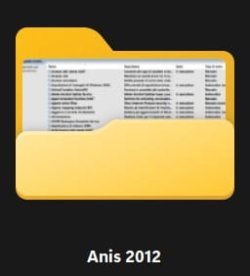
To be clear, here below the difference between Explorer folders 10 vs. 11 ( Hope I'm not OT in this thread )

@hdmi noted with thanks, yeah, probably it's the reason why it shows sometimes the progress bar opening Explorer... I already disabled time ago indexing of my SSD C: but leaving the HDD indexing on the HDD (D:).
Now I excluded many folders of the HDD and I'm rebuilding the index right now. Let see... EP probably has nothing to do with this little issue.
 

Attachments

  • Win10 folders.jpg
    Win10 folders.jpg
    10.9 KB · Views: 1
  • Win11 folders.jpg
    Win11 folders.jpg
    6.1 KB · Views: 1
Last edited:

My Computers My Computers

  • At a glance

    Windows 11 Home 23H2Intel Core i7-8750H Coffee LakeSamsung 32 Gb Dual ChannelIntel UHD Graphics 630 - NVidia GeForce GTX 1050
    OS
    Windows 11 Home 23H2
    Computer type
    Laptop
    Manufacturer/Model
    Asus Vivobook Pro
    CPU
    Intel Core i7-8750H Coffee Lake
    Motherboard
    X580GD
    Memory
    Samsung 32 Gb Dual Channel
    Graphics Card(s)
    Intel UHD Graphics 630 - NVidia GeForce GTX 1050
    Sound Card
    Synaptics SmartAudio HD
    Monitor(s) Displays
    Laptop Monitor + Asus BE24EQK
    Screen Resolution
    1920x1080@60Hz - 1920x1080@60Hz
    Hard Drives
    SSD Crucial P3 NVME M2-2280 1 Tb
    HDD Seagate 2 Tb
    Mouse
    Logitech M525
    Internet Speed
    100 Mbps FTTC - Wi-Fi 5
    Antivirus
    Avast
    Other Info
    Wei Score Index 7.9
  • At a glance

    Windows 11 Pro 23H2Intel Alder Lake N100Lexar 16 Gb DDR4-3200 Single channelIntel UHD Graphics Alder Lake-N GT1
    Operating System
    Windows 11 Pro 23H2
    Computer type
    PC/Desktop
    Manufacturer/Model
    NiPoGi Ak1Plus
    CPU
    Intel Alder Lake N100
    Memory
    Lexar 16 Gb DDR4-3200 Single channel
    Graphics card(s)
    Intel UHD Graphics Alder Lake-N GT1
    Sound Card
    Intel Alder Lake-N PCH
    Monitor(s) Displays
    Samsung TV 46" via HDMI port
    Screen Resolution
    1920 x 1080
    Hard Drives
    MasonSemi SSD 1 Tb NVMe
    Crucial CT500MX 500 Gb SSD Sata
    Case
    Mini PC
    Keyboard
    Rii Mini i8+
    Mouse
    Logitech M525
    Internet Speed
    100 Mbps FTTC - Wi-Fi 6
    Antivirus
    Avast
    Other Info
    Mainly used as Media Server
    Wei Score Index 7.5
Very interesting, great job. Can your utility coexist with EP or the risk is messing up the whole system ? My question is related on how Win11 File Explorer shows folders content, since my wife need to have some thumbnails showed, so she doesn't want to switch to Win11 and prefers to stay stuck on Win10 + Open Shell start menu instead.
To be clear, here below the difference between Explorer folders 10 vs. 11 ( Hope I'm not OT in this thread )

https://www.elevenforum.com/members/hdmi.3845/ noted with thanks, yeah, probably it's the reason why it shows sometimes the progress bar opening Explorer... I already disabled time ago indexing of my SSD C: but leaving the HDD indexing on the HDD (D:).
Now I excluded many folders of the HDD and I'm rebuilding the index right now. Let see...
The visual appearance/style of these folder thumbnails in File Explorer has got nothing to do with the File Explorer itself. It is determined by the protected file: C:\Windows\SystemResources\imageres.dll.mun
AFAIK it should still be possible to bring back the Windows 10 thumbnail look on Windows 11 by doing a "hack", i.e. by replacing this file with a copy sourced from a Windows 10 installation, albeit hacking Windows is not recommended of course, and requires some additional effort to bypass the protection. (Also keep in mind that Windows might change it back each time when it automatically detects that the file has been tampered with.)
IIRC, the commands below were how I managed to, from an elevated Powershell window, replace the file with the copy that I had put on my Desktop. This was several years ago, though, and, I haven't tried it again since.
Powershell:
cd $Env:windir\SystemResources
takeown /F .
takeown /F imageres.dll.mun
ren imageres.dll.mun imageres.dll.mun.backup
del imageres.dll.mun
copy $Env:UserProfile\Desktop\imageres.dll.mun
takeown /F imageres.dll.mun
icacls imageres.dll.mun /inheritance:d
icacls imageres.dll.mun /setowner "NT SERVICE\TrustedInstaller"
icacls . /setowner "NT SERVICE\TrustedInstaller"
 

My Computers My Computers

  • At a glance

    11 Homei7 13650HX16GB DDR5GeForce RTX 4060 Mobile
    OS
    11 Home
    Computer type
    Laptop
    Manufacturer/Model
    Asus TUF Gaming F16 (2024)
    CPU
    i7 13650HX
    Memory
    16GB DDR5
    Graphics Card(s)
    GeForce RTX 4060 Mobile
    Sound Card
    Eastern Electric MiniMax DAC Supreme; Emotiva UMC-200; Astell & Kern AK240
    Monitor(s) Displays
    Sony Bravia XR-55X90J
    Screen Resolution
    3840×2160
    Hard Drives
    512GB SSD internal
    37TB external
    PSU
    Li-ion
    Cooling
    2× Arc Flow Fans, 4× exhaust vents, 5× heatpipes
    Keyboard
    Logitech K800
    Mouse
    Logitech G402
    Internet Speed
    30Mbit/s up, 500Mbit/s down
    Browser
    FF
    Antivirus
    What's an antivirus?
  • At a glance

    11 Homei5 1135G716GB DDR4Intel Iris Xe
    Operating System
    11 Home
    Computer type
    Laptop
    Manufacturer/Model
    Medion S15450
    CPU
    i5 1135G7
    Memory
    16GB DDR4
    Graphics card(s)
    Intel Iris Xe
    Sound Card
    Eastern Electric MiniMax DAC Supreme; Emotiva UMC-200; Astell & Kern AK240
    Monitor(s) Displays
    Sony Bravia XR-55X90J
    Screen Resolution
    3840×2160
    Hard Drives
    2TB SSD internal
    37TB external
    PSU
    Li-ion
    Keyboard
    Logitech K800
    Mouse
    Logitech G402
    Internet Speed
    30Mbit/s up, 500Mbit/s down
    Browser
    FF
Or simply copy the file to your desktop, modify it and then boot with Windows Setup or miniPE USB to modify. If you boot with Windows Setup USB press SHIFT+F10 to open a Command Prompt and type the relevant commands to copy-paste the modified file. Replace when asked.
 

My Computers My Computers

  • At a glance

    Windows 11 Pro 23H2 (5699), 25H2 (8875)Mobile DualCore Intel Core 2 Duo T7250, 2000 MHz4GBMobile Intel(R) GMA 4500M (Mobile 4 series)
    OS
    Windows 11 Pro 23H2 (5699), 25H2 (8875)
    Computer type
    Laptop
    Manufacturer/Model
    Acer Extensa 5630EZ
    CPU
    Mobile DualCore Intel Core 2 Duo T7250, 2000 MHz
    Motherboard
    Acer Extensa 5630
    Memory
    4GB
    Graphics Card(s)
    Mobile Intel(R) GMA 4500M (Mobile 4 series)
    Sound Card
    Realtek ALC268 @ Intel 82801IB ICH9 - High Definition Audio Controller
    Monitor(s) Displays
    1
    Screen Resolution
    1280x800
    Hard Drives
    Samsung SSD 850 EVO 250GB SATA Device (250 GB, SATA-III)
    Internet Speed
    VDSL 50 Mbps
    Browser
    MICROSOFT EDGE
    Antivirus
    WINDOWS DEFENDER
    Other Info
    Legacy MBR installation, no TPM, no Secure Boot, no WDDM 2.0 graphics drivers, no SSE4.2, cannot get more unsupported ;) This is only my test laptop. I had installed Windows 11 here before upgrading my main PC. For my main PC I use everyday see my 2nd system specs.
  • At a glance

    Windows 11 Pro v25H2 (build 26200.8875)Intel Core-i7 3770 3.40GHz s1155 (3rd generat...2x Kingston Hyper-X Blu 8GB DDR3-1600GIGABYTE GeForce RTX 3050 WINDFORCE OC V2 6GB...
    Operating System
    Windows 11 Pro v25H2 (build 26200.8875)
    Computer type
    PC/Desktop
    Manufacturer/Model
    Custom-built PC
    CPU
    Intel Core-i7 3770 3.40GHz s1155 (3rd generation)
    Motherboard
    Asus P8H61 s1155 ATX
    Memory
    2x Kingston Hyper-X Blu 8GB DDR3-1600
    Graphics card(s)
    GIGABYTE GeForce RTX 3050 WINDFORCE OC V2 6GB (GV-N3050WF2OCV2-6GD)
    Sound Card
    Realtek HD audio (ALC887)
    Monitor(s) Displays
    Sony Bravia KDL-19L4000 19" LCD TV via VGA
    Screen Resolution
    1440x900 32-bit 60Hz
    Hard Drives
    WD Blue SA510 2.5 1000GB SSD as system disk, Western Digital Caviar Purple 4TB SATA III (WD40PURZ) as second
    PSU
    Thermaltake Litepower RGB 550W Full Wired
    Case
    SUPERCASE MIDI-TOWER
    Cooling
    Deepcool Gamma Archer CPU cooler, 1x 8cm fan at the back
    Keyboard
    Mitsumi 101-key PS/2
    Mouse
    Sunnyline OptiEye PS/2
    Internet Speed
    100Mbps
    Browser
    Microsoft Edge, Mozilla Firefox
    Antivirus
    Microsoft Windows Defender
    Other Info
    Legacy BIOS (MBR) installation, no TPM, no Secure Boot, WDDM 3.0 graphics drivers, WEI score 7.4
Is explorer patcher supposed to give us the option for Sign Out and Lock when clicking the user icon in the Win Start menu? When I click the User name icon I don't get that option on my installation
This problem has resurfaced for me when using the Windows 10 style Start Menu. Clicking my Profile icon doesn't bring up the option to sign out/switch accounts. Works fine if I set EP to use Win11 Start Menu. Have uninstalled, rebooted, run sfc /scannow to be safe, and reinstall EP official release 22621.2861.62.2 and done an in-place upgrade and still doesn't work. It was ok for good long while and I was able to rectify it by doing in-place upgrade....anyone else having issues?
 

My Computer My Computer

At a glance

Windows 11 Pro 23H2Intel Core i5-12600KDDR4-3603 / PC4-28800 DDR4 SDRAM UDIMMEVGA RTX 2060 Super XC Ultra Gaming (08G-P4-3...
OS
Windows 11 Pro 23H2
Computer type
PC/Desktop
Manufacturer/Model
Custom Build
CPU
Intel Core i5-12600K
Motherboard
ASUS TUF GAMING Z690-PLUS WIFI D4
Memory
DDR4-3603 / PC4-28800 DDR4 SDRAM UDIMM
Graphics Card(s)
EVGA RTX 2060 Super XC Ultra Gaming (08G-P4-3163)
Hard Drives
Samsung SSD 980 EVO 1TB
PSU
Corsair 750W Gold
Case
Corsair
Cooling
Corsair
Internet Speed
Fibre 1gbps
Anyone noticing the taskbar is invisible post todays security patch?
 

My Computer My Computer

At a glance

Windows 11 2H225600X32GB 3600C143070
OS
Windows 11 2H22
Computer type
PC/Desktop
Manufacturer/Model
User Built
CPU
5600X
Motherboard
X570S MASTER
Memory
32GB 3600C14
Graphics Card(s)
3070
Sound Card
SOUNDBLASTER G6
Monitor(s) Displays
27 INCH 165HZ FREESYNC ISP - DELL
Screen Resolution
1440P
Hard Drives
960GB 905P
PSU
CORSAIR AX1600I
Case
FRACTAL R6 BLACKOUT
Cooling
NH-D15S
Keyboard
LOGITECH K120
Mouse
MX518 LEGENDAARY
Internet Speed
1GB
Browser
EDGE
Anyone noticing the taskbar is invisible post todays security patch?
Exactly which patch? Mine seems ok....just can't access the account switcher/sign-out flyaway menu
 

My Computer My Computer

At a glance

Windows 11 Pro 23H2Intel Core i5-12600KDDR4-3603 / PC4-28800 DDR4 SDRAM UDIMMEVGA RTX 2060 Super XC Ultra Gaming (08G-P4-3...
OS
Windows 11 Pro 23H2
Computer type
PC/Desktop
Manufacturer/Model
Custom Build
CPU
Intel Core i5-12600K
Motherboard
ASUS TUF GAMING Z690-PLUS WIFI D4
Memory
DDR4-3603 / PC4-28800 DDR4 SDRAM UDIMM
Graphics Card(s)
EVGA RTX 2060 Super XC Ultra Gaming (08G-P4-3163)
Hard Drives
Samsung SSD 980 EVO 1TB
PSU
Corsair 750W Gold
Case
Corsair
Cooling
Corsair
Internet Speed
Fibre 1gbps
Very interesting, great job. Can your utility coexist with EP or the risk is messing up the whole system ? My question is related on how Win11 File Explorer shows folders content, since my wife need to have some thumbnails showed, so she doesn't want to switch to Win11 and prefers to stay stuck on Win10 + Open Shell start menu instead.
To be clear, here below the difference between Explorer folders 10 vs. 11 ( Hope I'm not OT in this thread )
As far as I can tell, nothing would break having both installed, but it would be redundant. If you run into the issue of the Windows 10 Explorer not remembering its window size and position with EP, then I think it would be best to use the batch file I posted in #426729 rather than SwitchExplorer.

As for full-size thumbnails, one option is to replace the built-in folder masks using a tool such as CustomizerGod. Here's a tutorial. The included link in that tutorial to the custom icon masks is broken, but you can find them here.
 

My Computer My Computer

At a glance

Windows 10/11
OS
Windows 10/11
Computer type
Laptop
Manufacturer/Model
Acer
As far as I can tell, nothing would break having both installed, but it would be redundant. If you run into the issue of the Windows 10 Explorer not remembering its window size and position with EP, then I think it would be best to use the batch file I posted in #426729 rather than SwitchExplorer.

As for full-size thumbnails, one option is to replace the built-in folder masks using a tool such as CustomizerGod. Here's a tutorial. The included link in that tutorial to the custom icon masks is broken, but you can find them here.
I agree with ur statements concerning Switch Explorer... I have CustomizeGod and I will check with my PC first. BTW, solving problems for both wife and daughter PCs is definitely not simple... complaints are usual, so... it's better to be careful ;-)

Thanks everyone for the other tips received in these last posts.
Rebuilding search index, excluding some folders in my HDD seems to be okay, no delays opening File Explorer so far.
Just updated Win11 KB5035853 ( Winver .3296 ) and EP 63.4 works as usual, no problems, always talking about my Home version...🤞
 

My Computers My Computers

  • At a glance

    Windows 11 Home 23H2Intel Core i7-8750H Coffee LakeSamsung 32 Gb Dual ChannelIntel UHD Graphics 630 - NVidia GeForce GTX 1050
    OS
    Windows 11 Home 23H2
    Computer type
    Laptop
    Manufacturer/Model
    Asus Vivobook Pro
    CPU
    Intel Core i7-8750H Coffee Lake
    Motherboard
    X580GD
    Memory
    Samsung 32 Gb Dual Channel
    Graphics Card(s)
    Intel UHD Graphics 630 - NVidia GeForce GTX 1050
    Sound Card
    Synaptics SmartAudio HD
    Monitor(s) Displays
    Laptop Monitor + Asus BE24EQK
    Screen Resolution
    1920x1080@60Hz - 1920x1080@60Hz
    Hard Drives
    SSD Crucial P3 NVME M2-2280 1 Tb
    HDD Seagate 2 Tb
    Mouse
    Logitech M525
    Internet Speed
    100 Mbps FTTC - Wi-Fi 5
    Antivirus
    Avast
    Other Info
    Wei Score Index 7.9
  • At a glance

    Windows 11 Pro 23H2Intel Alder Lake N100Lexar 16 Gb DDR4-3200 Single channelIntel UHD Graphics Alder Lake-N GT1
    Operating System
    Windows 11 Pro 23H2
    Computer type
    PC/Desktop
    Manufacturer/Model
    NiPoGi Ak1Plus
    CPU
    Intel Alder Lake N100
    Memory
    Lexar 16 Gb DDR4-3200 Single channel
    Graphics card(s)
    Intel UHD Graphics Alder Lake-N GT1
    Sound Card
    Intel Alder Lake-N PCH
    Monitor(s) Displays
    Samsung TV 46" via HDMI port
    Screen Resolution
    1920 x 1080
    Hard Drives
    MasonSemi SSD 1 Tb NVMe
    Crucial CT500MX 500 Gb SSD Sata
    Case
    Mini PC
    Keyboard
    Rii Mini i8+
    Mouse
    Logitech M525
    Internet Speed
    100 Mbps FTTC - Wi-Fi 6
    Antivirus
    Avast
    Other Info
    Mainly used as Media Server
    Wei Score Index 7.5
Anyone noticing the taskbar is invisible post todays security patch?
I confirm that taskbar on my system 22631.3296 is invisible. ExplorerPatcher attempted to download new symbol tables, but it was only partially successful. I think tomorrow downloads will be finished, which may fix this "issue".
But I don't think that fully transparent taskbar too bad, I found it quite funny. Functionality isn't changed, right click on empty space at the bottom where taskbar should be, opens the context menu as usual. Anyway it's an interesting experience. BTW, change of transparency effect in Settings doesn't make taskbar non-transparent, at least now.
 

My Computer My Computer

At a glance

Windows 11 Pro 25H2AMD Rysen 5 4600H32 GB (2 x 16 GB Samsung SO-DIMM DDR4-3200)GeForce GTX 1650 Ti, 4 GB GDDR6
OS
Windows 11 Pro 25H2
Computer type
Laptop
Manufacturer/Model
Lenovo Legion 5-15ARH05
CPU
AMD Rysen 5 4600H
Memory
32 GB (2 x 16 GB Samsung SO-DIMM DDR4-3200)
Graphics Card(s)
GeForce GTX 1650 Ti, 4 GB GDDR6
Screen Resolution
1920x1080
Hard Drives
SSD M.2 512 GB SAMSUNG MZALQ512; SSD M.2 1 TB Seagate FireCuda 530
Mouse
Logitech M650L in Bluetooth mode
@Slavic @Stormbrain - the Win11 KB5035853 ( Winver .3296 ) just arrived on my system and I'm still using the 63.2 official release rather than pre-release version and I can confirm the taskbar is present, but the background/colour is transparent now. So it's still there and usable, but has a transparent background.

Are either of you able to confirm if your profile switcher/sign-out menu is working? Mine is not...when I click my Account name, nothing happens...no list of other accounts for switching nor is there the signout/lock option.

1710289565170.png
 

My Computer My Computer

At a glance

Windows 11 Pro 23H2Intel Core i5-12600KDDR4-3603 / PC4-28800 DDR4 SDRAM UDIMMEVGA RTX 2060 Super XC Ultra Gaming (08G-P4-3...
OS
Windows 11 Pro 23H2
Computer type
PC/Desktop
Manufacturer/Model
Custom Build
CPU
Intel Core i5-12600K
Motherboard
ASUS TUF GAMING Z690-PLUS WIFI D4
Memory
DDR4-3603 / PC4-28800 DDR4 SDRAM UDIMM
Graphics Card(s)
EVGA RTX 2060 Super XC Ultra Gaming (08G-P4-3163)
Hard Drives
Samsung SSD 980 EVO 1TB
PSU
Corsair 750W Gold
Case
Corsair
Cooling
Corsair
Internet Speed
Fibre 1gbps
@Slavic @Stormbrain - the Win11 KB5035853 ( Winver .3296 ) just arrived on my system and I'm still using the 63.2 official release rather than pre-release version and I can confirm the taskbar is present, but the background/colour is transparent now. So it's still there and usable, but has a transparent background.

Are either of you able to confirm if your profile switcher/sign-out menu is working? Mine is not...when I click my Account name, nothing happens...no list of other accounts for switching nor is there the signout/lock option.

View attachment 89994
Running EP version 22621.3007.63.4 on Windows 11 version 23H2 build 22631.3296 after the new symbols failed to download. The Logoff feature of the Windows 10 Start Menu still works for me (I also verified that it actually logs off when clicked).

EP Start Menu W10 Logoff.png
 

My Computers My Computers

  • At a glance

    11 Homei7 13650HX16GB DDR5GeForce RTX 4060 Mobile
    OS
    11 Home
    Computer type
    Laptop
    Manufacturer/Model
    Asus TUF Gaming F16 (2024)
    CPU
    i7 13650HX
    Memory
    16GB DDR5
    Graphics Card(s)
    GeForce RTX 4060 Mobile
    Sound Card
    Eastern Electric MiniMax DAC Supreme; Emotiva UMC-200; Astell & Kern AK240
    Monitor(s) Displays
    Sony Bravia XR-55X90J
    Screen Resolution
    3840×2160
    Hard Drives
    512GB SSD internal
    37TB external
    PSU
    Li-ion
    Cooling
    2× Arc Flow Fans, 4× exhaust vents, 5× heatpipes
    Keyboard
    Logitech K800
    Mouse
    Logitech G402
    Internet Speed
    30Mbit/s up, 500Mbit/s down
    Browser
    FF
    Antivirus
    What's an antivirus?
  • At a glance

    11 Homei5 1135G716GB DDR4Intel Iris Xe
    Operating System
    11 Home
    Computer type
    Laptop
    Manufacturer/Model
    Medion S15450
    CPU
    i5 1135G7
    Memory
    16GB DDR4
    Graphics card(s)
    Intel Iris Xe
    Sound Card
    Eastern Electric MiniMax DAC Supreme; Emotiva UMC-200; Astell & Kern AK240
    Monitor(s) Displays
    Sony Bravia XR-55X90J
    Screen Resolution
    3840×2160
    Hard Drives
    2TB SSD internal
    37TB external
    PSU
    Li-ion
    Keyboard
    Logitech K800
    Mouse
    Logitech G402
    Internet Speed
    30Mbit/s up, 500Mbit/s down
    Browser
    FF
Running EP version 22621.3007.63.4 on Windows 11 version 23H2 build 22631.3296 after the new symbols failed to download. The Logoff feature of the Windows 10 Start Menu still works for me (I also verified that it actually logs off when clicked).

View attachment 89996
Thanks for confirming that it seems to be just me. I wonder how I can fix it on my system. I've tried reset to default, uninstall, reboot and been even running sfc /scannow and finding no problems....
 

My Computer My Computer

At a glance

Windows 11 Pro 23H2Intel Core i5-12600KDDR4-3603 / PC4-28800 DDR4 SDRAM UDIMMEVGA RTX 2060 Super XC Ultra Gaming (08G-P4-3...
OS
Windows 11 Pro 23H2
Computer type
PC/Desktop
Manufacturer/Model
Custom Build
CPU
Intel Core i5-12600K
Motherboard
ASUS TUF GAMING Z690-PLUS WIFI D4
Memory
DDR4-3603 / PC4-28800 DDR4 SDRAM UDIMM
Graphics Card(s)
EVGA RTX 2060 Super XC Ultra Gaming (08G-P4-3163)
Hard Drives
Samsung SSD 980 EVO 1TB
PSU
Corsair 750W Gold
Case
Corsair
Cooling
Corsair
Internet Speed
Fibre 1gbps
Looks like Valinet just released version 64.1 and the invisible taskbar problem has been fixed. Works fine for me except for my broken Accounts/Sign Out menu, but that appears to be just me?
 

My Computer My Computer

At a glance

Windows 11 Pro 23H2Intel Core i5-12600KDDR4-3603 / PC4-28800 DDR4 SDRAM UDIMMEVGA RTX 2060 Super XC Ultra Gaming (08G-P4-3...
OS
Windows 11 Pro 23H2
Computer type
PC/Desktop
Manufacturer/Model
Custom Build
CPU
Intel Core i5-12600K
Motherboard
ASUS TUF GAMING Z690-PLUS WIFI D4
Memory
DDR4-3603 / PC4-28800 DDR4 SDRAM UDIMM
Graphics Card(s)
EVGA RTX 2060 Super XC Ultra Gaming (08G-P4-3163)
Hard Drives
Samsung SSD 980 EVO 1TB
PSU
Corsair 750W Gold
Case
Corsair
Cooling
Corsair
Internet Speed
Fibre 1gbps
I can confirrm prerelease version 22621.3296.64.1 fixes the transparent taskbar.
The new 3296 Symbols also downloaded correctly this morning.

Big Thanks to Valinet and all the other great people involved for keeping this working!

peace
wanna
 

My Computers My Computers

  • At a glance

    Windows 11 ProIntel® Core™ i5-14600KG.SKILL Ripjaws S5 Series DDR5 (2x16GB) 6400M...PNY RTX 5060 Ti OC 16GB
    OS
    Windows 11 Pro
    Computer type
    PC/Desktop
    Manufacturer/Model
    Acme Mail Order (meep meep)
    CPU
    Intel® Core™ i5-14600K
    Motherboard
    MSI PRO Z790-A MAX WiFi bios 7E07vMA
    Memory
    G.SKILL Ripjaws S5 Series DDR5 (2x16GB) 6400MT/s CL32
    Graphics Card(s)
    PNY RTX 5060 Ti OC 16GB
    Sound Card
    Onboard Realtek® ALC4080 Codec
    Monitor(s) Displays
    2 x Dell - S3222DGM 32" LED Curved QHD FreeSync Gaming Monitor
    Screen Resolution
    2560x1440
    Hard Drives
    990 PRO PCIe 4.0 NVMe®1TB OS
    970 EVO PCIe 3.0 NVMe® SSD 500GB Games
    860 EVO SATA 2.5" SSD 1TB Storage
    PSU
    RMx Series™ RM850x — 80 PLUS® Gold
    Case
    LIAN LI PC-G70B Black Aluminum Full Tower
    Cooling
    Custom loop Optimus Foundation Block, MCP655-PWM D5 pump, MCR320 QP rad
    Keyboard
    Razer Black Widow Ultimate
    Mouse
    Razer Death Adder Elite
    Internet Speed
    500 down 20 up
    Browser
    Edge / Chrome
    Antivirus
    Microsoft Defender
    Other Info
    Always switching installs testing out the latest and greatest.
  • At a glance

    Windows 11 ProIntel® Core™ i5-11600KG.SKILL Ripjaws V Series 16GB DDR4 3600 (16-1...EVGA GeForce RTX 3060 XC GAMING 12GB
    Operating System
    Windows 11 Pro
    Computer type
    PC/Desktop
    Manufacturer/Model
    Acme Mail Order (meep meep) Wife's PC Edition
    CPU
    Intel® Core™ i5-11600K
    Motherboard
    MSI - Z590 A Pro - bios 7D09v1B1
    Memory
    G.SKILL Ripjaws V Series 16GB DDR4 3600 (16-16-16-36)
    Graphics card(s)
    EVGA GeForce RTX 3060 XC GAMING 12GB
    Sound Card
    Onboard Realtek® ALC897 Codec
    Monitor(s) Displays
    2 x 27'' ACER S271HL
    Screen Resolution
    1920x1080
    Hard Drives
    980 PRO PCIe 4.0 NVMe® SSD 250GB OS
    Samsung 128GB 850 PRO SATA III for Storage
    PSU
    CORSAIR - CX-M Series 650W
    Case
    LIAN LI PC-A16B Black Aluminum ATX Mid Tower
    Cooling
    Thermalright Phantom Spirit 120SE Air Cooler
    Keyboard
    Logitech - K740 Illuminated
    Mouse
    Razer Death Adder Elite
    Internet Speed
    500 down 20 up
    Browser
    Chrome
    Antivirus
    Windows Defender
    Other Info
    Stock clocked, over cooled, and unmolested for a rock solid, whisper quiet, Wifey approved user experience.
Another confirmation that the prerelease version of explore patcher works and second the BIG Thanks to Valinet.
 

My Computers My Computers

  • At a glance

    Windows 11 ProIntel Ultra 9 285k24gbIntel cpu graphics
    OS
    Windows 11 Pro
    Computer type
    PC/Desktop
    Manufacturer/Model
    Self build
    CPU
    Intel Ultra 9 285k
    Motherboard
    Asus Z890 Plus
    Memory
    24gb
    Graphics Card(s)
    Intel cpu graphics
    Hard Drives
    2 SSD's
    4 Hard Disk
    PSU
    Corsair
    Case
    Corsair
    Cooling
    Corsair Nautilus 240
    Internet Speed
    1gb
    Browser
    Firefox
    Antivirus
    Bitdefender
  • At a glance

    Windows 11Intel i9-11900k16gbIntel graphics
    Operating System
    Windows 11
    Computer type
    PC/Desktop
    Manufacturer/Model
    Self Build
    CPU
    Intel i9-11900k
    Motherboard
    Asus Z590
    Memory
    16gb
    Graphics card(s)
    Intel graphics
    Hard Drives
    2 SSD
    4 hard disks
    PSU
    Corsair 650
    Case
    Corsair
    Cooling
    Corsair H100
    Internet Speed
    400mb
    Browser
    Firefox
    Antivirus
    Norton 360
Back
Top Bottom