Nvidia driver keeps crashing my Windows 11


vett93

Well-known member
Member
Local time
8:47 AM
Posts
97
Location
San Jose, California, USA
OS
Windows 11 Pro
Hi,

My Windows 11 laptop started to crash regularly about 4 weeks ago. It looks like these crashes were caused by Nvidia driver. I have updated the Nvidia driver several times. But it does not seem to help. Can someone take a look at the below screenshot of the Event Viewer and suggest how I can debug? Thanks.

1755830543162.webp
 

My Computers

System One System Two

  • OS
    Windows 11 Pro
    Computer type
    PC/Desktop
    Manufacturer/Model
    Corsair Vengeance i7400
    CPU
    Intel i9-13900K
    Motherboard
    MSI Pro Z690-A WiFi DDR5
    Memory
    64GB DDR5-5600
    Graphics Card(s)
    4090
    Monitor(s) Displays
    BenQ PD3200U
    Screen Resolution
    4K
    Hard Drives
    2TB SSD, 4TB SSD
    PSU
    Corsair 1000W 80+ Gold
    Cooling
    water cooled CPU and air cooled GPU
    Internet Speed
    600 Mbps down and 100 Mbps up
    Antivirus
    Windows Defender
  • Operating System
    Windows 11 Pro
    Computer type
    Laptop
    Manufacturer/Model
    ASUS ROG Zephyrus M16
    CPU
    Intel i9-13900H
    Memory
    64GB
    Graphics card(s)
    Nvidia 4070 mobile
    Hard Drives
    1TB SSD
Many people will disagree with me but after learning the hard way first hand when it comes to laptops you are generally better off sticking with the manufacturer NVIDIA graphics drivers even though they are usually outdated. They will be more stable since they are thoroughly tested and geared for your hardware vs the generic latest NVIDIA site drivers. And let's face it lately the recent site drivers have been buggy and causing lots of weird problems for many users.
 

My Computers

System One System Two

  • OS
    Windows 11 25H2
    Computer type
    Laptop
    Manufacturer/Model
    Alienware 18 Area-51
    CPU
    Intel Core Ultra 9 275HX (24-Core)
    Motherboard
    Alienware
    Memory
    64GB DDR5 6400MT/s
    Graphics Card(s)
    NVIDIA GeForce RTX 5080 and Intel UHD Graphics
    Sound Card
    Onboard, Realtek high-performance Audio chips (ALC3329 & ALC1708))
    Monitor(s) Displays
    300HZ 18-inch QHD 500 nit Comfort View+
    Screen Resolution
    2560 x 1600
    Hard Drives
    2TB NVMe M.2 PCIe Gen 5 SSD
    Case
    Magnesium Alloy
    Cooling
    Advanced Cryo-Tech Quad-Fan Cooling system & large vapor chamber
    Keyboard
    Cherry MX ultra low profile mechanical keyboard with per key AlienFX RGB lighting
    Mouse
    Logitech MX Master 4
    Browser
    Vivaldi (main), Firefox, Chrome, Edge
    Antivirus
    MS Defender and Malwarebytes Free
  • Operating System
    Windows 11 25H2
    Computer type
    Laptop
    Manufacturer/Model
    Microsoft Surface Laptop 7
    CPU
    Qualcomm Snapdragon X Elite (12 Core) ARM based CPU
    Motherboard
    Microsoft Corp.
    Memory
    16GB LPDDR5
    Graphics card(s)
    Qualcomm Adreno X1-85
    Sound Card
    Omnisonic speakers with Dolby Atmos spatial sound
    Monitor(s) Displays
    120 Hz 13.8-inch 600 nit PixelSense Flow touchscreen
    Screen Resolution
    2304x1536
    Hard Drives
    1TB NVMe Gen 4 SSD
    Case
    Anodized Aluminum
    Cooling
    Traditional active cooling fan system
    Keyboard
    Mechanical QWERTY, backlit when in use
    Mouse
    Logitech MX Master 4 and Surface Arc Mouse
    Browser
    Vivaldi (main), Firefox, Chrome, Edge
    Antivirus
    MS Defender and Malwarebytes Free
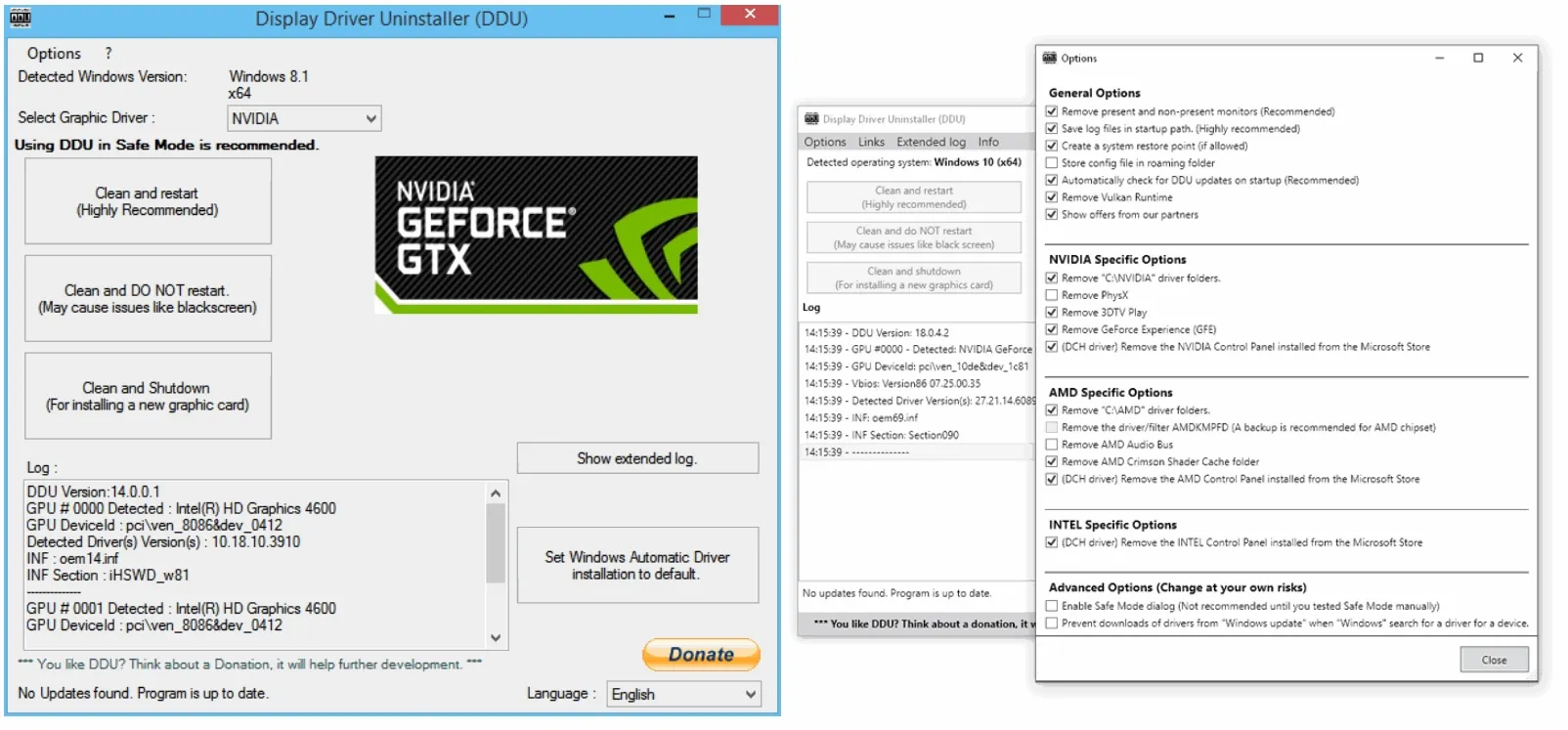
I agree. Laptop graphics drivers are many times OEM specific. I would use DDU in safe mode to uninstall ALL nvidia drivers AND software. Restart and use latest OEM graphics driver.
Read DDU instructions carefully.
 

My Computers

System One System Two

  • OS
    Windows 11 Pro 25H2 26200.8655
    Computer type
    PC/Desktop
    Manufacturer/Model
    Dell Optiplex 7080
    CPU
    i9-10900 10 core 20 threads
    Motherboard
    DELL 0J37VM
    Memory
    32 gb
    Graphics Card(s)
    none-Intel UHD Graphics 630
    Sound Card
    Integrated Realtek
    Monitor(s) Displays
    Benq 27
    Screen Resolution
    2560x1440
    Hard Drives
    2x1tb Solidigm m.2 nvme /External drives 512gb Samsung m.2 sata+2tb Kingston m2.nvme
    PSU
    500w
    Case
    MT
    Cooling
    Dell Premium
    Keyboard
    Logitech wired
    Mouse
    Logitech wireless
    Internet Speed
    so slow I'm too embarrassed to tell
    Browser
    #1 Edge #2 Firefox
    Antivirus
    Defender+MWB Premium
  • Operating System
    Windows 11 Pro 24H2 26200.8457
    Computer type
    PC/Desktop
    Manufacturer/Model
    Beelink Mini PC SER5
    CPU
    AMD Ryzen 7 6800U
    Memory
    32 gb
    Graphics card(s)
    integrated
    Sound Card
    integrated
    Monitor(s) Displays
    Benq 27
    Screen Resolution
    2560x1440
    Hard Drives
    1TB Crucial nvme
    Keyboard
    Logitech wired
    Mouse
    Logitech wireless
    Internet Speed
    still too embarrassed to tell
    Browser
    Firefox
    Antivirus
    Defender
    Other Info
    System 3 is non compliant Dell 9020 i7-4770/24gb ram Win11 PRO 26200.8457
What is the latest driver you have installed? A new version came out a couple days ago.

Nvidia website
Version: 581.08 (32.0.15.8108)
Release: 2025/08/19
Size: 895.26 MB

I have an ASUS laptop with an RTX 3060 Notebook GPU. So far I haven't had a problem with driver 581.08.

My laptop is three years old. The last Nvidia driver from ASUS came out in 2022 so is quite old.

ASUS website
Version: 30.0.15.1278 (512.78)
Release: 2022/06/07
Size: 825.02 MB
 

My Computers

System One System Two

  • OS
    Windows 11 Pro 25H2 (26200.6901)
    Computer type
    Laptop
    Manufacturer/Model
    ASUS TUF Gaming A15 (2022)
    CPU
    AMD Ryzen 7 6800H with Radeon 680M GPU (486MB RAM)
    Memory
    Crucial DDR5-4800 (2400MHz) 32GB (2 x 16GB)
    Graphics Card(s)
    NVIDIA RTX 3060 Laptop (6GB RAM)
    Sound Card
    n/a
    Monitor(s) Displays
    15.6-inch
    Screen Resolution
    1920x1080 300Hz
    Hard Drives
    2 x Samsung 990 Evo Plus (2TB M.2 NVME SSD)
    PSU
    n/a
    Mouse
    Wireless Mouse M510
    Internet Speed
    2100Mbps/300Mbps
    Browser
    Firefox
    Antivirus
    Malwarebytes
  • Operating System
    Windows 11 Pro 25H2 (26200.8246)
    Computer type
    PC/Desktop
    Manufacturer/Model
    Custom build
    CPU
    AMD Ryzen 7 5700X3D
    Motherboard
    ASUS ROG Strix B550-F Gaming WiFi II
    Memory
    G.SKILL Flare X 32GB (2x16GB) DDR4
    Graphics card(s)
    ASUS ROG-STRIX-RTX3060TI-08G-V2-GAMING (RTX 3060-Ti, 8GB RAM)
    Monitor(s) Displays
    Samsung G50D IPS 27"
    Screen Resolution
    1440p/180Hz
    Hard Drives
    SAMSUNG 990 EVO Plus (2TB] M.2 NVME SSD
    SAMSUNG 990 EVO Plus (4TB) M.2 NVME SSD
    PSU
    Corsair RM750x (750 watts)
    Case
    Cooler Master MasterCase 5
    Cooling
    Scythe Mugen 6
    Keyboard
    Logitech K520 (MK540 keyboard/mouse combo)
    Mouse
    Logitech M310 (MK540 keyboard/mouse combo)
    Internet Speed
    2100 Mbps down / 300 Mbps up
    Browser
    Firefox, Edge, Chrome
    Antivirus
    Malwarebytes (Premium)
    Other Info
    ASUS Blu-ray Burner BW-16D1HT (SATA) || Western Digital Easystore 20TB USB 3.0 external hard drive used with Acronis True Image 2025 backup software || HP OfficeJet Pro 6975 Printer/Scanner
Never seen that error in the Event Viewer on my Laptop which has an RTX 3070 Ti Laptop GPU.
It had a VBIOS update, driver is version 546.30 dated Nov 2023.
Those came from Lenovo the manufacturer.

I have had Optimus Laptops for 12 years never had a crash due to video driver, never used DDU. Only ever updated by Manufacturer or Windows updates. 24 years with Nvidia graphics.

It is unrealistic to be able to debug a complex GB size video driver.

The only corrective action seems to be using your Recovery Media back to the bought state, and updating avoiding the temptation to do so directly from Nvidia. That should ensure any OEM requirements are not lost.
 

My Computer

System One

  • OS
    Windows 11
I updated my desktop PC's Nvidia driver several days ago to version 580.97. I immediately started having CLOCK WATCHDOG TIMEOUT crashes on a machine which had been completely stable. I installed the previous driver (577.00) and the crashes stopped. I'm going to wait a while before I attempt to update this driver again.
 

My Computer

System One

  • OS
    Windows 11 Professional 25H2
    Computer type
    PC/Desktop
    Manufacturer/Model
    Digital Storm VELOX
    CPU
    Intel Core i9 11900K
    Motherboard
    ASUS PRIME Z590-P
    Memory
    64GB
    Graphics Card(s)
    NVIDIA GeForce GTX 1650
    Sound Card
    Realtek onboard
    Monitor(s) Displays
    Acer R221Q 21.5"
    Screen Resolution
    1920 x 1080
    Hard Drives
    2 x Samsung SSD 990 EVO Plus (1 TB)
    2 x Seagate ST4000NE001 (4 TB)
    PSU
    None
    Case
    VELOX
    Cooling
    Cooler Master
    Keyboard
    Logitech
    Mouse
    Kensington trackball
    Browser
    Firefox, Chrome
    Antivirus
    Windows Defender, Malwarebytes
What is the latest driver you have installed? A new version came out a couple days ago.

Nvidia website
Version: 581.08 (32.0.15.8108)
Release: 2025/08/19
Size: 895.26 MB

I have an ASUS laptop with an RTX 3060 Notebook GPU. So far I haven't had a problem with driver 581.08.

My laptop is three years old. The last Nvidia driver from ASUS came out in 2022 so is quite old.

ASUS website
Version: 30.0.15.1278 (512.78)
Release: 2022/06/07
Size: 825.02 MB
I used the one before that.
I updated my desktop PC's Nvidia driver several days ago to version 580.97. I immediately started having CLOCK WATCHDOG TIMEOUT crashes on a machine which had been completely stable. I installed the previous driver (577.00) and the crashes stopped. I'm going to wait a while before I attempt to update this driver again.
My desktop PC also has the 580.97. It has worked reliably. It has the 4090 GPU. In fact, this desktop PC has worked reliably with all Nvidia drivers over the last 2 years. It is my laptop, with 4070 mobile GPU, that has the problems.

I posted my issue on Reddit Nvidia site and asked about what stable version to use. Nvidia's site admin removed my post immediately.
 

My Computers

System One System Two

  • OS
    Windows 11 Pro
    Computer type
    PC/Desktop
    Manufacturer/Model
    Corsair Vengeance i7400
    CPU
    Intel i9-13900K
    Motherboard
    MSI Pro Z690-A WiFi DDR5
    Memory
    64GB DDR5-5600
    Graphics Card(s)
    4090
    Monitor(s) Displays
    BenQ PD3200U
    Screen Resolution
    4K
    Hard Drives
    2TB SSD, 4TB SSD
    PSU
    Corsair 1000W 80+ Gold
    Cooling
    water cooled CPU and air cooled GPU
    Internet Speed
    600 Mbps down and 100 Mbps up
    Antivirus
    Windows Defender
  • Operating System
    Windows 11 Pro
    Computer type
    Laptop
    Manufacturer/Model
    ASUS ROG Zephyrus M16
    CPU
    Intel i9-13900H
    Memory
    64GB
    Graphics card(s)
    Nvidia 4070 mobile
    Hard Drives
    1TB SSD
My fairly new Alienware 18 Area 51 is on 573.24 from the Dell Support site which they updated to last month. A while back when I installed the latest NVIDIA site driver it broke my S0 modern standby sleep mode. PC would not wake from sleep and would then BSOD. After it rebooted all was fine as long as I didn't put it to sleep but that got old not being able to use sleep.
 

My Computers

System One System Two

  • OS
    Windows 11 25H2
    Computer type
    Laptop
    Manufacturer/Model
    Alienware 18 Area-51
    CPU
    Intel Core Ultra 9 275HX (24-Core)
    Motherboard
    Alienware
    Memory
    64GB DDR5 6400MT/s
    Graphics Card(s)
    NVIDIA GeForce RTX 5080 and Intel UHD Graphics
    Sound Card
    Onboard, Realtek high-performance Audio chips (ALC3329 & ALC1708))
    Monitor(s) Displays
    300HZ 18-inch QHD 500 nit Comfort View+
    Screen Resolution
    2560 x 1600
    Hard Drives
    2TB NVMe M.2 PCIe Gen 5 SSD
    Case
    Magnesium Alloy
    Cooling
    Advanced Cryo-Tech Quad-Fan Cooling system & large vapor chamber
    Keyboard
    Cherry MX ultra low profile mechanical keyboard with per key AlienFX RGB lighting
    Mouse
    Logitech MX Master 4
    Browser
    Vivaldi (main), Firefox, Chrome, Edge
    Antivirus
    MS Defender and Malwarebytes Free
  • Operating System
    Windows 11 25H2
    Computer type
    Laptop
    Manufacturer/Model
    Microsoft Surface Laptop 7
    CPU
    Qualcomm Snapdragon X Elite (12 Core) ARM based CPU
    Motherboard
    Microsoft Corp.
    Memory
    16GB LPDDR5
    Graphics card(s)
    Qualcomm Adreno X1-85
    Sound Card
    Omnisonic speakers with Dolby Atmos spatial sound
    Monitor(s) Displays
    120 Hz 13.8-inch 600 nit PixelSense Flow touchscreen
    Screen Resolution
    2304x1536
    Hard Drives
    1TB NVMe Gen 4 SSD
    Case
    Anodized Aluminum
    Cooling
    Traditional active cooling fan system
    Keyboard
    Mechanical QWERTY, backlit when in use
    Mouse
    Logitech MX Master 4 and Surface Arc Mouse
    Browser
    Vivaldi (main), Firefox, Chrome, Edge
    Antivirus
    MS Defender and Malwarebytes Free
I updated my desktop PC's Nvidia driver several days ago to version 580.97. I immediately started having CLOCK WATCHDOG TIMEOUT crashes on a machine which had been completely stable. I installed the previous driver (577.00) and the crashes stopped. I'm going to wait a while before I attempt to update this driver again.
How are getting the Geforce drivers? Do you download it directly from Nvidia or do you use the Nvidia App?

I used to download the drivers directly from Nvidia. I now used the Nvidia App to select and download the drivers. Note it was formerly called GeForce Experience.

Nvidia has had several driver updates the last couple months:
581.08 | 895.26MB | 08/19/25
580.97 | 890.78MB | 08/12/25
580.88 | 890.81MB | 07/31/25
577.00 | 869.34MB | 07/22/25
576.88 | 869.29MB | 07/01/25
I have 3 computers with Nvidia graphic cards that have been updated to 581.08 (32.0.15.8108)
Nvidia GTX 1060 (6GB)
Nvidia RTX 3060 Notebook (6GB)
Nvidia RTX 3060 Ti (8GB)

Note I have just updated the drivers the last couple days. Hopefully I won't have any problems like some in this thread have been having.
 

My Computers

System One System Two

  • OS
    Windows 11 Pro 25H2 (26200.6901)
    Computer type
    Laptop
    Manufacturer/Model
    ASUS TUF Gaming A15 (2022)
    CPU
    AMD Ryzen 7 6800H with Radeon 680M GPU (486MB RAM)
    Memory
    Crucial DDR5-4800 (2400MHz) 32GB (2 x 16GB)
    Graphics Card(s)
    NVIDIA RTX 3060 Laptop (6GB RAM)
    Sound Card
    n/a
    Monitor(s) Displays
    15.6-inch
    Screen Resolution
    1920x1080 300Hz
    Hard Drives
    2 x Samsung 990 Evo Plus (2TB M.2 NVME SSD)
    PSU
    n/a
    Mouse
    Wireless Mouse M510
    Internet Speed
    2100Mbps/300Mbps
    Browser
    Firefox
    Antivirus
    Malwarebytes
  • Operating System
    Windows 11 Pro 25H2 (26200.8246)
    Computer type
    PC/Desktop
    Manufacturer/Model
    Custom build
    CPU
    AMD Ryzen 7 5700X3D
    Motherboard
    ASUS ROG Strix B550-F Gaming WiFi II
    Memory
    G.SKILL Flare X 32GB (2x16GB) DDR4
    Graphics card(s)
    ASUS ROG-STRIX-RTX3060TI-08G-V2-GAMING (RTX 3060-Ti, 8GB RAM)
    Monitor(s) Displays
    Samsung G50D IPS 27"
    Screen Resolution
    1440p/180Hz
    Hard Drives
    SAMSUNG 990 EVO Plus (2TB] M.2 NVME SSD
    SAMSUNG 990 EVO Plus (4TB) M.2 NVME SSD
    PSU
    Corsair RM750x (750 watts)
    Case
    Cooler Master MasterCase 5
    Cooling
    Scythe Mugen 6
    Keyboard
    Logitech K520 (MK540 keyboard/mouse combo)
    Mouse
    Logitech M310 (MK540 keyboard/mouse combo)
    Internet Speed
    2100 Mbps down / 300 Mbps up
    Browser
    Firefox, Edge, Chrome
    Antivirus
    Malwarebytes (Premium)
    Other Info
    ASUS Blu-ray Burner BW-16D1HT (SATA) || Western Digital Easystore 20TB USB 3.0 external hard drive used with Acronis True Image 2025 backup software || HP OfficeJet Pro 6975 Printer/Scanner
How are getting the Geforce drivers? Do you download it directly from Nvidia or do you use the Nvidia App?

I used to download the drivers directly from Nvidia. I now used the Nvidia App to select and download the drivers. Note it was formerly called GeForce Experience.

Nvidia has had several driver updates the last couple months:

I have 3 computers with Nvidia graphic cards that have been updated to 581.08 (32.0.15.8108)
Nvidia GTX 1060 (6GB)
Nvidia RTX 3060 Notebook (6GB)
Nvidia RTX 3060 Ti (8GB)

Note I have just updated the drivers the last couple days. Hopefully I won't have any problems like some in this thread have been having.
I use the Nvidia app when it tells me there's an update; that's what updated me to 580.97 (Studio driver). When I made the connection that it was the last update I made to the machine and was possibly the cause of the crashes, I went to Nvidia's web site and manually downloaded and installed a previous version (577.00). I did this on 8/17 and have had no problems since. My GPU is an Asus-branded GeForce GTX-1650. I normally update the driver whenever the app announces a new version and I've not had problems but my late partner did have issues from time to time (different machine from Digital Storm with the same GPU); I had to regress the driver a few times. Luck of the draw I guess.

Rob
 

My Computer

System One

  • OS
    Windows 11 Professional 25H2
    Computer type
    PC/Desktop
    Manufacturer/Model
    Digital Storm VELOX
    CPU
    Intel Core i9 11900K
    Motherboard
    ASUS PRIME Z590-P
    Memory
    64GB
    Graphics Card(s)
    NVIDIA GeForce GTX 1650
    Sound Card
    Realtek onboard
    Monitor(s) Displays
    Acer R221Q 21.5"
    Screen Resolution
    1920 x 1080
    Hard Drives
    2 x Samsung SSD 990 EVO Plus (1 TB)
    2 x Seagate ST4000NE001 (4 TB)
    PSU
    None
    Case
    VELOX
    Cooling
    Cooler Master
    Keyboard
    Logitech
    Mouse
    Kensington trackball
    Browser
    Firefox, Chrome
    Antivirus
    Windows Defender, Malwarebytes
I use the Nvidia app when it tells me there's an update; that's what updated me to 580.97 (Studio driver). When I made the connection that it was the last update I made to the machine and was possibly the cause of the crashes, I went to Nvidia's web site and manually downloaded and installed a previous version (577.00). I did this on 8/17 and have had no problems since. My GPU is an Asus-branded GeForce GTX-1650. I normally update the driver whenever the app announces a new version and I've not had problems but my late partner did have issues from time to time (different machine from Digital Storm with the same GPU); I had to regress the driver a few times. Luck of the draw I guess.

Rob
That explains why you had tried 580.97 and rolled back to 577.0. You have been only installing Studio Drivers.

Is there a reason you are installing Studio Drivers? Technically, it shouldn't make a difference unless you really need the Studio Driver. BTW, I have only installed Game Ready Drivers.

The Nvidia drivers released since July 1, 2025:
  • GeForce Game Ready Drivers: 581.08, 580.97, 580.88, 577.00, 576.88
  • NVIDIA Studio Drivers: 580.97, 577.00
 

My Computers

System One System Two

  • OS
    Windows 11 Pro 25H2 (26200.6901)
    Computer type
    Laptop
    Manufacturer/Model
    ASUS TUF Gaming A15 (2022)
    CPU
    AMD Ryzen 7 6800H with Radeon 680M GPU (486MB RAM)
    Memory
    Crucial DDR5-4800 (2400MHz) 32GB (2 x 16GB)
    Graphics Card(s)
    NVIDIA RTX 3060 Laptop (6GB RAM)
    Sound Card
    n/a
    Monitor(s) Displays
    15.6-inch
    Screen Resolution
    1920x1080 300Hz
    Hard Drives
    2 x Samsung 990 Evo Plus (2TB M.2 NVME SSD)
    PSU
    n/a
    Mouse
    Wireless Mouse M510
    Internet Speed
    2100Mbps/300Mbps
    Browser
    Firefox
    Antivirus
    Malwarebytes
  • Operating System
    Windows 11 Pro 25H2 (26200.8246)
    Computer type
    PC/Desktop
    Manufacturer/Model
    Custom build
    CPU
    AMD Ryzen 7 5700X3D
    Motherboard
    ASUS ROG Strix B550-F Gaming WiFi II
    Memory
    G.SKILL Flare X 32GB (2x16GB) DDR4
    Graphics card(s)
    ASUS ROG-STRIX-RTX3060TI-08G-V2-GAMING (RTX 3060-Ti, 8GB RAM)
    Monitor(s) Displays
    Samsung G50D IPS 27"
    Screen Resolution
    1440p/180Hz
    Hard Drives
    SAMSUNG 990 EVO Plus (2TB] M.2 NVME SSD
    SAMSUNG 990 EVO Plus (4TB) M.2 NVME SSD
    PSU
    Corsair RM750x (750 watts)
    Case
    Cooler Master MasterCase 5
    Cooling
    Scythe Mugen 6
    Keyboard
    Logitech K520 (MK540 keyboard/mouse combo)
    Mouse
    Logitech M310 (MK540 keyboard/mouse combo)
    Internet Speed
    2100 Mbps down / 300 Mbps up
    Browser
    Firefox, Edge, Chrome
    Antivirus
    Malwarebytes (Premium)
    Other Info
    ASUS Blu-ray Burner BW-16D1HT (SATA) || Western Digital Easystore 20TB USB 3.0 external hard drive used with Acronis True Image 2025 backup software || HP OfficeJet Pro 6975 Printer/Scanner
Is there a reason you are installing Studio Drivers?
The Studio drivers are supposed to be the more stable of the two which was why I used them before going back to the Dell Support NVIDIA drivers.
 

My Computers

System One System Two

  • OS
    Windows 11 25H2
    Computer type
    Laptop
    Manufacturer/Model
    Alienware 18 Area-51
    CPU
    Intel Core Ultra 9 275HX (24-Core)
    Motherboard
    Alienware
    Memory
    64GB DDR5 6400MT/s
    Graphics Card(s)
    NVIDIA GeForce RTX 5080 and Intel UHD Graphics
    Sound Card
    Onboard, Realtek high-performance Audio chips (ALC3329 & ALC1708))
    Monitor(s) Displays
    300HZ 18-inch QHD 500 nit Comfort View+
    Screen Resolution
    2560 x 1600
    Hard Drives
    2TB NVMe M.2 PCIe Gen 5 SSD
    Case
    Magnesium Alloy
    Cooling
    Advanced Cryo-Tech Quad-Fan Cooling system & large vapor chamber
    Keyboard
    Cherry MX ultra low profile mechanical keyboard with per key AlienFX RGB lighting
    Mouse
    Logitech MX Master 4
    Browser
    Vivaldi (main), Firefox, Chrome, Edge
    Antivirus
    MS Defender and Malwarebytes Free
  • Operating System
    Windows 11 25H2
    Computer type
    Laptop
    Manufacturer/Model
    Microsoft Surface Laptop 7
    CPU
    Qualcomm Snapdragon X Elite (12 Core) ARM based CPU
    Motherboard
    Microsoft Corp.
    Memory
    16GB LPDDR5
    Graphics card(s)
    Qualcomm Adreno X1-85
    Sound Card
    Omnisonic speakers with Dolby Atmos spatial sound
    Monitor(s) Displays
    120 Hz 13.8-inch 600 nit PixelSense Flow touchscreen
    Screen Resolution
    2304x1536
    Hard Drives
    1TB NVMe Gen 4 SSD
    Case
    Anodized Aluminum
    Cooling
    Traditional active cooling fan system
    Keyboard
    Mechanical QWERTY, backlit when in use
    Mouse
    Logitech MX Master 4 and Surface Arc Mouse
    Browser
    Vivaldi (main), Firefox, Chrome, Edge
    Antivirus
    MS Defender and Malwarebytes Free
The Studio drivers are supposed to be the more stable of the two which was why I used them before going back to the Dell Support NVIDIA drivers.
Yes, this is why I install Studio drivers. I always thought it was odd that Nvidia had two versions of a driver. By claiming that the Studio drivers are more stable it implies that the game-ready drivers are in a "release candidate" status unless there are significant software differences between the two versions (e.g., Studio drivers don't support gaming, etc.)
 

My Computer

System One

  • OS
    Windows 11 Professional 25H2
    Computer type
    PC/Desktop
    Manufacturer/Model
    Digital Storm VELOX
    CPU
    Intel Core i9 11900K
    Motherboard
    ASUS PRIME Z590-P
    Memory
    64GB
    Graphics Card(s)
    NVIDIA GeForce GTX 1650
    Sound Card
    Realtek onboard
    Monitor(s) Displays
    Acer R221Q 21.5"
    Screen Resolution
    1920 x 1080
    Hard Drives
    2 x Samsung SSD 990 EVO Plus (1 TB)
    2 x Seagate ST4000NE001 (4 TB)
    PSU
    None
    Case
    VELOX
    Cooling
    Cooler Master
    Keyboard
    Logitech
    Mouse
    Kensington trackball
    Browser
    Firefox, Chrome
    Antivirus
    Windows Defender, Malwarebytes
Yes, this is why I install Studio drivers. I always thought it was odd that Nvidia had two versions of a driver. By claiming that the Studio drivers are more stable it implies that the game-ready drivers are in a "release candidate" status unless there are significant software differences between the two versions (e.g., Studio drivers don't support gaming, etc.)
NVIDIA Studio Driver vs. Game Ready Driver: which should I install?
All NVIDIA drivers provide full features and application support for top games and creative applications.

If you are a gamer who prioritizes day of launch support for the latest games, patches, and DLCs, choose Game Ready Drivers.

If you are a content creator who prioritizes stability and quality for creative workflows including video editing, animation, photography, graphic design, and livestreaming, choose NVIDIA Studio Driver.

If you are both a gamer and creator, choose Game Ready Drivers.
 

My Computers

System One System Two

  • OS
    Windows 11 Pro 25H2 (26200.6901)
    Computer type
    Laptop
    Manufacturer/Model
    ASUS TUF Gaming A15 (2022)
    CPU
    AMD Ryzen 7 6800H with Radeon 680M GPU (486MB RAM)
    Memory
    Crucial DDR5-4800 (2400MHz) 32GB (2 x 16GB)
    Graphics Card(s)
    NVIDIA RTX 3060 Laptop (6GB RAM)
    Sound Card
    n/a
    Monitor(s) Displays
    15.6-inch
    Screen Resolution
    1920x1080 300Hz
    Hard Drives
    2 x Samsung 990 Evo Plus (2TB M.2 NVME SSD)
    PSU
    n/a
    Mouse
    Wireless Mouse M510
    Internet Speed
    2100Mbps/300Mbps
    Browser
    Firefox
    Antivirus
    Malwarebytes
  • Operating System
    Windows 11 Pro 25H2 (26200.8246)
    Computer type
    PC/Desktop
    Manufacturer/Model
    Custom build
    CPU
    AMD Ryzen 7 5700X3D
    Motherboard
    ASUS ROG Strix B550-F Gaming WiFi II
    Memory
    G.SKILL Flare X 32GB (2x16GB) DDR4
    Graphics card(s)
    ASUS ROG-STRIX-RTX3060TI-08G-V2-GAMING (RTX 3060-Ti, 8GB RAM)
    Monitor(s) Displays
    Samsung G50D IPS 27"
    Screen Resolution
    1440p/180Hz
    Hard Drives
    SAMSUNG 990 EVO Plus (2TB] M.2 NVME SSD
    SAMSUNG 990 EVO Plus (4TB) M.2 NVME SSD
    PSU
    Corsair RM750x (750 watts)
    Case
    Cooler Master MasterCase 5
    Cooling
    Scythe Mugen 6
    Keyboard
    Logitech K520 (MK540 keyboard/mouse combo)
    Mouse
    Logitech M310 (MK540 keyboard/mouse combo)
    Internet Speed
    2100 Mbps down / 300 Mbps up
    Browser
    Firefox, Edge, Chrome
    Antivirus
    Malwarebytes (Premium)
    Other Info
    ASUS Blu-ray Burner BW-16D1HT (SATA) || Western Digital Easystore 20TB USB 3.0 external hard drive used with Acronis True Image 2025 backup software || HP OfficeJet Pro 6975 Printer/Scanner
Back
Top Bottom