PC having sudden fps drop in games


but when i played i saw that my cpu usage was more than my gpu usage
Yeah, that's normal since this game is more CPU than GPU intensive game.
MW2 is happier when it has 8 or more cores to work with which, will result
in better performance hence better FPS and graphics.
How were the temps? still about the same?
Another thing you can try is Open Steam / right click on the game and choose
Properties. Choose Installed Files / on the right choose (click) on the
"verify integrity of game files". This shouldn't take more than a few minutes.
I'm using Halo because my MW2 is with Battle.net
1713738011609.png

Before you run these commands below do you clean up your OS once in a while with
Disk Cleanup in Windows. Just copy and paste in Search and choose to "Run as Admin"
This might take a little more time but, let it finish pls.
1713738450294.png

1713738470138.png
Now that the files are in order after the above, run these commands in
CMD prompt "As Admin" (right click and choose Run As Admin) one after
the other. You can use the same cmd window but, just wait for the first one
to finish and then paste the other next to the Blinking cursor.

1) SFC /scannow

2) DISM /Online /Cleanup-Image /RestoreHealth

1713738925447.jpeg

This should be the preferable outcome but, it might say that it did replace some corrupted files

1713739024937.jpeg


After the cleanup and file integrity , restart you PC and launch Steam and your game.
Let us know how it goes.

Have you updated all drivers on the MB from Gigabyte?
 

My Computers My Computers

  • At a glance

    windows 11 22631.5039Core i9 12th gen 12900HK 2.9 MHz (overcloked:...32 Gigs DDR5-4800nVidia RTX 3070 Ti / 8 Gigs DDR6
    OS
    windows 11 22631.5039
    Computer type
    Laptop
    Manufacturer/Model
    MSI Raider GE76
    CPU
    Core i9 12th gen 12900HK 2.9 MHz (overcloked: 3890.48)
    Motherboard
    MSI
    Memory
    32 Gigs DDR5-4800
    Graphics Card(s)
    nVidia RTX 3070 Ti / 8 Gigs DDR6
    Sound Card
    DYNAUDIO - Steelsries Arena 7- Sound Effects by Nahimic 3
    Monitor(s) Displays
    17.3" 1920 x 1080 360 Hz 3 ms, IPS / Connected to MSI 32 inch curved @ 165 Hz
    Screen Resolution
    1920 x 1080 / Both
    Hard Drives
    Samsung 990 Pro 2TB (OS) - Solidigm P41 2TB (Storage)
    PSU
    280 watts
    Case
    MSI GE series
    Cooling
    internal
    Keyboard
    Steelseries
    Mouse
    G903 Lightspeed
    Internet Speed
    1000 Mbps
    Browser
    Firefox / Opera GX- Do not like Edge
    Antivirus
    Malwarebytes'
    Other Info
    just ask.
  • At a glance

    Windows 10 22H2Intel Core i7 7820HK 2.9 Ghz16 Gigs DDR4 2400 MhznVidia 1070 8GB RAM
    Operating System
    Windows 10 22H2
    Computer type
    Laptop
    Manufacturer/Model
    MSI GT73 7RE VR Titan
    CPU
    Intel Core i7 7820HK 2.9 Ghz
    Motherboard
    MSI
    Memory
    16 Gigs DDR4 2400 Mhz
    Graphics card(s)
    nVidia 1070 8GB RAM
    Sound Card
    DYNAUDIO / Nahimic 2
    Monitor(s) Displays
    IPS / 120HZ
    Screen Resolution
    1920x1080P
    Hard Drives
    Samsung NVME EVO 970 1TB / Samsung SSD (SATA) 1TB
    PSU
    240 watts
    Case
    MSI
    Cooling
    Internal
    Keyboard
    Steelseries
    Mouse
    Logitech G903 Lightspeed
    Internet Speed
    1 Gb/s
    Browser
    Firefox / Vivaldi
    Antivirus
    MalwareBytes'
    Other Info
    none.

My Computer My Computer

At a glance

Microsoft Windows 11 HomeIntel Core i5-13490F2 x 16 Patriot Memory (PDP Systems) PSD516G56...GIGABYTE GeForce RTX 4070 WINDFORCE OC 12G (G...
OS
Microsoft Windows 11 Home
Computer type
PC/Desktop
Manufacturer/Model
MSI MS-7D98
CPU
Intel Core i5-13490F
Motherboard
MSI B760 GAMING PLUS WIFI
Memory
2 x 16 Patriot Memory (PDP Systems) PSD516G560081 6400MT (32-37-37-74); 1.35V)
Graphics Card(s)
GIGABYTE GeForce RTX 4070 WINDFORCE OC 12G (GV-N4070WF3OC-12GD)
Sound Card
Bluetooth Аудио
Monitor(s) Displays
INNOCN 15K1F
Screen Resolution
1920 x 1080
Hard Drives
WD_BLACK SN770 250GB
KINGSTON SNV2S1000G (ELFK0S.6)
PSU
Thermaltake Toughpower GF3 1000W
Case
CG560 - DeepCool
Cooling
ID-COOLING SE-224-XTS / 2 x 140Mm Fan - rear and top; 3 x 120Mm - front
Keyboard
Corsair K70 RGB TKL
Mouse
Corsair KATAR PRO XT
Internet Speed
100 Mbps
Browser
Firefox
Antivirus
Microsoft Defender Antivirus
Other Info
https://www.userbenchmark.com/UserRun/66553205
Yeah, that's normal since this game is more CPU than GPU intensive game.
MW2 is happier when it has 8 or more cores to work with which, will result
in better performance hence better FPS and graphics.
How were the temps? still about the same?
Another thing you can try is Open Steam / right click on the game and choose
Properties. Choose Installed Files / on the right choose (click) on the
"verify integrity of game files". This shouldn't take more than a few minutes.
I'm using Halo because my MW2 is with Battle.net
View attachment 94054

Before you run these commands below do you clean up your OS once in a while with
Disk Cleanup in Windows. Just copy and paste in Search and choose to "Run as Admin"
This might take a little more time but, let it finish pls.
View attachment 94055

View attachment 94056
Now that the files are in order after the above, run these commands in
CMD prompt "As Admin" (right click and choose Run As Admin) one after
the other. You can use the same cmd window but, just wait for the first one
to finish and then paste the other next to the Blinking cursor.

1) SFC /scannow

2) DISM /Online /Cleanup-Image /RestoreHealth

View attachment 94057

This should be the preferable outcome but, it might say that it did replace some corrupted files

View attachment 94058


After the cleanup and file integrity , restart you PC and launch Steam and your game.
Let us know how it goes.

Have you updated all drivers on the MB from Gigabyte?
yes and also i found out i had a trojan in my pc
my windows antivirus just scanned it and found a trojan but i removed it(i think)
 

My Computer My Computer

At a glance

Windows 11Ryzen 5 550016GB 3600mhzgtx 1060 6gb
OS
Windows 11
Computer type
PC/Desktop
Manufacturer/Model
Gigabyte
CPU
Ryzen 5 5500
Motherboard
Gigabyte B450M DS3H
Memory
16GB 3600mhz
Graphics Card(s)
gtx 1060 6gb
Monitor(s) Displays
1
Screen Resolution
1920x1080
Hard Drives
2
PSU
550w
Browser
Opera GX
Antivirus
Windows
i just played a game and its fixed i get 70-90 fps
its the first time i hit 90
on medium settings
on low it was 70-80
 

My Computer My Computer

At a glance

Windows 11Ryzen 5 550016GB 3600mhzgtx 1060 6gb
OS
Windows 11
Computer type
PC/Desktop
Manufacturer/Model
Gigabyte
CPU
Ryzen 5 5500
Motherboard
Gigabyte B450M DS3H
Memory
16GB 3600mhz
Graphics Card(s)
gtx 1060 6gb
Monitor(s) Displays
1
Screen Resolution
1920x1080
Hard Drives
2
PSU
550w
Browser
Opera GX
Antivirus
Windows
found a trojan but i removed it(i think)
Please download MalwareBytes' free and run a complete scan of your OS. If the trojan is really gone
MBAM will not find anything. IF it does find something, Quarantine it.


After the scan pls run the above suggestions from post #41.

Let me know however it goes.
 

My Computers My Computers

  • At a glance

    windows 11 22631.5039Core i9 12th gen 12900HK 2.9 MHz (overcloked:...32 Gigs DDR5-4800nVidia RTX 3070 Ti / 8 Gigs DDR6
    OS
    windows 11 22631.5039
    Computer type
    Laptop
    Manufacturer/Model
    MSI Raider GE76
    CPU
    Core i9 12th gen 12900HK 2.9 MHz (overcloked: 3890.48)
    Motherboard
    MSI
    Memory
    32 Gigs DDR5-4800
    Graphics Card(s)
    nVidia RTX 3070 Ti / 8 Gigs DDR6
    Sound Card
    DYNAUDIO - Steelsries Arena 7- Sound Effects by Nahimic 3
    Monitor(s) Displays
    17.3" 1920 x 1080 360 Hz 3 ms, IPS / Connected to MSI 32 inch curved @ 165 Hz
    Screen Resolution
    1920 x 1080 / Both
    Hard Drives
    Samsung 990 Pro 2TB (OS) - Solidigm P41 2TB (Storage)
    PSU
    280 watts
    Case
    MSI GE series
    Cooling
    internal
    Keyboard
    Steelseries
    Mouse
    G903 Lightspeed
    Internet Speed
    1000 Mbps
    Browser
    Firefox / Opera GX- Do not like Edge
    Antivirus
    Malwarebytes'
    Other Info
    just ask.
  • At a glance

    Windows 10 22H2Intel Core i7 7820HK 2.9 Ghz16 Gigs DDR4 2400 MhznVidia 1070 8GB RAM
    Operating System
    Windows 10 22H2
    Computer type
    Laptop
    Manufacturer/Model
    MSI GT73 7RE VR Titan
    CPU
    Intel Core i7 7820HK 2.9 Ghz
    Motherboard
    MSI
    Memory
    16 Gigs DDR4 2400 Mhz
    Graphics card(s)
    nVidia 1070 8GB RAM
    Sound Card
    DYNAUDIO / Nahimic 2
    Monitor(s) Displays
    IPS / 120HZ
    Screen Resolution
    1920x1080P
    Hard Drives
    Samsung NVME EVO 970 1TB / Samsung SSD (SATA) 1TB
    PSU
    240 watts
    Case
    MSI
    Cooling
    Internal
    Keyboard
    Steelseries
    Mouse
    Logitech G903 Lightspeed
    Internet Speed
    1 Gb/s
    Browser
    Firefox / Vivaldi
    Antivirus
    MalwareBytes'
    Other Info
    none.
Do you have NVIDIA GeForce Experience installed ?
I don't use it but there should be optimal (?) settings for most games.
 

My Computer My Computer

At a glance

Microsoft Windows 11 HomeIntel Core i5-13490F2 x 16 Patriot Memory (PDP Systems) PSD516G56...GIGABYTE GeForce RTX 4070 WINDFORCE OC 12G (G...
OS
Microsoft Windows 11 Home
Computer type
PC/Desktop
Manufacturer/Model
MSI MS-7D98
CPU
Intel Core i5-13490F
Motherboard
MSI B760 GAMING PLUS WIFI
Memory
2 x 16 Patriot Memory (PDP Systems) PSD516G560081 6400MT (32-37-37-74); 1.35V)
Graphics Card(s)
GIGABYTE GeForce RTX 4070 WINDFORCE OC 12G (GV-N4070WF3OC-12GD)
Sound Card
Bluetooth Аудио
Monitor(s) Displays
INNOCN 15K1F
Screen Resolution
1920 x 1080
Hard Drives
WD_BLACK SN770 250GB
KINGSTON SNV2S1000G (ELFK0S.6)
PSU
Thermaltake Toughpower GF3 1000W
Case
CG560 - DeepCool
Cooling
ID-COOLING SE-224-XTS / 2 x 140Mm Fan - rear and top; 3 x 120Mm - front
Keyboard
Corsair K70 RGB TKL
Mouse
Corsair KATAR PRO XT
Internet Speed
100 Mbps
Browser
Firefox
Antivirus
Microsoft Defender Antivirus
Other Info
https://www.userbenchmark.com/UserRun/66553205
Please download MalwareBytes' free and run a complete scan of your OS. If the trojan is really gone
MBAM will not find anything. IF it does find something, Quarantine it.


After the scan pls run the above suggestions from post #41.

Let me know however it goes.
I did eveything
Everything is working fine i guess
 

My Computer My Computer

At a glance

Windows 11Ryzen 5 550016GB 3600mhzgtx 1060 6gb
OS
Windows 11
Computer type
PC/Desktop
Manufacturer/Model
Gigabyte
CPU
Ryzen 5 5500
Motherboard
Gigabyte B450M DS3H
Memory
16GB 3600mhz
Graphics Card(s)
gtx 1060 6gb
Monitor(s) Displays
1
Screen Resolution
1920x1080
Hard Drives
2
PSU
550w
Browser
Opera GX
Antivirus
Windows
it started doing it again
i put the settings from geforce experience and it played good for a couple of games and now i get 50-70 fps again
Edit: its starting to drop to 30s
 

My Computer My Computer

At a glance

Windows 11Ryzen 5 550016GB 3600mhzgtx 1060 6gb
OS
Windows 11
Computer type
PC/Desktop
Manufacturer/Model
Gigabyte
CPU
Ryzen 5 5500
Motherboard
Gigabyte B450M DS3H
Memory
16GB 3600mhz
Graphics Card(s)
gtx 1060 6gb
Monitor(s) Displays
1
Screen Resolution
1920x1080
Hard Drives
2
PSU
550w
Browser
Opera GX
Antivirus
Windows
So to recap here:

You Updated the bios, you have updated your graphics drivers, and you scanned your system and removed threats.
Your temps are fine.

Please confirm you have updated your graphics drivers.

Do you have issues in any other games? Launch some other games and see if your fps is normal in those.

Did you change anything on the system at all before this problem started? Any new hardware installed?
 

My Computers My Computers

  • At a glance

    Windows 11 ProRyzen 7 5700 X3D64 GB DDR4 3600mhz Gskill Ripjaws VRTX 4070 Super , 12GB VRAM Asus EVO Overclock
    OS
    Windows 11 Pro
    Computer type
    PC/Desktop
    Manufacturer/Model
    Custom Built
    CPU
    Ryzen 7 5700 X3D
    Motherboard
    MSI MPG B550 GAMING PLUS
    Memory
    64 GB DDR4 3600mhz Gskill Ripjaws V
    Graphics Card(s)
    RTX 4070 Super , 12GB VRAM Asus EVO Overclock
    Monitor(s) Displays
    Gigabyte M27Q (rev. 2.0) 2560 x 1440 @ 170hz HDR
    Hard Drives
    2TB Samsung nvme ssd
    4TB Western Digital nvme ssd
    PSU
    CORSAIR RMx SHIFT Series™ RM750x 80 PLUS Gold Fully Modular ATX Power Supply
    Case
    CORSAIR 3500X ARGB Mid-Tower ATX PC Case – Black
    Cooling
    ID-COOLING FROSTFLOW X 240 CPU Water Cooler
    Keyboard
    Logitech G213
    Mouse
    Logitech G203
    Internet Speed
    1.2gbps Fiber 😎
  • At a glance

    Chrome OSIntel Pentium Quad Core4GB LPDDR4
    Operating System
    Chrome OS
    Computer type
    Laptop
    Manufacturer/Model
    HP Chromebook
    CPU
    Intel Pentium Quad Core
    Memory
    4GB LPDDR4
    Monitor(s) Displays
    14 Inch HD SVA anti glare micro edge display
    Hard Drives
    64 GB emmc
Performance can drop if your computer overheats.
Run some overlay and see.
I don't know if it will work on a 1060.


1.jpg
 

My Computer My Computer

At a glance

Microsoft Windows 11 HomeIntel Core i5-13490F2 x 16 Patriot Memory (PDP Systems) PSD516G56...GIGABYTE GeForce RTX 4070 WINDFORCE OC 12G (G...
OS
Microsoft Windows 11 Home
Computer type
PC/Desktop
Manufacturer/Model
MSI MS-7D98
CPU
Intel Core i5-13490F
Motherboard
MSI B760 GAMING PLUS WIFI
Memory
2 x 16 Patriot Memory (PDP Systems) PSD516G560081 6400MT (32-37-37-74); 1.35V)
Graphics Card(s)
GIGABYTE GeForce RTX 4070 WINDFORCE OC 12G (GV-N4070WF3OC-12GD)
Sound Card
Bluetooth Аудио
Monitor(s) Displays
INNOCN 15K1F
Screen Resolution
1920 x 1080
Hard Drives
WD_BLACK SN770 250GB
KINGSTON SNV2S1000G (ELFK0S.6)
PSU
Thermaltake Toughpower GF3 1000W
Case
CG560 - DeepCool
Cooling
ID-COOLING SE-224-XTS / 2 x 140Mm Fan - rear and top; 3 x 120Mm - front
Keyboard
Corsair K70 RGB TKL
Mouse
Corsair KATAR PRO XT
Internet Speed
100 Mbps
Browser
Firefox
Antivirus
Microsoft Defender Antivirus
Other Info
https://www.userbenchmark.com/UserRun/66553205
Windows can't affect performance that significantly.
Of course you could try using the 'High Performance' (or what AMD offers).
1.jpg

Or run the game in 'Disable fullscreen optimization' and run the game in full screen mode..

Some locations may have more complex graphics. In this case you should use quality presets like "medium".

I don't know if the FPS in online games depends on the quality of the Internet connection.
 

My Computer My Computer

At a glance

Microsoft Windows 11 HomeIntel Core i5-13490F2 x 16 Patriot Memory (PDP Systems) PSD516G56...GIGABYTE GeForce RTX 4070 WINDFORCE OC 12G (G...
OS
Microsoft Windows 11 Home
Computer type
PC/Desktop
Manufacturer/Model
MSI MS-7D98
CPU
Intel Core i5-13490F
Motherboard
MSI B760 GAMING PLUS WIFI
Memory
2 x 16 Patriot Memory (PDP Systems) PSD516G560081 6400MT (32-37-37-74); 1.35V)
Graphics Card(s)
GIGABYTE GeForce RTX 4070 WINDFORCE OC 12G (GV-N4070WF3OC-12GD)
Sound Card
Bluetooth Аудио
Monitor(s) Displays
INNOCN 15K1F
Screen Resolution
1920 x 1080
Hard Drives
WD_BLACK SN770 250GB
KINGSTON SNV2S1000G (ELFK0S.6)
PSU
Thermaltake Toughpower GF3 1000W
Case
CG560 - DeepCool
Cooling
ID-COOLING SE-224-XTS / 2 x 140Mm Fan - rear and top; 3 x 120Mm - front
Keyboard
Corsair K70 RGB TKL
Mouse
Corsair KATAR PRO XT
Internet Speed
100 Mbps
Browser
Firefox
Antivirus
Microsoft Defender Antivirus
Other Info
https://www.userbenchmark.com/UserRun/66553205
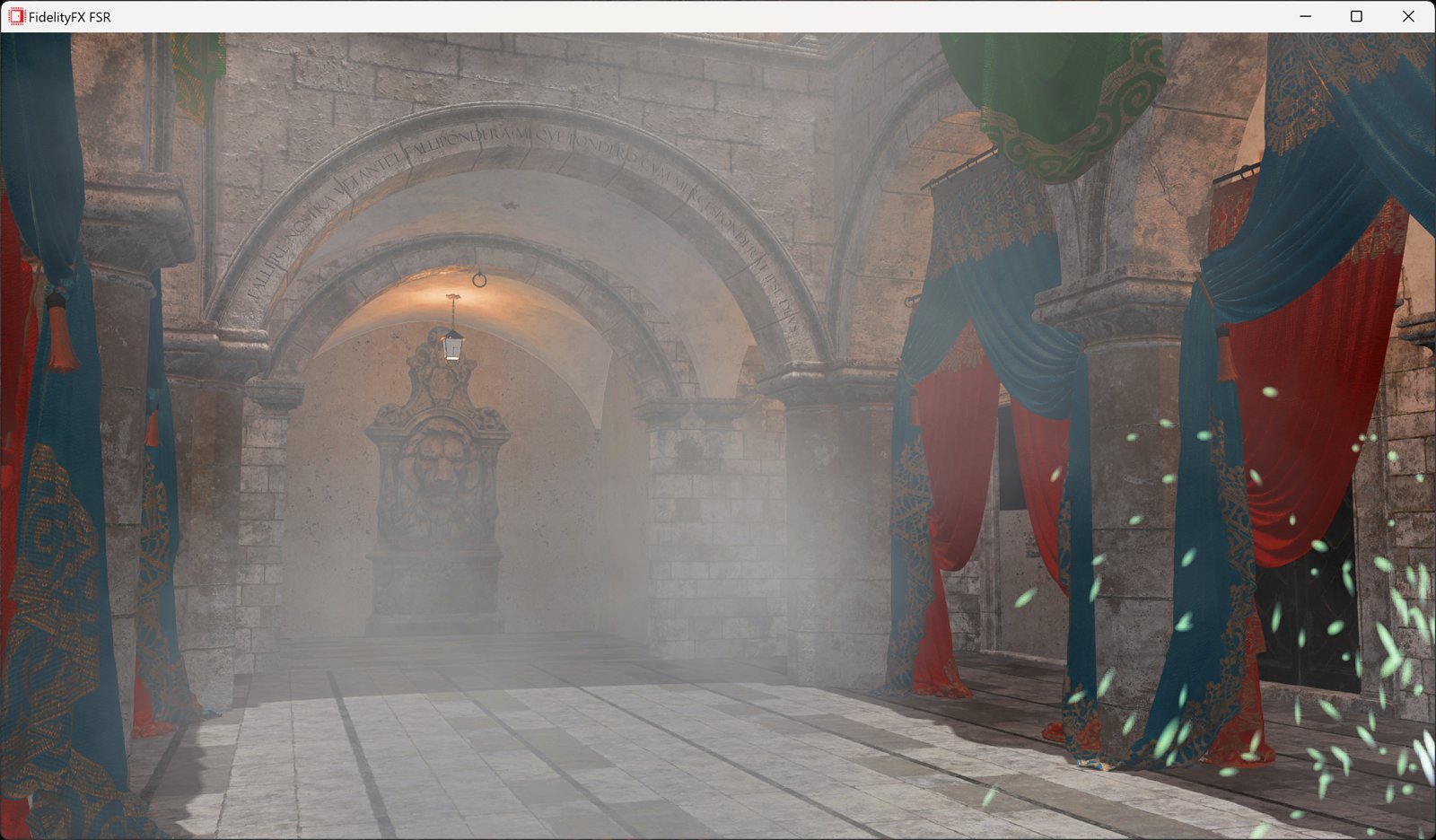
but i need to use fsr cuz my pc cant play it
I can't see why it would suddenly drop after having good FPS.
If you are playing online, it "might" explain why as the Ping may not be as stable
as if playing the campaign. Online , you have to rely on your ISP for stable Ping
and constant speed.
You say you have to be on FSR to play the game. Do you have the latest FSR 2.2.1?
The next thing to do would be to play the campaign instead of online to see if
performance increases. Do Not use the Steam Overlay. I had to turn mine off
because it leaks memory. It starts off using about 200MB but as you play, it
will leak memory. Mine was at about 2Gigs when I noticed it.
I have to ask , are you using the Onboard GPU from the AMD processor ?
Also, try to set the settings for the game Without nVidia Experience. I find
it better if I choose the settings manually.
 

My Computers My Computers

  • At a glance

    windows 11 22631.5039Core i9 12th gen 12900HK 2.9 MHz (overcloked:...32 Gigs DDR5-4800nVidia RTX 3070 Ti / 8 Gigs DDR6
    OS
    windows 11 22631.5039
    Computer type
    Laptop
    Manufacturer/Model
    MSI Raider GE76
    CPU
    Core i9 12th gen 12900HK 2.9 MHz (overcloked: 3890.48)
    Motherboard
    MSI
    Memory
    32 Gigs DDR5-4800
    Graphics Card(s)
    nVidia RTX 3070 Ti / 8 Gigs DDR6
    Sound Card
    DYNAUDIO - Steelsries Arena 7- Sound Effects by Nahimic 3
    Monitor(s) Displays
    17.3" 1920 x 1080 360 Hz 3 ms, IPS / Connected to MSI 32 inch curved @ 165 Hz
    Screen Resolution
    1920 x 1080 / Both
    Hard Drives
    Samsung 990 Pro 2TB (OS) - Solidigm P41 2TB (Storage)
    PSU
    280 watts
    Case
    MSI GE series
    Cooling
    internal
    Keyboard
    Steelseries
    Mouse
    G903 Lightspeed
    Internet Speed
    1000 Mbps
    Browser
    Firefox / Opera GX- Do not like Edge
    Antivirus
    Malwarebytes'
    Other Info
    just ask.
  • At a glance

    Windows 10 22H2Intel Core i7 7820HK 2.9 Ghz16 Gigs DDR4 2400 MhznVidia 1070 8GB RAM
    Operating System
    Windows 10 22H2
    Computer type
    Laptop
    Manufacturer/Model
    MSI GT73 7RE VR Titan
    CPU
    Intel Core i7 7820HK 2.9 Ghz
    Motherboard
    MSI
    Memory
    16 Gigs DDR4 2400 Mhz
    Graphics card(s)
    nVidia 1070 8GB RAM
    Sound Card
    DYNAUDIO / Nahimic 2
    Monitor(s) Displays
    IPS / 120HZ
    Screen Resolution
    1920x1080P
    Hard Drives
    Samsung NVME EVO 970 1TB / Samsung SSD (SATA) 1TB
    PSU
    240 watts
    Case
    MSI
    Cooling
    Internal
    Keyboard
    Steelseries
    Mouse
    Logitech G903 Lightspeed
    Internet Speed
    1 Gb/s
    Browser
    Firefox / Vivaldi
    Antivirus
    MalwareBytes'
    Other Info
    none.
I can't see why it would suddenly drop after having good FPS.
If you are playing online, it "might" explain why as the Ping may not be as stable
as if playing the campaign. Online , you have to rely on your ISP for stable Ping
and constant speed.
You say you have to be on FSR to play the game. Do you have the latest FSR 2.2.1?
The next thing to do would be to play the campaign instead of online to see if
performance increases. Do Not use the Steam Overlay. I had to turn mine off
because it leaks memory. It starts off using about 200MB but as you play, it
will leak memory. Mine was at about 2Gigs when I noticed it.
I have to ask , are you using the Onboard GPU from the AMD processor ?
Also, try to set the settings for the game Without nVidia Experience. I find
it better if I choose the settings manually
ill try everything you said
also i said fsr bc thats what i use normally
 

My Computer My Computer

At a glance

Windows 11Ryzen 5 550016GB 3600mhzgtx 1060 6gb
OS
Windows 11
Computer type
PC/Desktop
Manufacturer/Model
Gigabyte
CPU
Ryzen 5 5500
Motherboard
Gigabyte B450M DS3H
Memory
16GB 3600mhz
Graphics Card(s)
gtx 1060 6gb
Monitor(s) Displays
1
Screen Resolution
1920x1080
Hard Drives
2
PSU
550w
Browser
Opera GX
Antivirus
Windows
I can't see why it would suddenly drop after having good FPS.
If you are playing online, it "might" explain why as the Ping may not be as stable
as if playing the campaign. Online , you have to rely on your ISP for stable Ping
and constant speed.
You say you have to be on FSR to play the game. Do you have the latest FSR 2.2.1?
The next thing to do would be to play the campaign instead of online to see if
performance increases. Do Not use the Steam Overlay. I had to turn mine off
because it leaks memory. It starts off using about 200MB but as you play, it
will leak memory. Mine was at about 2Gigs when I noticed it.
I have to ask , are you using the Onboard GPU from the AMD processor ?
Also, try to set the settings for the game Without nVidia Experience. I find
it better if I choose the settings manually
its back to normal now
 

My Computer My Computer

At a glance

Windows 11Ryzen 5 550016GB 3600mhzgtx 1060 6gb
OS
Windows 11
Computer type
PC/Desktop
Manufacturer/Model
Gigabyte
CPU
Ryzen 5 5500
Motherboard
Gigabyte B450M DS3H
Memory
16GB 3600mhz
Graphics Card(s)
gtx 1060 6gb
Monitor(s) Displays
1
Screen Resolution
1920x1080
Hard Drives
2
PSU
550w
Browser
Opera GX
Antivirus
Windows

My Computers My Computers

  • At a glance

    windows 11 22631.5039Core i9 12th gen 12900HK 2.9 MHz (overcloked:...32 Gigs DDR5-4800nVidia RTX 3070 Ti / 8 Gigs DDR6
    OS
    windows 11 22631.5039
    Computer type
    Laptop
    Manufacturer/Model
    MSI Raider GE76
    CPU
    Core i9 12th gen 12900HK 2.9 MHz (overcloked: 3890.48)
    Motherboard
    MSI
    Memory
    32 Gigs DDR5-4800
    Graphics Card(s)
    nVidia RTX 3070 Ti / 8 Gigs DDR6
    Sound Card
    DYNAUDIO - Steelsries Arena 7- Sound Effects by Nahimic 3
    Monitor(s) Displays
    17.3" 1920 x 1080 360 Hz 3 ms, IPS / Connected to MSI 32 inch curved @ 165 Hz
    Screen Resolution
    1920 x 1080 / Both
    Hard Drives
    Samsung 990 Pro 2TB (OS) - Solidigm P41 2TB (Storage)
    PSU
    280 watts
    Case
    MSI GE series
    Cooling
    internal
    Keyboard
    Steelseries
    Mouse
    G903 Lightspeed
    Internet Speed
    1000 Mbps
    Browser
    Firefox / Opera GX- Do not like Edge
    Antivirus
    Malwarebytes'
    Other Info
    just ask.
  • At a glance

    Windows 10 22H2Intel Core i7 7820HK 2.9 Ghz16 Gigs DDR4 2400 MhznVidia 1070 8GB RAM
    Operating System
    Windows 10 22H2
    Computer type
    Laptop
    Manufacturer/Model
    MSI GT73 7RE VR Titan
    CPU
    Intel Core i7 7820HK 2.9 Ghz
    Motherboard
    MSI
    Memory
    16 Gigs DDR4 2400 Mhz
    Graphics card(s)
    nVidia 1070 8GB RAM
    Sound Card
    DYNAUDIO / Nahimic 2
    Monitor(s) Displays
    IPS / 120HZ
    Screen Resolution
    1920x1080P
    Hard Drives
    Samsung NVME EVO 970 1TB / Samsung SSD (SATA) 1TB
    PSU
    240 watts
    Case
    MSI
    Cooling
    Internal
    Keyboard
    Steelseries
    Mouse
    Logitech G903 Lightspeed
    Internet Speed
    1 Gb/s
    Browser
    Firefox / Vivaldi
    Antivirus
    MalwareBytes'
    Other Info
    none.
You won't get anywhere with generalised settings like Low, Medium, High, Ultra High etc.
The same applies with the Nvidia GeForce Experience App, the preset settings there are similarly general.

You will get much better results by learning some basic stuff about the various 3D graphical effects and their impact on what appears on screen.

To that end you need to go to the detailed/advanced graphical settings and make adjustments.
Ideally the game should have a demo/benchmark mode to see the results of those adjustments. I know for sure GTA V does (your mention in post #34).
You can easily double the fps on that by a couple of simple advanced graphics adjustments.
That is way more than the relative small drops you are experiencing, a drop from say 60 fps to 30 fps can simply be due to the scenario of more complex moving objects.

Just one example is anti-aliasing, the simplest version looks indistinguishable to fancier complex methods that waste CPU and GPU resources on something you cannot see.

Updating UEFI/BIOS and Graphics drivers also gets nowhere, except perhaps on a very recently released game. Read the PDF release notes for the drivers.

As you are getting viruses, trojans, malware then you had better make some changes like not downloading stuff from dubious sources.
 

My Computer My Computer

At a glance

Windows 11
OS
Windows 11

My Computers My Computers

  • At a glance

    Windows 11 Pro 25H2 Build 26200.9168Intel(R) Core(TM) i7-4770K CPU @ 3.50GHz32.0 GB of I forget and the box is in storage.Gigabyte nVidia GeForce GTX 1660 Super OC 6GB
    OS
    Windows 11 Pro 25H2 Build 26200.9168
    Computer type
    PC/Desktop
    Manufacturer/Model
    Sin-built 2013
    CPU
    Intel(R) Core(TM) i7-4770K CPU @ 3.50GHz
    Motherboard
    ASUS ROG Maximus VI Formula
    Memory
    32.0 GB of I forget and the box is in storage.
    Graphics Card(s)
    Gigabyte nVidia GeForce GTX 1660 Super OC 6GB
    Sound Card
    ROG SupremeFX Formula 8-Channel High Definition Audio
    Monitor(s) Displays
    5 x LG 25MS500-B - 1 x 24MK430H-B - 1 x Wacom Pro 22" Touch Screen Tablet
    Screen Resolution
    All over the place
    Hard Drives
    Too many to list. OS on Samsung 1TB 870 QVO SATA
    PSU
    Silverstone 1500
    Case
    NZXT Phantom 820 Full-Tower Case
    Cooling
    Noctua NH-D15 Elite Class Dual Tower CPU Cooler / 6 x EziDIY 120mm / 2 x Corsair 140mm somethings / 1 x 140mm Thermaltake something / 2 x 200mm Corsair.
    Keyboard
    Corsair K95 / Logitech diNovo Edge Wireless
    Mouse
    Logitech: G402 / G502 / Mx Masters / Mx Air Cordless
    Internet Speed
    2000/500Mbps
    Browser
    All sorts
    Antivirus
    Kaspersky Premium
    Other Info
    ㅤㅤㅤㅤㅤㅤㅤㅤㅤㅤㅤㅤㅤㅤㅤㅤㅤㅤㅤㅤㅤㅤㅤㅤㅤㅤㅤㅤㅤㅤㅤㅤㅤㅤㅤㅤㅤㅤㅤㅤ⠀⠀⠀⠀⠀⠀⠀⠀⠀⠀
    TP-Link BE9300 WiFi 7 Bluetooth 5.4 (Archer TBE550E)
    TP-Link TX201 V1 2.5GB Lan

    Grandstream HT812 - VoIP
    ASUS DSL-AX82U - Mesh
    ASUS RT-AC68U - Mesh
    ASUS RT-BE88U Router

    Brother MFC-L2880DW Printer

    I’m on a horse.
  • At a glance

    Windows 11 Pro 25H2 Build 26200.9168 (Wifes)13th Generation Intel® Core™ i5-1340P Process...16GB LPDDR5-52001x Intel® Iris® Xe Graphics
    Operating System
    Windows 11 Pro 25H2 Build 26200.9168 (Wifes)
    Computer type
    Laptop
    Manufacturer/Model
    LENOVO Yoga 7 14IRL8 - Type 82YL
    CPU
    13th Generation Intel® Core™ i5-1340P Processor(Core™ i5-1340P)
    Memory
    16GB LPDDR5-5200
    Graphics card(s)
    1x Intel® Iris® Xe Graphics
    Sound Card
    Optimized with Dolby Atmos®
    Screen Resolution
    QHD 2880 x 1800 OLED
    Hard Drives
    M.2 512 GB SSD PCIe
    Mouse
    Logiteck MX Master 3S
    Internet Speed
    2000/500
    Antivirus
    Defender / Malwarebytes
    Other Info
    …still on a horse.


    Wireless Network: Wi-Fi 6E 2x2 AX; Bluetooth® 5.1 or above
    Ports: 1x 1 Novo button; 2 in 1 Audio Combo jack; Micro SD Card Reader; HDMI 1.4b; 2 x USB Type-C (TBT4)
    USB 3.2 Gen 2 DP 1.4a
    PD 3.0); 1 x USB 3.2 Gen1 Type A
    Camera
    1x 1080P FHD IR/RGB Hybrid with Privacy Shutter and Dual Array Microphone
    Graphics
    1x Intel® Iris® Xe Graphics
    Monitor
    14" WUXGA
    Form Factor
    Convertible Notebook
  • Windows 11 Pro 25H2 Build 26200.9168 (Wifes)

    Yoga 7 2-in-1 14IML9 - Type 83DJ

    Processor: Intel® Core™ Ultra 7 155H Processor(Core™ Ultra 7 155H)

    Memory: 32GB LPD5X-7467

    Hard Drive: 1 TB SSD PCIe

    Wireless Network: 1x Wi-Fi 6E 2x2 AX; Bluetooth® 5.1 or above

    Ports: 1 x HDMI 2.1 TMDS; 1 x Novo Button; 1 x Combo Audio Jack
    2 x USB-C (USB 4.0)
    1 x USB-A 3.2 Gen 1

    Camera: 1080P FHD IR Hybrid with Dual Microphone

    Graphics: Intel® Arc™ Graphics

    Monitor: 14" 2.8K

    ...Where's my horse?
Good to know!
What did you do to get back to where it is suppose to be?
i didnt do anything it just started playing normally again

thanks for the help
 

My Computer My Computer

At a glance

Windows 11Ryzen 5 550016GB 3600mhzgtx 1060 6gb
OS
Windows 11
Computer type
PC/Desktop
Manufacturer/Model
Gigabyte
CPU
Ryzen 5 5500
Motherboard
Gigabyte B450M DS3H
Memory
16GB 3600mhz
Graphics Card(s)
gtx 1060 6gb
Monitor(s) Displays
1
Screen Resolution
1920x1080
Hard Drives
2
PSU
550w
Browser
Opera GX
Antivirus
Windows
also i forgot to tell you but when i play games i get a lot less fps than the people who benchmark
for example this guy
got 120 avg fps in gta 5 and i only got 70 with the same settings
and also in call of duty modern warfare i got 20fps less and in fortnite 40 to 60 fps less
i dont know if my gpu is at fault or if its because i have a different cpu than the one in the video
 

My Computer My Computer

At a glance

Windows 11Ryzen 5 550016GB 3600mhzgtx 1060 6gb
OS
Windows 11
Computer type
PC/Desktop
Manufacturer/Model
Gigabyte
CPU
Ryzen 5 5500
Motherboard
Gigabyte B450M DS3H
Memory
16GB 3600mhz
Graphics Card(s)
gtx 1060 6gb
Monitor(s) Displays
1
Screen Resolution
1920x1080
Hard Drives
2
PSU
550w
Browser
Opera GX
Antivirus
Windows
Are you sure you are not using the onboard iGPU instead of the 1060?
That would explain why you don't have the FPS you should have.
 

My Computers My Computers

  • At a glance

    windows 11 22631.5039Core i9 12th gen 12900HK 2.9 MHz (overcloked:...32 Gigs DDR5-4800nVidia RTX 3070 Ti / 8 Gigs DDR6
    OS
    windows 11 22631.5039
    Computer type
    Laptop
    Manufacturer/Model
    MSI Raider GE76
    CPU
    Core i9 12th gen 12900HK 2.9 MHz (overcloked: 3890.48)
    Motherboard
    MSI
    Memory
    32 Gigs DDR5-4800
    Graphics Card(s)
    nVidia RTX 3070 Ti / 8 Gigs DDR6
    Sound Card
    DYNAUDIO - Steelsries Arena 7- Sound Effects by Nahimic 3
    Monitor(s) Displays
    17.3" 1920 x 1080 360 Hz 3 ms, IPS / Connected to MSI 32 inch curved @ 165 Hz
    Screen Resolution
    1920 x 1080 / Both
    Hard Drives
    Samsung 990 Pro 2TB (OS) - Solidigm P41 2TB (Storage)
    PSU
    280 watts
    Case
    MSI GE series
    Cooling
    internal
    Keyboard
    Steelseries
    Mouse
    G903 Lightspeed
    Internet Speed
    1000 Mbps
    Browser
    Firefox / Opera GX- Do not like Edge
    Antivirus
    Malwarebytes'
    Other Info
    just ask.
  • At a glance

    Windows 10 22H2Intel Core i7 7820HK 2.9 Ghz16 Gigs DDR4 2400 MhznVidia 1070 8GB RAM
    Operating System
    Windows 10 22H2
    Computer type
    Laptop
    Manufacturer/Model
    MSI GT73 7RE VR Titan
    CPU
    Intel Core i7 7820HK 2.9 Ghz
    Motherboard
    MSI
    Memory
    16 Gigs DDR4 2400 Mhz
    Graphics card(s)
    nVidia 1070 8GB RAM
    Sound Card
    DYNAUDIO / Nahimic 2
    Monitor(s) Displays
    IPS / 120HZ
    Screen Resolution
    1920x1080P
    Hard Drives
    Samsung NVME EVO 970 1TB / Samsung SSD (SATA) 1TB
    PSU
    240 watts
    Case
    MSI
    Cooling
    Internal
    Keyboard
    Steelseries
    Mouse
    Logitech G903 Lightspeed
    Internet Speed
    1 Gb/s
    Browser
    Firefox / Vivaldi
    Antivirus
    MalwareBytes'
    Other Info
    none.
Back
Top Bottom