Problem migrating the system drive from my source NVMe to a new target NVMe: “The external backing provider is not recognized.”


I have put drives setup on one PC into an entirely different PC and windows detects all the new hardware and runs.
You could do that, use another PC with your current drive and clone it onto the new NVME.
Then put the new NVME back into the original PC

That will eliminate your original PC being part of a cloning process
 

My Computer My Computer

At a glance

windows 11old AMD B958gb
OS
windows 11
Computer type
PC/Desktop
Manufacturer/Model
some kind of old ASUS MB
CPU
old AMD B95
Motherboard
ASUS
Memory
8gb
Hard Drives
ssd WD 500 gb
another thing to try is run the DISM commands and SFC on the booted cloned drive\

Maybe the clone has some errors causing it not work right
 

My Computer My Computer

At a glance

windows 11old AMD B958gb
OS
windows 11
Computer type
PC/Desktop
Manufacturer/Model
some kind of old ASUS MB
CPU
old AMD B95
Motherboard
ASUS
Memory
8gb
Hard Drives
ssd WD 500 gb
Thanks, and Duh. I just downloaded it, too. If you read my reply to @Flashorn above you'll understand that I'm kinda "thrashing about" at this point. In over my head, but with help from you guys I'll get it done.

Been reading up on DOS command xcopy. Was going to try that to see if it would provide a true cloning where the source and target data match exactly. A result wherein I actually could use Disk Management, et al. But now that you and @Flashorn (and @SIW2 who snuck in when I wasn't lookin!) have provided me with basic awareness of DISM and other utilities, as well as a working copy of Marcrium Reflect FREE...man, I don't know which way to turn. Ah, but too many options is a Happy Problem. =D

Will go read SIW2's posts and see if they nudge me in one direction or another. Thanks!
Xcopy can't be used for files that are locked/in use by the OS.
 

My Computer My Computer

At a glance

Windows 11 Pro 25H2 (RP channel)AMD Ryzen 7 9800X3D 8-core64GB Corsair Titanium 6000/CL30MSI Suprim 5080 SOC
OS
Windows 11 Pro 25H2 (RP channel)
Computer type
PC/Desktop
Manufacturer/Model
MSI
CPU
AMD Ryzen 7 9800X3D 8-core
Motherboard
MEG X870E Godlike
Memory
64GB Corsair Titanium 6000/CL30
Graphics Card(s)
MSI Suprim 5080 SOC
Sound Card
Soundblaster AE-9
Monitor(s) Displays
ASUS TUF Gaming VG289Q
Screen Resolution
3840x2160
Hard Drives
Samsung 9100 Pro 4TB (gen 5 x4, system drive/games)
Samsung 990 Pro 2TB
Samsung 980 Pro 2TB
Samsung 870 Evo 4TB
Samsung 870 Evo 2TB
Samsung T9 4TB
PSU
Seasonic PX-2200
Case
Bequiet! Dark Base Pro 901
Cooling
Noctua NH-D15S Chromax black
Keyboard
Logitech G915 X (wired)
Mouse
Logitech G903 with PowerPlay charger
Internet Speed
900Mb/sec
Browser
Microsoft Edge
Antivirus
Windows Defender

My Computer My Computer

At a glance

Windows XP (Stable, iconic) 7/8.1/10/ Tiny11 ...Intel i7 4790K32GB DDR3 1600 MHzATI Radeon HD 7770 2GB GDDR5
OS
Windows XP (Stable, iconic) 7/8.1/10/ Tiny11 25H2
Computer type
PC/Desktop
Manufacturer/Model
Alienware PC
CPU
Intel i7 4790K
Motherboard
ASROCK Z97 EXTREME4
Memory
32GB DDR3 1600 MHz
Graphics Card(s)
ATI Radeon HD 7770 2GB GDDR5
Sound Card
Onboard
Monitor(s) Displays
SAMSUNG UE57 Series 28-Inch 4K UHD
Hard Drives
SAMSUNG 860 EVO 250 gigabyte SSD
PSU
EVGA 850 watt
Case
Alienware Area 51 Black Tower Case
Keyboard
HyperX - Alloy Elite 2 Mechanical Gaming Keyboard.
Mouse
Microsoft Wireless
Internet Speed
1.2 GHz
Browser
Chrome..Edge..Firefox
No that's fine. I forgot to mention it. Other devices such as external drives or headphones...
let us know how it goes.
Thanks. Will do.
Did you watch the video? That's how I learned to clone.
I just did. Thanks.
I learned about two weeks ago by watching this YouTube video by Ask Your Computer Guy, who uses and highly recommends Macrium Reflect FREE. It was his recommendation that sent me to the MajorGeeks download page.
 

My Computer My Computer

At a glance

Windows 11AMD Ryzen 5700U (onboard AMD Radeon graphics)16GBonboard AMD Radeon graphics
OS
Windows 11
Computer type
PC/Desktop
Manufacturer/Model
Beelink SER5 Pro 5700U
CPU
AMD Ryzen 5700U (onboard AMD Radeon graphics)
Motherboard
Whatever Beelink uses (AMZ?)
Memory
16GB
Graphics Card(s)
onboard AMD Radeon graphics
Other Info
I have 3 Windows computers: This Win11 minicomputer, a Win10 AudioVisual desktop, a Win7 laptop I use for just about everything
Xcopy can't be used for files that are locked/in use by the OS.
Thanks for that insight, @BrianInEngland. And thanks to you and @Sdowny717 for sparing me having to learn and implement yet another ineffective measure. I seem to be upta me arse in those, and there are only so many hours in a day. =D
 

My Computer My Computer

At a glance

Windows 11AMD Ryzen 5700U (onboard AMD Radeon graphics)16GBonboard AMD Radeon graphics
OS
Windows 11
Computer type
PC/Desktop
Manufacturer/Model
Beelink SER5 Pro 5700U
CPU
AMD Ryzen 5700U (onboard AMD Radeon graphics)
Motherboard
Whatever Beelink uses (AMZ?)
Memory
16GB
Graphics Card(s)
onboard AMD Radeon graphics
Other Info
I have 3 Windows computers: This Win11 minicomputer, a Win10 AudioVisual desktop, a Win7 laptop I use for just about everything
I see now. I'll look into those further. Thanks
I built a Windows PC desktop for audio production back in 2012. It's way behind he curve now, but still useful. The motherboard has no NVMe capability, and I was considering THIS as a way to run a 1TB NVMe as my second drive. The best mobo slot available is a PCIe 2.0 X4 slot, and I'm pretty sure that slot would slow the data transfer rate way down.

Assuming your motherboard has no free NVMe slots, is it your intention to use that PCIe adapter to house your Target drive, so you can clone/migrate from the Source NVMe drive on your mobo?
 

My Computer My Computer

At a glance

Windows 11AMD Ryzen 5700U (onboard AMD Radeon graphics)16GBonboard AMD Radeon graphics
OS
Windows 11
Computer type
PC/Desktop
Manufacturer/Model
Beelink SER5 Pro 5700U
CPU
AMD Ryzen 5700U (onboard AMD Radeon graphics)
Motherboard
Whatever Beelink uses (AMZ?)
Memory
16GB
Graphics Card(s)
onboard AMD Radeon graphics
Other Info
I have 3 Windows computers: This Win11 minicomputer, a Win10 AudioVisual desktop, a Win7 laptop I use for just about everything
I have put drives setup on one PC into an entirely different PC and windows detects all the new hardware and runs.
You could do that, use another PC with your current drive and clone it onto the new NVME.
Then put the new NVME back into the original PC

That will eliminate your original PC being part of a cloning process

Would this work?

1. I have only one NVMe external enclosure (it connects via USB 3.1)

2. I have a desktop computer with a C system drive and a D data drive. No NVMe capabilities.
3. Install DiskGenius or Macrium Reflect on the desktop C drive.

4. Remove the good/original/source C drive from my Beelink miniPC and install it in the NVMe USB enclosure.
5. Boot the desktop computer and then connect the NVMe enclosure via USB.
6. Migrate the 4 individual partitions (C, D and the two Win utility partitions) individually to desktop drive D.

7. Shut down the desktop computer.
8. Swap the good/original/source C drive (the Beelink system drive) out of the USB enclosure.
9. Swap the wiped, unallocated 1TB target NVMe drive into the USB enclosure.

10. Reboot the desktop computer.
11. Migrate those four individual partitions from the desktop D drive to the 1TB target NVMe drive.

12. Install the (blasted!) 1TB NVMe drive as the Beelink C system drive.
 

My Computer My Computer

At a glance

Windows 11AMD Ryzen 5700U (onboard AMD Radeon graphics)16GBonboard AMD Radeon graphics
OS
Windows 11
Computer type
PC/Desktop
Manufacturer/Model
Beelink SER5 Pro 5700U
CPU
AMD Ryzen 5700U (onboard AMD Radeon graphics)
Motherboard
Whatever Beelink uses (AMZ?)
Memory
16GB
Graphics Card(s)
onboard AMD Radeon graphics
Other Info
I have 3 Windows computers: This Win11 minicomputer, a Win10 AudioVisual desktop, a Win7 laptop I use for just about everything
I see now. I'll look into those further. Thanks

I built a Windows PC desktop for audio production back in 2012. It's way behind he curve now, but still useful. The motherboard has no NVMe capability, and I was considering THIS as a way to run a 1TB NVMe as my second drive. The best mobo slot available is a PCIe 2.0 X4 slot, and I'm pretty sure that slot would slow the data transfer rate way down.

Assuming your motherboard has no free NVMe slots, is it your intention to use that PCIe adapter to house your Target drive, so you can clone/migrate from the Source NVMe drive on your mobo?
My "OLD" ASRock Z97 Extreme4, LGA 1150 Motherboard has an onboard NVMe M.2 slot, but the onboard M.2 slot is not much faster than the sata ports. With the M.2 Samsung 980 on the card, it produces around 2900 read and 2200 write speeds. Yes, it would be much faster on a today's board, but the good thing is, I already have the M.2 drive "or a few Samsung M.2 drives" if and when I ever decide to upgrade. I also like the M.2 on the card because it's easier to remove, I don't like the M.2 drive plugged in along with a regular Sata drive, it's been known to corrupt my windows 11 on my M.2. Since I don't do much on the PC, but maybe use MS Office and surf the web, my board with the 4790K and 32 Gig of ram is blistering fast enough for me on the Xfinity 1.2 Gbps plan, so I see no reason to upgrade "at the moment".

I don't know what board you might want to use, but if it doesn't have at least a PCIe x4 or x8 slot, I'm not positive, but I don't think you will be able to boot from the card with the M.2 drive.
 

My Computer My Computer

At a glance

Windows XP (Stable, iconic) 7/8.1/10/ Tiny11 ...Intel i7 4790K32GB DDR3 1600 MHzATI Radeon HD 7770 2GB GDDR5
OS
Windows XP (Stable, iconic) 7/8.1/10/ Tiny11 25H2
Computer type
PC/Desktop
Manufacturer/Model
Alienware PC
CPU
Intel i7 4790K
Motherboard
ASROCK Z97 EXTREME4
Memory
32GB DDR3 1600 MHz
Graphics Card(s)
ATI Radeon HD 7770 2GB GDDR5
Sound Card
Onboard
Monitor(s) Displays
SAMSUNG UE57 Series 28-Inch 4K UHD
Hard Drives
SAMSUNG 860 EVO 250 gigabyte SSD
PSU
EVGA 850 watt
Case
Alienware Area 51 Black Tower Case
Keyboard
HyperX - Alloy Elite 2 Mechanical Gaming Keyboard.
Mouse
Microsoft Wireless
Internet Speed
1.2 GHz
Browser
Chrome..Edge..Firefox
another thing to try is run the DISM commands and SFC on the booted cloned drive\

Maybe the clone has some errors causing it not work right
In fact, I did run the DISM and SFC on the booted cloned drive. In other words, I was checking the buggy target drive. New drive that received the cloned data.

I have swapped the drives. Now the good, functioning original/source drive is the C system drive. Per your comments, I will run the DSIM and SFC on this good, functioning original/source drive. I didn't consider doing that before... Thanks.
 

My Computer My Computer

At a glance

Windows 11AMD Ryzen 5700U (onboard AMD Radeon graphics)16GBonboard AMD Radeon graphics
OS
Windows 11
Computer type
PC/Desktop
Manufacturer/Model
Beelink SER5 Pro 5700U
CPU
AMD Ryzen 5700U (onboard AMD Radeon graphics)
Motherboard
Whatever Beelink uses (AMZ?)
Memory
16GB
Graphics Card(s)
onboard AMD Radeon graphics
Other Info
I have 3 Windows computers: This Win11 minicomputer, a Win10 AudioVisual desktop, a Win7 laptop I use for just about everything
My "OLD" ASRock Z97 Extreme4, LGA 1150 Motherboard has an onboard NVMe M.2 slot, but the onboard M.2 slot is not much faster than the sata ports. With the M.2 Samsung 980 on the card, it produces around 2900 read and 2200 write speeds. Yes, it would be much faster on a today's board, but the good thing is, I already have the M.2 drive "or a few Samsung M.2 drives" if and when I ever decide to upgrade. I also like the M.2 on the card because it's easier to remove, I don't like the M.2 drive plugged in along with a regular Sata drive, it's been known to corrupt my windows 11 on my M.2. Since I don't do much on the PC, but maybe use MS Office and surf the web, my board with the 4790K and 32 Gig of ram is blistering fast enough for me on the Xfinity 1.2 Gbps plan, so I see no reason to upgrade "at the moment".

I don't know what board you might want to use, but if it doesn't have at least a PCIe x4 or x8 slot, I'm not positive, but I don't think you will be able to boot from the card with the M.2 drive.
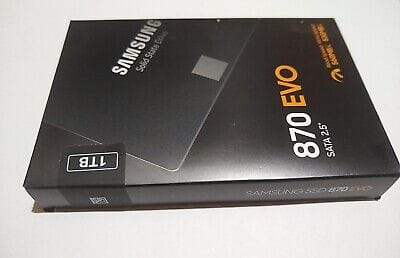
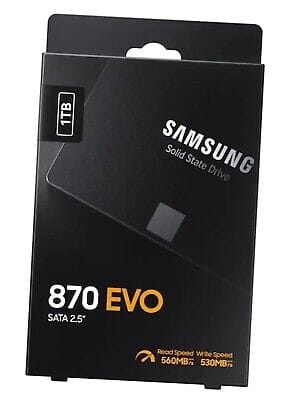
Thanks for clarifying. Having given up on the NVMe adapter (for PCIe slot) I intended to buy a pair of 1TB Samsung 870 EVO, but the price jumped, and I'm up to my neck is sorting out this problem, that I never imagined would be a problem... Grrr. And you're right, I would not be able to boot from an NVMe via a PCIe mobo slot. That drive could not function as my system drive.
 

My Computer My Computer

At a glance

Windows 11AMD Ryzen 5700U (onboard AMD Radeon graphics)16GBonboard AMD Radeon graphics
OS
Windows 11
Computer type
PC/Desktop
Manufacturer/Model
Beelink SER5 Pro 5700U
CPU
AMD Ryzen 5700U (onboard AMD Radeon graphics)
Motherboard
Whatever Beelink uses (AMZ?)
Memory
16GB
Graphics Card(s)
onboard AMD Radeon graphics
Other Info
I have 3 Windows computers: This Win11 minicomputer, a Win10 AudioVisual desktop, a Win7 laptop I use for just about everything
GUYS, I HAVE TO ASK A QUESTION BEFORE I CAN MOVE FORWARD.

I'm reinstalling DiskGenius on the good original/source 500GB drive.
The install operation posts the following warning:

don't install DG on your TARGET drive, right.png

I don't understand what they mean by "...the partition where you want to recover files."
What does "recover files" mean in this context?

Logically, you would not want to install this software on a drive that will receive the cloned data, because transferring the data will WIPE OUT the software. Am I right? If so, I take this warning to mean: Do not install DiskGenius on the Target drive (the drive that will receive the cloned data).

And if that's correct, I should go ahead and install DiskGenius in Program Files on the C drive, as I would any other software. Yes?
 

My Computer My Computer

At a glance

Windows 11AMD Ryzen 5700U (onboard AMD Radeon graphics)16GBonboard AMD Radeon graphics
OS
Windows 11
Computer type
PC/Desktop
Manufacturer/Model
Beelink SER5 Pro 5700U
CPU
AMD Ryzen 5700U (onboard AMD Radeon graphics)
Motherboard
Whatever Beelink uses (AMZ?)
Memory
16GB
Graphics Card(s)
onboard AMD Radeon graphics
Other Info
I have 3 Windows computers: This Win11 minicomputer, a Win10 AudioVisual desktop, a Win7 laptop I use for just about everything
Having given up on the NVMe adapter (for PCIe slot) I intended to buy a pair of 1TB Samsung 870 EVO, but the price jumped.
I think this is a great price, of course it will most likely go for much more.


The buy it now is around $100.00


My Computer My Computer

At a glance

Windows XP (Stable, iconic) 7/8.1/10/ Tiny11 ...Intel i7 4790K32GB DDR3 1600 MHzATI Radeon HD 7770 2GB GDDR5
OS
Windows XP (Stable, iconic) 7/8.1/10/ Tiny11 25H2
Computer type
PC/Desktop
Manufacturer/Model
Alienware PC
CPU
Intel i7 4790K
Motherboard
ASROCK Z97 EXTREME4
Memory
32GB DDR3 1600 MHz
Graphics Card(s)
ATI Radeon HD 7770 2GB GDDR5
Sound Card
Onboard
Monitor(s) Displays
SAMSUNG UE57 Series 28-Inch 4K UHD
Hard Drives
SAMSUNG 860 EVO 250 gigabyte SSD
PSU
EVGA 850 watt
Case
Alienware Area 51 Black Tower Case
Keyboard
HyperX - Alloy Elite 2 Mechanical Gaming Keyboard.
Mouse
Microsoft Wireless
Internet Speed
1.2 GHz
Browser
Chrome..Edge..Firefox
GUYS, I HAVE TO ASK A QUESTION BEFORE I CAN MOVE FORWARD.

I'm reinstalling DiskGenius on the good original/source 500GB drive.
The install operation posts the following warning:

View attachment 89396

I don't understand what they mean by "...the partition where you want to recover files."
What does "recover files" mean in this context?

Logically, you would not want to install this software on a drive that will receive the cloned data, because transferring the data will WIPE OUT the software. Am I right? If so, I take this warning to mean: Do not install DiskGenius on the Target drive (the drive that will receive the cloned data).

And if that's correct, I should go ahead and install DiskGenius in Program Files on the C drive, as I would any other software. Yes?
That looks like a recovery software, to me it looks like it means that you need to have a different drive or partition to recover files to, I'm not sure.

Edit: Ok, I see now, it just wants to make sure your backup tib. or whatever that software calls it, is not on the same partition, as the partition your backing up. Personally, I would never back up to a partition on the drive I'm backing up, I would always use another drive, but that's just me.
 
Last edited:

My Computer My Computer

At a glance

Windows XP (Stable, iconic) 7/8.1/10/ Tiny11 ...Intel i7 4790K32GB DDR3 1600 MHzATI Radeon HD 7770 2GB GDDR5
OS
Windows XP (Stable, iconic) 7/8.1/10/ Tiny11 25H2
Computer type
PC/Desktop
Manufacturer/Model
Alienware PC
CPU
Intel i7 4790K
Motherboard
ASROCK Z97 EXTREME4
Memory
32GB DDR3 1600 MHz
Graphics Card(s)
ATI Radeon HD 7770 2GB GDDR5
Sound Card
Onboard
Monitor(s) Displays
SAMSUNG UE57 Series 28-Inch 4K UHD
Hard Drives
SAMSUNG 860 EVO 250 gigabyte SSD
PSU
EVGA 850 watt
Case
Alienware Area 51 Black Tower Case
Keyboard
HyperX - Alloy Elite 2 Mechanical Gaming Keyboard.
Mouse
Microsoft Wireless
Internet Speed
1.2 GHz
Browser
Chrome..Edge..Firefox
GUYS, I HAVE TO ASK A QUESTION BEFORE I CAN MOVE FORWARD.

I'm reinstalling DiskGenius on the good original/source 500GB drive.
The install operation posts the following warning:

View attachment 89396

I don't understand what they mean by "...the partition where you want to recover files."
What does "recover files" mean in this context?

And if that's correct, I should go ahead and install DiskGenius in Program Files on the C drive, as I would any other software. Yes?
Diskgenius has a data recovery function ( only usable in the paid version). If you wanted to recover data from a partition ( e.g files/folders that were accidentally deleted ) it is a bad idea to write anything to the partition in question.

Therefore any data recovery program should not be installed onto a partition on which you want to run the data recovery module.

You dont want to use the data recovery function so it doesnt matter.
 

My Computers My Computers

  • At a glance

    Win7,Win11i7-97002x16gb 3600mhz
    OS
    Win7,Win11
    Computer type
    PC/Desktop
    CPU
    i7-9700
    Motherboard
    gigabyte b365m ds3h
    Memory
    2x16gb 3600mhz
    Monitor(s) Displays
    benq gw2480
    PSU
    bequiet pure power 11 400CM
    Cooling
    cryorig m9i
  • At a glance

    win7,win11i5-84002x8gb 3200
    Operating System
    win7,win11
    Computer type
    PC/Desktop
    CPU
    i5-8400
    Motherboard
    gigabyte b365m ds3h
    Memory
    2x8gb 3200
    PSU
    xfx pro 450
I think this is a great price, of course it will most likely go for much more.
The buy it now is around $100.00
870 EVO SATA SSDs (1TB) were $75 apiece on Amazon and Samsung.com when I started down this twisted path. I put off buying until I had this "all worked out," and then a few days ago the price jumped about 20%, to $90 I think. And the other big drive I wanted to buy jumped similarly.
 

My Computer My Computer

At a glance

Windows 11AMD Ryzen 5700U (onboard AMD Radeon graphics)16GBonboard AMD Radeon graphics
OS
Windows 11
Computer type
PC/Desktop
Manufacturer/Model
Beelink SER5 Pro 5700U
CPU
AMD Ryzen 5700U (onboard AMD Radeon graphics)
Motherboard
Whatever Beelink uses (AMZ?)
Memory
16GB
Graphics Card(s)
onboard AMD Radeon graphics
Other Info
I have 3 Windows computers: This Win11 minicomputer, a Win10 AudioVisual desktop, a Win7 laptop I use for just about everything
Diskgenius has a data recovery function ( only usable in the paid version). If you wanted to recover data from a partition ( e.g files/folders that were accidentally deleted ) it is a bad idea to write anything to the partition in question.

Therefore any data recovery program should not be installed onto a partition on which you want to run the data recovery module.

You dont want to use the data recovery function so it doesnt matter.
Thank you. Thank you. Thank you, @SIW2. I never would have figured that out. I will install DiskGenius first thing in the morning.

Then I will clone/migrate again. If it fails, I'll wipe the Target drive (yet again) and run DISM and SFC...this time I'll run THEM on the good source drive (I ran them on the flaky target drive before, and found 3 corrupted .sys files related to BlueTooth services that I don't use). If those utilities find and repair anything on the source drive, I'll try another migration.

If that fails, I'll seek the best way to disable BlueTooth capabilities, in Windows and/or in BIOS. Then I'll try another Migration.

If all of that fails, I'll install Macrium Reflect FREE, and see if that works. If it doesn't, I'll try running the migration on a second computer, with both NVMe drives—the source and the target—as secondary drives (so the source drive is not the system drive when the migration takes place).

This has become my new full-time career.

DOES ANYBODY KNOW WHAT "The external backing provider is not recognized” MEANS?
WHAT IS "THE EXTERNAL BACKING PROVIDER?"
 

My Computer My Computer

At a glance

Windows 11AMD Ryzen 5700U (onboard AMD Radeon graphics)16GBonboard AMD Radeon graphics
OS
Windows 11
Computer type
PC/Desktop
Manufacturer/Model
Beelink SER5 Pro 5700U
CPU
AMD Ryzen 5700U (onboard AMD Radeon graphics)
Motherboard
Whatever Beelink uses (AMZ?)
Memory
16GB
Graphics Card(s)
onboard AMD Radeon graphics
Other Info
I have 3 Windows computers: This Win11 minicomputer, a Win10 AudioVisual desktop, a Win7 laptop I use for just about everything
I don't know what board you might want to use, but if it doesn't have at least a PCIe x4 or x8 slot, I'm not positive, but I don't think you will be able to boot from the card with the M.2 drive.

You can boot from a x4, x8, or x16 slot.

Grrr. And you're right, I would not be able to boot from an NVMe via a PCIe mobo slot. That drive could not function as my system drive.

Do you have at least a PCIe x4 slot available? I actually boot Windows 10 from a PCIe x4 slot.

1709793619008.png
 

My Computers My Computers

  • At a glance

    Win 11 Pro 25H2 26200.8894Intel® Core™ i7-14700KG.SKILL Ripjaws S5 Series 64GB (2 x 32GB) DDR5ASUS GeForce RTX 4070 Super 12GB
    OS
    Win 11 Pro 25H2 26200.8894
    Computer type
    PC/Desktop
    Manufacturer/Model
    Self Built
    CPU
    Intel® Core™ i7-14700K
    Motherboard
    ASUS TUF Z690-PLUS WIFI (BIOS 4505)
    Memory
    G.SKILL Ripjaws S5 Series 64GB (2 x 32GB) DDR5
    Graphics Card(s)
    ASUS GeForce RTX 4070 Super 12GB
    Sound Card
    Sound Blaster AE-5 Plus
    Monitor(s) Displays
    ASUS TUF Gaming 27" 2K HDR Gaming
    Screen Resolution
    2560 x 1440
    Hard Drives
    Samsung 990 Pro 1TB NVMe (Win 11 25H2)
    SK hynix P41 500GB NVMe
    SK hynix P41 2TB NVMe (x3)
    Crucial P3 Plus 4TB
    PSU
    Corsair RM850x Shift
    Case
    Antec Dark Phantom DP502 FLUX
    Cooling
    Corsair Nautilus 360 RS AIO
    Keyboard
    Logitech MK 320
    Mouse
    Razer Basilisk V3
    Internet Speed
    750Mbs
    Browser
    Firefox
    Antivirus
    Winows Security
    Other Info
    MR 8.1 Home
  • At a glance

    Win 11 Pro 25H2 26200.8894Intel Core i5-1140064 GB DDR4MSI GeForce RTX 3060 Ventus 2X 12GB
    Operating System
    Win 11 Pro 25H2 26200.8894
    Computer type
    PC/Desktop
    Manufacturer/Model
    Self Built
    CPU
    Intel Core i5-11400
    Motherboard
    Asus TUF Gaming Z590 Plus WiFi (BIOS 2803)
    Memory
    64 GB DDR4
    Graphics card(s)
    MSI GeForce RTX 3060 Ventus 2X 12GB
    Sound Card
    SoundBlaster Audigy Fx V2
    Monitor(s) Displays
    Samsung F27T350
    Screen Resolution
    1920x1080
    Hard Drives
    Samsung 980 Pro 1TB
    Samsung 970 EVO Plus 2TB
    Samsung 870 EVO 500GB SSD
    PSU
    Corsair HX750
    Case
    Cougar MX330-G Window
    Cooling
    Thermalright Frozen Edge 240 Black AIO
    Internet Speed
    350Mbps
    Browser
    Firefox
    Antivirus
    Windows Security
  • System Three
    Win 11 Pro 25H2 26200.8894
    ASUS PRIME Z370-P II BIOS 3004 7/12/21
    Intel Core i7-8700 CPU @ 3.20GHz
    32GB DDR4 RAM (4x8)
    iGPU Intel UHD Graphics 630
    Mid-Tower Desktop
Thank you. Thank you. Thank you, @SIW2. I never would have figured that out. I will install DiskGenius first thing in the morning.

Then I will clone/migrate again. If it fails, I'll wipe the Target drive (yet again) and run DISM and SFC...this time I'll run THEM on the good source drive (I ran them on the flaky target drive before, and found 3 corrupted .sys files related to BlueTooth services that I don't use). If those utilities find and repair anything on the source drive, I'll try another migration.

If that fails, I'll seek the best way to disable BlueTooth capabilities, in Windows and/or in BIOS. Then I'll try another Migration.

If all of that fails, I'll install Macrium Reflect FREE, and see if that works. If it doesn't, I'll try running the migration on a second computer, with both NVMe drives—the source and the target—as secondary drives (so the source drive is not the system drive when the migration takes place).

This has become my new full-time career.

DOES ANYBODY KNOW WHAT "The external backing provider is not recognized” MEANS?
WHAT IS "THE EXTERNAL BACKING PROVIDER?"
It sounds to me that you've got a VERY non-standard Windows installation
 

My Computer My Computer

At a glance

Windows 11 Pro 25H2 (RP channel)AMD Ryzen 7 9800X3D 8-core64GB Corsair Titanium 6000/CL30MSI Suprim 5080 SOC
OS
Windows 11 Pro 25H2 (RP channel)
Computer type
PC/Desktop
Manufacturer/Model
MSI
CPU
AMD Ryzen 7 9800X3D 8-core
Motherboard
MEG X870E Godlike
Memory
64GB Corsair Titanium 6000/CL30
Graphics Card(s)
MSI Suprim 5080 SOC
Sound Card
Soundblaster AE-9
Monitor(s) Displays
ASUS TUF Gaming VG289Q
Screen Resolution
3840x2160
Hard Drives
Samsung 9100 Pro 4TB (gen 5 x4, system drive/games)
Samsung 990 Pro 2TB
Samsung 980 Pro 2TB
Samsung 870 Evo 4TB
Samsung 870 Evo 2TB
Samsung T9 4TB
PSU
Seasonic PX-2200
Case
Bequiet! Dark Base Pro 901
Cooling
Noctua NH-D15S Chromax black
Keyboard
Logitech G915 X (wired)
Mouse
Logitech G903 with PowerPlay charger
Internet Speed
900Mb/sec
Browser
Microsoft Edge
Antivirus
Windows Defender
You can boot from a x4, x8, or x16 slot.
Do you have at least a PCIe x4 slot available? I actually boot Windows 10 from a PCIe x4 slot.
Thanks for the picture, @Scott. I do have a PCIe X4 slot available, but it's gen 2.0 so it would really slow down an NVMe. I don't know how much it'd be slowed, but I think the data transfer rate would be in the SATA III ballpark (maybe...).

I read online that many pre-NVMe motherboards cannot boot from an M.2 in a PCIe adapter. Some can, but only with a BIOS update. My mobo is about 12 years old, and the "most recent" update is from 11 years ago, I think. Considering how much trouble I'm having just migrating a drive, I don't want to open another can of worms. =O
 

My Computer My Computer

At a glance

Windows 11AMD Ryzen 5700U (onboard AMD Radeon graphics)16GBonboard AMD Radeon graphics
OS
Windows 11
Computer type
PC/Desktop
Manufacturer/Model
Beelink SER5 Pro 5700U
CPU
AMD Ryzen 5700U (onboard AMD Radeon graphics)
Motherboard
Whatever Beelink uses (AMZ?)
Memory
16GB
Graphics Card(s)
onboard AMD Radeon graphics
Other Info
I have 3 Windows computers: This Win11 minicomputer, a Win10 AudioVisual desktop, a Win7 laptop I use for just about everything
Back
Top Bottom