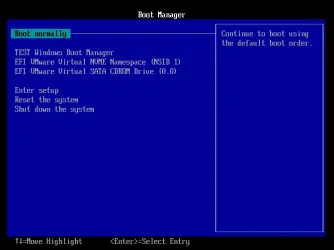
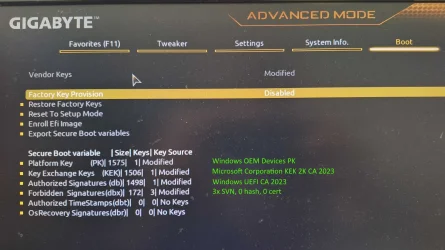
@Celery
I did all the google stuff, also I did it from the windows install USB CMD prompt, yet thinking I could of done the same fix in the winnows environment.
That's what I was thinking, its had a faulty device path or something was corrupted. and formatting the EFI cleared it, I'm thinking it where I added bits to the NVRam of the bios that may of been left over. on the EFI, or even a virus, or even gigabyte has not done as @garlin said.
@garlin
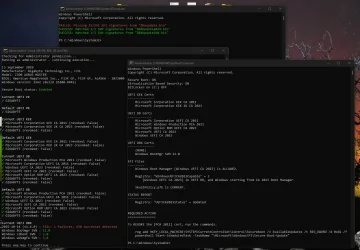
So I've not run your update file yet, but I now have you latest files. So first one I used was check-Uefi.bat and this is what I got.
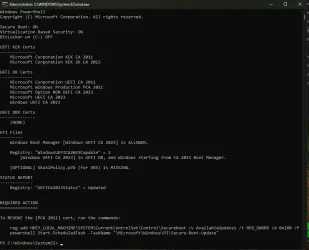
So I'm missing a SKu?
What has lead me to this. But think its smarter to wait for your advice.
Update_UEFI-CA2023.ps1 missing
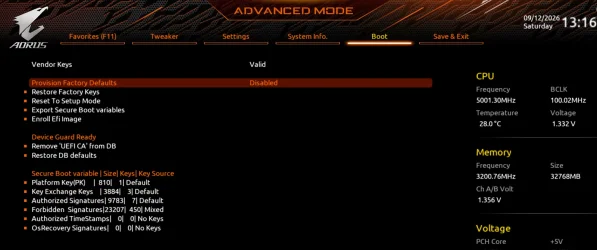
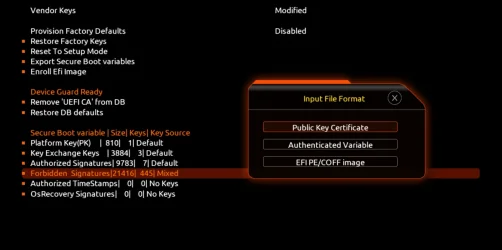
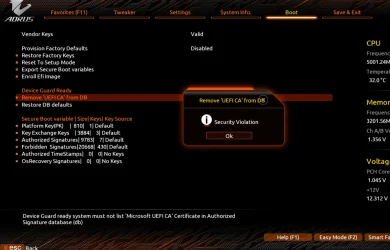
For me after flashing the PC, the PC is in a PRE secure boot stats, so secure boot is disabled and also CSM is disabled, then I go in to secure boot and set to enable, also read that secure boot should be in custom mode, as standard/user can cause issues.On many systems, Secure Boot cannot be enabled until CSM is disabled.
when I tried the other ways, it was saying it worked, but I will still getting a ghost image, so nothing changed.You repaired it correctly with bcdboot. However, formatting the EFI system partition is normally unnecessary.
I did all the google stuff, also I did it from the windows install USB CMD prompt, yet thinking I could of done the same fix in the winnows environment.
the actual UEFI NVRAM entry contains a description and a device path identifying the EFI executable to be loaded.
In this case, because the F12 boot menu contained a blank selectable entry that successfully booted Windows, the Windows boot entry was probably still present and contained a usable device path
That's what I was thinking, its had a faulty device path or something was corrupted. and formatting the EFI cleared it, I'm thinking it where I added bits to the NVRam of the bios that may of been left over. on the EFI, or even a virus, or even gigabyte has not done as @garlin said.
@garlin
So I've not run your update file yet, but I now have you latest files. So first one I used was check-Uefi.bat and this is what I got.
So I'm missing a SKu?
What has lead me to this. But think its smarter to wait for your advice.
Update_UEFI-CA2023.ps1 missing
Last edited:
My Computer
At a glance
Windows 11 ProIntel i7 9700k OC 5.0ghz32gb Gskill 3200mhz OC 3600mhzNvidia RTX 4070 Super FE
- OS
- Windows 11 Pro
- Computer type
- PC/Desktop
- Manufacturer/Model
- Self built
- CPU
- Intel i7 9700k OC 5.0ghz
- Motherboard
- Gigabyte Z390 Master, Rev1.0, F13f GF
- Memory
- 32gb Gskill 3200mhz OC 3600mhz
- Graphics Card(s)
- Nvidia RTX 4070 Super FE
- Sound Card
- Onboard ESS Saber
- Monitor(s) Displays
- QHD LG 27" 165hz, OC 180hz, Asus 27" 144hz
- Screen Resolution
- 2k
- Hard Drives
- Nvme SSD Samsung 990 Pro 2TB, 970 echo plus 1tb + 970 echo 256gb.
- PSU
- EVGA SuperNova platinum 800w
- Case
- NZXT H500 sweat box, modified.
- Cooling
- NZXT Kraken x63.
- Keyboard
- Logitech G810
- Mouse
- Logitech G403
- Internet Speed
- 1.1gb down 110mb up