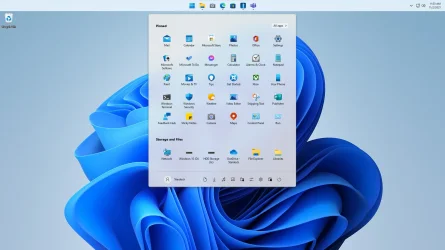
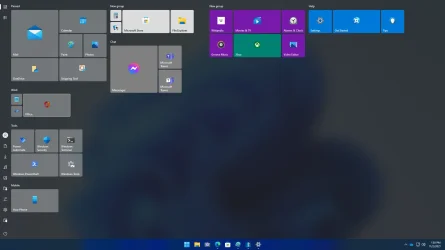
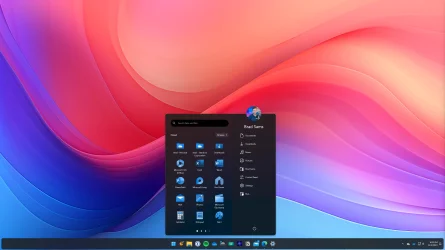
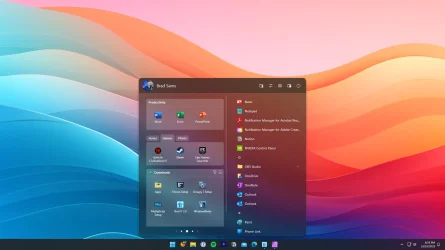
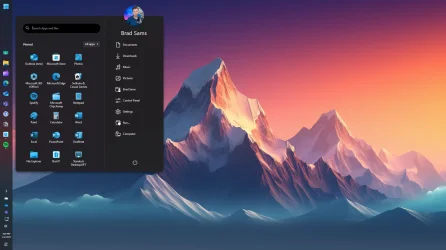
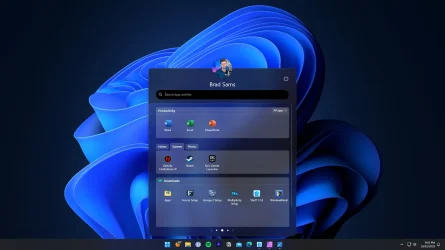
Stardock Start11


Stardock Start11 v2.5.3.1

Start11 v2.5.3.1 changelog:

All the changes from 2.52 that were went to beta but never was not released
Resolves issue with not always releasing reserved space when closing an app which reserved space on the side such as Multiplicity KVM switch bar.
Resolved issue with enhanced taskbar not showing status indicators correctly for some running apps
Tweaks to start button sizing with vertical taskbars on Windows 11 especially when using small icon mode
Tweaks to drag & drop in Win10/Win11/App/Pro/Launcher menus to make creating folders easier and less like playing chase the item around :)
Resolved issue with dragging out of a group in Win11/App/Pro/Launcher menus where you couldn't always drag out of a folder to a group below
Resolved issue with taskbar texture not refreshing when the OS accent colour changes.
Resolved issue with on top taskbar not in enhanced mode and clicking on the taskbar search field which would make the search window appear off the top of the screen incorrectly
Apps flagged as 'new' in Win10/11/App/Pro/Launcher menus will now not have the flag once run once or right clicked on
Improved removal of 'new' indicator on newly installed apps so it goes away in a day or so. The apps will still be considered 'new' for the recently installed apps list
Improved sorting of child items in sub folders in all apps list
Start10 style search no longer shows control panel results which are duplicates of the results in the Control Panel section.
Enabled sort A-Z option for Folders and Fences groups too on Win11/App/Pro/Launcher menus
Small tweaks to icon & tile image loading for Universal apps on Windows 10/11/App/Pro/Launcher menus
Fixes setting pins to only show on a secondary not working for some apps. Users will need to reset the show only on a secondary setting on the pins which were not working.


My Computer

System One

  • OS
    Windows 11 Pro
    Computer type
    PC/Desktop
    Manufacturer/Model
    Custom Build
    CPU
    Intel Core i9 12900KF
    Motherboard
    ASUS ROG Maximus Z690 Hero
    Memory
    Corsair 64GB DDR5 Vengeance C40 5200Mhz
    Graphics Card(s)
    ASUS GeForce RTX 3090 ROG Strix OC 24GB
    Sound Card
    OnBoard
    Monitor(s) Displays
    Acer Predator XB323UGP 32" QHD G-SYNC-C 144Hz 1MS IPS LED
    Screen Resolution
    2560 x 1440
    Hard Drives
    1x Samsung 980 Pro Series Gen4 250GB M.2 NVMe
    1x Samsung 980 Pro Series Gen4 500GB M.2 NVMe
    2x Samsung 980 Pro Series Gen4 2TB M.2 NVMe
    PSU
    Corsair AX1200i 1200W 80PLUS Titanium Modular
    Case
    Corsair 4000D Black Case w/ Tempered Glass Side Panel
    Cooling
    Noctua NH-U12A Chromax Black CPU Cooler, 4x Noctua 120mm Fans
    Keyboard
    Logitech MK545
    Mouse
    Logitech MX Master 3
    Internet Speed
    Fixed Wireless 150mbps/75mbps
    Browser
    Firefox
    Antivirus
    Kaspersky
    Other Info
    Thrustmaster TS-PC RACER
    Fanatec CSL Elite Pedals with the Load Cell Kit
    Yamaha Amp with Bose Speakers
A video about Start11 for people who haven't tried it.
 

My Computers

System One System Two

  • OS
    Windows 11 Pro
    Computer type
    PC/Desktop
    Manufacturer/Model
    Stigg's Build
    CPU
    Intel Core i9-10900X
    Motherboard
    GIGABYTE X299X DESIGNARE 10G
    Memory
    Corsair 64 GB (4 x 16 GB) CMW64GX4M4C3000C15 Vengeance RGB Pro 3000Mhz DDR4
    Graphics Card(s)
    GIGABYTE GeForce GTX 1660 Super Mini ITX 6 GB OC
    Sound Card
    Realtek ALC1220
    Monitor(s) Displays
    Samsung 27" FHD LED FreeSync Gaming Monitor (LS27F350FHEXXY)
    Screen Resolution
    1920 x 1080
    Hard Drives
    Samsung 970 Pro Series 1TB M.2 2280 NVMe SSD
    Western Digital Red Pro WD8003FFBX-68B9AN0 8 TB, 7200 RPM, SATA-III
    Western Digital Red Pro WD8003FFBX-68B9AN0 8 TB, 7200 RPM, SATA-III
    PSU
    Corsair HX1200 1200W 80 Plus Platinum
    Case
    Fractal Design Define 7 Black Solid Case
    Cooling
    Noctua NH-D15 Chromax Black
    Keyboard
    Razer Ornata V2
    Mouse
    Razer DeathAdder Essential
    Internet Speed
    FTTN 100Mbps / 40Mbps
    Browser
    Mozilla Firefox
    Antivirus
    N/A
    Other Info
    Logitech BRIO 4k Ultra HD USB-C Webcam
  • Operating System
    Windows 10 Pro
    Computer type
    Laptop
    Manufacturer/Model
    ASUS ROG Zephyrus M GM501GS
    CPU
    Core i7-8750H
    Motherboard
    Zephyrus M GM501GS
    Memory
    SK Hynix 32 GB (2 x 16 GB) HMA82GS6CJR8N-VK 16 GB DDR4-2666 DDR4 SDRAM
    Graphics card(s)
    NVIDIA GeForce GTX 1070
    Sound Card
    Realtek ALC294
    Monitor(s) Displays
    AU Optronics B156HAN07.1 [15.6" LCD]
    Screen Resolution
    1920 x 1080
    Hard Drives
    Samsung MZVKW512HMJP-00000 512 GB, PCI-E 3.0 x4
    Samsung SSD 860 QVO 4TB 4 TB, SATA-III
    PSU
    N/A
    Case
    N/A
    Cooling
    N/A
    Keyboard
    PC/AT Enhanced PS2 Keyboard (101/102-Key)
    Mouse
    Razer DeathAdder Essential
    Internet Speed
    FTTN 100Mbps / 40Mbps
    Browser
    Mozilla Firefox
    Antivirus
    N/A
    Other Info
    USB2.0 HD UVC Webcam

Stardock Start11 2.5.5.4

Start11 v2.5.5.4 changelog:

Resolves an issue with bad info in some control panel shortcuts (Turn windows features on and off in particular).
This fixes an issue with taskbar thumbnail popups being far left on secondary displays
Tweaks right-click on some files in S11 to reduce the impact of a background check that has to take place to determine taskbar pin status.
Fixes issue with pinning an item to the taskbar having a lower-than-expected res icon in some situations.
This tweaks taskbar thumbnail positioning to potentially prevent it being too far left sometimes.
Fixes issue with Cloudflare warp and vertical taskbars
Fixes issue with shutdown menu in Win10 menu showing different results when right arrow opening it vs clicking or pressing enter
This tweaks how thumbnails are handled, especially on mixed dpi setups
Tweak for non clickable areas of the screen caused by the thumbnail window
New option to make auto hide taskbars only hide when a window is over them (the topmost window on any given display)
Added in RDP as an alias in search for Remote Desktop
Added support for anything following -- in a search string to be passed as a command line. This only works with some apps, depending on how the app has a shortcut
Added new command line for Start11Config to apply changes to registry keys if done manually. Run Start11Config RELOADSETTINGS
Performance improvements to general drawing and animations,
Fixes for older icons having boxes around them sometimes
Tweak that may help whatsapp notification badges
Should fix issue with taskbar areas getting screen dirt
Should resolve issue with DisplayFusion secondary taskbars not showing correctly
Resolves issue with shadows on menus being the wrong way up. This should resolve the issue with WhatsApp and message notifications
Adds in support for S11_OnlyShowSignout registry key which makes Sign Out the only power menu option. Location:
\HKEY_CURRENT_USER\Software\Stardock\Start8\Start8.ini\Start8
Fix to a thread leak when opening locations as menus, a memory leak in the same situation resolved
Fixes for custom start button image size when resizing a vertical taskbar and when on Win10.
Fix for fullscreen animations on insider build painting twice,
Tweaks universal icon loading to be quicker, resolves some steam game icons being small and instead stretching low res icons for those larger
Fix for switching virtual desktops causing taskbar changes if the user has different non max/max settings
Wheel mouse can now be used to scroll vertical taskbar when full
Resizing a vertical taskbar now correctly recentres things
A possible fix for non clickable areas of the desktop for some users
The position of the thumbnail previews on a vertical taskbar have been tweaked to overlap less though they may go slightly off screen but not unusably so
A small tweak to tab image loading to reduce max memory usage during load of an image.
Now shows sub menus for folders for computer link and document
Resolves a performance issue with large menus
Resolves issue with closing the start menu with the mouse causing it to reopen if the mouse moves between mouse down and up on the start button with the start menu open
Fixes the mouseover indicator in Win10 style menus
Fixes Spotify taskbar icon bug.
Fixes a problem with right clicking to the left of the start button on a secondary taskbar when the taskbar is set to centred with enhanced taskbar enabled
Translation updates


My Computer

System One

  • OS
    Windows 11 Pro
    Computer type
    PC/Desktop
    Manufacturer/Model
    Custom Build
    CPU
    Intel Core i9 12900KF
    Motherboard
    ASUS ROG Maximus Z690 Hero
    Memory
    Corsair 64GB DDR5 Vengeance C40 5200Mhz
    Graphics Card(s)
    ASUS GeForce RTX 3090 ROG Strix OC 24GB
    Sound Card
    OnBoard
    Monitor(s) Displays
    Acer Predator XB323UGP 32" QHD G-SYNC-C 144Hz 1MS IPS LED
    Screen Resolution
    2560 x 1440
    Hard Drives
    1x Samsung 980 Pro Series Gen4 250GB M.2 NVMe
    1x Samsung 980 Pro Series Gen4 500GB M.2 NVMe
    2x Samsung 980 Pro Series Gen4 2TB M.2 NVMe
    PSU
    Corsair AX1200i 1200W 80PLUS Titanium Modular
    Case
    Corsair 4000D Black Case w/ Tempered Glass Side Panel
    Cooling
    Noctua NH-U12A Chromax Black CPU Cooler, 4x Noctua 120mm Fans
    Keyboard
    Logitech MK545
    Mouse
    Logitech MX Master 3
    Internet Speed
    Fixed Wireless 150mbps/75mbps
    Browser
    Firefox
    Antivirus
    Kaspersky
    Other Info
    Thrustmaster TS-PC RACER
    Fanatec CSL Elite Pedals with the Load Cell Kit
    Yamaha Amp with Bose Speakers
Downloading now
 

My Computers

System One System Two

  • OS
    Windows 11 Pro 25H2 26200.7627
    Computer type
    PC/Desktop
    Manufacturer/Model
    Gigababyte X870E Aorus Pro Rev 1.1
    CPU
    Ryzen 7 9800X3D
    Motherboard
    Gigababyte X870E Aorus Pro Rev 1.1
    Memory
    G.Skill Trident Z5 RGB DDR5-6000 32GB (2×16GB) CL30 2 x 16gb
    Graphics Card(s)
    RTX 5080 Palit Gaming Pro
    Sound Card
    Steel Series Arctis 1 Gaming Head phones
    Monitor(s) Displays
    Asus ROG Strix 27″ QHD OLED XG27AQDMG & Phillips 272V8
    Screen Resolution
    2560 X1440 27 Inch 240 HZ Asus
    PSU
    Corsair RM1000X
    Case
    Corsair CC750D (CC-9011078) Obsidian 750D Airflow Edition Black Full Tower ATX Case
    Cooling
    Corsair iCUE LINK TITAN 360 RX RGB
    Keyboard
    Razer BlackWidow V4 X Razer™ Yellow Mechanical Switches
    Mouse
    Logitech G502X Plus
    Internet Speed
    HFC 2000/100
    Browser
    Opera GX
    Antivirus
    Kaspersky Plus
  • Operating System
    Windows 11 23H2 22631.2715
    Computer type
    Laptop
    Manufacturer/Model
    Dell XPS EVO 13.3" RNX9305C01AUSB
    CPU
    Intel i5-1135G7
    Motherboard
    Dell
    Memory
    8 GB
    Graphics card(s)
    Intel Iris Xe Graphics
    Monitor(s) Displays
    LED
    Screen Resolution
    1920 x 1080
    Hard Drives
    256GB SSD
    Other Info
    https://www.thegoodguys.com.au/dell-xps-evo-133-inches-win-11-laptop-rnx9305c01ausb
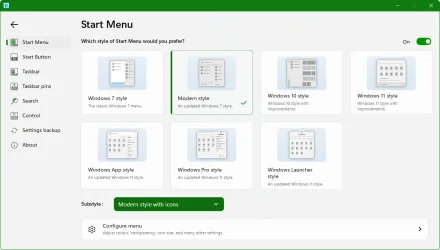
What Start11 start menu do you use?
I like the Modern Style.

Stardock Start11 - Modern Style.webp
 

My Computers

System One System Two

  • OS
    Windows 11 Pro
    Computer type
    PC/Desktop
    Manufacturer/Model
    Stigg's Build
    CPU
    Intel Core i9-10900X
    Motherboard
    GIGABYTE X299X DESIGNARE 10G
    Memory
    Corsair 64 GB (4 x 16 GB) CMW64GX4M4C3000C15 Vengeance RGB Pro 3000Mhz DDR4
    Graphics Card(s)
    GIGABYTE GeForce GTX 1660 Super Mini ITX 6 GB OC
    Sound Card
    Realtek ALC1220
    Monitor(s) Displays
    Samsung 27" FHD LED FreeSync Gaming Monitor (LS27F350FHEXXY)
    Screen Resolution
    1920 x 1080
    Hard Drives
    Samsung 970 Pro Series 1TB M.2 2280 NVMe SSD
    Western Digital Red Pro WD8003FFBX-68B9AN0 8 TB, 7200 RPM, SATA-III
    Western Digital Red Pro WD8003FFBX-68B9AN0 8 TB, 7200 RPM, SATA-III
    PSU
    Corsair HX1200 1200W 80 Plus Platinum
    Case
    Fractal Design Define 7 Black Solid Case
    Cooling
    Noctua NH-D15 Chromax Black
    Keyboard
    Razer Ornata V2
    Mouse
    Razer DeathAdder Essential
    Internet Speed
    FTTN 100Mbps / 40Mbps
    Browser
    Mozilla Firefox
    Antivirus
    N/A
    Other Info
    Logitech BRIO 4k Ultra HD USB-C Webcam
  • Operating System
    Windows 10 Pro
    Computer type
    Laptop
    Manufacturer/Model
    ASUS ROG Zephyrus M GM501GS
    CPU
    Core i7-8750H
    Motherboard
    Zephyrus M GM501GS
    Memory
    SK Hynix 32 GB (2 x 16 GB) HMA82GS6CJR8N-VK 16 GB DDR4-2666 DDR4 SDRAM
    Graphics card(s)
    NVIDIA GeForce GTX 1070
    Sound Card
    Realtek ALC294
    Monitor(s) Displays
    AU Optronics B156HAN07.1 [15.6" LCD]
    Screen Resolution
    1920 x 1080
    Hard Drives
    Samsung MZVKW512HMJP-00000 512 GB, PCI-E 3.0 x4
    Samsung SSD 860 QVO 4TB 4 TB, SATA-III
    PSU
    N/A
    Case
    N/A
    Cooling
    N/A
    Keyboard
    PC/AT Enhanced PS2 Keyboard (101/102-Key)
    Mouse
    Razer DeathAdder Essential
    Internet Speed
    FTTN 100Mbps / 40Mbps
    Browser
    Mozilla Firefox
    Antivirus
    N/A
    Other Info
    USB2.0 HD UVC Webcam

Stardock Start11 2.5.6.3

Start11 v2.5.6.3 changelog:
  • This addresses an issue on multiple monitor setups with 25H2 when using certain Start11 settings causing it to become confused about which screen was which.
  • Resolves an issue with the background image on a tab/group not always loading up correctly initially
  • Adds in support for small taskbar icons mode that 25H2 adds in so when in small taskbar mode it will make the OS search etc buttons small too (note you need to reset small mode from S11 settings for this)
  • Resolves an issue stopping pinned websites from being saved inside a folder in the start menu.
  • Resolves having center for taskbar buttons on (which impacts horizontal taskbars only) causing no buttons to paint on a secondary taskbar sometimes.
  • Resolved a crash with picking a custom background image, but then clicking onto other windows whilst the open dialog was still open
  • Resolved issue with some custom background images being the wrong way up depending on how the image has been saved (mostly Apple)
  • Resolves a crash issue with taskbar painting
  • Fixes an issue with centered mode on the taskbar on Win11 not instantly applying sometimes
  • Resolves vertical taskbar thumbnails being clipped sometimes.
Changes
  • Should address the issue with not being able to open the network window quickly in explorer with 2.55
 

My Computer

System One

  • OS
    Windows 11 Pro
    Computer type
    PC/Desktop
    Manufacturer/Model
    Custom Build
    CPU
    Intel Core i9 12900KF
    Motherboard
    ASUS ROG Maximus Z690 Hero
    Memory
    Corsair 64GB DDR5 Vengeance C40 5200Mhz
    Graphics Card(s)
    ASUS GeForce RTX 3090 ROG Strix OC 24GB
    Sound Card
    OnBoard
    Monitor(s) Displays
    Acer Predator XB323UGP 32" QHD G-SYNC-C 144Hz 1MS IPS LED
    Screen Resolution
    2560 x 1440
    Hard Drives
    1x Samsung 980 Pro Series Gen4 250GB M.2 NVMe
    1x Samsung 980 Pro Series Gen4 500GB M.2 NVMe
    2x Samsung 980 Pro Series Gen4 2TB M.2 NVMe
    PSU
    Corsair AX1200i 1200W 80PLUS Titanium Modular
    Case
    Corsair 4000D Black Case w/ Tempered Glass Side Panel
    Cooling
    Noctua NH-U12A Chromax Black CPU Cooler, 4x Noctua 120mm Fans
    Keyboard
    Logitech MK545
    Mouse
    Logitech MX Master 3
    Internet Speed
    Fixed Wireless 150mbps/75mbps
    Browser
    Firefox
    Antivirus
    Kaspersky
    Other Info
    Thrustmaster TS-PC RACER
    Fanatec CSL Elite Pedals with the Load Cell Kit
    Yamaha Amp with Bose Speakers
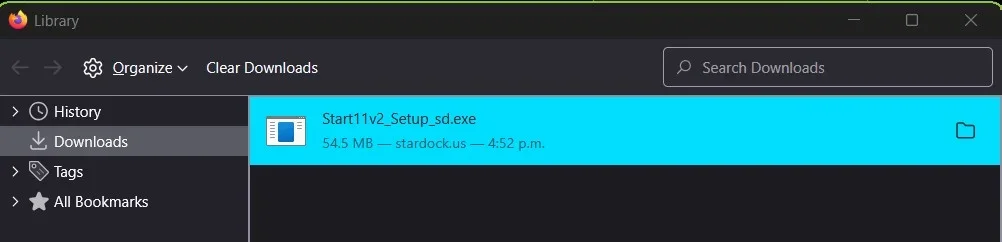
I hope they can fix the download issue. I can't download it. It starts, then fails.
 

My Computers

System One System Two

  • OS
    Windows 11 Pro
    Computer type
    PC/Desktop
    Manufacturer/Model
    Stigg's Build
    CPU
    Intel Core i9-10900X
    Motherboard
    GIGABYTE X299X DESIGNARE 10G
    Memory
    Corsair 64 GB (4 x 16 GB) CMW64GX4M4C3000C15 Vengeance RGB Pro 3000Mhz DDR4
    Graphics Card(s)
    GIGABYTE GeForce GTX 1660 Super Mini ITX 6 GB OC
    Sound Card
    Realtek ALC1220
    Monitor(s) Displays
    Samsung 27" FHD LED FreeSync Gaming Monitor (LS27F350FHEXXY)
    Screen Resolution
    1920 x 1080
    Hard Drives
    Samsung 970 Pro Series 1TB M.2 2280 NVMe SSD
    Western Digital Red Pro WD8003FFBX-68B9AN0 8 TB, 7200 RPM, SATA-III
    Western Digital Red Pro WD8003FFBX-68B9AN0 8 TB, 7200 RPM, SATA-III
    PSU
    Corsair HX1200 1200W 80 Plus Platinum
    Case
    Fractal Design Define 7 Black Solid Case
    Cooling
    Noctua NH-D15 Chromax Black
    Keyboard
    Razer Ornata V2
    Mouse
    Razer DeathAdder Essential
    Internet Speed
    FTTN 100Mbps / 40Mbps
    Browser
    Mozilla Firefox
    Antivirus
    N/A
    Other Info
    Logitech BRIO 4k Ultra HD USB-C Webcam
  • Operating System
    Windows 10 Pro
    Computer type
    Laptop
    Manufacturer/Model
    ASUS ROG Zephyrus M GM501GS
    CPU
    Core i7-8750H
    Motherboard
    Zephyrus M GM501GS
    Memory
    SK Hynix 32 GB (2 x 16 GB) HMA82GS6CJR8N-VK 16 GB DDR4-2666 DDR4 SDRAM
    Graphics card(s)
    NVIDIA GeForce GTX 1070
    Sound Card
    Realtek ALC294
    Monitor(s) Displays
    AU Optronics B156HAN07.1 [15.6" LCD]
    Screen Resolution
    1920 x 1080
    Hard Drives
    Samsung MZVKW512HMJP-00000 512 GB, PCI-E 3.0 x4
    Samsung SSD 860 QVO 4TB 4 TB, SATA-III
    PSU
    N/A
    Case
    N/A
    Cooling
    N/A
    Keyboard
    PC/AT Enhanced PS2 Keyboard (101/102-Key)
    Mouse
    Razer DeathAdder Essential
    Internet Speed
    FTTN 100Mbps / 40Mbps
    Browser
    Mozilla Firefox
    Antivirus
    N/A
    Other Info
    USB2.0 HD UVC Webcam
I hope they can fix the download issue. I can't download it. It starts, then fails.

Their servers have always been really slow and complicated.

If you want it, I have added it to my server for a couple of days for you.

Code:
https://flexihost.net/Start11v2_Setup_sd_v2.5.6.3.zip
 

My Computers

System One System Two

  • OS
    Windows 11 Pro 25H2 Build 26200.8524
    Computer type
    PC/Desktop
    Manufacturer/Model
    Sin-built 2013
    CPU
    Intel(R) Core(TM) i7-4770K CPU @ 3.50GHz
    Motherboard
    ASUS ROG Maximus VI Formula
    Memory
    32.0 GB of I forget and the box is in storage.
    Graphics Card(s)
    Gigabyte nVidia GeForce GTX 1660 Super OC 6GB
    Sound Card
    Onboard thingy
    Monitor(s) Displays
    5 x LG 25MS500-B - 1 x 24MK430H-B - 1 x Wacom Pro 22" Touch Screen Tablet
    Screen Resolution
    All over the place
    Hard Drives
    Too many to list.
    OS on Samsung 1TB 870 QVO SATA
    PSU
    Silverstone 1500
    Case
    NZXT Phantom 820 Full-Tower Case
    Cooling
    Noctua NH-D15 Elite Class Dual Tower CPU Cooler / 6 x EziDIY 120mm / 2 x Corsair 140mm somethings / 1 x 140mm Thermaltake something / 2 x 200mm Corsair.
    Keyboard
    Corsair K95 / Logitech diNovo Edge Wireless
    Mouse
    Logitech: G402 / G502 / Mx Masters / Mx Air Cordless
    Internet Speed
    2000/500Mbps
    Browser
    All sorts
    Antivirus
    Kaspersky Premium
    Other Info
    ㅤㅤㅤㅤㅤㅤㅤㅤㅤㅤㅤㅤㅤㅤㅤㅤㅤㅤㅤㅤㅤㅤㅤㅤㅤㅤㅤㅤㅤㅤㅤㅤㅤㅤㅤㅤㅤㅤㅤㅤ⠀⠀⠀⠀⠀⠀⠀⠀⠀⠀
    TP-Link BE9300 WiFi 7 Bluetooth 5.4 (Archer TBE550E)
    TP-Link TX201 V1 2.5GB Lan

    Grandstream HT812 - VoIP
    ASUS DSL-AX82U - Mesh
    ASUS RT-AC68U - Mesh
    ASUS RT-BE88U Router

    Brother MFC-L2880DW Printer

    I’m on a horse.
  • Operating System
    Windows 11 Pro 25H2 Build 26200.8524
    Computer type
    Laptop
    Manufacturer/Model
    LENOVO Yoga 7 14IRL8 - 7i EVO OLED 14" Touchscreen i5 12 Core 16GB/512GB
    CPU
    Intel Core 12th Gen i5-1240P Processor (1.7 - 4.4GHz)
    Memory
    16GB LPDDR5 RAM
    Graphics card(s)
    Intel Iris Xe Graphics Processor
    Sound Card
    Optimized with Dolby Atmos®
    Screen Resolution
    QHD 2880 x 1800 OLED
    Hard Drives
    M.2 512GB
    Antivirus
    Defender / Malwarebytes
    Other Info
    …still on a horse.
Their servers have always been really slow and complicated.

If you want it, I have added it to my server for a couple of days for you.

Code:
https://flexihost.net/Start11v2_Setup_sd_v2.5.6.3.zip
I just went over to another computer that has Internet Download Manager on it, and the installer downloaded fine using that.

Thanks for the offer.
 

My Computers

System One System Two

  • OS
    Windows 11 Pro
    Computer type
    PC/Desktop
    Manufacturer/Model
    Stigg's Build
    CPU
    Intel Core i9-10900X
    Motherboard
    GIGABYTE X299X DESIGNARE 10G
    Memory
    Corsair 64 GB (4 x 16 GB) CMW64GX4M4C3000C15 Vengeance RGB Pro 3000Mhz DDR4
    Graphics Card(s)
    GIGABYTE GeForce GTX 1660 Super Mini ITX 6 GB OC
    Sound Card
    Realtek ALC1220
    Monitor(s) Displays
    Samsung 27" FHD LED FreeSync Gaming Monitor (LS27F350FHEXXY)
    Screen Resolution
    1920 x 1080
    Hard Drives
    Samsung 970 Pro Series 1TB M.2 2280 NVMe SSD
    Western Digital Red Pro WD8003FFBX-68B9AN0 8 TB, 7200 RPM, SATA-III
    Western Digital Red Pro WD8003FFBX-68B9AN0 8 TB, 7200 RPM, SATA-III
    PSU
    Corsair HX1200 1200W 80 Plus Platinum
    Case
    Fractal Design Define 7 Black Solid Case
    Cooling
    Noctua NH-D15 Chromax Black
    Keyboard
    Razer Ornata V2
    Mouse
    Razer DeathAdder Essential
    Internet Speed
    FTTN 100Mbps / 40Mbps
    Browser
    Mozilla Firefox
    Antivirus
    N/A
    Other Info
    Logitech BRIO 4k Ultra HD USB-C Webcam
  • Operating System
    Windows 10 Pro
    Computer type
    Laptop
    Manufacturer/Model
    ASUS ROG Zephyrus M GM501GS
    CPU
    Core i7-8750H
    Motherboard
    Zephyrus M GM501GS
    Memory
    SK Hynix 32 GB (2 x 16 GB) HMA82GS6CJR8N-VK 16 GB DDR4-2666 DDR4 SDRAM
    Graphics card(s)
    NVIDIA GeForce GTX 1070
    Sound Card
    Realtek ALC294
    Monitor(s) Displays
    AU Optronics B156HAN07.1 [15.6" LCD]
    Screen Resolution
    1920 x 1080
    Hard Drives
    Samsung MZVKW512HMJP-00000 512 GB, PCI-E 3.0 x4
    Samsung SSD 860 QVO 4TB 4 TB, SATA-III
    PSU
    N/A
    Case
    N/A
    Cooling
    N/A
    Keyboard
    PC/AT Enhanced PS2 Keyboard (101/102-Key)
    Mouse
    Razer DeathAdder Essential
    Internet Speed
    FTTN 100Mbps / 40Mbps
    Browser
    Mozilla Firefox
    Antivirus
    N/A
    Other Info
    USB2.0 HD UVC Webcam
I just went over to another computer that has Internet Download Manager on it, and the installer downloaded fine using that.

Thanks for the offer.


I have a license for that, also. I have to use it with Stardock.

Glad you got it.
 

My Computers

System One System Two

  • OS
    Windows 11 Pro 25H2 Build 26200.8524
    Computer type
    PC/Desktop
    Manufacturer/Model
    Sin-built 2013
    CPU
    Intel(R) Core(TM) i7-4770K CPU @ 3.50GHz
    Motherboard
    ASUS ROG Maximus VI Formula
    Memory
    32.0 GB of I forget and the box is in storage.
    Graphics Card(s)
    Gigabyte nVidia GeForce GTX 1660 Super OC 6GB
    Sound Card
    Onboard thingy
    Monitor(s) Displays
    5 x LG 25MS500-B - 1 x 24MK430H-B - 1 x Wacom Pro 22" Touch Screen Tablet
    Screen Resolution
    All over the place
    Hard Drives
    Too many to list.
    OS on Samsung 1TB 870 QVO SATA
    PSU
    Silverstone 1500
    Case
    NZXT Phantom 820 Full-Tower Case
    Cooling
    Noctua NH-D15 Elite Class Dual Tower CPU Cooler / 6 x EziDIY 120mm / 2 x Corsair 140mm somethings / 1 x 140mm Thermaltake something / 2 x 200mm Corsair.
    Keyboard
    Corsair K95 / Logitech diNovo Edge Wireless
    Mouse
    Logitech: G402 / G502 / Mx Masters / Mx Air Cordless
    Internet Speed
    2000/500Mbps
    Browser
    All sorts
    Antivirus
    Kaspersky Premium
    Other Info
    ㅤㅤㅤㅤㅤㅤㅤㅤㅤㅤㅤㅤㅤㅤㅤㅤㅤㅤㅤㅤㅤㅤㅤㅤㅤㅤㅤㅤㅤㅤㅤㅤㅤㅤㅤㅤㅤㅤㅤㅤ⠀⠀⠀⠀⠀⠀⠀⠀⠀⠀
    TP-Link BE9300 WiFi 7 Bluetooth 5.4 (Archer TBE550E)
    TP-Link TX201 V1 2.5GB Lan

    Grandstream HT812 - VoIP
    ASUS DSL-AX82U - Mesh
    ASUS RT-AC68U - Mesh
    ASUS RT-BE88U Router

    Brother MFC-L2880DW Printer

    I’m on a horse.
  • Operating System
    Windows 11 Pro 25H2 Build 26200.8524
    Computer type
    Laptop
    Manufacturer/Model
    LENOVO Yoga 7 14IRL8 - 7i EVO OLED 14" Touchscreen i5 12 Core 16GB/512GB
    CPU
    Intel Core 12th Gen i5-1240P Processor (1.7 - 4.4GHz)
    Memory
    16GB LPDDR5 RAM
    Graphics card(s)
    Intel Iris Xe Graphics Processor
    Sound Card
    Optimized with Dolby Atmos®
    Screen Resolution
    QHD 2880 x 1800 OLED
    Hard Drives
    M.2 512GB
    Antivirus
    Defender / Malwarebytes
    Other Info
    …still on a horse.

My Computers

System One System Two

  • OS
    Windows 11 Pro
    Computer type
    PC/Desktop
    Manufacturer/Model
    Stigg's Build
    CPU
    Intel Core i9-10900X
    Motherboard
    GIGABYTE X299X DESIGNARE 10G
    Memory
    Corsair 64 GB (4 x 16 GB) CMW64GX4M4C3000C15 Vengeance RGB Pro 3000Mhz DDR4
    Graphics Card(s)
    GIGABYTE GeForce GTX 1660 Super Mini ITX 6 GB OC
    Sound Card
    Realtek ALC1220
    Monitor(s) Displays
    Samsung 27" FHD LED FreeSync Gaming Monitor (LS27F350FHEXXY)
    Screen Resolution
    1920 x 1080
    Hard Drives
    Samsung 970 Pro Series 1TB M.2 2280 NVMe SSD
    Western Digital Red Pro WD8003FFBX-68B9AN0 8 TB, 7200 RPM, SATA-III
    Western Digital Red Pro WD8003FFBX-68B9AN0 8 TB, 7200 RPM, SATA-III
    PSU
    Corsair HX1200 1200W 80 Plus Platinum
    Case
    Fractal Design Define 7 Black Solid Case
    Cooling
    Noctua NH-D15 Chromax Black
    Keyboard
    Razer Ornata V2
    Mouse
    Razer DeathAdder Essential
    Internet Speed
    FTTN 100Mbps / 40Mbps
    Browser
    Mozilla Firefox
    Antivirus
    N/A
    Other Info
    Logitech BRIO 4k Ultra HD USB-C Webcam
  • Operating System
    Windows 10 Pro
    Computer type
    Laptop
    Manufacturer/Model
    ASUS ROG Zephyrus M GM501GS
    CPU
    Core i7-8750H
    Motherboard
    Zephyrus M GM501GS
    Memory
    SK Hynix 32 GB (2 x 16 GB) HMA82GS6CJR8N-VK 16 GB DDR4-2666 DDR4 SDRAM
    Graphics card(s)
    NVIDIA GeForce GTX 1070
    Sound Card
    Realtek ALC294
    Monitor(s) Displays
    AU Optronics B156HAN07.1 [15.6" LCD]
    Screen Resolution
    1920 x 1080
    Hard Drives
    Samsung MZVKW512HMJP-00000 512 GB, PCI-E 3.0 x4
    Samsung SSD 860 QVO 4TB 4 TB, SATA-III
    PSU
    N/A
    Case
    N/A
    Cooling
    N/A
    Keyboard
    PC/AT Enhanced PS2 Keyboard (101/102-Key)
    Mouse
    Razer DeathAdder Essential
    Internet Speed
    FTTN 100Mbps / 40Mbps
    Browser
    Mozilla Firefox
    Antivirus
    N/A
    Other Info
    USB2.0 HD UVC Webcam

My Computers

System One System Two

  • OS
    Windows 11 Pro 25H2 Build 26200.8524
    Computer type
    PC/Desktop
    Manufacturer/Model
    Sin-built 2013
    CPU
    Intel(R) Core(TM) i7-4770K CPU @ 3.50GHz
    Motherboard
    ASUS ROG Maximus VI Formula
    Memory
    32.0 GB of I forget and the box is in storage.
    Graphics Card(s)
    Gigabyte nVidia GeForce GTX 1660 Super OC 6GB
    Sound Card
    Onboard thingy
    Monitor(s) Displays
    5 x LG 25MS500-B - 1 x 24MK430H-B - 1 x Wacom Pro 22" Touch Screen Tablet
    Screen Resolution
    All over the place
    Hard Drives
    Too many to list.
    OS on Samsung 1TB 870 QVO SATA
    PSU
    Silverstone 1500
    Case
    NZXT Phantom 820 Full-Tower Case
    Cooling
    Noctua NH-D15 Elite Class Dual Tower CPU Cooler / 6 x EziDIY 120mm / 2 x Corsair 140mm somethings / 1 x 140mm Thermaltake something / 2 x 200mm Corsair.
    Keyboard
    Corsair K95 / Logitech diNovo Edge Wireless
    Mouse
    Logitech: G402 / G502 / Mx Masters / Mx Air Cordless
    Internet Speed
    2000/500Mbps
    Browser
    All sorts
    Antivirus
    Kaspersky Premium
    Other Info
    ㅤㅤㅤㅤㅤㅤㅤㅤㅤㅤㅤㅤㅤㅤㅤㅤㅤㅤㅤㅤㅤㅤㅤㅤㅤㅤㅤㅤㅤㅤㅤㅤㅤㅤㅤㅤㅤㅤㅤㅤ⠀⠀⠀⠀⠀⠀⠀⠀⠀⠀
    TP-Link BE9300 WiFi 7 Bluetooth 5.4 (Archer TBE550E)
    TP-Link TX201 V1 2.5GB Lan

    Grandstream HT812 - VoIP
    ASUS DSL-AX82U - Mesh
    ASUS RT-AC68U - Mesh
    ASUS RT-BE88U Router

    Brother MFC-L2880DW Printer

    I’m on a horse.
  • Operating System
    Windows 11 Pro 25H2 Build 26200.8524
    Computer type
    Laptop
    Manufacturer/Model
    LENOVO Yoga 7 14IRL8 - 7i EVO OLED 14" Touchscreen i5 12 Core 16GB/512GB
    CPU
    Intel Core 12th Gen i5-1240P Processor (1.7 - 4.4GHz)
    Memory
    16GB LPDDR5 RAM
    Graphics card(s)
    Intel Iris Xe Graphics Processor
    Sound Card
    Optimized with Dolby Atmos®
    Screen Resolution
    QHD 2880 x 1800 OLED
    Hard Drives
    M.2 512GB
    Antivirus
    Defender / Malwarebytes
    Other Info
    …still on a horse.
I got lucky and version 2.5.6.3 downloaded from my account without stopping although at slow speeds as others have mentioned.

StardocK Start11.webp
 

My Computers

System One System Two

  • OS
    Windows 11 Pro x 2 + Insider Dev
    Computer type
    PC/Desktop
    Manufacturer/Model
    My first abomination, I call it the Money Pit One
    CPU
    Intel Core i9 12900K @ 5.2 GHz
    Motherboard
    ASUS ROG MAXIMUS Z690 HERO
    Memory
    2 x Corsair Dominator Platinum RGB (4x16GB Total) DDR5-6200 CL36 Dual Channel Kit
    Graphics Card(s)
    EVGA GeForce RTX 3080 XC3 ULTRA GAMING 10GB GDDR6X
    Sound Card
    ROG SupremeFX ALC4082 with ESS® ES9018Q2C DAC for pinpoint positioning and dynamics
    Monitor(s) Displays
    2 x Samsung 43" HDR Neo QLED Mini-LED Tizen Smart TV (QN43QN90DAFXZC) 2024
    Screen Resolution
    1920 x 1080 @ 150 DPI & 120Hz
    Hard Drives
    2 x Samsung 980 Series - 250GB PCIe Gen3. X4 NVMe 1.4 - M.2 Internal SSD (Windows 11 Pro Dual boot)
    PSU
    Corsair HX1000i 80+ Platinum Modular Power Supply 1000W
    Case
    Phanteks Enthoo Luxe Tempered Glass Full Tower Case - Black
    Cooling
    CORSAIR iCUE H150i RGB Elite 360mm Liquid CPU Cooler
    Keyboard
    Perixx PERIBOARD-732B Wireless Mini Backlit USB Keyboard with Low Profile Keys - US Layout
    Mouse
    Logitech MX Anywhere 2S Wireless Mouse
    Internet Speed
    1000 Mbps
    Browser
    Latest Version Of Firefox & Microsoft Edge Chromium Stable
    Antivirus
    ESET Internet Security
    Other Info
    LG Electronics 14x Sata Blu-ray Disk Rewriter - WH14NS4O
    2 x OREI 4K 4x2 HDMI Matrix Switch With ARC Audio Extraction, HDR & Downscaling (UHD-402D) so I can send the output of my Cable Box, Roku, or any of my 4 computers to either of my TV's separately or simultaneously.
  • Operating System
    Windows 11 Pro x 2
    Computer type
    PC/Desktop
    Manufacturer/Model
    My second abomination, I call it the Money Pit Two
    CPU
    Intel Core i9 12900K @ 5.2 GHz
    Motherboard
    ASUS ROG STRIX Z690-F GAMING WIFI
    Memory
    2 x Vengeance RGB 32GB DDR5 6400MHz CL32 Dual Channel Kit (4x16GB Total) Black
    Graphics card(s)
    ASUS TUF Gaming GeForce RTX 3070 Ti OC Edition 8 GB GDDR6X
    Sound Card
    ROG SupremeFX ALC4082 with ESS® ES9018Q2C DAC for pinpoint positioning and dynamics
    Monitor(s) Displays
    2 x Samsung 43" HDR Neo QLED Mini-LED Tizen Smart TV (QN43QN90DAFXZC) 2024
    Screen Resolution
    1920 x 1080 @ 150 DPI & 120Hz
    Hard Drives
    2 x Samsung 980 Series - 250GB PCIe Gen3. X4 NVMe 1.4 - M.2 Internal SSD (Windows 11 Pro Dual boot)
    PSU
    Corsair AX860 - 860W Modular Power Supply
    Case
    Phanteks Enthoo Pro Tempered Glass Full Tower Case - Black
    Cooling
    CORSAIR iCUE H150i RGB Elite 360mm Liquid CPU Cooler
    Keyboard
    Perixx PERIBOARD-326 Wired Mini Backlit USB Keyboard with Low Profile Keys - US Layout
    Mouse
    Logitech MX Anywhere 2S Wireless Mouse
    Internet Speed
    1000 Mbps
    Browser
    Latest Version Of Firefox & EDGE Chromium Stable
    Antivirus
    ESET Internet Security
    Other Info
    LG Electronics 14x Sata Blu-ray Disk Rewriter - WH14NS4O
    2 x OREI 4K 4x2 HDMI Matrix Switch With ARC Audio Extraction, HDR & Downscaling (UHD-402D) so I can send the output of my Cable Box, Roku, or any of my 4 computers to either of my TV's separately or simultaneously.

Start11 v2.60 Beta​

Version​

UI: 2.6
Start11Config.exe File Version: 2.6.0.0

Changes​

  • Polish translations updated, Credit: FadeMind - Overview
  • Fixed typo in en-us.lng file
  • Resolved issue with filter bar in search still showing internet option when internet search link disabled
  • Tweaked autohide code to resolve issue with a black line when using left or right taskbars on Win11
  • Tweaked search filter bar to filter by file type rather than category for images / docs / music files
  • Added registry key to hide all signout etc options from shutdown menu. HKEY_CURRENT_USER\Software\Stardock\Start8\Start8.ini\Start8\S11_HideAllSignoutItems = "1"
  • Resolved issue with all apps search field showing incorrectly in some menu styles
  • Made text on all apps search in dark mode less dark
  • Tweaked text colour detection logic for start menu when in dark mode for system but not apps
  • Resolved issue with taskbar not picking up correct colour when using a forced start menu colour sometimes
  • Resolved painting issue on top of rounded top of Win11 style menu
  • 10) Tweak to how clicking on taskbar buttons when using enhanced taskbar in combine mode handles switching between open windows in certain situations
  • Resolved issue with taskbar thumbnails sometimes causing maximized mode to be detected and likewise language picker from the taskbar
  • Resolved issue where viewing a taskbar thumbnail could cause an extra taskbar button to appear briefly.


My Computer

System One

  • OS
    Windows 11 Pro
    Computer type
    PC/Desktop
    Manufacturer/Model
    Custom Build
    CPU
    Intel Core i9 12900KF
    Motherboard
    ASUS ROG Maximus Z690 Hero
    Memory
    Corsair 64GB DDR5 Vengeance C40 5200Mhz
    Graphics Card(s)
    ASUS GeForce RTX 3090 ROG Strix OC 24GB
    Sound Card
    OnBoard
    Monitor(s) Displays
    Acer Predator XB323UGP 32" QHD G-SYNC-C 144Hz 1MS IPS LED
    Screen Resolution
    2560 x 1440
    Hard Drives
    1x Samsung 980 Pro Series Gen4 250GB M.2 NVMe
    1x Samsung 980 Pro Series Gen4 500GB M.2 NVMe
    2x Samsung 980 Pro Series Gen4 2TB M.2 NVMe
    PSU
    Corsair AX1200i 1200W 80PLUS Titanium Modular
    Case
    Corsair 4000D Black Case w/ Tempered Glass Side Panel
    Cooling
    Noctua NH-U12A Chromax Black CPU Cooler, 4x Noctua 120mm Fans
    Keyboard
    Logitech MK545
    Mouse
    Logitech MX Master 3
    Internet Speed
    Fixed Wireless 150mbps/75mbps
    Browser
    Firefox
    Antivirus
    Kaspersky
    Other Info
    Thrustmaster TS-PC RACER
    Fanatec CSL Elite Pedals with the Load Cell Kit
    Yamaha Amp with Bose Speakers

Start11 2.6 Release Now Available

(with Additional Controls for Deployments)​


Start11 v2.60 Changelog (Released 01/28/2026)​

Date​

01/28/2026

Version​

UI: 2.6
File Version: 2.6.0.2

Changes​

  • Adds one new string to the lng file
  • Extends S11 backups to include MMTaskbarMode and TaskbarAl OS values
  • Adds support for the OS DisableContextMenusInStart value
  • Adds in registry key HKEY_CURRENT_USER\Software\Stardock\Start8\Start8.ini\Start8\S11_DisableAllAppsButton="1" which disables access to the all apps button
  • Adds in registry key HKEY_CURRENT_USER\Software\Stardock\Start8\Start8.ini\Start8\S11_RDPShowSignout="1" which allows RDP clients to see the signout option
  • Adds in registry key HKEY_CURRENT_USER\Software\Stardock\Start8\Start8.ini\Start8\S11_HideShutdownOption="1" which hides the shutdown entry from the power menu for Win10+ styles
  • Adds in registry key HKEY_CURRENT_USER\Software\Stardock\Start8\Start8.ini\Start8\S11_RDPShowReboot="1" which allows RDP clients to see the reboot option
  • Adds in registry key HKEY_CURRENT_USER\Software\Stardock\Start8\Start8.ini\Start8\S11_DisableMenuResizing="1" which stops the user from being able to resize the menu.
  • uk.lng localization updated, credit: velorom - Overview
  • de.lng localizations updated. Credit: thomaskelso - Overview
  • All other tooltip localizations updated
  • Resolved issue with enhanced taskbar becoming slow to respond if a very large file transfer was in progress (there may have been other triggers too)
  • Added registry key to force disable the OS thumbnails window on the taskbar. It can be made to show holding down Ctrl before hovering on the taskbar button). Key is HKEY_CURRENT_USER\Software\Stardock\Start8\Start8.ini\Start8 name is S11_HideTBPopups and should have a value of "1"
  • Added reg key to force S11 to believe SAB is running. This may help with an incompatibility report if the issue was due to a detection issue, though we do not know if thats the case HKEY_CURRENT_USER\Software\Stardock\Start8\Start8.ini\Start8\S11_FORCESABOptOut = "1"
  • Tweaked tooltips on quick access shortcuts list to show name rather than original tooltips for menu styles where no text label is shown.
  • Added those tooltips to the en.lng file as they had been missing
  • Polish translations updated, Credit: FadeMind - Overview
  • Fixed typo in en-us.lng file
  • Resolved issue with filter bar in search still showing internet option when internet search link disabled
  • Tweaked autohide code to resolve issue with a black line when using left or right taskbars on Win11
  • Tweaked search filter bar to filter by file type rather than category for images / docs / music files
  • Added registry key to hide all signout etc options from shutdown menu. HKEY_CURRENT_USER\Software\Stardock\Start8\Start8.ini\Start8\S11_HideAllSignoutItems = "1"
  • Resolved issue with all apps search field showing incorrectly in some menu styles
  • Made text on all apps search in dark mode less dark
  • Tweaked text colour detection logic for start menu when in dark mode for system but not apps
  • Resolved issue with taskbar not picking up correct colour when using a forced start menu colour sometimes
  • Resolved painting issue on top of rounded top of Win11 style menu
  • 10) Tweak to how clicking on taskbar buttons when using enhanced taskbar in combine mode handles switching between open windows in certain situations
  • Resolved issue with taskbar thumbnails sometimes causing maximized mode to be detected and likewise language picker from the taskbar
  • Resolved issue where viewing a taskbar thumbnail could cause an extra taskbar button to appear briefly.
(Random example image selection)

IMG_5857.webpIMG_5856.webpIMG_5855.webpIMG_5852.webpIMG_5851.webpIMG_5854.webp
 

My Computers

System One System Two

  • OS
    Windows 11 Pro 25H2 Build 26200.8524
    Computer type
    PC/Desktop
    Manufacturer/Model
    Sin-built 2013
    CPU
    Intel(R) Core(TM) i7-4770K CPU @ 3.50GHz
    Motherboard
    ASUS ROG Maximus VI Formula
    Memory
    32.0 GB of I forget and the box is in storage.
    Graphics Card(s)
    Gigabyte nVidia GeForce GTX 1660 Super OC 6GB
    Sound Card
    Onboard thingy
    Monitor(s) Displays
    5 x LG 25MS500-B - 1 x 24MK430H-B - 1 x Wacom Pro 22" Touch Screen Tablet
    Screen Resolution
    All over the place
    Hard Drives
    Too many to list.
    OS on Samsung 1TB 870 QVO SATA
    PSU
    Silverstone 1500
    Case
    NZXT Phantom 820 Full-Tower Case
    Cooling
    Noctua NH-D15 Elite Class Dual Tower CPU Cooler / 6 x EziDIY 120mm / 2 x Corsair 140mm somethings / 1 x 140mm Thermaltake something / 2 x 200mm Corsair.
    Keyboard
    Corsair K95 / Logitech diNovo Edge Wireless
    Mouse
    Logitech: G402 / G502 / Mx Masters / Mx Air Cordless
    Internet Speed
    2000/500Mbps
    Browser
    All sorts
    Antivirus
    Kaspersky Premium
    Other Info
    ㅤㅤㅤㅤㅤㅤㅤㅤㅤㅤㅤㅤㅤㅤㅤㅤㅤㅤㅤㅤㅤㅤㅤㅤㅤㅤㅤㅤㅤㅤㅤㅤㅤㅤㅤㅤㅤㅤㅤㅤ⠀⠀⠀⠀⠀⠀⠀⠀⠀⠀
    TP-Link BE9300 WiFi 7 Bluetooth 5.4 (Archer TBE550E)
    TP-Link TX201 V1 2.5GB Lan

    Grandstream HT812 - VoIP
    ASUS DSL-AX82U - Mesh
    ASUS RT-AC68U - Mesh
    ASUS RT-BE88U Router

    Brother MFC-L2880DW Printer

    I’m on a horse.
  • Operating System
    Windows 11 Pro 25H2 Build 26200.8524
    Computer type
    Laptop
    Manufacturer/Model
    LENOVO Yoga 7 14IRL8 - 7i EVO OLED 14" Touchscreen i5 12 Core 16GB/512GB
    CPU
    Intel Core 12th Gen i5-1240P Processor (1.7 - 4.4GHz)
    Memory
    16GB LPDDR5 RAM
    Graphics card(s)
    Intel Iris Xe Graphics Processor
    Sound Card
    Optimized with Dolby Atmos®
    Screen Resolution
    QHD 2880 x 1800 OLED
    Hard Drives
    M.2 512GB
    Antivirus
    Defender / Malwarebytes
    Other Info
    …still on a horse.
I've already got this update. I haven't had a look at the changes yet.
 

My Computers

System One System Two

  • OS
    Windows 11 Pro
    Computer type
    PC/Desktop
    Manufacturer/Model
    Stigg's Build
    CPU
    Intel Core i9-10900X
    Motherboard
    GIGABYTE X299X DESIGNARE 10G
    Memory
    Corsair 64 GB (4 x 16 GB) CMW64GX4M4C3000C15 Vengeance RGB Pro 3000Mhz DDR4
    Graphics Card(s)
    GIGABYTE GeForce GTX 1660 Super Mini ITX 6 GB OC
    Sound Card
    Realtek ALC1220
    Monitor(s) Displays
    Samsung 27" FHD LED FreeSync Gaming Monitor (LS27F350FHEXXY)
    Screen Resolution
    1920 x 1080
    Hard Drives
    Samsung 970 Pro Series 1TB M.2 2280 NVMe SSD
    Western Digital Red Pro WD8003FFBX-68B9AN0 8 TB, 7200 RPM, SATA-III
    Western Digital Red Pro WD8003FFBX-68B9AN0 8 TB, 7200 RPM, SATA-III
    PSU
    Corsair HX1200 1200W 80 Plus Platinum
    Case
    Fractal Design Define 7 Black Solid Case
    Cooling
    Noctua NH-D15 Chromax Black
    Keyboard
    Razer Ornata V2
    Mouse
    Razer DeathAdder Essential
    Internet Speed
    FTTN 100Mbps / 40Mbps
    Browser
    Mozilla Firefox
    Antivirus
    N/A
    Other Info
    Logitech BRIO 4k Ultra HD USB-C Webcam
  • Operating System
    Windows 10 Pro
    Computer type
    Laptop
    Manufacturer/Model
    ASUS ROG Zephyrus M GM501GS
    CPU
    Core i7-8750H
    Motherboard
    Zephyrus M GM501GS
    Memory
    SK Hynix 32 GB (2 x 16 GB) HMA82GS6CJR8N-VK 16 GB DDR4-2666 DDR4 SDRAM
    Graphics card(s)
    NVIDIA GeForce GTX 1070
    Sound Card
    Realtek ALC294
    Monitor(s) Displays
    AU Optronics B156HAN07.1 [15.6" LCD]
    Screen Resolution
    1920 x 1080
    Hard Drives
    Samsung MZVKW512HMJP-00000 512 GB, PCI-E 3.0 x4
    Samsung SSD 860 QVO 4TB 4 TB, SATA-III
    PSU
    N/A
    Case
    N/A
    Cooling
    N/A
    Keyboard
    PC/AT Enhanced PS2 Keyboard (101/102-Key)
    Mouse
    Razer DeathAdder Essential
    Internet Speed
    FTTN 100Mbps / 40Mbps
    Browser
    Mozilla Firefox
    Antivirus
    N/A
    Other Info
    USB2.0 HD UVC Webcam

Start11 v2 v2.7 Beta​

Date​

03/10/2026

Version​

UI: 2.7
File Version: 2.7.0.0

Changes​

  1. Resolved issue with Show recently installed apps not saving the setting for Windows 7/Modern styles when using Win10 style all apps list
  2. Extended edit fields in Start11 to support Ctrl + backspace to delete the last word.
  3. Custom icons are now used in groups, which are opened as a menu as well
  4. Dark custom colours will make Win7-style menus use dark mode instead of light mode as before. This can be controlled by creating a value S11_ForceDarkMode in HKEY_CURRENT_USER\Software\Stardock\Start8\Start8.ini\Start8 of type String and giving it a 1 to force dark always, or 2 to force it to be light always (0 means auto)
  5. Dark mode Win7 menus now respect the colour the user picked for the taskbar when in auto mode rather than defaulting to black
  6. Everything search now respects the search filters built into S11 search
  7. Fixed the recent docs list to filter out folders when the option to hide folders is enabled
  8. Resolved an issue with some incorrectly saved pinned items with shell:appsFolder at the front of them in error
  9. Added an option to hide shadows on the Start11 menu. This can be controlled by creating a value S11_HideShadows in HKEY_CURRENT_USER\Software\Stardock\Start8\Start8.ini\Start8 of type String and giving it a 1 to hide shadows or delete (or set to 0) for show shadows
  10. Fixed issue with search window appearing too high on the screen when using a left/right taskbar on Win11 25H2
  11. Resolved issue with combined taskbar buttons in enhanced mode not clicking on the right item when clicked sometimes on some machines.
  12. Resolved issue with having enhanced taskbar autohide enabled and then switching back to non enhanced taskbar causing issues.
  13. Resolved issue with thumbnails overlapping wider right-aligned vertical taskbars.
  14. Resolved search on 25H2 with a right-aligned taskbar overlapping the taskbar slightly.
  15. Resolved some desktop icon placement and dragging behaviours when the taskbar is at the top of the screen on Windows 11.
  16. Resolved issue with right click menu on taskbar on the top when in autohide mode juddering a bit sometimes
  17. Resolved taskbar not hiding in autohide mode on first run sometimes.
  18. Resolved some tooltips on on top taskbars not showing correctly when used with an autohide taskbar.
  19. Resolved some clipping of thumbnails on the taskbar in certain situations
  20. Added Ctrl override for resizing Win11 etc style menus to allow menus to be a little smaller. So hold ctrl when resizing and it will be allowed to be a bit smaller than before.


My Computer

System One

  • OS
    Windows 11 Pro
    Computer type
    PC/Desktop
    Manufacturer/Model
    Custom Build
    CPU
    Intel Core i9 12900KF
    Motherboard
    ASUS ROG Maximus Z690 Hero
    Memory
    Corsair 64GB DDR5 Vengeance C40 5200Mhz
    Graphics Card(s)
    ASUS GeForce RTX 3090 ROG Strix OC 24GB
    Sound Card
    OnBoard
    Monitor(s) Displays
    Acer Predator XB323UGP 32" QHD G-SYNC-C 144Hz 1MS IPS LED
    Screen Resolution
    2560 x 1440
    Hard Drives
    1x Samsung 980 Pro Series Gen4 250GB M.2 NVMe
    1x Samsung 980 Pro Series Gen4 500GB M.2 NVMe
    2x Samsung 980 Pro Series Gen4 2TB M.2 NVMe
    PSU
    Corsair AX1200i 1200W 80PLUS Titanium Modular
    Case
    Corsair 4000D Black Case w/ Tempered Glass Side Panel
    Cooling
    Noctua NH-U12A Chromax Black CPU Cooler, 4x Noctua 120mm Fans
    Keyboard
    Logitech MK545
    Mouse
    Logitech MX Master 3
    Internet Speed
    Fixed Wireless 150mbps/75mbps
    Browser
    Firefox
    Antivirus
    Kaspersky
    Other Info
    Thrustmaster TS-PC RACER
    Fanatec CSL Elite Pedals with the Load Cell Kit
    Yamaha Amp with Bose Speakers

Start11 v2 v2.7.0.1 Beta​

Changelog​

Date​

04/02/2026

Version​

UI: 2.7
File Version: 2.7.0.1

Changes​

  1. Resolved issue with Show recently installed apps not saving the setting for Windows 7/Modern styles when using Win10 style all apps list
  2. Extended edit fields in Start11 to support Ctrl + backspace to delete the last word.
  3. Custom icons are now used in groups, which are opened as a menu as well
  4. Dark custom colours will make Win7-style menus use dark mode instead of light mode as before. This can be controlled by creating a value S11_ForceDarkMode in HKEY_CURRENT_USER\Software\Stardock\Start8\Start8.ini\Start8 of type String and giving it a 1 to force dark always, or 2 to force it to be light always (0 means auto)
  5. Dark mode Win7 menus now respect the colour the user picked for the taskbar when in auto mode rather than defaulting to black
  6. Everything search now respects the search filters built into S11 search
  7. Fixed the recent docs list to filter out folders when the option to hide folders is enabled
  8. Resolved an issue with some incorrectly saved pinned items with shell:appsFolder at the front of them in error
  9. Added an option to hide shadows on the Start11 menu. This can be controlled by creating a value S11_HideShadows in HKEY_CURRENT_USER\Software\Stardock\Start8\Start8.ini\Start8 of type String and giving it a 1 to hide shadows or delete (or set to 0) for show shadows
  10. Fixed issue with search window appearing too high on the screen when using a left/right taskbar on Win11 25H2
  11. Resolved issue with combined taskbar buttons in enhanced mode not clicking on the right item when clicked sometimes on some machines.
  12. Resolved issue with having enhanced taskbar autohide enabled and then switching back to non enhanced taskbar causing issues.
  13. Resolved issue with thumbnails overlapping wider right-aligned vertical taskbars.
  14. Resolved search on 25H2 with a right-aligned taskbar overlapping the taskbar slightly.
  15. Resolved some desktop icon placement and dragging behaviours when the taskbar is at the top of the screen on Windows 11.
  16. Resolved issue with right click menu on taskbar on the top when in autohide mode juddering a bit sometimes
  17. Resolved taskbar not hiding in autohide mode on first run sometimes.
  18. Resolved some tooltips on on top taskbars not showing correctly when used with an autohide taskbar.
  19. Resolved some clipping of thumbnails on the taskbar in certain situations
  20. Added Ctrl override for resizing Win11 etc style menus to allow menus to be a little smaller. So hold ctrl when resizing and it will be allowed to be a bit smaller than before.
04/02/2026
  1. On top taskbars now have the tray icon expansion arrow pointing down correctly instead of up
  2. Resolves an issue with the brand new preview KB5086672 update where on top taskbars have the icons sitting under the taskbar sometimes.
  3. Enables MS Edge pinned weblinks to use the icon from the webpage (note that these are low res so on large sizes they will not look perfect)
  4. Resolved issue with Copilot not having the right pinned taskbar icon
  5. Added a registry key S11_BLOCKMOSTTASK which when created as a string with value "1" will stop S11 doing much with the taskbar. This is for compatibility with some third party tools. This WILL disable enhanced taskbar, taskbar colour control, custom start button etc. The location is HKEY_CURRENT_USER\Software\Stardock\Start8\Start8.ini\Start8 and you have to restart explorer after changing.
  6. A /s (silent) unintall will not not pop the uninstall survey.

 
Last edited:

My Computer

System One

  • OS
    Windows 11 Pro
    Computer type
    PC/Desktop
    Manufacturer/Model
    Custom Build
    CPU
    Intel Core i9 12900KF
    Motherboard
    ASUS ROG Maximus Z690 Hero
    Memory
    Corsair 64GB DDR5 Vengeance C40 5200Mhz
    Graphics Card(s)
    ASUS GeForce RTX 3090 ROG Strix OC 24GB
    Sound Card
    OnBoard
    Monitor(s) Displays
    Acer Predator XB323UGP 32" QHD G-SYNC-C 144Hz 1MS IPS LED
    Screen Resolution
    2560 x 1440
    Hard Drives
    1x Samsung 980 Pro Series Gen4 250GB M.2 NVMe
    1x Samsung 980 Pro Series Gen4 500GB M.2 NVMe
    2x Samsung 980 Pro Series Gen4 2TB M.2 NVMe
    PSU
    Corsair AX1200i 1200W 80PLUS Titanium Modular
    Case
    Corsair 4000D Black Case w/ Tempered Glass Side Panel
    Cooling
    Noctua NH-U12A Chromax Black CPU Cooler, 4x Noctua 120mm Fans
    Keyboard
    Logitech MK545
    Mouse
    Logitech MX Master 3
    Internet Speed
    Fixed Wireless 150mbps/75mbps
    Browser
    Firefox
    Antivirus
    Kaspersky
    Other Info
    Thrustmaster TS-PC RACER
    Fanatec CSL Elite Pedals with the Load Cell Kit
    Yamaha Amp with Bose Speakers
Start11 v2.7.0.3 Beta 04/17/2026

Changelog

1
. Resolved issue with Show recently installed apps not saving the setting for Windows 7/Modern styles when using Win10 style all apps list
2. Extended edit fields in Start11 to support Ctrl + backspace to delete the last word.
3. Custom icons are now used in groups, which are opened as a menu as well
4. Dark custom colours will make Win7-style menus use dark mode instead of light mode as before. This can be controlled by creating a value S11_ForceDarkMode in HKEY_CURRENT_USER\Software\Stardock\Start8\Start8.ini\Start8 of type String and giving it a 1 to force dark always, or 2 to force it to be light always (0 means auto)
5. Dark mode Win7 menus now respect the colour the user picked for the taskbar when in auto mode rather than defaulting to black
6. Everything search now respects the search filters built into S11 search
7. Fixed the recent docs list to filter out folders when the option to hide folders is enabled
8. Resolved an issue with some incorrectly saved pinned items with shell:appsFolder at the front of them in error
9. Added an option to hide shadows on the Start11 menu. This can be controlled by creating a value S11_HideShadows in HKEY_CURRENT_USER\Software\Stardock\Start8\Start8.ini\Start8 of type String and giving it a 1 to hide shadows or delete (or set to 0) for show shadows
10. Fixed issue with search window appearing too high on the screen when using a left/right taskbar on Win11 25H2
11. Resolved issue with combined taskbar buttons in enhanced mode not clicking on the right item when clicked sometimes on some machines.
12. Resolved issue with having enhanced taskbar autohide enabled and then switching back to non enhanced taskbar causing issues.
13. Resolved issue with thumbnails overlapping wider right-aligned vertical taskbars.
14. Resolved search on 25H2 with a right-aligned taskbar overlapping the taskbar slightly.
15. Resolved some desktop icon placement and dragging behaviours when the taskbar is at the top of the screen on Windows 11.
16. Resolved issue with right click menu on taskbar on the top when in autohide mode juddering a bit sometimes
17. Resolved taskbar not hiding in autohide mode on first run sometimes.
18. Resolved some tooltips on on top taskbars not showing correctly when used with an autohide taskbar.
19. Resolved some clipping of thumbnails on the taskbar in certain situations
20. Added Ctrl override for resizing Win11 etc style menus to allow menus to be a little smaller. So hold ctrl when resizing and it will be allowed to be a bit smaller than before.
21. On top taskbars now have the tray icon expansion arrow pointing down correctly instead of up
22. Resolves an issue with the brand new preview KB5086672 update where on top taskbars have the icons sitting under the taskbar sometimes.
23. Enables MS Edge pinned weblinks to use the icon from the webpage (note that these are low res so on large sizes they will not look perfect)
24. Resolved issue with Copilot not having the right pinned taskbar icon
25. Added a registry key S11_BLOCKMOSTTASK which when created as a string with value "1" will stop S11 doing much with the taskbar. This is for compatibility with some third party tools. This WILL disable enhanced taskbar, taskbar colour control, custom start button etc. The location is HKEY_CURRENT_USER\Software\Stardock\Start8\Start8.ini\Start8 and you have to restart explorer after changing.
26. A /s (silent) unintall will not not pop the uninstall survey.
27. Some fixes to allow rounded corners to work better on vertical taskbars including a fix to stop the taskbar going onto a screen to the left of it in error
28. A fix for some flicker issues on the desktop icons when using a left aligned taskbar
29. A fix for toggling taskbar autohide status on the taskbar not always resetting the work area correctly
30. A fix for swapping between virtual desktops with an autohide taskbar and rounded taskbar on causing the taskbar to still be partially visible sometimes
31. Resolved an issue with vertical secondary taskbars not repositioning correctly when rounded and offset from the screen border
32. Worked around an issue on latest Win11 builds with the search box on vertical taskbars sometimes painting without an icon
33. Added in UI option to disable all taskbar functionality in S11
34. Fixed issue with vertical taskbar and some rounding options stopping the menu opening at all
35. Desktop icons did not always shift over correctly when you had vertical taskbars on the secondary display
36. German string edits, credit: https://github.com/Naxterra
37. Four new strings added
38. Fixes an issue with two search buttons showing on the taskbar on Windows 11 when one taskbar is vertical and one is not introduced in the last build
39. Resolves the click and thumbnails move issue

 
Last edited:

My Computer

System One

  • OS
    Windows 11 Pro
    Computer type
    PC/Desktop
    Manufacturer/Model
    Custom Build
    CPU
    Intel Core i9 12900KF
    Motherboard
    ASUS ROG Maximus Z690 Hero
    Memory
    Corsair 64GB DDR5 Vengeance C40 5200Mhz
    Graphics Card(s)
    ASUS GeForce RTX 3090 ROG Strix OC 24GB
    Sound Card
    OnBoard
    Monitor(s) Displays
    Acer Predator XB323UGP 32" QHD G-SYNC-C 144Hz 1MS IPS LED
    Screen Resolution
    2560 x 1440
    Hard Drives
    1x Samsung 980 Pro Series Gen4 250GB M.2 NVMe
    1x Samsung 980 Pro Series Gen4 500GB M.2 NVMe
    2x Samsung 980 Pro Series Gen4 2TB M.2 NVMe
    PSU
    Corsair AX1200i 1200W 80PLUS Titanium Modular
    Case
    Corsair 4000D Black Case w/ Tempered Glass Side Panel
    Cooling
    Noctua NH-U12A Chromax Black CPU Cooler, 4x Noctua 120mm Fans
    Keyboard
    Logitech MK545
    Mouse
    Logitech MX Master 3
    Internet Speed
    Fixed Wireless 150mbps/75mbps
    Browser
    Firefox
    Antivirus
    Kaspersky
    Other Info
    Thrustmaster TS-PC RACER
    Fanatec CSL Elite Pedals with the Load Cell Kit
    Yamaha Amp with Bose Speakers

This is the release version and is the same as the Beta version posted above.​


Start11 v2.7 Changelog (Released 04/22/2026)​

Date​

04/22/2026

Version​

UI: 2.7
File Version: 2.7.0.3

Changes
  1. Resolved issue with Show recently installed apps not saving the setting for Windows 7/Modern styles when using Win10 style all apps list
  2. Extended edit fields in Start11 to support Ctrl + backspace to delete the last word.
  3. Custom icons are now used in groups, which are opened as a menu as well
  4. Dark custom colours will make Win7-style menus use dark mode instead of light mode as before. This can be controlled by creating a value S11_ForceDarkMode in HKEY_CURRENT_USER\Software\Stardock\Start8\Start8.ini\Start8 of type String and giving it a 1 to force dark always, or 2 to force it to be light always (0 means auto)
  5. Dark mode Win7 menus now respect the colour the user picked for the taskbar when in auto mode rather than defaulting to black
  6. Everything search now respects the search filters built into S11 search
  7. Fixed the recent docs list to filter out folders when the option to hide folders is enabled
  8. Resolved an issue with some incorrectly saved pinned items with shell:appsFolder at the front of them in error
  9. Added an option to hide shadows on the Start11 menu. This can be controlled by creating a value S11_HideShadows in HKEY_CURRENT_USER\Software\Stardock\Start8\Start8.ini\Start8 of type String and giving it a 1 to hide shadows or delete (or set to 0) for show shadows
  10. Fixed issue with search window appearing too high on the screen when using a left/right taskbar on Win11 25H2
  11. Resolved issue with combined taskbar buttons in enhanced mode not clicking on the right item when clicked sometimes on some machines.
  12. Resolved issue with having enhanced taskbar autohide enabled and then switching back to non enhanced taskbar causing issues.
  13. Resolved issue with thumbnails overlapping wider right-aligned vertical taskbars.
  14. Resolved search on 25H2 with a right-aligned taskbar overlapping the taskbar slightly.
  15. Resolved some desktop icon placement and dragging behaviours when the taskbar is at the top of the screen on Windows 11.
  16. Resolved issue with right click menu on taskbar on the top when in autohide mode juddering a bit sometimes
  17. Resolved taskbar not hiding in autohide mode on first run sometimes.
  18. Resolved some tooltips on on top taskbars not showing correctly when used with an autohide taskbar.
  19. Resolved some clipping of thumbnails on the taskbar in certain situations
  20. Added Ctrl override for resizing Win11 etc style menus to allow menus to be a little smaller. So hold ctrl when resizing and it will be allowed to be a bit smaller than before.
  21. On top taskbars now have the tray icon expansion arrow pointing down correctly instead of up
  22. Resolves an issue with the brand new preview KB5086672 update where on top taskbars have the icons sitting under the taskbar sometimes.
  23. Enables MS Edge pinned weblinks to use the icon from the webpage (note that these are low res so on large sizes they will not look perfect)
  24. Resolved issue with Copilot not having the right pinned taskbar icon
  25. Added a registry key S11_BLOCKMOSTTASK which when created as a string with value "1" will stop S11 doing much with the taskbar. This is for compatibility with some third party tools. This WILL disable enhanced taskbar, taskbar colour control, custom start button etc. The location is HKEY_CURRENT_USER\Software\Stardock\Start8\Start8.ini\Start8 and you have to restart explorer after changing.
  26. A /s (silent) uninstall will not pop the uninstall survey.
  27. Some fixes to allow rounded corners to work better on vertical taskbars including a fix to stop the taskbar going onto a screen to the left of it in error
  28. A fix for some flicker issues on the desktop icons when using a left aligned taskbar
  29. A fix for toggling taskbar autohide status on the taskbar not always resetting the work area correctly
  30. A fix for swapping between virtual desktops with an autohide taskbar and rounded taskbar on causing the taskbar to still be partially visible sometimes
  31. Resolved an issue with vertical secondary taskbars not repositioning correctly when rounded and offset from the screen border
  32. Worked around an issue on latest Win11 builds with the search box on vertical taskbars sometimes painting without an icon
  33. Added in UI option to disable all taskbar functionality in S11
  34. Fixed issue with vertical taskbar and some rounding options stopping the menu opening at all
  35. Desktop icons did not always shift over correctly when you had vertical taskbars on the secondary display
  36. German string edits, credit: Naxterra - Overview
  37. Four new strings added
  38. Fixes an issue with two search buttons showing on the taskbar on Windows 11 when one taskbar is vertical and one is not introduced in the last build
  39. Resolves the click and thumbnails move issue
 

My Computers

System One System Two

  • OS
    Windows 11 Pro x 2 + Insider Dev
    Computer type
    PC/Desktop
    Manufacturer/Model
    My first abomination, I call it the Money Pit One
    CPU
    Intel Core i9 12900K @ 5.2 GHz
    Motherboard
    ASUS ROG MAXIMUS Z690 HERO
    Memory
    2 x Corsair Dominator Platinum RGB (4x16GB Total) DDR5-6200 CL36 Dual Channel Kit
    Graphics Card(s)
    EVGA GeForce RTX 3080 XC3 ULTRA GAMING 10GB GDDR6X
    Sound Card
    ROG SupremeFX ALC4082 with ESS® ES9018Q2C DAC for pinpoint positioning and dynamics
    Monitor(s) Displays
    2 x Samsung 43" HDR Neo QLED Mini-LED Tizen Smart TV (QN43QN90DAFXZC) 2024
    Screen Resolution
    1920 x 1080 @ 150 DPI & 120Hz
    Hard Drives
    2 x Samsung 980 Series - 250GB PCIe Gen3. X4 NVMe 1.4 - M.2 Internal SSD (Windows 11 Pro Dual boot)
    PSU
    Corsair HX1000i 80+ Platinum Modular Power Supply 1000W
    Case
    Phanteks Enthoo Luxe Tempered Glass Full Tower Case - Black
    Cooling
    CORSAIR iCUE H150i RGB Elite 360mm Liquid CPU Cooler
    Keyboard
    Perixx PERIBOARD-732B Wireless Mini Backlit USB Keyboard with Low Profile Keys - US Layout
    Mouse
    Logitech MX Anywhere 2S Wireless Mouse
    Internet Speed
    1000 Mbps
    Browser
    Latest Version Of Firefox & Microsoft Edge Chromium Stable
    Antivirus
    ESET Internet Security
    Other Info
    LG Electronics 14x Sata Blu-ray Disk Rewriter - WH14NS4O
    2 x OREI 4K 4x2 HDMI Matrix Switch With ARC Audio Extraction, HDR & Downscaling (UHD-402D) so I can send the output of my Cable Box, Roku, or any of my 4 computers to either of my TV's separately or simultaneously.
  • Operating System
    Windows 11 Pro x 2
    Computer type
    PC/Desktop
    Manufacturer/Model
    My second abomination, I call it the Money Pit Two
    CPU
    Intel Core i9 12900K @ 5.2 GHz
    Motherboard
    ASUS ROG STRIX Z690-F GAMING WIFI
    Memory
    2 x Vengeance RGB 32GB DDR5 6400MHz CL32 Dual Channel Kit (4x16GB Total) Black
    Graphics card(s)
    ASUS TUF Gaming GeForce RTX 3070 Ti OC Edition 8 GB GDDR6X
    Sound Card
    ROG SupremeFX ALC4082 with ESS® ES9018Q2C DAC for pinpoint positioning and dynamics
    Monitor(s) Displays
    2 x Samsung 43" HDR Neo QLED Mini-LED Tizen Smart TV (QN43QN90DAFXZC) 2024
    Screen Resolution
    1920 x 1080 @ 150 DPI & 120Hz
    Hard Drives
    2 x Samsung 980 Series - 250GB PCIe Gen3. X4 NVMe 1.4 - M.2 Internal SSD (Windows 11 Pro Dual boot)
    PSU
    Corsair AX860 - 860W Modular Power Supply
    Case
    Phanteks Enthoo Pro Tempered Glass Full Tower Case - Black
    Cooling
    CORSAIR iCUE H150i RGB Elite 360mm Liquid CPU Cooler
    Keyboard
    Perixx PERIBOARD-326 Wired Mini Backlit USB Keyboard with Low Profile Keys - US Layout
    Mouse
    Logitech MX Anywhere 2S Wireless Mouse
    Internet Speed
    1000 Mbps
    Browser
    Latest Version Of Firefox & EDGE Chromium Stable
    Antivirus
    ESET Internet Security
    Other Info
    LG Electronics 14x Sata Blu-ray Disk Rewriter - WH14NS4O
    2 x OREI 4K 4x2 HDMI Matrix Switch With ARC Audio Extraction, HDR & Downscaling (UHD-402D) so I can send the output of my Cable Box, Roku, or any of my 4 computers to either of my TV's separately or simultaneously.
Back
Top Bottom