StartAllBack


StartAllBack: Windows 11 from better timeline​

Get the latest version here Download

Embrace, enhance, unsweep classic UI from under the rug​

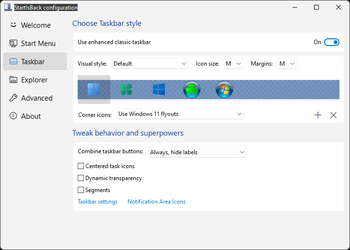
Restore and improve taskbar​

  • Show labels on task icons
  • Adjust icon size and margins
  • Move taskbar to top, left or right edges
  • Drag and drop stuff onto taskbar
  • Center task icons but keep Start button on the left
  • Split into segments, use dynamic translucency
  • Separate corner icons with Windows 7/10 UI
  • Auto-hide when covered by maximized window

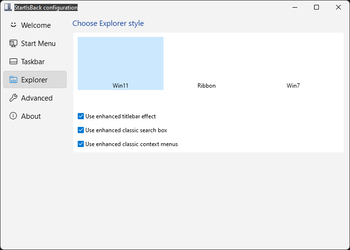
Restore and improve File Explorer and Control Panel​

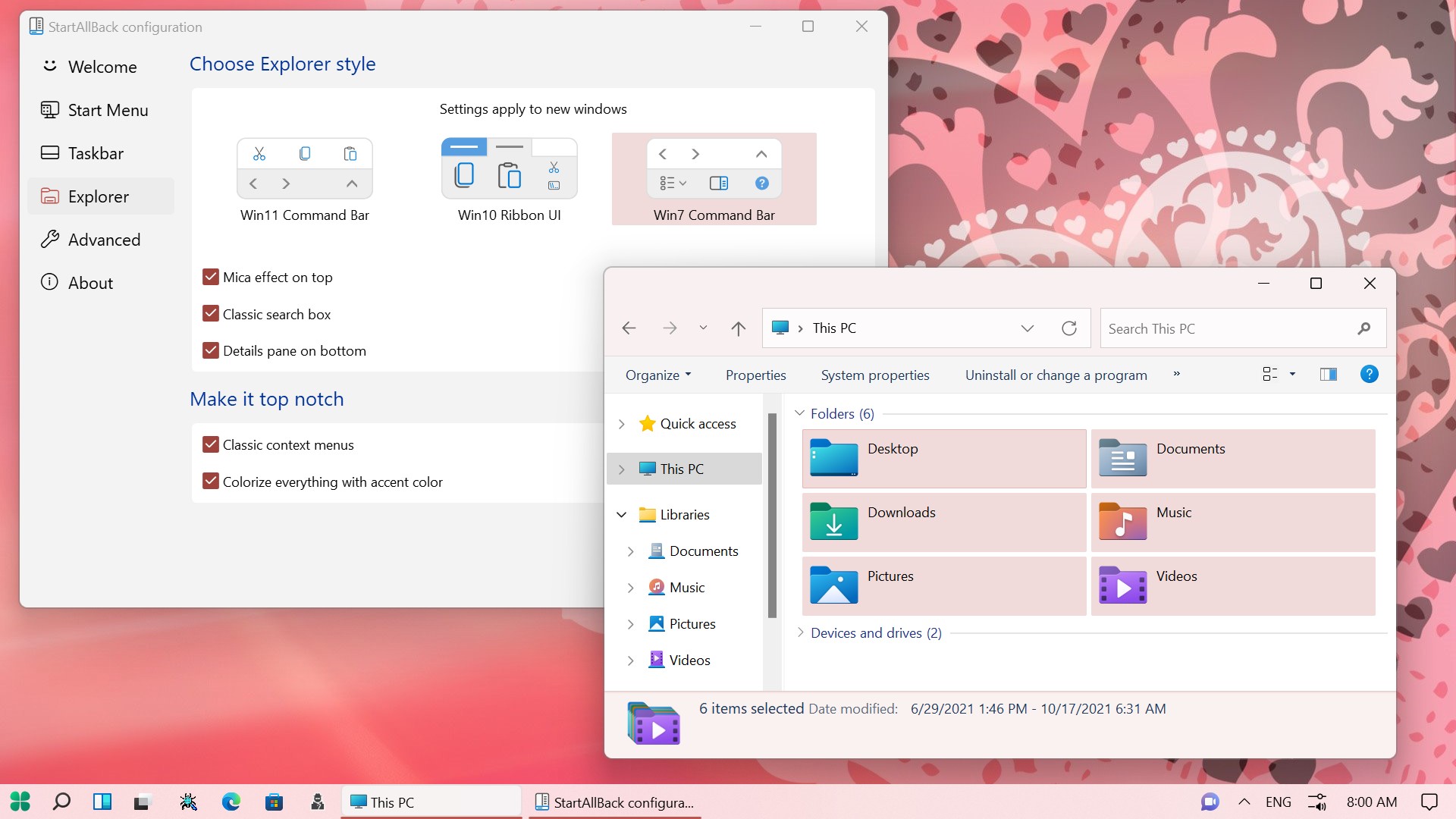
  • Ribbon and Command Bar revamped with translucent effects
  • Details pane on bottom
  • Old search box (the one which works)
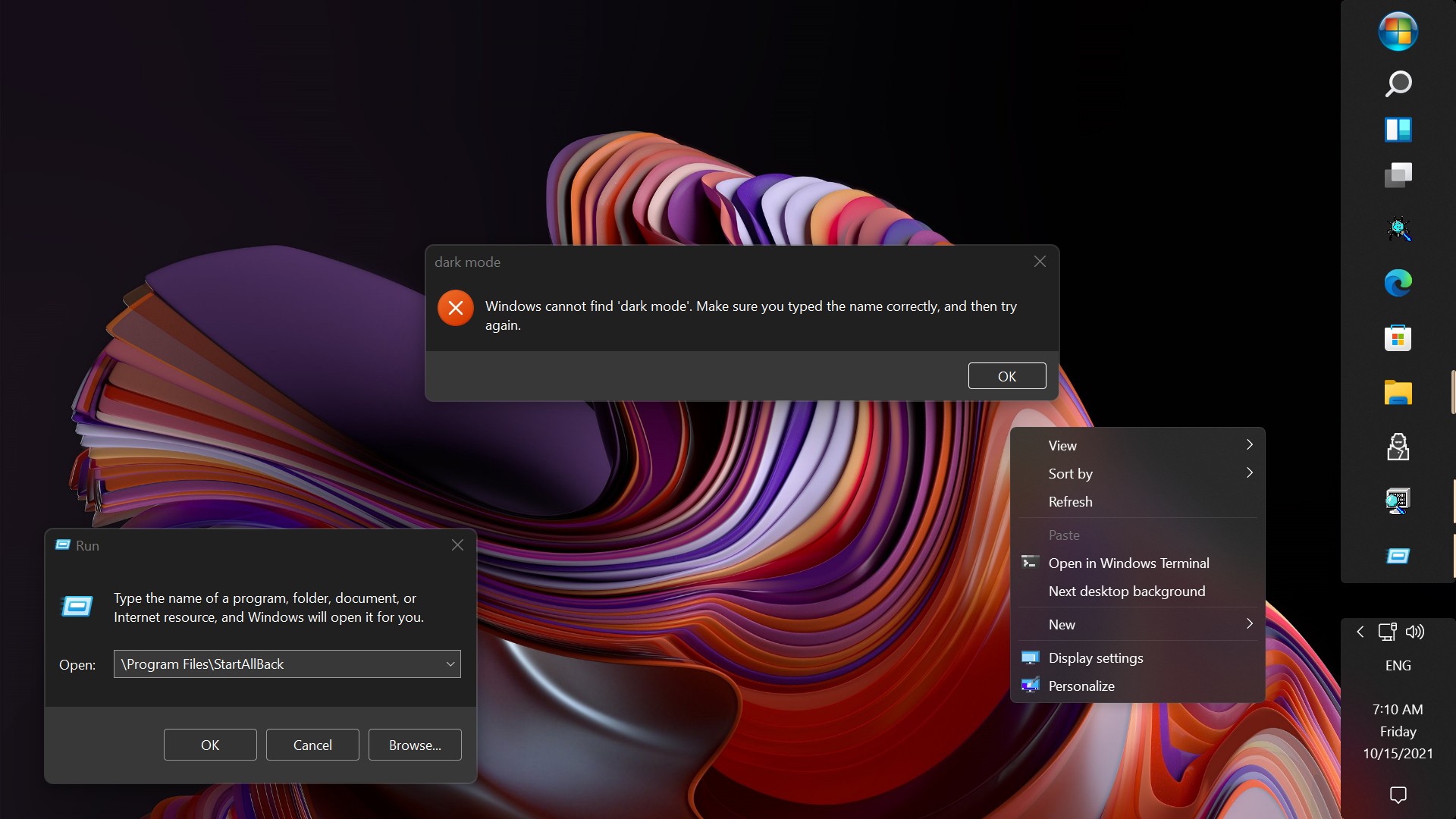
  • Dark mode support for more dialogs

Restore and improve context menus​

  • All new look with rounded acrylic menus
  • Fast and responsive taskbar menus
  • New fonts, better touch support

Restore and improve start menu​

  • Launch apps and go to system places in one click
  • Navigate dropdown menus like a boss
  • Enjoy fast and reliable search

Finally, lightweight styling and UI consistency​

  • Enjoy Windows 7, Windows 8 and third-party taskbar and start menu styles
  • Fix UI inconsistencies in Win32 apps
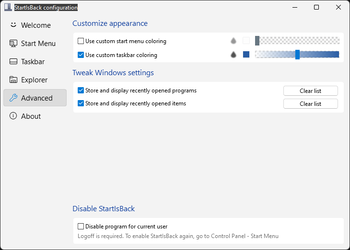
  • Don't be blue: recolor UI in all windows apps
  • Negative resource usage: fewer RAM used, fewer processes started, faster startup
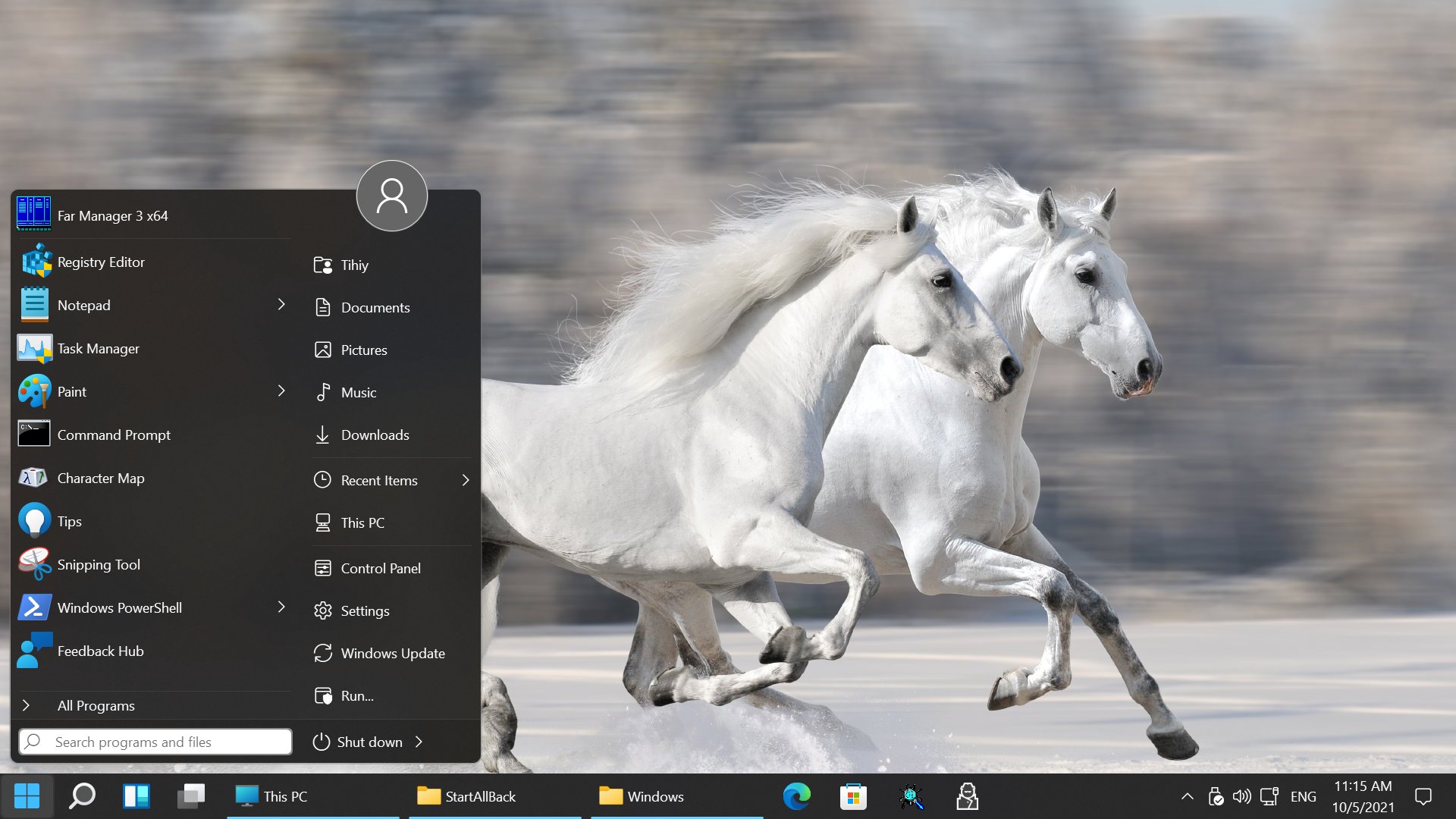


StartAllBack For Windows 11 has been released.
It's an RC release. I haven't tested it yet as I have Start11 installed.

Edit: I have now tested it. It's working quite well.
Apart from a great start menu, you can also have the Enhanced Classic Taskbar back.
This means (for example) that you can have an uncombined and unlocked Taskbar.
You will now also be able to enhance the Taskbar clock using T-Clock Redux or similar.

T-Clock Redux Tray Clock_.png

You can also change Windows Explorer to Ribbon UI or Simple UI.

You can get it Download


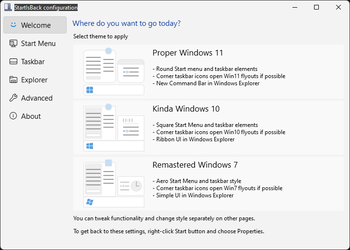
01 - Welcome.png
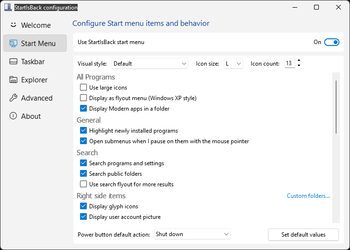
02 - Start Menu.png
04 - Taskbar.png
05 - Explorer.png
06 - Advanced.png
Get
 
Is it only me? After latest stable update, flyouts (volume for example) on taskbar sometimes dont work. I have to restart explorer for them to work.:rolleyes::unsure:
I've similar problem, but with Start Menu, after certain period of time it just doesn't show it when I click start button. What is strange is that it works if I use Windows key to trigger Start menu.
 

My Computers

System One System Two

  • OS
    Windows 11 Pro 25H2 (WinMac v1.4.0)
    Computer type
    PC/Desktop
    CPU
    Intel Core i5-12400F
    Motherboard
    B760 GAMING X DDR4
    Memory
    16 GB (DDR4, 3200 MHz)
    Graphics Card(s)
    NVIDIA GeForce RTX 2070 Super
    Screen Resolution
    2560x1440 @ 240Hz
    Other Info
    I loved modding and customizing operating systems since very young age, gaining experience from all important systems, including Windows, Ubuntu, MacOS and Android, which led to creation of Windows 11 mod called WinMac. Seamlessly blending the elegance of macOS with the versatility of Windows, my customized interface elevates user experience through meticulously crafted modifications and UI enhancements.

    With WinMac, every interaction with Windows 11 environment is imbued with a touch of sophistication, where the boundaries between the Windows and Mac universes blur, offering a sublime computing experience that transcends conventional limitations of Windows 11.
  • Operating System
    macOS Sonoma
    Computer type
    Laptop
    Manufacturer/Model
    Apple MacBook Pro
    CPU
    Apple M3 Pro
    Memory
    18 GB
I've similar problem, but with Start Menu, after certain period of time it just doesn't show it when I click start button. What is strange is that it works if I use Windows key to trigger Start menu.
A far as i am aware, start menu not showing up when you click on it, but shows when you press kb button, its known windows bug in latest builds. So i dont think thats startallback issue.
 

My Computer

System One

  • OS
    Win 11 Pro Insider Beta (26220.8370), Kali Linux
    Computer type
    Laptop
    Manufacturer/Model
    HP Victus 15
    CPU
    AMD Ryzen 5 5600H
    Memory
    16GB (2x8GB) Dual Channel
    Graphics Card(s)
    Nvidia RTX 3050
    Monitor(s) Displays
    1080p IPS 144Hz (Laptop Screen) + 3x 1080p 60Hz screens
    Screen Resolution
    4x 1920x1080 monitors
    Hard Drives
    M.2 NVMe 512GB Samsung - PCIe 4.0x4 - Main system drive

    USB-A and USB-C M.2 NVMe Enclosure with NVMe SSSTC 256GB - NVM Express 1.3 - Ventoy with all install files and all ISO images i use.

    USB External SSD Kingston XS100 1TB - USB 3.2 Gen 2 - WindowsToGo (Clone of my existing Sytem), and all games I play.

    USB External SSHD Seagate FireCuda 2TB - USB 3.0 - For Macrium system images, data, photos, stays always safe at home
    PSU
    200W
    Cooling
    Zalman ZM-NC3 Cooling pad
    Keyboard
    Dell KM7120W
    Mouse
    Dell KM7120W
    Internet Speed
    1Gb/s down / 500Mb/s up
    Browser
    Chrome
    Antivirus
    Windows Defender
A far as i am aware, start menu not showing up when you click on it, but shows when you press kb button, its known windows bug in latest builds. So i dont think thats startallback issue.
Okay, I haven't heard of this, but the issue is now gone once I've disabled toolbar, so I don't think it's related to the bug you've mentioned.
 

My Computers

System One System Two

  • OS
    Windows 11 Pro 25H2 (WinMac v1.4.0)
    Computer type
    PC/Desktop
    CPU
    Intel Core i5-12400F
    Motherboard
    B760 GAMING X DDR4
    Memory
    16 GB (DDR4, 3200 MHz)
    Graphics Card(s)
    NVIDIA GeForce RTX 2070 Super
    Screen Resolution
    2560x1440 @ 240Hz
    Other Info
    I loved modding and customizing operating systems since very young age, gaining experience from all important systems, including Windows, Ubuntu, MacOS and Android, which led to creation of Windows 11 mod called WinMac. Seamlessly blending the elegance of macOS with the versatility of Windows, my customized interface elevates user experience through meticulously crafted modifications and UI enhancements.

    With WinMac, every interaction with Windows 11 environment is imbued with a touch of sophistication, where the boundaries between the Windows and Mac universes blur, offering a sublime computing experience that transcends conventional limitations of Windows 11.
  • Operating System
    macOS Sonoma
    Computer type
    Laptop
    Manufacturer/Model
    Apple MacBook Pro
    CPU
    Apple M3 Pro
    Memory
    18 GB
Okay, I haven't heard of this, but the issue is now gone once I've disabled toolbar, so I don't think it's related to the bug you've mentioned.
At least its semi fixed for you now ;-)
 

My Computer

System One

  • OS
    Win 11 Pro Insider Beta (26220.8370), Kali Linux
    Computer type
    Laptop
    Manufacturer/Model
    HP Victus 15
    CPU
    AMD Ryzen 5 5600H
    Memory
    16GB (2x8GB) Dual Channel
    Graphics Card(s)
    Nvidia RTX 3050
    Monitor(s) Displays
    1080p IPS 144Hz (Laptop Screen) + 3x 1080p 60Hz screens
    Screen Resolution
    4x 1920x1080 monitors
    Hard Drives
    M.2 NVMe 512GB Samsung - PCIe 4.0x4 - Main system drive

    USB-A and USB-C M.2 NVMe Enclosure with NVMe SSSTC 256GB - NVM Express 1.3 - Ventoy with all install files and all ISO images i use.

    USB External SSD Kingston XS100 1TB - USB 3.2 Gen 2 - WindowsToGo (Clone of my existing Sytem), and all games I play.

    USB External SSHD Seagate FireCuda 2TB - USB 3.0 - For Macrium system images, data, photos, stays always safe at home
    PSU
    200W
    Cooling
    Zalman ZM-NC3 Cooling pad
    Keyboard
    Dell KM7120W
    Mouse
    Dell KM7120W
    Internet Speed
    1Gb/s down / 500Mb/s up
    Browser
    Chrome
    Antivirus
    Windows Defender
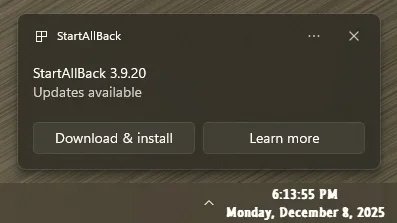
Version 3.9.20 9 Dec 2025
  • Fix for old 24H2 incompatibility
11293.webp
 

My Computers

System One System Two

  • OS
    Windows 11 Pro
    Computer type
    PC/Desktop
    Manufacturer/Model
    ASUS ROG Strix
  • Operating System
    Windows 11 Pro
    Computer type
    Laptop
    Manufacturer/Model
    ASUS VivoBook

My Computer

System One

  • OS
    Windows 11 Pro
    Computer type
    PC/Desktop
    Manufacturer/Model
    Custom Build
    CPU
    Intel Core i9 12900KF
    Motherboard
    ASUS ROG Maximus Z690 Hero
    Memory
    Corsair 64GB DDR5 Vengeance C40 5200Mhz
    Graphics Card(s)
    ASUS GeForce RTX 3090 ROG Strix OC 24GB
    Sound Card
    OnBoard
    Monitor(s) Displays
    Acer Predator XB323UGP 32" QHD G-SYNC-C 144Hz 1MS IPS LED
    Screen Resolution
    2560 x 1440
    Hard Drives
    1x Samsung 980 Pro Series Gen4 250GB M.2 NVMe
    1x Samsung 980 Pro Series Gen4 500GB M.2 NVMe
    2x Samsung 980 Pro Series Gen4 2TB M.2 NVMe
    PSU
    Corsair AX1200i 1200W 80PLUS Titanium Modular
    Case
    Corsair 4000D Black Case w/ Tempered Glass Side Panel
    Cooling
    Noctua NH-U12A Chromax Black CPU Cooler, 4x Noctua 120mm Fans
    Keyboard
    Logitech MK545
    Mouse
    Logitech MX Master 3
    Internet Speed
    Fixed Wireless 150mbps/75mbps
    Browser
    Firefox
    Antivirus
    Kaspersky
    Other Info
    Thrustmaster TS-PC RACER
    Fanatec CSL Elite Pedals with the Load Cell Kit
    Yamaha Amp with Bose Speakers
This is kinda weird..., not sure if it's a SAB thing but, suddenly I've lost the HotTrackingColor Highlight on Canary...

0008269.webp

... Still works on 25H2 though...

11306.webp

I'm extremely picky about window size and position so the feature is really handy! 🤷‍♂️
 

My Computers

System One System Two

  • OS
    Windows 11 Pro
    Computer type
    PC/Desktop
    Manufacturer/Model
    ASUS ROG Strix
  • Operating System
    Windows 11 Pro
    Computer type
    Laptop
    Manufacturer/Model
    ASUS VivoBook
Having issue with Taskbar Toolbar. On Windows boot, sometimes it will start with smaller icons, then I have to restart Explorer to bring them back to large size. The Toolbar View properties menu says they are "Large Icons" in both cases. Using StartAllBack v3.9.20.5345 (Stable)

Screenshot 2025-12-29 170846.webpScreenshot 2025-12-29 170547.webp
 

My Computer

System One

  • OS
    Windows 11 25H2
    Computer type
    PC/Desktop
    CPU
    AMD Ryzen 7800X3D
    Motherboard
    MSI B850 Tomahawk MAX WIFI
    Memory
    T-Force 48GB DDR5 @ 8000CL36
    Graphics Card(s)
    PNY RTX 5080
    Monitor(s) Displays
    MSI 321URX 32" 4K OLED
    Hard Drives
    WD_Black SN850X 4TB
    PSU
    Thermaltake GF3 1200W
    Case
    Gamemax Meshbox
    Cooling
    ID-Cooling FX240 Pro AIO
    Keyboard
    Drunkdeer G65
    Mouse
    ATK Extreme F1
Having issue with Taskbar Toolbar. On Windows boot, sometimes it will start with smaller icons, then I have to restart Explorer to bring them back to large size. The Toolbar View properties menu says they are "Large Icons" in both cases. Using StartAllBack v3.9.20.5345 (Stable)
I've seen that!
- Do you have multiple monitors with different size Taskbars?
- Users have reported anomalies with Taskbars on the side.
- I've had issues with 3.9.20, went back to 3.9.16.
 

My Computers

System One System Two

  • OS
    Windows 11 Pro
    Computer type
    PC/Desktop
    Manufacturer/Model
    ASUS ROG Strix
  • Operating System
    Windows 11 Pro
    Computer type
    Laptop
    Manufacturer/Model
    ASUS VivoBook
I've seen that!
- Do you have multiple monitors with different size Taskbars?
- Users have reported anomalies with Taskbars on the side.
- I've had issues with 3.9.20, went back to 3.9.16.
I have 3 monitors, one taskbar, and it's aligned to the right on one of the non-primary monitors.
 

My Computer

System One

  • OS
    Windows 11 25H2
    Computer type
    PC/Desktop
    CPU
    AMD Ryzen 7800X3D
    Motherboard
    MSI B850 Tomahawk MAX WIFI
    Memory
    T-Force 48GB DDR5 @ 8000CL36
    Graphics Card(s)
    PNY RTX 5080
    Monitor(s) Displays
    MSI 321URX 32" 4K OLED
    Hard Drives
    WD_Black SN850X 4TB
    PSU
    Thermaltake GF3 1200W
    Case
    Gamemax Meshbox
    Cooling
    ID-Cooling FX240 Pro AIO
    Keyboard
    Drunkdeer G65
    Mouse
    ATK Extreme F1
I have 3 monitors, one taskbar, and it's aligned to the right on one of the non-primary monitors.
Try setting all Taskbars to the same size.
 

My Computers

System One System Two

  • OS
    Windows 11 Pro
    Computer type
    PC/Desktop
    Manufacturer/Model
    ASUS ROG Strix
  • Operating System
    Windows 11 Pro
    Computer type
    Laptop
    Manufacturer/Model
    ASUS VivoBook

My Computer

System One

  • OS
    Windows 11 25H2
    Computer type
    PC/Desktop
    CPU
    AMD Ryzen 7800X3D
    Motherboard
    MSI B850 Tomahawk MAX WIFI
    Memory
    T-Force 48GB DDR5 @ 8000CL36
    Graphics Card(s)
    PNY RTX 5080
    Monitor(s) Displays
    MSI 321URX 32" 4K OLED
    Hard Drives
    WD_Black SN850X 4TB
    PSU
    Thermaltake GF3 1200W
    Case
    Gamemax Meshbox
    Cooling
    ID-Cooling FX240 Pro AIO
    Keyboard
    Drunkdeer G65
    Mouse
    ATK Extreme F1

My Computers

System One System Two

  • OS
    Windows 11 Pro
    Computer type
    PC/Desktop
    Manufacturer/Model
    ASUS ROG Strix
  • Operating System
    Windows 11 Pro
    Computer type
    Laptop
    Manufacturer/Model
    ASUS VivoBook
Try installing an older version, see if it still happens.
It's happened for the last couple versions I just didn't post about it. Not too keen on running previous versions either because the unresponsive system tray issue was frequent for me.
 

My Computer

System One

  • OS
    Windows 11 25H2
    Computer type
    PC/Desktop
    CPU
    AMD Ryzen 7800X3D
    Motherboard
    MSI B850 Tomahawk MAX WIFI
    Memory
    T-Force 48GB DDR5 @ 8000CL36
    Graphics Card(s)
    PNY RTX 5080
    Monitor(s) Displays
    MSI 321URX 32" 4K OLED
    Hard Drives
    WD_Black SN850X 4TB
    PSU
    Thermaltake GF3 1200W
    Case
    Gamemax Meshbox
    Cooling
    ID-Cooling FX240 Pro AIO
    Keyboard
    Drunkdeer G65
    Mouse
    ATK Extreme F1
i use this on my school cuz my school blocks alligning icons to the left, we made systems look like windows 7 or mac
 

My Computers

System One System Two

  • OS
    Windows 1125h2
    Computer type
    Laptop
    Manufacturer/Model
    HP
    CPU
    Intel(R) Pentium(R) Silver N5030 CPU @ 1.10GHz
    Motherboard
    HP 864D PCI express
    Memory
    4GB
    Graphics Card(s)
    Intel (UHD) Graphics 605
    Screen Resolution
    1920x1080
    Hard Drives
    2, A:, C:, D: (Note that A is not a hard disk)
    Cooling
    Hot
    Keyboard
    UK Keyboard layout
    Mouse
    No Mouse, compatble laptop
    Internet Speed
    500Kbps
    Browser
    Chrome
    Antivirus
    Windows Defender, Microsoft Defender
    Other Info
    Main PC
    I have 5 computers
  • Operating System
    Windows 11 24h2
    Computer type
    Laptop
    Manufacturer/Model
    DELL
    CPU
    Intel i5 processer
    Screen Resolution
    Random Screen resolution
    Hard Drives
    1 C:, cuz others are banned
    Cooling
    Fine
    Keyboard
    UK Keyboard layout
    Mouse
    Laptop mouse
    Internet Speed
    0.5Kbps
    Browser
    Edge
    Antivirus
    Windows Defender
    Other Info
    School Teacher PC
When I have StartAllback running on both computers the mouse lag/stuttering when moving very very slow, it would like be fast and slow in very fast motion and change it's speed almost to a stop and I need more force on the mouse to move it and everything feels slow. Dynamic Transperancy is off.
I just now disabled it's startup and the mouse not floaty/laggy anymore on at least one of the compuer, haven't tested the second.
Without Startall back the mouse behave how it should 3.9.20
 

My Computer

System One

  • OS
    Windows 11
    Computer type
    PC/Desktop
    Manufacturer/Model
    Intel
    CPU
    7800x3D
    Motherboard
    MSI X690E TOMHAWK
    Memory
    KINGSTONE DDR5
    Graphics Card(s)
    ZOTAC 4090 AMP EXTREME
    Sound Card
    Creative SXFI AMP
    Monitor(s) Displays
    Samsung S90C
    Screen Resolution
    3840x2160
    Hard Drives
    Nmve WD850N 1TB
    SanDisk SDSSDXPS480G
    Samsung SSD 840 PRO Series 256Gb
    WDC Enterprise Gold 16TB 512MB
    WDC Enterprise Gold 6TB 256MB
    PSU
    ThermalTake ToughPower 1650
    Case
    Obsidian Series™ 750D Airflow Edition Full Tower ATX Case
    Cooling
    Arctic Liquid Freezer II 360
    Keyboard
    SteelSeries APEX PRO
    Mouse
    SwitPoint Z2
    Internet Speed
    5000/500
    Browser
    CHROME
    Antivirus
    ESET Internet Security
Try installing an older version, see if it still happens.
I started using DisplayPort instead of HDMI for my main monitor, now they all use DP, and it hasn't happened since.
 

My Computer

System One

  • OS
    Windows 11 25H2
    Computer type
    PC/Desktop
    CPU
    AMD Ryzen 7800X3D
    Motherboard
    MSI B850 Tomahawk MAX WIFI
    Memory
    T-Force 48GB DDR5 @ 8000CL36
    Graphics Card(s)
    PNY RTX 5080
    Monitor(s) Displays
    MSI 321URX 32" 4K OLED
    Hard Drives
    WD_Black SN850X 4TB
    PSU
    Thermaltake GF3 1200W
    Case
    Gamemax Meshbox
    Cooling
    ID-Cooling FX240 Pro AIO
    Keyboard
    Drunkdeer G65
    Mouse
    ATK Extreme F1
UPDATE: Issue with flyouts (volume, wifi, bt, etc) not working, only happens when plugged 2nd and 3rd screen in extended mode.... When i am using only laptop screen the issue is not there. Insiders Beta (26220.7535)
 

My Computer

System One

  • OS
    Win 11 Pro Insider Beta (26220.8370), Kali Linux
    Computer type
    Laptop
    Manufacturer/Model
    HP Victus 15
    CPU
    AMD Ryzen 5 5600H
    Memory
    16GB (2x8GB) Dual Channel
    Graphics Card(s)
    Nvidia RTX 3050
    Monitor(s) Displays
    1080p IPS 144Hz (Laptop Screen) + 3x 1080p 60Hz screens
    Screen Resolution
    4x 1920x1080 monitors
    Hard Drives
    M.2 NVMe 512GB Samsung - PCIe 4.0x4 - Main system drive

    USB-A and USB-C M.2 NVMe Enclosure with NVMe SSSTC 256GB - NVM Express 1.3 - Ventoy with all install files and all ISO images i use.

    USB External SSD Kingston XS100 1TB - USB 3.2 Gen 2 - WindowsToGo (Clone of my existing Sytem), and all games I play.

    USB External SSHD Seagate FireCuda 2TB - USB 3.0 - For Macrium system images, data, photos, stays always safe at home
    PSU
    200W
    Cooling
    Zalman ZM-NC3 Cooling pad
    Keyboard
    Dell KM7120W
    Mouse
    Dell KM7120W
    Internet Speed
    1Gb/s down / 500Mb/s up
    Browser
    Chrome
    Antivirus
    Windows Defender
A far as i am aware, start menu not showing up when you click on it, but shows when you press kb button, its known windows bug in latest builds. So i dont think thats startallback issue.
UPDATE: MS finally fixed that bug in Beta Channel Build 26220.7653.
 

My Computers

System One System Two

  • OS
    Windows 11 Pro 25H2 (WinMac v1.4.0)
    Computer type
    PC/Desktop
    CPU
    Intel Core i5-12400F
    Motherboard
    B760 GAMING X DDR4
    Memory
    16 GB (DDR4, 3200 MHz)
    Graphics Card(s)
    NVIDIA GeForce RTX 2070 Super
    Screen Resolution
    2560x1440 @ 240Hz
    Other Info
    I loved modding and customizing operating systems since very young age, gaining experience from all important systems, including Windows, Ubuntu, MacOS and Android, which led to creation of Windows 11 mod called WinMac. Seamlessly blending the elegance of macOS with the versatility of Windows, my customized interface elevates user experience through meticulously crafted modifications and UI enhancements.

    With WinMac, every interaction with Windows 11 environment is imbued with a touch of sophistication, where the boundaries between the Windows and Mac universes blur, offering a sublime computing experience that transcends conventional limitations of Windows 11.
  • Operating System
    macOS Sonoma
    Computer type
    Laptop
    Manufacturer/Model
    Apple MacBook Pro
    CPU
    Apple M3 Pro
    Memory
    18 GB
Back
Top Bottom