Had your thread been posted in the BSOD section of the forum, you would have been asked to gather all the logs associated with your crashes. Those logs could have been analyzed by
@zbook for a more definitive way of troubleshooting. As it is, past using clean boot and safe boot, we're flying by the seat of our pants with any suggestion we might give.
OK. Looking at it logically, a clean boot eliminates software conflict. You tried clean boot and still have the problem. Since safe mode loads a minimal set of drivers and services, and you run fine in safe mode, that indicates it has to be a driver OR service that is disabled in safe boot (per the list below). A repair install should repair windows services. Still no joy, it's a driver. IMO it is far more likely to be a driver than a service but it could be either.
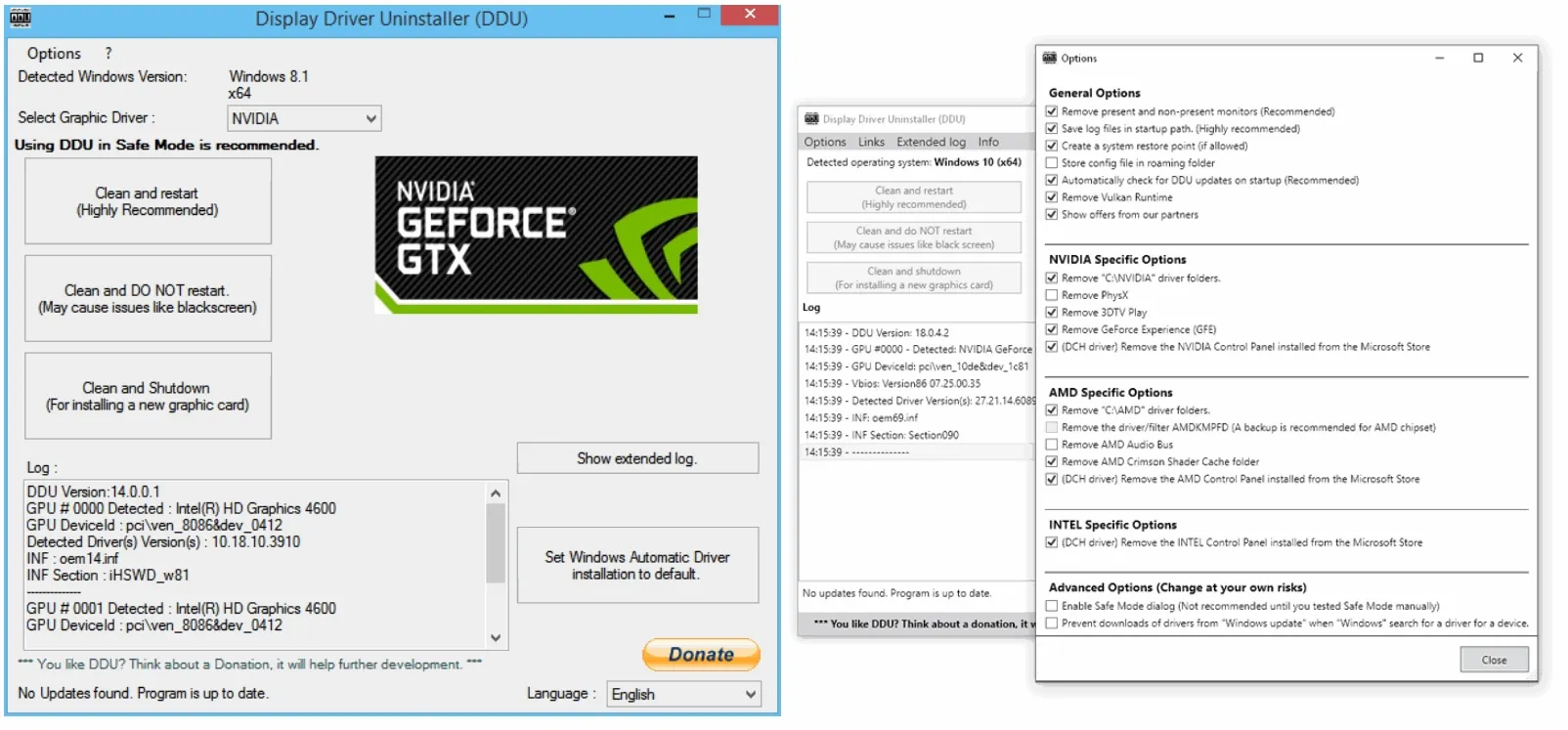
Also IMO we see far more issues with display drivers causing crashes than any other driver. You can prove whether or not it's the display driver very quickly by using DDU to uninstall
both the display driver and its software. DDU has to be run in safe mode anyway and you're already there. Once uninstalled, boot back into normal boot. If it doesn't crash, that's your culprit.
Download Display Driver Uninstaller (DDU) Official - Remove AMD/NVIDIA/INTEL Graphics Drivers Cleanly - DDU is a driver removal utility that helps you completely uninstall AMD/NVIDIA graphics card drivers and packages from your system, leaving no leftovers behind, including registry keys...

www.guru3d.com
Drivers and Services Disabled in Safe Mode
Most non-essential and third-party services and drivers are disabled.
Drivers and Services Disabled in Safe Mode
Most non-essential and third-party services and drivers are disabled.
Disabled Components:
Display Drivers: Vendor-specific GPU drivers (NVIDIA, AMD, Intel)
Audio Drivers and Services: Windows Audio Service (disabled, no sound)
- Networking Stack (in Safe Mode without networking):
- Network adapter drivers
- DNS client, DHCP, etc.
- Windows Installer Service: (though you can enable it manually)
- Third-Party Software Drivers:
- Antivirus software
- Virtualization services (e.g., VMware tools, Hyper-V services)
- Printer and scanner drivers
- USB device drivers for specialized hardware (e.g., gamepads, fingerprint readers)
- Background Services:
- Windows Update
- Task Scheduler
- Windows Defender (Real-time protection)
- Shell Extensions and Explorer Add-ins