sysprep- what does it do, I sorta know


PA WOODCHUCK

Well-known member
Member
VIP
Local time
3:52 AM
Posts
119
OS
Windows 11
It was on my desktop and I ran it(yikes). I think it's from when Dell did a remote repair??? well anyways PC rebooted and when into local admin account and looked like wanted to reset "out of box"... but with some playing around I was able to log back into my account. I think everything is back to normal... but will know over the days if anything FUBAR? comments please

thanks
 

My Computer My Computer

At a glance

Windows 11i7-1070032GBGFORCE RTX 2070 SUPER
OS
Windows 11
Computer type
PC/Desktop
Manufacturer/Model
Dell R16
CPU
i7-10700
Memory
32GB
Graphics Card(s)
GFORCE RTX 2070 SUPER
Sysprep is used to prepare a Windows installation for the purpose of creating a custom installation.

A sample workflow might look something like this. Note this is simplified and leaves off details for sake of brevity:

1) Install Windows on a "reference system" and customize to your needs. Customization can include changes to Windows settings including personalization settings, installing apps, etc.

2) Run SYSPREP to "generalize" Windows. This removes the installation specific details such as SIDs so that a unique set of IDs are created on each system that the new image will be installed on.

3) Create a new Windows image file (this is the large INSTALL.WIM file located in the \sources folder of your installation media).

4) Replace the INSTALL.WIM file on your Windows media with your customized INSTALL.WIM file.

Now you have a new installation media customized to your needs.

If you are interested in reading more on the topic, here are some tutorials that cover this in detail. Note that these tutorials are from TenForums but they apply equally to Windows 11 with no changes at all.


My Computers My Computers

  • At a glance

    Win11 Pro 25H2 (RTM+)Intel i7-14650HX32 GBNo GPU - Built-in Intel Graphics
    OS
    Win11 Pro 25H2 (RTM+)
    Computer type
    PC/Desktop
    Manufacturer/Model
    Acemagic
    CPU
    Intel i7-14650HX
    Memory
    32 GB
    Graphics Card(s)
    No GPU - Built-in Intel Graphics
    Sound Card
    Integrated
    Monitor(s) Displays
    Varies as machine will often be moved to locations with different monitors
    Screen Resolution
    Varies
    Hard Drives
    1 x 1TB Gen 4 NVMe SSD
    PSU
    120W Power Brick
    Keyboard
    Corsair K70 Max RGB Magnetic Keyboard
    Mouse
    Logitech MX Master 3
    Internet Speed
    1Gb Up / 1 Gb Down
    Browser
    Edge
    Antivirus
    Windows Defender
  • At a glance

    Win11 Pro 25H2 (RTM+)Intel i7-1255U16 GBIntel Iris Xe Graphics
    Operating System
    Win11 Pro 25H2 (RTM+)
    Computer type
    Laptop
    Manufacturer/Model
    Lenovo ThinkBook 13x Gen 2
    CPU
    Intel i7-1255U
    Memory
    16 GB
    Graphics card(s)
    Intel Iris Xe Graphics
    Sound Card
    Realtek® ALC3306-CG codec
    Monitor(s) Displays
    13.3-inch IPS Display
    Screen Resolution
    WQXGA (2560 x 1600)
    Hard Drives
    2 TB 4 x 4 NVMe SSD
    PSU
    USB-C / Thunderbolt 4 Power / Charging
    Keyboard
    Backlit, spill resistant keyboard
    Mouse
    Buttonless Glass Precision Touchpad
    Internet Speed
    1Gb Up / 1Gb Down
    Browser
    Edge
    Antivirus
    Windows Defender
    Other Info
    WiFi 6e / Bluetooth 5.1 / Facial Recognition / Fingerprint Sensor / ToF (Time of Flight) Human Presence Sensor
This AM on boot it started to run again, can I just delete it, or how do I stop it from running on boot up?
 

My Computer My Computer

At a glance

Windows 11i7-1070032GBGFORCE RTX 2070 SUPER

OS
Windows 11
Computer type
PC/Desktop
Manufacturer/Model
Dell R16
CPU
i7-10700
Memory
32GB
Graphics Card(s)
GFORCE RTX 2070 SUPER

This AM on boot it started to run again, can I just delete it, or how do I stop it from running on boot up?
Visit the link below for disabling "sysprep" at startup.


My Computer My Computer

At a glance

Windows 11 ProfessionalIntel Core i5-940032GBIntegrated Intel UHD Graphics 630
OS
Windows 11 Professional
Computer type
PC/Desktop
Manufacturer/Model
Microcenter B677
CPU
Intel Core i5-9400
Motherboard
ASRock H310CM-HDV/M.2
Memory
32GB
Graphics Card(s)
Integrated Intel UHD Graphics 630
Sound Card
Intel Kaby Lake - High Definition Audio / cAVS (Audio, Voice, Speech) [A0]
Monitor(s) Displays
LG Model: GSM59F1
Screen Resolution
2560x1080
Case
Lian Li 205M
Antivirus
Kaspersky AV

My Computer My Computer

At a glance

Windows 11i7-1070032GBGFORCE RTX 2070 SUPER

OS
Windows 11
Computer type
PC/Desktop
Manufacturer/Model
Dell R16
CPU
i7-10700
Memory
32GB
Graphics Card(s)
GFORCE RTX 2070 SUPER

Info is from 2012. Here's a captureView attachment 48464
It appears that what was applicable back in 2012 is no longer applicable. Since I can't test the following on any of my computers, this is just speculation. When you are logged in do you have access to the "startup apps"? If so, is "sysprep" in the list? Delete it, if it is.

You mention that Dell support did a remote repair. They may have the solution.
 

My Computer My Computer

At a glance

Windows 11 ProfessionalIntel Core i5-940032GBIntegrated Intel UHD Graphics 630
OS
Windows 11 Professional
Computer type
PC/Desktop
Manufacturer/Model
Microcenter B677
CPU
Intel Core i5-9400
Motherboard
ASRock H310CM-HDV/M.2
Memory
32GB
Graphics Card(s)
Integrated Intel UHD Graphics 630
Sound Card
Intel Kaby Lake - High Definition Audio / cAVS (Audio, Voice, Speech) [A0]
Monitor(s) Displays
LG Model: GSM59F1
Screen Resolution
2560x1080
Case
Lian Li 205M
Antivirus
Kaspersky AV
Maybe this is a better choice, I have Acronis backup 5 days old. Should a recover get eerything back to normal? Found out I can't get HP printer to work even after reinstalling drivers.
 

My Computer My Computer

At a glance

Windows 11i7-1070032GBGFORCE RTX 2070 SUPER

OS
Windows 11
Computer type
PC/Desktop
Manufacturer/Model
Dell R16
CPU
i7-10700
Memory
32GB
Graphics Card(s)
GFORCE RTX 2070 SUPER
Maybe this is a better choice, I have Acronis backup 5 days old. Should a recover get eerything back to normal? Found out I can't get HP printer to work even after reinstalling drivers.
It depends on what the backup contains. A "Full System Image" backup should work. Additionally, you shouldn't be any worse off then you are now.
 

My Computer My Computer

At a glance

Windows 11 ProfessionalIntel Core i5-940032GBIntegrated Intel UHD Graphics 630
OS
Windows 11 Professional
Computer type
PC/Desktop
Manufacturer/Model
Microcenter B677
CPU
Intel Core i5-9400
Motherboard
ASRock H310CM-HDV/M.2
Memory
32GB
Graphics Card(s)
Integrated Intel UHD Graphics 630
Sound Card
Intel Kaby Lake - High Definition Audio / cAVS (Audio, Voice, Speech) [A0]
Monitor(s) Displays
LG Model: GSM59F1
Screen Resolution
2560x1080
Case
Lian Li 205M
Antivirus
Kaspersky AV
It appears that what was applicable back in 2012 is no longer applicable. Since I can't test the following on any of my computers, this is just speculation. When you are logged in do you have access to the "startup apps"? If so, is "sysprep" in the list? Delete it, if it is.

You mention that Dell support did a remote repair. They may have the solution.

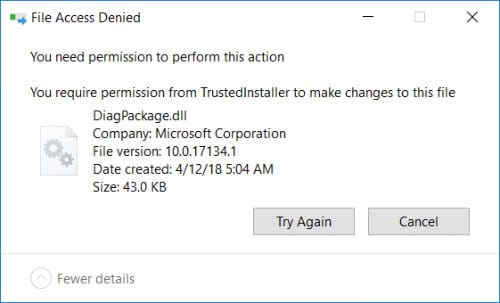
It's not listed under startups, Dell said it's a software issue and that's $100 Tried to rename delete or move to another place!1672091323756.png
 

My Computer My Computer

At a glance

Windows 11i7-1070032GBGFORCE RTX 2070 SUPER
OS
Windows 11
Computer type
PC/Desktop
Manufacturer/Model
Dell R16
CPU
i7-10700
Memory
32GB
Graphics Card(s)
GFORCE RTX 2070 SUPER
It was on my desktop and I ran it
Dell should have their behinds kicked for leaving it on there as it is not something to be run unless there is a specific need to run it.
 

My Computers My Computers

  • At a glance

    Windows 11 Pro 25H2 26200.8655i9-10900 10 core 20 threads32 gbnone-Intel UHD Graphics 630
    OS
    Windows 11 Pro 25H2 26200.8655
    Computer type
    PC/Desktop
    Manufacturer/Model
    Dell Optiplex 7080
    CPU
    i9-10900 10 core 20 threads
    Motherboard
    DELL 0J37VM
    Memory
    32 gb
    Graphics Card(s)
    none-Intel UHD Graphics 630
    Sound Card
    Integrated Realtek
    Monitor(s) Displays
    Benq 27
    Screen Resolution
    2560x1440
    Hard Drives
    2x1tb Solidigm m.2 nvme /External drives 512gb Samsung m.2 sata+2tb Kingston m2.nvme
    PSU
    500w
    Case
    MT
    Cooling
    Dell Premium
    Keyboard
    Logitech wired
    Mouse
    Logitech wireless
    Internet Speed
    so slow I'm too embarrassed to tell
    Browser
    #1 Edge #2 Firefox
    Antivirus
    Defender+MWB Premium
  • At a glance

    Windows 11 Pro 24H2 26200.8457AMD Ryzen 7 6800U32 gbintegrated
    Operating System
    Windows 11 Pro 24H2 26200.8457
    Computer type
    PC/Desktop
    Manufacturer/Model
    Beelink Mini PC SER5
    CPU
    AMD Ryzen 7 6800U
    Memory
    32 gb
    Graphics card(s)
    integrated
    Sound Card
    integrated
    Monitor(s) Displays
    Benq 27
    Screen Resolution
    2560x1440
    Hard Drives
    1TB Crucial nvme
    Keyboard
    Logitech wired
    Mouse
    Logitech wireless
    Internet Speed
    still too embarrassed to tell
    Browser
    Firefox
    Antivirus
    Defender
    Other Info
    System 3 is non compliant Dell 9020 i7-4770/24gb ram Win11 PRO 26200.8457

My Computer My Computer

At a glance

Windows 11 ProfessionalIntel Core i5-940032GBIntegrated Intel UHD Graphics 630
OS
Windows 11 Professional
Computer type
PC/Desktop
Manufacturer/Model
Microcenter B677
CPU
Intel Core i5-9400
Motherboard
ASRock H310CM-HDV/M.2
Memory
32GB
Graphics Card(s)
Integrated Intel UHD Graphics 630
Sound Card
Intel Kaby Lake - High Definition Audio / cAVS (Audio, Voice, Speech) [A0]
Monitor(s) Displays
LG Model: GSM59F1
Screen Resolution
2560x1080
Case
Lian Li 205M
Antivirus
Kaspersky AV
It depends on what the backup contains. A "Full System Image" backup should work. Additionally, you shouldn't be any worse off then you are now.

Yes Full System Image about 1.7tb. I need to read up on task as never had to do recovery before. If I continue to continue as is now I'm sure going to find more issues?
 

My Computer My Computer

At a glance

Windows 11i7-1070032GBGFORCE RTX 2070 SUPER
OS
Windows 11
Computer type
PC/Desktop
Manufacturer/Model
Dell R16
CPU
i7-10700
Memory
32GB
Graphics Card(s)
GFORCE RTX 2070 SUPER

My Computers My Computers

  • At a glance

    Windows 11 Pro 25H2 26200.8655i9-10900 10 core 20 threads32 gbnone-Intel UHD Graphics 630
    OS
    Windows 11 Pro 25H2 26200.8655
    Computer type
    PC/Desktop
    Manufacturer/Model
    Dell Optiplex 7080
    CPU
    i9-10900 10 core 20 threads
    Motherboard
    DELL 0J37VM
    Memory
    32 gb
    Graphics Card(s)
    none-Intel UHD Graphics 630
    Sound Card
    Integrated Realtek
    Monitor(s) Displays
    Benq 27
    Screen Resolution
    2560x1440
    Hard Drives
    2x1tb Solidigm m.2 nvme /External drives 512gb Samsung m.2 sata+2tb Kingston m2.nvme
    PSU
    500w
    Case
    MT
    Cooling
    Dell Premium
    Keyboard
    Logitech wired
    Mouse
    Logitech wireless
    Internet Speed
    so slow I'm too embarrassed to tell
    Browser
    #1 Edge #2 Firefox
    Antivirus
    Defender+MWB Premium
  • At a glance

    Windows 11 Pro 24H2 26200.8457AMD Ryzen 7 6800U32 gbintegrated
    Operating System
    Windows 11 Pro 24H2 26200.8457
    Computer type
    PC/Desktop
    Manufacturer/Model
    Beelink Mini PC SER5
    CPU
    AMD Ryzen 7 6800U
    Memory
    32 gb
    Graphics card(s)
    integrated
    Sound Card
    integrated
    Monitor(s) Displays
    Benq 27
    Screen Resolution
    2560x1440
    Hard Drives
    1TB Crucial nvme
    Keyboard
    Logitech wired
    Mouse
    Logitech wireless
    Internet Speed
    still too embarrassed to tell
    Browser
    Firefox
    Antivirus
    Defender
    Other Info
    System 3 is non compliant Dell 9020 i7-4770/24gb ram Win11 PRO 26200.8457
Wow! That is one HUUUGE image. Is that just your C partition?
I have OS and programs on C:, 500GB D: 2TB files, folders, documents, E: 1TB only has microsoft flight simulator. I hope I can just recover/restore C:??? Not sure if arconis 2020 can do that... still researching
 

My Computer My Computer

At a glance

Windows 11i7-1070032GBGFORCE RTX 2070 SUPER
OS
Windows 11
Computer type
PC/Desktop
Manufacturer/Model
Dell R16
CPU
i7-10700
Memory
32GB
Graphics Card(s)
GFORCE RTX 2070 SUPER
I use a different backup program but yes Acronis should allow you to recover only the partitions you choose.

To reduce the size of my images as well as make recovery a much more straightforward and faster effort , I do not put my C: into the same image as all my connected drives. I backup my OS boot drive separately and more often than the other 2 drives I have.
 

My Computers My Computers

  • At a glance

    Windows 11 Pro 25H2 26200.8655i9-10900 10 core 20 threads32 gbnone-Intel UHD Graphics 630
    OS
    Windows 11 Pro 25H2 26200.8655
    Computer type
    PC/Desktop
    Manufacturer/Model
    Dell Optiplex 7080
    CPU
    i9-10900 10 core 20 threads
    Motherboard
    DELL 0J37VM
    Memory
    32 gb
    Graphics Card(s)
    none-Intel UHD Graphics 630
    Sound Card
    Integrated Realtek
    Monitor(s) Displays
    Benq 27
    Screen Resolution
    2560x1440
    Hard Drives
    2x1tb Solidigm m.2 nvme /External drives 512gb Samsung m.2 sata+2tb Kingston m2.nvme
    PSU
    500w
    Case
    MT
    Cooling
    Dell Premium
    Keyboard
    Logitech wired
    Mouse
    Logitech wireless
    Internet Speed
    so slow I'm too embarrassed to tell
    Browser
    #1 Edge #2 Firefox
    Antivirus
    Defender+MWB Premium
  • At a glance

    Windows 11 Pro 24H2 26200.8457AMD Ryzen 7 6800U32 gbintegrated
    Operating System
    Windows 11 Pro 24H2 26200.8457
    Computer type
    PC/Desktop
    Manufacturer/Model
    Beelink Mini PC SER5
    CPU
    AMD Ryzen 7 6800U
    Memory
    32 gb
    Graphics card(s)
    integrated
    Sound Card
    integrated
    Monitor(s) Displays
    Benq 27
    Screen Resolution
    2560x1440
    Hard Drives
    1TB Crucial nvme
    Keyboard
    Logitech wired
    Mouse
    Logitech wireless
    Internet Speed
    still too embarrassed to tell
    Browser
    Firefox
    Antivirus
    Defender
    Other Info
    System 3 is non compliant Dell 9020 i7-4770/24gb ram Win11 PRO 26200.8457
Ended up doing recovery from 8 day old backup. But another issue I'll start new posting.
 

My Computer My Computer

At a glance

Windows 11i7-1070032GBGFORCE RTX 2070 SUPER
OS
Windows 11
Computer type
PC/Desktop
Manufacturer/Model
Dell R16
CPU
i7-10700
Memory
32GB
Graphics Card(s)
GFORCE RTX 2070 SUPER
So far only other issue was I had to reinstall MSFS 2020(flight sim).
 

My Computer My Computer

At a glance

Windows 11i7-1070032GBGFORCE RTX 2070 SUPER
OS
Windows 11
Computer type
PC/Desktop
Manufacturer/Model
Dell R16
CPU
i7-10700
Memory
32GB
Graphics Card(s)
GFORCE RTX 2070 SUPER
Back
Top Bottom