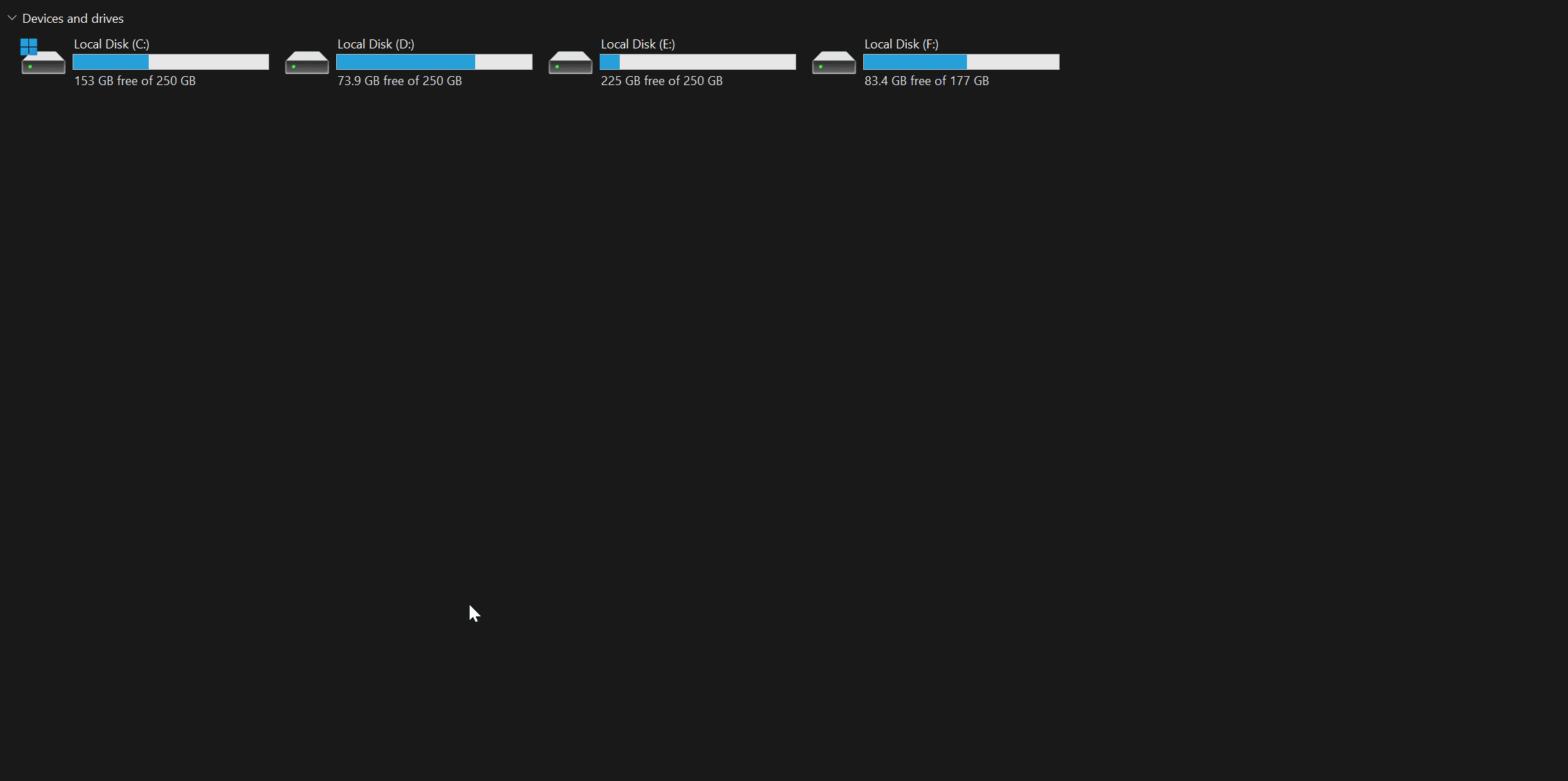
Solved The parameter is incorrect


jk22

Well-known member
VIP
Local time
3:58 AM
Posts
190
OS
Windows 11 Pro
Hey guys,

I had same issue last month where I have reinstalled the windows and same issue happend again. Getting this parameter is incorrect on each file opening.

How to fix it ?
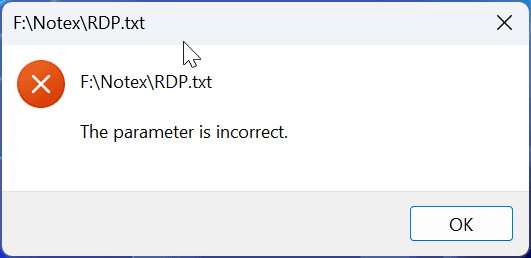

9hqkas.png


I see .exe like this .EXE

YPJ8Jj.png


Regards.
 
Last edited:

My Computer My Computer

At a glance

Windows 11 ProIntel(R) Core(TM) i7-8665U CPU @ 1.90GHz 2.11...32 GBIntel(R) UHD Graphics 620
OS
Windows 11 Pro
Computer type
Laptop
Manufacturer/Model
Lenovo T490s
CPU
Intel(R) Core(TM) i7-8665U CPU @ 1.90GHz 2.11 GHz
Motherboard
Lenovo 20NYS6BN00
Memory
32 GB
Graphics Card(s)
Intel(R) UHD Graphics 620
Hard Drives
Kingston SNV251000G
Hi jk22

Is "f:" an external drive or system partition?
 

My Computer My Computer

At a glance

windows 10 21h2
OS
windows 10 21h2

My Computer My Computer

At a glance

Windows 11 ProIntel(R) Core(TM) i7-8665U CPU @ 1.90GHz 2.11...32 GBIntel(R) UHD Graphics 620
OS
Windows 11 Pro
Computer type
Laptop
Manufacturer/Model
Lenovo T490s
CPU
Intel(R) Core(TM) i7-8665U CPU @ 1.90GHz 2.11 GHz
Motherboard
Lenovo 20NYS6BN00
Memory
32 GB
Graphics Card(s)
Intel(R) UHD Graphics 620
Hard Drives
Kingston SNV251000G
Is notex installed on F: ?
if it's not, copy the file to the drive that notex is installed on then right click it and select "open with" Navigate to notex.
Does it open now?
if notex is installed on F: do the same "open with" thing.
 
Last edited:

My Computer My Computer

At a glance

windows 10 21h2
OS
windows 10 21h2
Is notex installed on F: ?
if it's not, copy the file to the drive that notex is installed on then right click it and select "open with". choose notex .exe
Does it open now?
if notex is installed on F: do the same "open with" thing.
Fixed.
 

My Computer My Computer

At a glance

Windows 11 ProIntel(R) Core(TM) i7-8665U CPU @ 1.90GHz 2.11...32 GBIntel(R) UHD Graphics 620
OS
Windows 11 Pro
Computer type
Laptop
Manufacturer/Model
Lenovo T490s
CPU
Intel(R) Core(TM) i7-8665U CPU @ 1.90GHz 2.11 GHz
Motherboard
Lenovo 20NYS6BN00
Memory
32 GB
Graphics Card(s)
Intel(R) UHD Graphics 620
Hard Drives
Kingston SNV251000G
Glad your issue has been resolved.
Could you please mark this thread as solved and provide a brief explanation as to what you did so that others may benefit.

Thank You.
 
Last edited:

My Computer My Computer

At a glance

windows 10 21h2
OS
windows 10 21h2
Glad your issue has been resolved.
Could you please mark this thread as solved and provide a brief explanation for others.

Thank You.
Already marked as solved.

Just used AVG Free and scanned the C Drive and deleted the viruses.
 

My Computer My Computer

At a glance

Windows 11 ProIntel(R) Core(TM) i7-8665U CPU @ 1.90GHz 2.11...32 GBIntel(R) UHD Graphics 620
OS
Windows 11 Pro
Computer type
Laptop
Manufacturer/Model
Lenovo T490s
CPU
Intel(R) Core(TM) i7-8665U CPU @ 1.90GHz 2.11 GHz
Motherboard
Lenovo 20NYS6BN00
Memory
32 GB
Graphics Card(s)
Intel(R) UHD Graphics 620
Hard Drives
Kingston SNV251000G
:ROFLMAO:
 

My Computer My Computer

At a glance

windows 10 21h2
OS
windows 10 21h2
Back
Top Bottom