Solved Very Minor Desktop Icon issue


I've noticed this happens a lot when Windows Web Experience Pack is getting location. As soon as location is found, the screen unlocks. Just an observation.
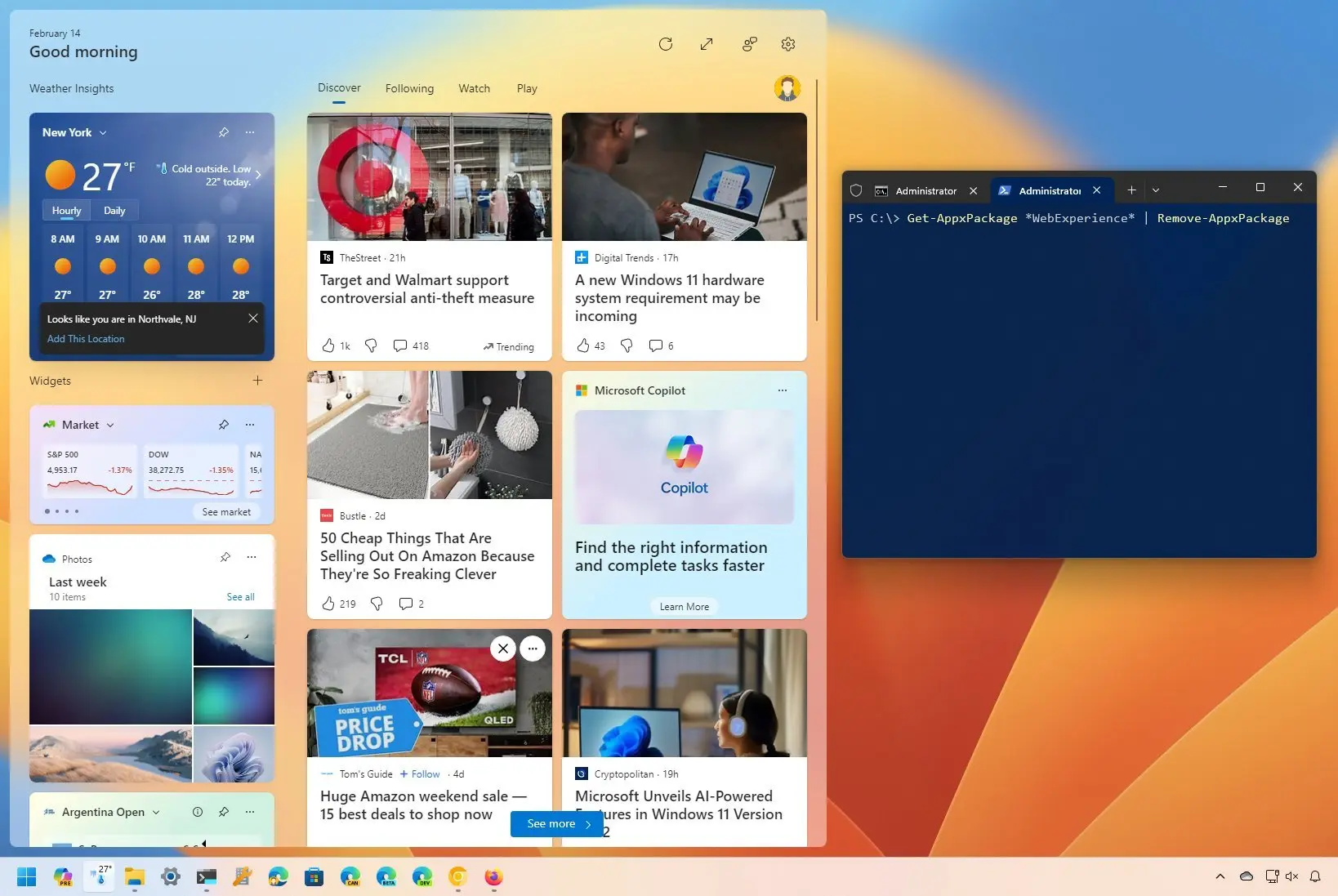
WIndows web experience pack is tied to widgets right? I've been opening the widgets panel to make the icons usable. As soon as it loads the tiles the icons are usable.
Takes longer if i don't open it.
 

My Computer My Computer

At a glance

Windows 11Ryzen 7 5700X32GB 3600MHZ CL16RTX3070TI
OS
Windows 11
Computer type
PC/Desktop
CPU
Ryzen 7 5700X
Motherboard
ASUS Crosshair VII Hero
Memory
32GB 3600MHZ CL16
Graphics Card(s)
RTX3070TI
Monitor(s) Displays
LG27GP850-B
Screen Resolution
2560x1440
PSU
Corsair RM750x
Case
Fractal Design Meshify 2
Cooling
Noctua NH-D15s
Keyboard
ASUS Strix Flare
Mouse
Glorious Model D- Wireless
Browser
MS Edge
WIndows web experience pack is tied to widgets right? I've been opening the widgets panel to make the icons usable. As soon as it loads the tiles the icons are usable.
Takes longer if i don't open it.
Yes, it seems that way, doesn't it? I don't think they've worked out the kinks yet.
If you add PhoneLink and/or Messenger to the widgets, it gets worse as more delay incurs.
 

My Computers My Computers

  • At a glance

    All Branches but StableAMD Ryzen 7 7735HS 3200-4500 Mhz 8 cores x 232 GB DDR5Radeon Graphic / NVIDIA GeForce RTX 4060 8 GB...
    OS
    All Branches but Stable
    Computer type
    Laptop
    Manufacturer/Model
    Acer Nitro ANV15-51
    CPU
    AMD Ryzen 7 7735HS 3200-4500 Mhz 8 cores x 2
    Motherboard
    Sportage_RBH
    Memory
    32 GB DDR5
    Graphics Card(s)
    Radeon Graphic / NVIDIA GeForce RTX 4060 8 GB GDDR6
    Sound Card
    AMD/Realtek(R) Audio
    Monitor(s) Displays
    Integrated Monitor (15.3"vis)
    Screen Resolution
    FHD 1920X1080 16:9 144Hz
    Hard Drives
    KINGSTON OM8SEP4512Q-AA 1TB
    Western Digital 256GB
    PSU
    19V DC 6.32 A 120 W
    Cooling
    Dual Fans
    Mouse
    MS Bluetooth
    Internet Speed
    Fiber 1GB Cox -us & 1GB Orange-fr
    Browser
    Edge Canary- Firefox Nightly-Chrome Dev-Chrome Dev
    Antivirus
    Windows Defender
  • At a glance

    Windows 11 BetaAMD A9-94208 GB of DDR4AMD Radeon R5
    Operating System
    Windows 11 Beta
    Computer type
    Laptop
    Manufacturer/Model
    Asus X751BP
    CPU
    AMD A9-9420
    Memory
    8 GB of DDR4
    Graphics card(s)
    AMD Radeon R5
    Screen Resolution
    1600x900
    Hard Drives
    Seagate 1 TB
What if you disable location?
 

My Computers My Computers

  • At a glance

    Windows 11 Pro 23H2 (5699), 25H2 (9168)Mobile DualCore Intel Core 2 Duo T7250, 2000 MHz4GBMobile Intel(R) GMA 4500M (Mobile 4 series)
    OS
    Windows 11 Pro 23H2 (5699), 25H2 (9168)
    Computer type
    Laptop
    Manufacturer/Model
    Acer Extensa 5630EZ
    CPU
    Mobile DualCore Intel Core 2 Duo T7250, 2000 MHz
    Motherboard
    Acer Extensa 5630
    Memory
    4GB
    Graphics Card(s)
    Mobile Intel(R) GMA 4500M (Mobile 4 series)
    Sound Card
    Realtek ALC268 @ Intel 82801IB ICH9 - High Definition Audio Controller
    Monitor(s) Displays
    1
    Screen Resolution
    1280x800
    Hard Drives
    Samsung SSD 850 EVO 250GB SATA Device (250 GB, SATA-III)
    Internet Speed
    802.11g wireless 54 Mbps
    Browser
    MICROSOFT EDGE
    Antivirus
    WINDOWS DEFENDER
    Other Info
    Legacy MBR installation, no TPM, no Secure Boot, no WDDM 2.0 graphics drivers, no SSE4.2, cannot get more unsupported ;) This is only my test laptop. I had installed Windows 11 here before upgrading my main PC. For my main PC I use everyday see my 2nd system specs.
  • At a glance

    Windows 11 Pro v25H2 (build 26200.9168)Intel Core-i7 3770 3.40GHz s1155 (3rd generat...2x Kingston Hyper-X Blu 8GB DDR3-1600GIGABYTE GeForce RTX 3050 WINDFORCE OC V2 6GB...
    Operating System
    Windows 11 Pro v25H2 (build 26200.9168)
    Computer type
    PC/Desktop
    Manufacturer/Model
    Custom-built PC
    CPU
    Intel Core-i7 3770 3.40GHz s1155 (3rd generation)
    Motherboard
    Asus P8H61 s1155 ATX
    Memory
    2x Kingston Hyper-X Blu 8GB DDR3-1600
    Graphics card(s)
    GIGABYTE GeForce RTX 3050 WINDFORCE OC V2 6GB (GV-N3050WF2OCV2-6GD)
    Sound Card
    Realtek HD audio (ALC887)
    Monitor(s) Displays
    Sony Bravia KDL-19L4000 19" LCD TV via VGA
    Screen Resolution
    1440x900 32-bit 60Hz
    Hard Drives
    WD Blue SA510 2.5 1000GB SSD as system disk, Western Digital Caviar Purple 4TB SATA III (WD40PURZ) as second
    PSU
    Thermaltake Litepower RGB 550W Full Wired
    Case
    SUPERCASE MIDI-TOWER
    Cooling
    Deepcool Gamma Archer CPU cooler, 1x 8cm fan at the back
    Keyboard
    Mitsumi 101-key PS/2
    Mouse
    Microsoft Compact Optical Mouse
    Internet Speed
    802.11ac 5GHz wireless 260Mpbs
    Browser
    Microsoft Edge, Mozilla Firefox
    Antivirus
    Microsoft Windows Defender
    Other Info
    Legacy BIOS (MBR) installation, no TPM, no Secure Boot, WDDM 3.0 graphics drivers, WEI score 7.4

My Computer My Computer

At a glance

Windows 11Ryzen 7 5700X32GB 3600MHZ CL16RTX3070TI
OS
Windows 11
Computer type
PC/Desktop
CPU
Ryzen 7 5700X
Motherboard
ASUS Crosshair VII Hero
Memory
32GB 3600MHZ CL16
Graphics Card(s)
RTX3070TI
Monitor(s) Displays
LG27GP850-B
Screen Resolution
2560x1440
PSU
Corsair RM750x
Case
Fractal Design Meshify 2
Cooling
Noctua NH-D15s
Keyboard
ASUS Strix Flare
Mouse
Glorious Model D- Wireless
Browser
MS Edge
It looks like a ghost window. It happens in the same place where the Widgets window normally appears
 

My Computer My Computer

At a glance

Windows 11 Pro 23H2i7-9700K32GRTX 3060TI
OS
Windows 11 Pro 23H2
Computer type
PC/Desktop
CPU
i7-9700K
Motherboard
Asus Z390-Gaming pro
Memory
32G
Graphics Card(s)
RTX 3060TI
Antivirus
Eset
It looks like a ghost window. It happens in the same place where the Widgets window normally appears
Yea that's what i noticed too. It's just the widget area that is the issue. Outside of it everything works fine.
 

My Computer My Computer

At a glance

Windows 11Ryzen 7 5700X32GB 3600MHZ CL16RTX3070TI
OS
Windows 11
Computer type
PC/Desktop
CPU
Ryzen 7 5700X
Motherboard
ASUS Crosshair VII Hero
Memory
32GB 3600MHZ CL16
Graphics Card(s)
RTX3070TI
Monitor(s) Displays
LG27GP850-B
Screen Resolution
2560x1440
PSU
Corsair RM750x
Case
Fractal Design Meshify 2
Cooling
Noctua NH-D15s
Keyboard
ASUS Strix Flare
Mouse
Glorious Model D- Wireless
Browser
MS Edge
Can you disable widgets? If you use a local account instead of a Microsoft Account widgets don't work. You can use alternative applications, such good old Gadgets from Windows 7. Install 8gadgetpack.
 

My Computers My Computers

  • At a glance

    Windows 11 Pro 23H2 (5699), 25H2 (9168)Mobile DualCore Intel Core 2 Duo T7250, 2000 MHz4GBMobile Intel(R) GMA 4500M (Mobile 4 series)
    OS
    Windows 11 Pro 23H2 (5699), 25H2 (9168)
    Computer type
    Laptop
    Manufacturer/Model
    Acer Extensa 5630EZ
    CPU
    Mobile DualCore Intel Core 2 Duo T7250, 2000 MHz
    Motherboard
    Acer Extensa 5630
    Memory
    4GB
    Graphics Card(s)
    Mobile Intel(R) GMA 4500M (Mobile 4 series)
    Sound Card
    Realtek ALC268 @ Intel 82801IB ICH9 - High Definition Audio Controller
    Monitor(s) Displays
    1
    Screen Resolution
    1280x800
    Hard Drives
    Samsung SSD 850 EVO 250GB SATA Device (250 GB, SATA-III)
    Internet Speed
    802.11g wireless 54 Mbps
    Browser
    MICROSOFT EDGE
    Antivirus
    WINDOWS DEFENDER
    Other Info
    Legacy MBR installation, no TPM, no Secure Boot, no WDDM 2.0 graphics drivers, no SSE4.2, cannot get more unsupported ;) This is only my test laptop. I had installed Windows 11 here before upgrading my main PC. For my main PC I use everyday see my 2nd system specs.
  • At a glance

    Windows 11 Pro v25H2 (build 26200.9168)Intel Core-i7 3770 3.40GHz s1155 (3rd generat...2x Kingston Hyper-X Blu 8GB DDR3-1600GIGABYTE GeForce RTX 3050 WINDFORCE OC V2 6GB...
    Operating System
    Windows 11 Pro v25H2 (build 26200.9168)
    Computer type
    PC/Desktop
    Manufacturer/Model
    Custom-built PC
    CPU
    Intel Core-i7 3770 3.40GHz s1155 (3rd generation)
    Motherboard
    Asus P8H61 s1155 ATX
    Memory
    2x Kingston Hyper-X Blu 8GB DDR3-1600
    Graphics card(s)
    GIGABYTE GeForce RTX 3050 WINDFORCE OC V2 6GB (GV-N3050WF2OCV2-6GD)
    Sound Card
    Realtek HD audio (ALC887)
    Monitor(s) Displays
    Sony Bravia KDL-19L4000 19" LCD TV via VGA
    Screen Resolution
    1440x900 32-bit 60Hz
    Hard Drives
    WD Blue SA510 2.5 1000GB SSD as system disk, Western Digital Caviar Purple 4TB SATA III (WD40PURZ) as second
    PSU
    Thermaltake Litepower RGB 550W Full Wired
    Case
    SUPERCASE MIDI-TOWER
    Cooling
    Deepcool Gamma Archer CPU cooler, 1x 8cm fan at the back
    Keyboard
    Mitsumi 101-key PS/2
    Mouse
    Microsoft Compact Optical Mouse
    Internet Speed
    802.11ac 5GHz wireless 260Mpbs
    Browser
    Microsoft Edge, Mozilla Firefox
    Antivirus
    Microsoft Windows Defender
    Other Info
    Legacy BIOS (MBR) installation, no TPM, no Secure Boot, WDDM 3.0 graphics drivers, WEI score 7.4
Can you disable widgets? If you use a local account instead of a Microsoft Account widgets don't work
I'm on a local account , the Widgets still work
 

My Computer My Computer

At a glance

Windows 11 Pro 23H2i7-9700K32GRTX 3060TI
OS
Windows 11 Pro 23H2
Computer type
PC/Desktop
CPU
i7-9700K
Motherboard
Asus Z390-Gaming pro
Memory
32G
Graphics Card(s)
RTX 3060TI
Antivirus
Eset
I haven't been able to disable widgets either. Local account or not.
 

My Computer My Computer

At a glance

Windows 11Ryzen 7 5700X32GB 3600MHZ CL16RTX3070TI
OS
Windows 11
Computer type
PC/Desktop
CPU
Ryzen 7 5700X
Motherboard
ASUS Crosshair VII Hero
Memory
32GB 3600MHZ CL16
Graphics Card(s)
RTX3070TI
Monitor(s) Displays
LG27GP850-B
Screen Resolution
2560x1440
PSU
Corsair RM750x
Case
Fractal Design Meshify 2
Cooling
Noctua NH-D15s
Keyboard
ASUS Strix Flare
Mouse
Glorious Model D- Wireless
Browser
MS Edge
Haven't you used your Microsoft Account to use the widgets? Try logging off from their settings.
 

My Computers My Computers

  • At a glance

    Windows 11 Pro 23H2 (5699), 25H2 (9168)Mobile DualCore Intel Core 2 Duo T7250, 2000 MHz4GBMobile Intel(R) GMA 4500M (Mobile 4 series)
    OS
    Windows 11 Pro 23H2 (5699), 25H2 (9168)
    Computer type
    Laptop
    Manufacturer/Model
    Acer Extensa 5630EZ
    CPU
    Mobile DualCore Intel Core 2 Duo T7250, 2000 MHz
    Motherboard
    Acer Extensa 5630
    Memory
    4GB
    Graphics Card(s)
    Mobile Intel(R) GMA 4500M (Mobile 4 series)
    Sound Card
    Realtek ALC268 @ Intel 82801IB ICH9 - High Definition Audio Controller
    Monitor(s) Displays
    1
    Screen Resolution
    1280x800
    Hard Drives
    Samsung SSD 850 EVO 250GB SATA Device (250 GB, SATA-III)
    Internet Speed
    802.11g wireless 54 Mbps
    Browser
    MICROSOFT EDGE
    Antivirus
    WINDOWS DEFENDER
    Other Info
    Legacy MBR installation, no TPM, no Secure Boot, no WDDM 2.0 graphics drivers, no SSE4.2, cannot get more unsupported ;) This is only my test laptop. I had installed Windows 11 here before upgrading my main PC. For my main PC I use everyday see my 2nd system specs.
  • At a glance

    Windows 11 Pro v25H2 (build 26200.9168)Intel Core-i7 3770 3.40GHz s1155 (3rd generat...2x Kingston Hyper-X Blu 8GB DDR3-1600GIGABYTE GeForce RTX 3050 WINDFORCE OC V2 6GB...
    Operating System
    Windows 11 Pro v25H2 (build 26200.9168)
    Computer type
    PC/Desktop
    Manufacturer/Model
    Custom-built PC
    CPU
    Intel Core-i7 3770 3.40GHz s1155 (3rd generation)
    Motherboard
    Asus P8H61 s1155 ATX
    Memory
    2x Kingston Hyper-X Blu 8GB DDR3-1600
    Graphics card(s)
    GIGABYTE GeForce RTX 3050 WINDFORCE OC V2 6GB (GV-N3050WF2OCV2-6GD)
    Sound Card
    Realtek HD audio (ALC887)
    Monitor(s) Displays
    Sony Bravia KDL-19L4000 19" LCD TV via VGA
    Screen Resolution
    1440x900 32-bit 60Hz
    Hard Drives
    WD Blue SA510 2.5 1000GB SSD as system disk, Western Digital Caviar Purple 4TB SATA III (WD40PURZ) as second
    PSU
    Thermaltake Litepower RGB 550W Full Wired
    Case
    SUPERCASE MIDI-TOWER
    Cooling
    Deepcool Gamma Archer CPU cooler, 1x 8cm fan at the back
    Keyboard
    Mitsumi 101-key PS/2
    Mouse
    Microsoft Compact Optical Mouse
    Internet Speed
    802.11ac 5GHz wireless 260Mpbs
    Browser
    Microsoft Edge, Mozilla Firefox
    Antivirus
    Microsoft Windows Defender
    Other Info
    Legacy BIOS (MBR) installation, no TPM, no Secure Boot, WDDM 3.0 graphics drivers, WEI score 7.4
2 PCs on windows 11.Laptop microsoft account and desktop on local.They have the same problems with the icons on the left side of screen.
This problem started in early February
 

My Computer My Computer

At a glance

Windows 11 Pro 23H2i7-9700K32GRTX 3060TI
OS
Windows 11 Pro 23H2
Computer type
PC/Desktop
CPU
i7-9700K
Motherboard
Asus Z390-Gaming pro
Memory
32G
Graphics Card(s)
RTX 3060TI
Antivirus
Eset
If you were asked for a Microsoft Account to enable widgets, try logging off and the issue might resolve. I use my Microsoft account strictly for keeping the score in Windows store games, such as Microsoft Mahjong. I simply use my account on another computer to sync my progress. Nothing else. Not even in Office.
 

My Computers My Computers

  • At a glance

    Windows 11 Pro 23H2 (5699), 25H2 (9168)Mobile DualCore Intel Core 2 Duo T7250, 2000 MHz4GBMobile Intel(R) GMA 4500M (Mobile 4 series)
    OS
    Windows 11 Pro 23H2 (5699), 25H2 (9168)
    Computer type
    Laptop
    Manufacturer/Model
    Acer Extensa 5630EZ
    CPU
    Mobile DualCore Intel Core 2 Duo T7250, 2000 MHz
    Motherboard
    Acer Extensa 5630
    Memory
    4GB
    Graphics Card(s)
    Mobile Intel(R) GMA 4500M (Mobile 4 series)
    Sound Card
    Realtek ALC268 @ Intel 82801IB ICH9 - High Definition Audio Controller
    Monitor(s) Displays
    1
    Screen Resolution
    1280x800
    Hard Drives
    Samsung SSD 850 EVO 250GB SATA Device (250 GB, SATA-III)
    Internet Speed
    802.11g wireless 54 Mbps
    Browser
    MICROSOFT EDGE
    Antivirus
    WINDOWS DEFENDER
    Other Info
    Legacy MBR installation, no TPM, no Secure Boot, no WDDM 2.0 graphics drivers, no SSE4.2, cannot get more unsupported ;) This is only my test laptop. I had installed Windows 11 here before upgrading my main PC. For my main PC I use everyday see my 2nd system specs.
  • At a glance

    Windows 11 Pro v25H2 (build 26200.9168)Intel Core-i7 3770 3.40GHz s1155 (3rd generat...2x Kingston Hyper-X Blu 8GB DDR3-1600GIGABYTE GeForce RTX 3050 WINDFORCE OC V2 6GB...
    Operating System
    Windows 11 Pro v25H2 (build 26200.9168)
    Computer type
    PC/Desktop
    Manufacturer/Model
    Custom-built PC
    CPU
    Intel Core-i7 3770 3.40GHz s1155 (3rd generation)
    Motherboard
    Asus P8H61 s1155 ATX
    Memory
    2x Kingston Hyper-X Blu 8GB DDR3-1600
    Graphics card(s)
    GIGABYTE GeForce RTX 3050 WINDFORCE OC V2 6GB (GV-N3050WF2OCV2-6GD)
    Sound Card
    Realtek HD audio (ALC887)
    Monitor(s) Displays
    Sony Bravia KDL-19L4000 19" LCD TV via VGA
    Screen Resolution
    1440x900 32-bit 60Hz
    Hard Drives
    WD Blue SA510 2.5 1000GB SSD as system disk, Western Digital Caviar Purple 4TB SATA III (WD40PURZ) as second
    PSU
    Thermaltake Litepower RGB 550W Full Wired
    Case
    SUPERCASE MIDI-TOWER
    Cooling
    Deepcool Gamma Archer CPU cooler, 1x 8cm fan at the back
    Keyboard
    Mitsumi 101-key PS/2
    Mouse
    Microsoft Compact Optical Mouse
    Internet Speed
    802.11ac 5GHz wireless 260Mpbs
    Browser
    Microsoft Edge, Mozilla Firefox
    Antivirus
    Microsoft Windows Defender
    Other Info
    Legacy BIOS (MBR) installation, no TPM, no Secure Boot, WDDM 3.0 graphics drivers, WEI score 7.4
I've noticed this happens a lot when Windows Web Experience Pack is getting location. As soon as location is found, the screen unlocks. Just an observation.
I just noticed that too. Definitely it's a problem related to widgets when it updates the location ,the left part of the screen no longer works. The place where Widgets normally appear :confused:
 

My Computer My Computer

At a glance

Windows 11 Pro 23H2i7-9700K32GRTX 3060TI
OS
Windows 11 Pro 23H2
Computer type
PC/Desktop
CPU
i7-9700K
Motherboard
Asus Z390-Gaming pro
Memory
32G
Graphics Card(s)
RTX 3060TI
Antivirus
Eset
In that case, why let location to auto? Isn't there any way to manually set the location so it gets it instantly without the delay?
 

My Computers My Computers

  • At a glance

    Windows 11 Pro 23H2 (5699), 25H2 (9168)Mobile DualCore Intel Core 2 Duo T7250, 2000 MHz4GBMobile Intel(R) GMA 4500M (Mobile 4 series)
    OS
    Windows 11 Pro 23H2 (5699), 25H2 (9168)
    Computer type
    Laptop
    Manufacturer/Model
    Acer Extensa 5630EZ
    CPU
    Mobile DualCore Intel Core 2 Duo T7250, 2000 MHz
    Motherboard
    Acer Extensa 5630
    Memory
    4GB
    Graphics Card(s)
    Mobile Intel(R) GMA 4500M (Mobile 4 series)
    Sound Card
    Realtek ALC268 @ Intel 82801IB ICH9 - High Definition Audio Controller
    Monitor(s) Displays
    1
    Screen Resolution
    1280x800
    Hard Drives
    Samsung SSD 850 EVO 250GB SATA Device (250 GB, SATA-III)
    Internet Speed
    802.11g wireless 54 Mbps
    Browser
    MICROSOFT EDGE
    Antivirus
    WINDOWS DEFENDER
    Other Info
    Legacy MBR installation, no TPM, no Secure Boot, no WDDM 2.0 graphics drivers, no SSE4.2, cannot get more unsupported ;) This is only my test laptop. I had installed Windows 11 here before upgrading my main PC. For my main PC I use everyday see my 2nd system specs.
  • At a glance

    Windows 11 Pro v25H2 (build 26200.9168)Intel Core-i7 3770 3.40GHz s1155 (3rd generat...2x Kingston Hyper-X Blu 8GB DDR3-1600GIGABYTE GeForce RTX 3050 WINDFORCE OC V2 6GB...
    Operating System
    Windows 11 Pro v25H2 (build 26200.9168)
    Computer type
    PC/Desktop
    Manufacturer/Model
    Custom-built PC
    CPU
    Intel Core-i7 3770 3.40GHz s1155 (3rd generation)
    Motherboard
    Asus P8H61 s1155 ATX
    Memory
    2x Kingston Hyper-X Blu 8GB DDR3-1600
    Graphics card(s)
    GIGABYTE GeForce RTX 3050 WINDFORCE OC V2 6GB (GV-N3050WF2OCV2-6GD)
    Sound Card
    Realtek HD audio (ALC887)
    Monitor(s) Displays
    Sony Bravia KDL-19L4000 19" LCD TV via VGA
    Screen Resolution
    1440x900 32-bit 60Hz
    Hard Drives
    WD Blue SA510 2.5 1000GB SSD as system disk, Western Digital Caviar Purple 4TB SATA III (WD40PURZ) as second
    PSU
    Thermaltake Litepower RGB 550W Full Wired
    Case
    SUPERCASE MIDI-TOWER
    Cooling
    Deepcool Gamma Archer CPU cooler, 1x 8cm fan at the back
    Keyboard
    Mitsumi 101-key PS/2
    Mouse
    Microsoft Compact Optical Mouse
    Internet Speed
    802.11ac 5GHz wireless 260Mpbs
    Browser
    Microsoft Edge, Mozilla Firefox
    Antivirus
    Microsoft Windows Defender
    Other Info
    Legacy BIOS (MBR) installation, no TPM, no Secure Boot, WDDM 3.0 graphics drivers, WEI score 7.4
I disabled it and still have the issue...
1683405967785.png
 

My Computer My Computer

At a glance

Windows 11Intel® Core™ i5-8365U CPU @ 1.60GHz16 GBIntel® UHD Graphics 620
OS
Windows 11
Computer type
Laptop
Manufacturer/Model
HP EliteBook 840 G6
CPU
Intel® Core™ i5-8365U CPU @ 1.60GHz
Memory
16 GB
Graphics Card(s)
Intel® UHD Graphics 620
I was talking about globally set the location to manual so any application trying to get the current location doesn't take much time.
 

My Computers My Computers

  • At a glance

    Windows 11 Pro 23H2 (5699), 25H2 (9168)Mobile DualCore Intel Core 2 Duo T7250, 2000 MHz4GBMobile Intel(R) GMA 4500M (Mobile 4 series)
    OS
    Windows 11 Pro 23H2 (5699), 25H2 (9168)
    Computer type
    Laptop
    Manufacturer/Model
    Acer Extensa 5630EZ
    CPU
    Mobile DualCore Intel Core 2 Duo T7250, 2000 MHz
    Motherboard
    Acer Extensa 5630
    Memory
    4GB
    Graphics Card(s)
    Mobile Intel(R) GMA 4500M (Mobile 4 series)
    Sound Card
    Realtek ALC268 @ Intel 82801IB ICH9 - High Definition Audio Controller
    Monitor(s) Displays
    1
    Screen Resolution
    1280x800
    Hard Drives
    Samsung SSD 850 EVO 250GB SATA Device (250 GB, SATA-III)
    Internet Speed
    802.11g wireless 54 Mbps
    Browser
    MICROSOFT EDGE
    Antivirus
    WINDOWS DEFENDER
    Other Info
    Legacy MBR installation, no TPM, no Secure Boot, no WDDM 2.0 graphics drivers, no SSE4.2, cannot get more unsupported ;) This is only my test laptop. I had installed Windows 11 here before upgrading my main PC. For my main PC I use everyday see my 2nd system specs.
  • At a glance

    Windows 11 Pro v25H2 (build 26200.9168)Intel Core-i7 3770 3.40GHz s1155 (3rd generat...2x Kingston Hyper-X Blu 8GB DDR3-1600GIGABYTE GeForce RTX 3050 WINDFORCE OC V2 6GB...
    Operating System
    Windows 11 Pro v25H2 (build 26200.9168)
    Computer type
    PC/Desktop
    Manufacturer/Model
    Custom-built PC
    CPU
    Intel Core-i7 3770 3.40GHz s1155 (3rd generation)
    Motherboard
    Asus P8H61 s1155 ATX
    Memory
    2x Kingston Hyper-X Blu 8GB DDR3-1600
    Graphics card(s)
    GIGABYTE GeForce RTX 3050 WINDFORCE OC V2 6GB (GV-N3050WF2OCV2-6GD)
    Sound Card
    Realtek HD audio (ALC887)
    Monitor(s) Displays
    Sony Bravia KDL-19L4000 19" LCD TV via VGA
    Screen Resolution
    1440x900 32-bit 60Hz
    Hard Drives
    WD Blue SA510 2.5 1000GB SSD as system disk, Western Digital Caviar Purple 4TB SATA III (WD40PURZ) as second
    PSU
    Thermaltake Litepower RGB 550W Full Wired
    Case
    SUPERCASE MIDI-TOWER
    Cooling
    Deepcool Gamma Archer CPU cooler, 1x 8cm fan at the back
    Keyboard
    Mitsumi 101-key PS/2
    Mouse
    Microsoft Compact Optical Mouse
    Internet Speed
    802.11ac 5GHz wireless 260Mpbs
    Browser
    Microsoft Edge, Mozilla Firefox
    Antivirus
    Microsoft Windows Defender
    Other Info
    Legacy BIOS (MBR) installation, no TPM, no Secure Boot, WDDM 3.0 graphics drivers, WEI score 7.4

My Computer My Computer

At a glance

Windows 11 Pro 23H2i7-9700K32GRTX 3060TI
OS
Windows 11 Pro 23H2
Computer type
PC/Desktop
CPU
i7-9700K
Motherboard
Asus Z390-Gaming pro
Memory
32G
Graphics Card(s)
RTX 3060TI
Antivirus
Eset
So I was able to confirm this is related to Widgets. I was able to use Process Explorer to find the process of what was blocking the desktop icons. This is the process that was identified:

Screenshot 2023-05-10 115912.png

FYI, I have Widgets taskbar disabled in settings.
 

My Computer My Computer

At a glance

Windows 11
OS
Windows 11
Completely uninstalling the Widgets feature of W11 is the only solution I have found. No more problems with the icons
I don't care about widgets :rolleyes:


My Computer My Computer

At a glance

Windows 11 Pro 23H2i7-9700K32GRTX 3060TI
OS
Windows 11 Pro 23H2
Computer type
PC/Desktop
CPU
i7-9700K
Motherboard
Asus Z390-Gaming pro
Memory
32G
Graphics Card(s)
RTX 3060TI
Antivirus
Eset
Hello guys my name is Walter and I just joined this community, I was having this exact same issue, I try to find a solution online but there was none, so I read almost all the post in this thread, and this one:
So I was able to confirm this is related to Widgets. I was able to use Process Explorer to find the process of what was blocking the desktop icons. This is the process that was identified:

View attachment 59874

FYI, I have Widgets taskbar disabled in settings.

Give me an idea to fix it (which I did), I use Ccleaner since 2009 and I don't have any problems with it, so I tried to uninstall the Microsoft Edge WebView2 with Ccleaner but it wasn't possible, then as I saw that is releated with Edge, I tried to uninstall Edge first with the same result, so I was trying to find online some way to uninstall WebView2 and even with the commands wasn't possible, then I found a youtube video to how to uninstall Edge completely, here is the video:

At the beginning I wasn't sure to use that program (RevoUninstaller) on my PC or even install it at all, but then I said... "F*ck it, if my system dies, I just reinstall Windows 11 and forget about this annoying issue until MS fix it", well I downloaded the portable version and followed the steps on the video, first I uninstall Edge and before I restart the system I repeat the process uninstalling the WebView2, then followed the steps as the video indicates, after that I restart my PC one more time and leave it on idle to about 40 mins to check if the issue was fixed or not and voila there was no problem at all. Today I tested it again but leaving my PC on idle more time, I turned on my PC at 10am and leave it on idle, go out and go back to my house at 2pm (4 hours), check if I can click or open any icon on my desk and everthing work normal, no more 5 seconds of waiting to work.

So for me that was the way to fix this problem, I don't use Edge at all so I deleted completely because as I see it both (Edge and WebView2) are releated so if I leave Edge is possible that in a future minor update, Edge restore the WebView2 and the problem come back.
You can try it and check if work for you, RevoUninstaller give the option to create a restore point before uninstall anything, I din't use tha option because if something went wrong I was planning to reinstall Windows 11 agian.

PS: If you can't see Edge in the list of RevoUninstaller, go to options and enable "show system components"

 

My Computer My Computer

At a glance

Windows 11AMD Ryzen 5 PRO 4650GKingston Hyper X DDR4 2X8GB 3200Mhz
OS
Windows 11
Computer type
PC/Desktop
Manufacturer/Model
MSI
CPU
AMD Ryzen 5 PRO 4650G
Motherboard
MSI B450M PRO-VDH Plus
Memory
Kingston Hyper X DDR4 2X8GB 3200Mhz
Screen Resolution
1920x1080

Latest Support Threads

Back
Top Bottom