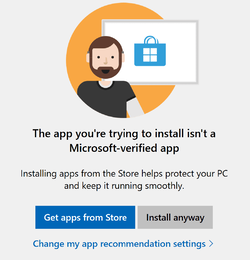
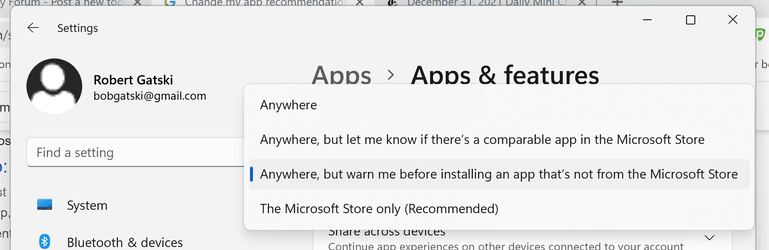
I'm trying to install Audacity for the first time. I downloaded from the Audacity site (wasn't sure I was finding the right thing when I looked in the Windows App Store). When I try to install I get the attached popup. I click on "Install anyway" and nothing happens. Nor does anything happen if I click on "Change my app recommendation settings". The other attachment shows the relevant Settings.
Thanks for any and all help, suggestions, sympathy, etc. Bob
Thanks for any and all help, suggestions, sympathy, etc. Bob
Attachments
My Computers
-
At a glance
Windows 11 25H2 26200.746232GBNVIDIA GeForce RTX5060- OS
- Windows 11 25H2 26200.7462
- Computer type
- Laptop
- Manufacturer/Model
- Alienware 16X Aurora
- Memory
- 32GB
- Graphics Card(s)
- NVIDIA GeForce RTX5060
- Screen Resolution
- 4K
-
At a glance
Win11Intel Core i7-1270016GBGEFORCE RTX 3060Ti- Operating System
- Win11
- Computer type
- PC/Desktop
- Manufacturer/Model
- Lenovo Legion
- CPU
- Intel Core i7-12700
- Motherboard
- No Idea
- Memory
- 16GB
- Graphics card(s)
- GEFORCE RTX 3060Ti
- Monitor(s) Displays
- Samsung
- Screen Resolution
- 4K