- Local time
- 4:36 AM
- Posts
- 130
- OS
- Windows 11 Pro for Workstations 26H2 26300.9550
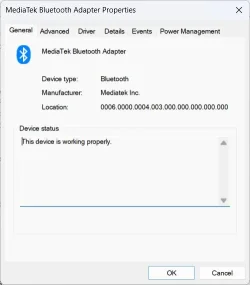
The code 31 in the device status that causes it to not work properly, is not an error?Driver Provider: Barrot Technology Co.,Ltd.
Driver Section: brbtusb.NT
Driver Rank: 0xFF0001
Matching Device ID: USB\VID_33FA&PID_0001
Outranked Drivers: bth.inf:USB\Class_E0&SubClass_01&Prot_01:00FF2003
Device Updated: false
Parent Device: USB\VID_214B&PID_7250\5&5a350ad&0&1
The device status should have an error code. NOPE
Events:
View attachment 184557
--Right-click in an empty space in the information panel??
Getting too long - losing track - will continue next post. Thanks again. Sleep tight...

It's tiring to get mixed up with this stuff. It happens to me all the time so don't worry about it.
Now do the extra step on this driver and check the events tab just in case it has something interesting at the end of its list.
I'd also like to know how did you install that driver from the link you posted on your latest message.
It's an OEM driver collection and the .cab you download has 3 files but no installer. They usually come with a small CD that includes the installer.
I installed it eventually with some extra work. It installed successfully but not displayed in any of device sections. Maybe it waits for something to connect but it should still show in the Bluetooth section.
The BARROT site itself (Barrot Technology Co., Ltd) looks clean but hard to find anything. I couldn't tell if they had a driver for your buds or not. It could be out of production, no idea.
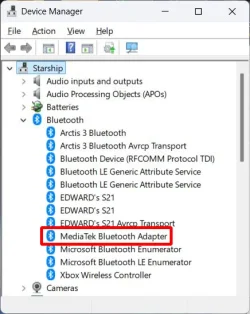
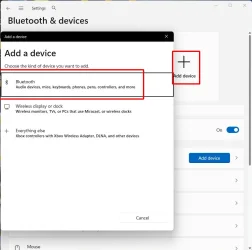
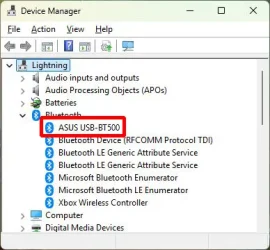
Do you have in your Bluetooth devices the default Windows "Generic Bluetooth Radio" or some other working Bluetooth adapter?
Disable the BARROT device and check the Bluetooth & devices section to see if any Bluetooth device has any image posted and its status.
If nothing is there, go back to the Device Manager and under Bluetooth, scan for the Microsoft Bluetooth Radio. Install it and since it's the only one active it should not have any flags,
Back to the Bluetooth & devices see if any devices were identified (and in particular yours).
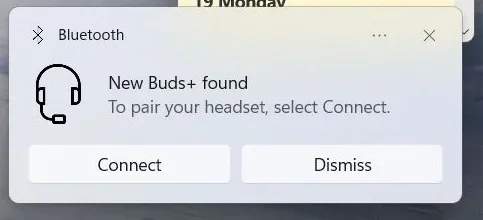
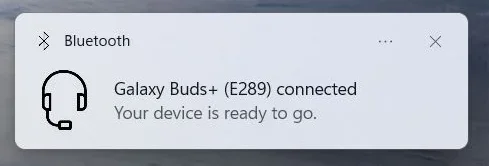
If found, switch the buds on, pair again if you have to and try it out.
If not found, unplug its dongle, plug it back to another USB port, switch it on and see if it wakes up.
Later...
My Computer
At a glance
Windows 11 Pro for Workstations 26H2 26300.95506C+4c Intel 13th Gen Intel(R) Core(TM) i5-134...64 GBNVIDIA GeForce RTX 4060, Intel UHD Graphics 730
- OS
- Windows 11 Pro for Workstations 26H2 26300.9550
- Computer type
- PC/Desktop
- Manufacturer/Model
- ASRock
- CPU
- 6C+4c Intel 13th Gen Intel(R) Core(TM) i5-13400, 4100 M
- Motherboard
- ASRock B660M-HDV
- Memory
- 64 GB
- Graphics Card(s)
- NVIDIA GeForce RTX 4060, Intel UHD Graphics 730
- Sound Card
- Realtek
- Monitor(s) Displays
- AOC 24V2W1G5
- Screen Resolution
- 1920x1080
- Hard Drives
- Samsung SSD 990 Pro with Heatsink
- Keyboard
- Logitech
- Mouse
- Logitech
- Internet Speed
- 1GB
- Antivirus
- Windows Defender