UpdatesMess
Active member
- Local time
- 7:34 PM
- Posts
- 18
- OS
- windows 11 24h2 Pro
I just got a Lenovo Carbon 7th Gen with Windows 11 because my 5th Gen (with Win 10) cannot be charged. My original intent was to swap harddrives, and I got excellent advice about how to do this and potential pitfalls in TenForum.com. I had used Win 11 on another computer some years ago, and, after a year of foaming at the mouth, I downgraded to Win 10. However, it seems as though I will be dragged into using Win 11, as I just got a notice from TurboTax stating that their product will now only support Win 11, and I assume that financial organizations will follow.
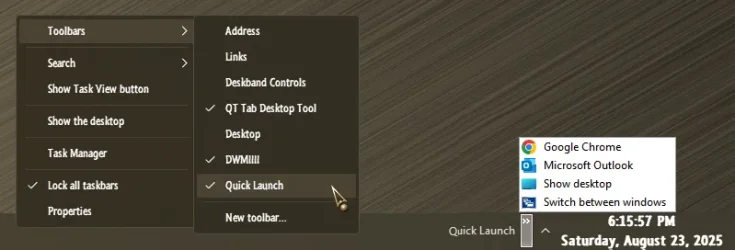
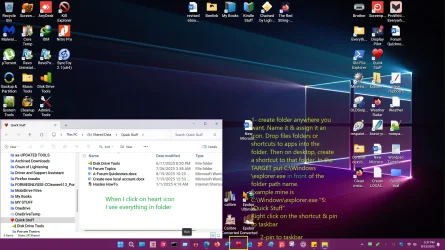
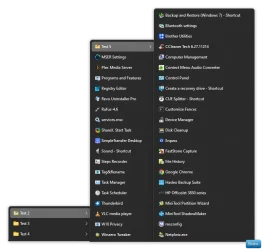
So, I started to work with the existing Win 11 Pro 24H2 Build 26100.4946 on the laptop. The very first thing I tried to do was to install QuickLaunch, which I had been able to do on my earlier encounter with Win 11. I found innumerable threads both on Elevenforum and elsewhere recommending how to do it, followed with comments that the specific approach would not work with new Windows 11 updates. In the process of reading these, I also found references to problems in opening and not combining multiple instances of a program. I am trying to avoid a trial-and-error approach with Open Shell, StartAllBack, Start11, ExplorerPatcher, etc. My question is that assuming I decide to run (or, more appropriately, stumble) with Win 11, what add-on program/combination of programs/registry edits, etc., should I use to get as close functionally to Win 10, with the lowest possible future headaches. I do NOT care about visual aesthetics (like taskbar transparency, rounded corners, etc.). I just want to make things function.
Thanks.
So, I started to work with the existing Win 11 Pro 24H2 Build 26100.4946 on the laptop. The very first thing I tried to do was to install QuickLaunch, which I had been able to do on my earlier encounter with Win 11. I found innumerable threads both on Elevenforum and elsewhere recommending how to do it, followed with comments that the specific approach would not work with new Windows 11 updates. In the process of reading these, I also found references to problems in opening and not combining multiple instances of a program. I am trying to avoid a trial-and-error approach with Open Shell, StartAllBack, Start11, ExplorerPatcher, etc. My question is that assuming I decide to run (or, more appropriately, stumble) with Win 11, what add-on program/combination of programs/registry edits, etc., should I use to get as close functionally to Win 10, with the lowest possible future headaches. I do NOT care about visual aesthetics (like taskbar transparency, rounded corners, etc.). I just want to make things function.
Thanks.
- Windows Build/Version
- Win 11 22H2 Build 26100.4946
My Computer
System One
-
- OS
- windows 11 24h2 Pro
- Computer type
- Laptop
- Manufacturer/Model
- Lenovo
- CPU
- Intel(R) Core(TM) i5-8365U CPU @ 1.60GHz, 189
- Motherboard
- Lenovo 20QES3DM00 SDK0J40697 WIN
- Memory
- 16GB
- Graphics Card(s)
- Intel UHD Graphics 620
- Sound Card
- Realtec Audio